Catherine Hu
Llevas 30 horas El proyecto Gold River, y sigues sin poder permitirte la excavadora pesada. O puede que un fallo haya enviado tu mejor pala a la estratosfera. En un simulador de minería realista, la dificultad es real, pero a veces sólo quieres probar los grandes juguetes.
Utilizar comandos de consola para crear objetos es una práctica habitual en los juegos de PC. Sin embargo, hay un problema: Los desarrolladores han desactivado la consola estándar (~) en la versión de lanzamiento.
A continuación figura la lista completa de identificadores Blueprint internos para El proyecto Gold River, junto con el único método que funciona para volver a habilitar la consola y hacer que aparezcan.
El Proyecto Gold River: Cheat Engine Table vs. XMODhub Trainer (Mejor Alternativa Gratuita)
Opinión del editor: La barrera “UE5
“Si has probado a pulsar Tilde (~) en el juego, sabrás que no pasa nada. Esto se debe a que The Gold River Project está construido en Unreal Engine 5, y la consola está bloqueada por defecto.
En la mayoría de los sitios web aparecen códigos falsos como dar_oro. No funcionarán. Necesitas ‘Invocar’ clases específicas de planos (por ejemplo, BP_Gold_Ingot_C). Aunque a continuación he enumerado los códigos manuales para usuarios avanzados, yo personalmente utilizo el Visual Spawner. Evita por completo la compleja escritura”.”
- Catherine Hu, responsable de contenidos de XMODhub
Referencia rápida: Las 10 identificaciones más buscadas
¿No quieres desplazarte? Aquí tienes los códigos de los elementos esenciales.
Cómo activar la consola (UE5 Unlocker)
Como el juego carece de consola nativa, no puedes simplemente teclear códigos. Tienes dos opciones:
- El camino difícil: Descarga el “Universal Unreal Engine 5 Unlocker” (UUU), inyecta la DLL en el proceso de juego en ejecución y abre la consola con Tilde (~).
- El camino fácil: Utiliza XMODhub, que incorpora el habilitador de consola y el inyector de comandos.
Formato del comando:
- Para crear un objeto:
Invocar [Blueprint_ID] - Para añadir estadísticas:
ConsolaComando [Comando] [Valor]
La manera fácil: XMODhub Visual Spawner
Deja de pulsar Alt para copiar y pegar BP_Vehicle_Excavator_Heavy_C. Las rutas de los planos de Unreal Engine distinguen entre mayúsculas y minúsculas y son propensas a errores tipográficos.
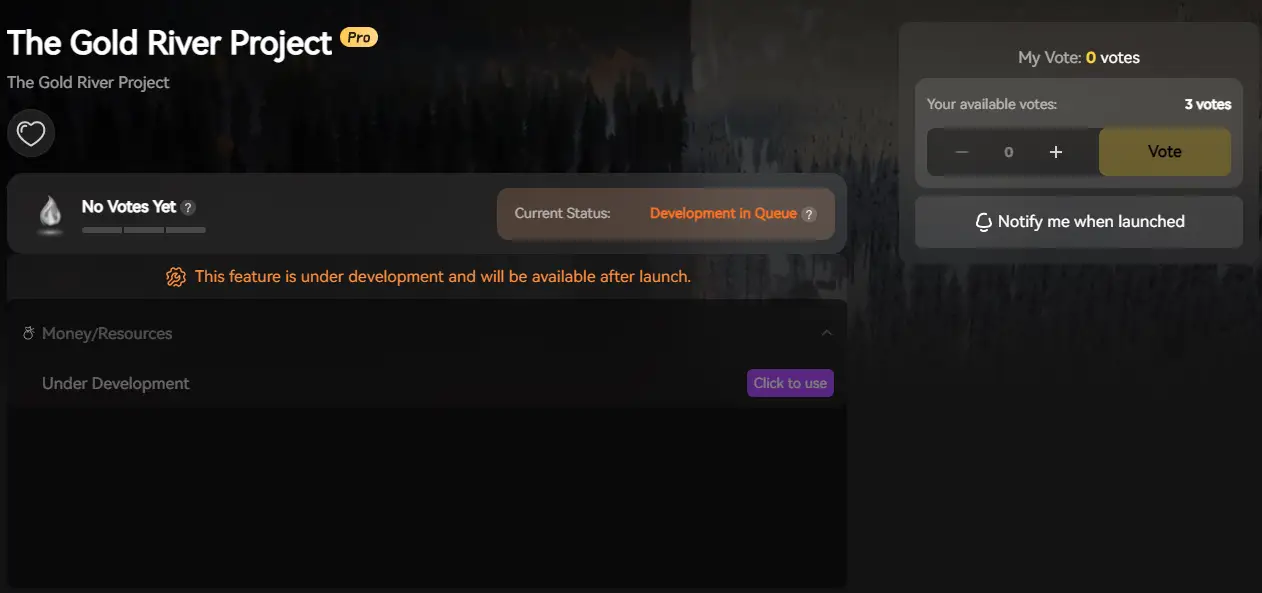
XMODhub incluirá un Visual Spawner específico para el proyecto Gold River.
- Basado en iconos: Vea imágenes de cada excavadora y herramienta.
- Barra de búsqueda: Escribe “Oro” y haz clic en Engendrar.
- Gestor de vehículos: Repara, reposta o teletransporta tus vehículos al instante.
Lista de identificación de herramientas y equipos
Lista de identificación de vehículos y maquinaria
Lista de identificación de recursos y consumibles
Habilidades y estadísticas Trucos
No necesitas IDs de objetos para las estadísticas; necesitas comandos directos de consola.
Solución de problemas: Por qué fallan los comandos
- “Comando no reconocido”: NO has inyectado correctamente la consola. El juego vainilla ignora estas entradas. Usa XMODhub o UUU para desbloquearla primero.
- “ID de objeto no válido”: Te perdiste el
_Cal final del nombre del plano. En UE5,_Csignifica “Clase”. Es necesario para el comando Invocar. - Desove de vehículos en el aire: Al usar Invocar, los objetos aparecen en tus coordenadas exactas. Si miras hacia arriba, la excavadora puede caer sobre tu cabeza. Mira al suelo antes de que aparezca.
PREGUNTAS FRECUENTES
P: ¿Estos códigos distinguen entre mayúsculas y minúsculas?
Sí. Unreal Engine 5 es estricto. bp_gold puede fallar, mientras que BP_Oro funciona. Recomendamos copiar los códigos exactamente o utilizar la interfaz de usuario de XMODhub para que lo haga por usted.
P: ¿Puedo crear objetos en el modo multijugador?
Sólo el Anfitrión puede utilizar comandos de consola. Si un Cliente (jugador que se une) intenta ejecutar un comando, no ocurrirá nada. El anfitrión debe crear la excavadora y, a continuación, el cliente puede conducirla.
P: ¿Cómo elimino un objeto que he generado por error?
Mira el objeto, abre la consola y escribe DestruirObjetivo. Tenga cuidado, ¡puede borrar accidentalmente el suelo o su propio vehículo!
Conclusión
Utilizar los identificadores de objetos del Proyecto Gold River es la forma más rápida de construir el imperio minero de tus sueños. Marque esta página para que pueda encontrar los BP_ códigos siempre que los necesite.
Sin embargo, acordarse de escribir Invocar BP_Vehicle_Excavator_Heavy_C cada vez es tedioso. En Generador visual XMODhub lo hace tan fácil como hacer clic en una foto.

Lo mejor de todo es que XMODhub es compatible con más de 5.000 juegos. Así que, una vez que hayas encontrado oro aquí, puedes llevar esa eficiencia a otros éxitos de simulación y supervivencia como FrostpunkSon miles de millonesSobrevivir a Marte
El mío más inteligente, no más duro.

Soy un jugador apasionado y escritor en XMODhub, dedicado a traerte las últimas noticias de juegos, consejos y puntos de vista.
Conecta conmigo:
Perfil en LinkedIn
 Nancy Miller