Catherine Hu
Let’s speak adventurer to adventurer. You launch Solasta 2, ready to begin your D&D 5e campaign — and instead of rolling initiative, the game crashes with a Fatal D3D Error and sends you back to the desktop.
Technical bugs can ruin the excitement of starting a new tabletop-style adventure. But let’s also be honest about what comes next once the crash is fixed. The authentic 5e ruleset is notoriously unforgiving. Spending twenty minutes setting up a perfect ambush only for your Rogue to roll a Natural 1 is painful. Watching your Wizard burn every Spell Slot in the first encounter and then spam cantrips while the party searches for a Long Rest is even worse.
This guide will first show you the exact technical fixes for the Fatal D3D Error. Then we will introduce a powerful tool — XMODhub — that lets you control dice rolls, unlock infinite magic, and enjoy the campaign without endless save-scumming.
Solasta II: Cheat Engine Table vs. XMODhub Trainer (Best Free Alternative)
TL;DR: Fatal D3D Fix & How to Lock Dice Rolls
Stuck on the launch screen? Here is exactly how to fix the Solasta 2 Fatal D3D Error and take control of your D20 rolls:
- ➤
Force DirectX 11 (The Crash Fix): Right-click Solasta 2 in Steam > Properties > General. In the Launch Options box, type-force-d3d11. This bypasses the unstable DX12 API that frequently causes Unity Engine startup crashes. - ➤
Update GPU Drivers: A “Fatal D3D” error means your graphics card failed to render the initial shaders. Download the latest game-ready drivers from NVIDIA or AMD. - ➤
Clear the DirectX Shader Cache: Press the Windows Key, type “Disk Cleanup,” select your C: drive, and check “DirectX Shader Cache” to delete corrupted temporary files.
1. Fixing the Fatal D3D Error in Solasta 2
The Fatal D3D Error is a known DirectX timeout issue. When Solasta 2 attempts to compile complex lighting shaders during the initial loading screen, the GPU takes too long to respond. Windows then forcefully terminates the application to prevent a system freeze.
If forcing -force-d3d11 in your Steam Launch Options (as mentioned in the TL;DR) did not work, ensure no background overlays are hooking into the game.
- 🔥
Turn off the Discord Overlay. - 🔥
Disable the Steam Overlay (Right-click game > Properties > Toggle “Enable the Steam Overlay while in-game” off).
Once you finally load past the title screen, the real battle against the 5e ruleset begins.
2. The Agony of D&D 5e RNG: Always Roll 20 Hack
Even with the perfect party composition, the D20 dice system has absolutely no mercy.
You enter a high-stakes conversation with a hostile NPC. If you pass a Persuasion check, you bypass a lethal, resource-draining boss fight. You have a massive +8 Charisma modifier. You confidently click to roll the dice… and hit a Natural 1. Automatic failure. The boss attacks, your party wipes, and you are forced to reload your last save. This artificial difficulty completely ruins the pacing of a modern CRPG.
✨ The XMODhub Solution
You do not have to leave your fate to random number generators. By enabling Always Roll 20 in XMODhub:
- ✦Every attack roll becomes a critical success
- ✦Every persuasion check passes
- ✦Every stealth roll succeeds
Instead of staring at loading screens, you control the narrative.
3. How to Get Max Stats in Solasta 2 Character Creation
Character creation in Solasta strictly mirrors tabletop mechanics. This means dealing with brutal stat generation systems. With Point Buy, attributes are capped at 15.
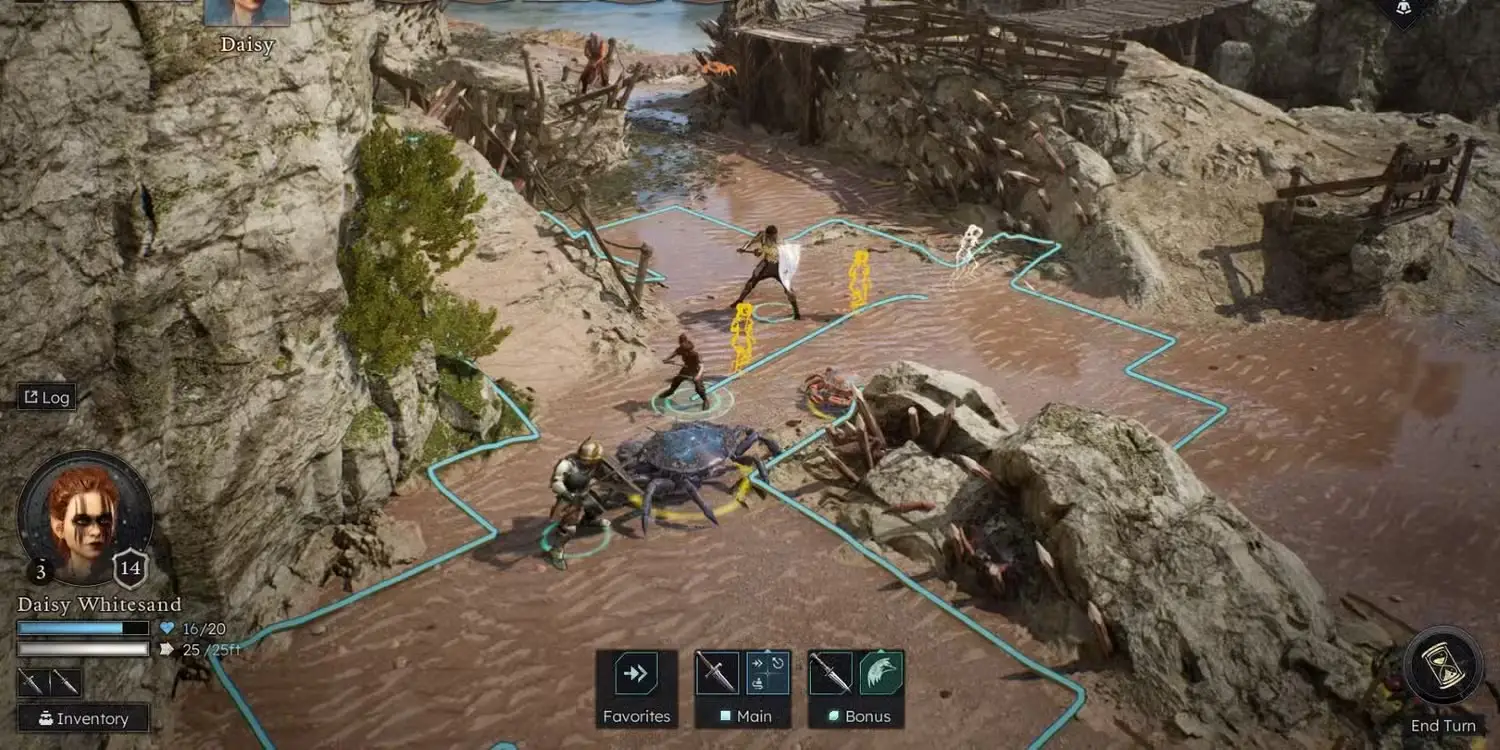
With the classic 4d6 roll system, you may spend 30 minutes rerolling stats hoping for an acceptable build. Nobody wants their frontline Fighter stuck with mediocre Strength.
Using XMODhub’s Max Attributes feature, you can set every stat to 20 instantly during character creation. This lets you:
- ➤Build elite characters immediately
- ➤Avoid reroll frustration
- ➤Focus on gameplay and story
Your party starts as legendary heroes rather than underpowered recruits.
4. Infinite Spell Slots Guide: End the Cantrip Spam
The “15-minute adventuring day” is the most notoriously frustrating mechanic in 5e.
Your Wizard unleashes two Fireballs to survive a brutal room. It feels amazing. But the dungeon has four more encounters. Because you are out of Tier 3 Spell Slots, your almighty archmage is now practically useless. You must hide them in the backline, throwing weak Fire Bolt cantrips for a pathetic 1d10 damage. To get your magic back, you must burn precious food rations and force a Long Rest, shattering your immersion.
With XMODhub’s Infinite Spell Slots toggle, your magical chambers never empty. You can cast Chain Lightning, Banishment, and Mass Heal in every single combat encounter. Stop managing camp rations and transform your casters into the terrifying magical artillery they were always meant to be.
5. Perfect Compatibility: Dungeon Maker Custom Campaigns
One of the greatest features in Solasta is the Dungeon Maker, which allows players to download massive community campaigns. However, traditional .pak mods can break these custom adventures.
Because they modify actual game files, they often cause:
- ×Script errors
- ×Broken quests
- ×Crashed maps
- ×Corrupted saves
XMODhub uses memory injection. Because it only interacts with active game memory:
- ✦No files are overwritten
- ✦No scripts break
- ✦No campaign saves become corrupted
- ✦Perfectly compatible with Dungeon Maker
6. How to Use XMODhub for Solasta 2?
Ready to stop crashing and start dominating the grid? Getting XMODhub running is incredibly simple and perfectly safe. Here is the exact step-by-step process to reclaim your campaign:
Descargar: Grab the verified, virus-free XMODhub desktop application from our official homepage and install it on your PC.

Search: Open the XMODhub client and use the search bar to find Solasta 2 (the app will automatically detect your game installation).
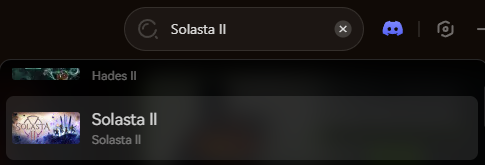
Lanzamiento: Click the prominent “Play” button within the XMODhub app. This safely links the software to the game’s active memory. Once in-game, simply toggle your cheats to instantly activate Always Roll 20, Infinite Spell Slots, and Max Stats.
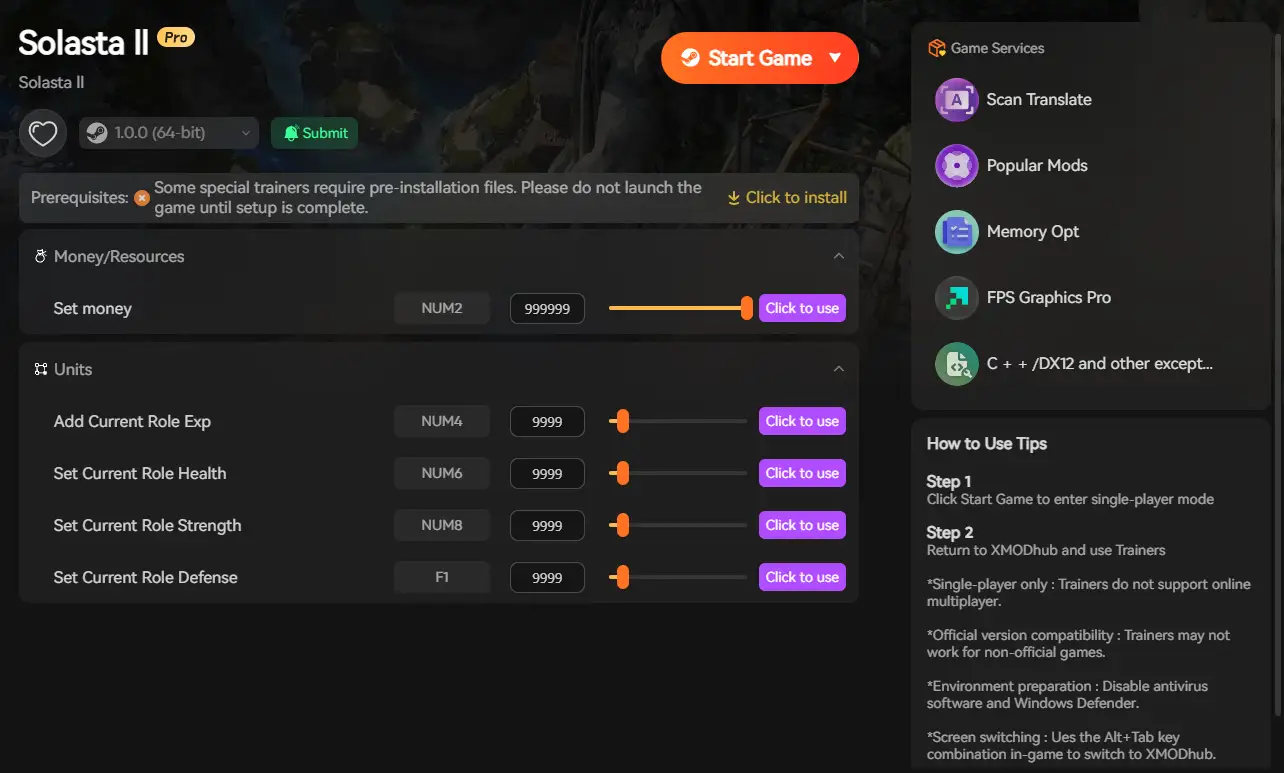
Do not let a Fatal D3D Error or the punishing D&D 5e ruleset ruin your adventure. Fix your game, skip the frustrating save-scumming, and become the ultimate Dungeon Master with XMODhub today!
Conclusion: Fix the Crash and Control the Dice
Fatal D3D crashes can stop your adventure before it even begins. Fortunately, forcing DirectX 11, updating GPU drivers, and clearing shader caches will solve most launch failures.
But even after the game runs properly, the brutal randomness of D&D 5e mechanics can slow your progress through endless failed rolls, resource starvation, and save-scumming.
With XMODhub, you eliminate both problems:
- ✨Stable gameplay without file corruption
- ✨Full control over dice rolls and spellcasting
- ✨A smoother campaign for solo players and co-op parties alike
Fix the crash, seize control of your fate, and run your campaign like the ultimate Dungeon Master.
Related Posts:

Soy un jugador apasionado y escritor en XMODhub, dedicado a traerte las últimas noticias de juegos, consejos y puntos de vista.
Conecta conmigo:
Perfil en LinkedIn
 Nancy Miller