
 Catherine Hu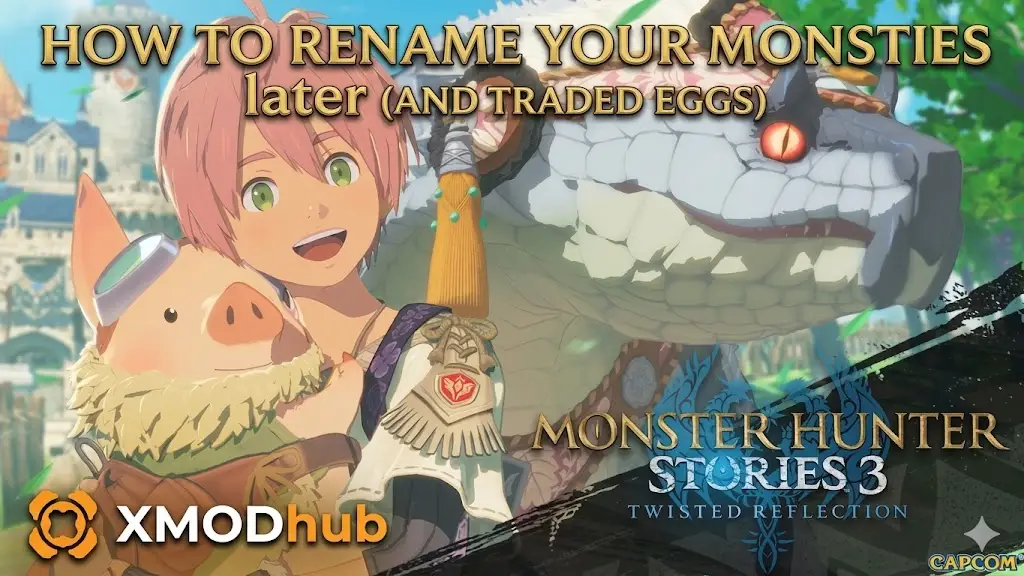
Monster Hunter Stories 3 Monstie Renaming Guide
We have all been there. You just survived a brutal High Rank den in Monster Hunter Stories 3: Twisted Reflection, secured a heavy, glowing Rainbow egg, and mashed your way through the hatching screen. In your excitement to see your new Deviant Monstie rendered beautifully in Capcom’s RE Engine, you accidentally named your fearsome Silver Rathalos “Bob.”
For a game that emphasizes building a deep bond with your Monstie roster, staring at a typo in the middle of a serious, emotional cutscene in Azuria can completely break your immersion.
In this guide, we will show you exactly how to change your Monstie’s name after the initial hatching screen, explain the frustrating limitations regarding traded Monsties, and show you how to bypass those name-locks entirely using the XMODhub PC Trainer’s advanced string editor.
También te puede gustar: Monster Hunter Stories 3
Editor’s Note:
By Catherine Hu, Senior Editor at XMODhub.
Our technical team has mapped out the string data structures for the latest Steam build of MHS3: Twisted Reflection. Because this title is built on Capcom’s proprietary RE Engine, there is no native developer console to input simple text commands. Text strings (like Rider names and Monstie names) are handled in dynamic memory addresses. Using traditional hex editors on your save file is risky; our trainer provides a real-time, memory-safe way to edit these strings. Always play in single-player or private lobbies when modifying game memory.
Quick Answer: Monster Hunter Stories 3 Monstie Renaming
The standard way to rename a Monstie you personally hatched in Monster Hunter Stories 3: Twisted Reflection is by visiting the Stable Paw in any major hub town (like Vermeil City). Open the “Manage Monsties” menu, highlight the specific Monstie, press the designated Sub-menu button (‘X’ on an Xbox pad or ‘Right Click’ on PC), and select “Rename.”
However, if you received the Monstie via a co-op trade or promotional event, the game permanently locks the name. To bypass this restriction and rename traded Monsties (or even change your own Rider’s name), PC players can use the XMODhub MHS3 Trainer to override the Original Trainer (OT) flag.
Best Normal Methods: The Stable Paw Menu Guide
If you just want to fix a simple typo on a Monstie you hatched from a local den, you do not need any external tools. The process is straightforward:
01 Head to the Stables
Fast travel to the central plaza in Vermeil City or your camp in the Azuria Highlands. Speak to the Stable Paw Felyne.
02 Open Monstie Management
Select the “Manage Monsties” option.
03 Access the Sub-Menu
Hover over the Monstie you wish to rename. Press the sub-menu button indicated at the bottom right of your screen.
04 Enter the New Name
Select “Rename” from the list. You can enter a new name up to 12 characters long.
There is zero Zenny cost associated with renaming your hatched Monsties. You can do it as many times as you like.
The Traded Monstie Problem: Why Are Some Names Locked?
The frustration begins when you start engaging with the MHS3 community. If you receive a Monstie from a friend through the Co-Op Trading system, or if you download a special promotional Monstie, you will discover that the “Rename” option is greyed out.
By default, the game locks the name because the Trainer ID (TID) on the Monstie does not match your character’s ID. This is a legacy mechanic designed to “respect” the original owner, but it is incredibly annoying if your friend traded you a perfect-gene Nergigante with an immersion-breaking name.
The Ultimate Solution: XMODhub Memory String Editor
Why should you be stuck with a terribly named powerhouse? The XMODhub trainer features a dedicated String Editor designed to handle the RE Engine’s dynamic text allocation.
- Bypass Name Locks: Instantly overwrite the Original Trainer ID flag on any Monstie, permanently unlocking the “Rename” button at the Stable Paw.
- Rename Your Rider: Regretting your character’s name 40 hours into the campaign? Safely edit your Rider’s name without corrupting your save.
- Visual Monstie Spawner: Don’t want to bother renaming? Instantly generate a clone of the traded Monstie with the exact same genes, but assigned directly to your native Trainer ID.
Step-by-Step: How to Use the MHS3 Trainer
Changing hidden string values is usually complex, but we have condensed it into a user-friendly UI:
- Download the App: Install the latest XMODhub Desktop Application from our official homepage.

- Launch the Client: Open the app and select Monster Hunter Stories 3: Twisted Reflection.

- Boot Your Game: Launch the game via Steam and load your save in a town hub.
- Inject the Trainer: Click the “Play” button in XMODhub to link to the game’s active memory.
- Use the String Editor: Navigate to the “Roster Editor” tab in our overlay, select the locked Monstie, and type your new name. Hit “Apply” and save your game at your bed.
XMODhub Trainer vs. Traditional Hex Editors
When players want to rename a character in a modern JRPG, they often turn to free hex editors. For MHS3, this is a massive mistake.
Monster Hunter Stories 3 Trainer & Cheats (Twisted Reflection) | XMODhub
Anti-Cheat Evasion: Will I Get Banned for Renaming?
The short answer is: No. Monster Hunter Stories 3 stores your Monstie and Rider data locally. While the game features co-op dens, your Monstie’s name is simply a cosmetic text value. There are no server-side checks policing whether a traded Monstie’s name matches its original Trainer ID. As long as you use the trainer while in single-player mode, the changes bake into your save file permanently and safely.
Frequently Asked Questions (FAQ)
What is the maximum character limit for names?
MHS3 supports up to 12 alphanumeric characters. Our trainer respects this limit to avoid UI clipping issues in combat menus.
Can I rename my Rider’s name too?
Yes! Using the XMODhub String Editor, you can change your main character’s name at any point in the story without losing progress.
Will renaming a Monstie change its stats?
No. The name string is stored separately from its base stats, growth rates, and genes.
Conclusion: Give Your Roster the Names They Deserve
Building a cohesive, powerful team in Monster Hunter Stories 3: Twisted Reflection is a massive time investment. You shouldn’t have to tolerate glaring typos or awkward, locked names on the Monsties that are carrying you through the Labyrinth.
Whether you are fixing a mistake at the Vermeil City Stables or using the XMODhub PC Trainer to take ownership of a traded Monstie, you now have the tools to curate your roster perfectly. Take control of your save file and give your Elder Dragons the epic names they deserve.
Ready to rename your team? Download XMODhub today and start customizing your ultimate Rider roster!

Soy un jugador apasionado y escritor en XMODhub, dedicado a traerte las últimas noticias de juegos, consejos y puntos de vista.
Conecta conmigo:
Perfil en LinkedIn
 Nancy Miller