
 Catherine Hu
You pre-ordered the Woolhaven expansion, ready to meet Yngya and explore the frozen mountains. But the moment you click “Play” on launch day, the game freezes, throws a Unity error, or—worst of all—the DLC content simply doesn’t appear.
Launch Day Reality Check: Major updates like Woolhaven (v1.5+) almost always break existing mods and require specific file verifications.
Whether you are facing a black screen, a “Fatal Error,” or your cult save file won’t load, this guide covers the urgent fixes to get you into the snow.
También te puede gustar:
Cult of the Lamb: Woolhaven Cheat Engine Table vs. XMODhub Trainer: Best Free Alternative (2026)
Editor’s Warning: The #1 Cause of Crashes
“If you have ever installed mods for Cult of the Lamb (even months ago), your game will crash today.
The Woolhaven update changes the game’s core code structure. Old tools like BepInEx, COTL API, or Superfly are not compatible with the new v1.5 patch yet. Before you blame the developers, check your game folder. If you see a BepInEx folder, that is the culprit. I had to manually delete mine to get the DLC to launch.”
— Catherine Hu, Lead Editor at XMODhub
Method 1: Disable Broken Mods (BepInEx)
Launch day crashes are 90% caused by outdated mods. Even if you “disabled” them in a manager, leftover DLL files can still hook into the game and crash it.
How to Clean Your Folder:
- Right-click Cult of the Lamb in Steam > Manage > Browse Local Files.
- Look for a folder named BepInEx.
- Rename it to
BepInEx_OLD(or delete it entirely). - Also, delete
winhttp.dllodoorstop_config.iniif present. - Launch the game. It should now start vanilla. You can update your mods later when the community catches up.
Method 2: Force Steam to Verify DLC Files
Sometimes Steam downloads the base game patch but “forgets” the DLC assets, causing a crash when the game tries to load the new Woolhaven assets.
- Right-click Cult of the Lamb > Properties > DLC.
- Uncheck and Re-check the box next to “Cult of the Lamb: Woolhaven”. This forces a download refresh.
- Go to Installed Files and click “Verify integrity of game files”.
Method 3: Fix Unity “Citrix” & Display Errors
The “Woolhaven” update runs on an updated Unity engine version. If you get a UnityPlayer.dll error or a generic crash:
- Uninstall Citrix Workspace: This virtual display driver conflicts with Unity games. Uninstall it, restart PC, and try again.
- Delete Config File: Corrupted settings from the previous version can crash the new one.
Go to:C:\Users\[User]\AppData\LocalLow\Massive Monster\Cult Of The Lamb\
DeleteSettings.json.
Method 4: Steam Deck Launch Issues
If Woolhaven crashes on your Steam Deck, specifically during the new dungeon transitions:
- Force Proton Experimental: Properties > Compatibility > Check “Force the use of a specific Steam Play compatibility tool” > Select Proton Experimental.
- V-Sync Fix: Some users report that disabling V-Sync prevents crashes during the new snow weather effects.
Method 5: “DLC Not Loading” (Fix)
Game starts but no Woolhaven content?
- Progress Check: The DLC content is usually accessible only after you have defeated at least two Bishops (or reached a specific mid-game milestone). It is not available on a fresh save file immediately.
- Region Check: Ensure your DLC purchase matches your base game’s region.
The Workaround: Skip the Grind with XMODhub
If your save file was corrupted by the update, or you don’t want to grind 10 hours just to see the new DLC content on a fresh save: XMODhub offers updated tools for the Woolhaven expansion:
- Save Manager: Roll back to a pre-update backup if your save gets bugged.
- Formadores: Use “Instant Build” and “Infinite Resources” to speed-run the early game and reach the new content in minutes, not days.
How to Use XMODhub
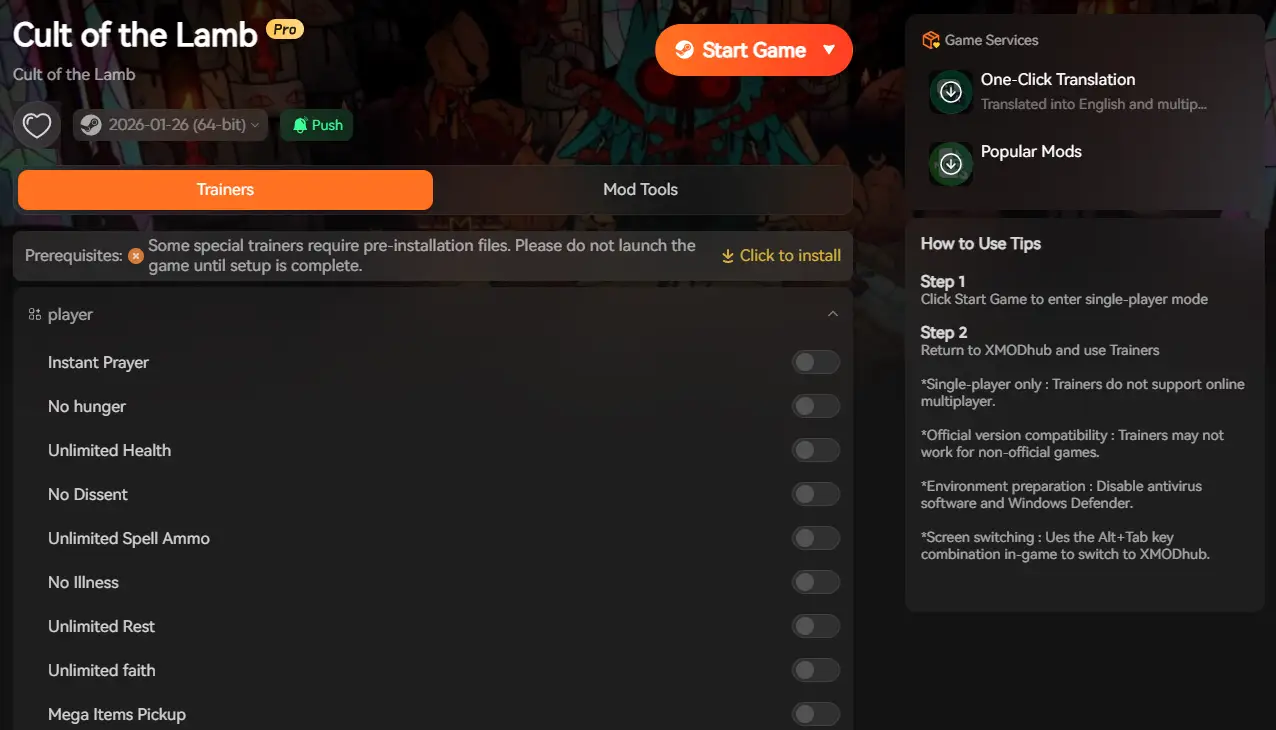
- Download the [Cliente XMODhub].

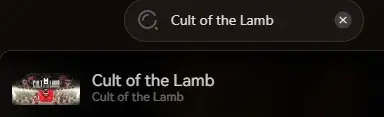
- Scan for Cult of the Lamb.
- Activate “Safe Mode” to ensure tools work with the new v1.5 patch.
PREGUNTAS FRECUENTES
Q: Is Woolhaven free?
No, Woolhaven is a paid expansion ($16.99) releasing Jan 22, 2026. The Sins of the Flesh update was free, but this is a major DLC.
Q: Why does my screen go pink?
Pink textures mean missing assets. This happens if the DLC didn’t fully download. Use Method 2 (Verify Files) to fix this immediately.
Q: Do I need to start a new save for Woolhaven?
No, you can continue your existing cult. However, the new content typically appears as a quest trigger in your existing base.
Conclusión
Launch day jitters are normal. By disabling your old mods (BepInEx), verifying your DLC files, and ensuring no driver conflicts exist, you should be able to launch Cult of the Lamb: Woolhaven without issues.
If the game is still poorly optimized, tools like XMODhub can help you mitigate the frustration with game speed adjustments and safe backups until the official patch arrives.

Think Bigger: XMODhub supports 5,000+ games, offering trainers, mods, and gaming tools for many similar titles like FrostpunkSon miles de millonesSobrevivir a Marte. XMODhub ensures you always have the ultimate toolkit ready at your fingertips.

Soy un jugador apasionado y escritor en XMODhub, dedicado a traerte las últimas noticias de juegos, consejos y puntos de vista.
Conecta conmigo:
Perfil en LinkedIn

 Nancy Miller

