Resumen: A complete 2025 guide to Escape From Duckov console commands, featuring full cheat lists, money codes, and mod options to enhance gameplay and speed up progression.
Looking to take control of your Escape From Duckov experience? Console commands are the key.
Whether you’re after unlimited money, instant item spawns, or faster progression, the in-game console offers powerful tools to customize your gameplay.
In this guide, we’ll explain what Escape From Duckov console commands are, how to enable them, and which ones are the most useful.
You’ll also find a full list of updated commands for 2025, plus tips on enhancing your game even further with Xmod.
Let’s dive in and unlock the full potential of Duckov!
Índice
- What Are Escape From Duckov Console Commands?
- How to Enable the Console in Escape From Duckov
- Most Useful Escape From Duckov Comandos de consola
- Cómo mejorar Escape From Duckov with Xmod
- Conclusión
What Are Escape From Duckov Console Commands?

Escape From Duckov console commands are developer tools that allow players to modify various aspects of the game in real-time. By entering specific text-based codes into the in-game console, you can unlock powerful abilities such as spawning items, increasing currency, adjusting game difficulty, or even enabling invincibility. These commands are especially useful for testing, speedrunning, or simply having fun with the game mechanics outside the normal rules.
How to Enable the Console in Escape From Duckov
The game checks for a specific blank file in your Documents folder. Once it finds the file, all debug and cheat features automatically activate on startup.
- Create a new blank file named WWSSADADBA (no file extension).
- Save it in your Documents folder (e.g.,
C:\Users\YourName\Documents).
- If Windows adds an extension, create WWSSADADBA.txt first, then rename it to remove
.txt and confirm the extension change warning.
- Launch the game and press a cheat hotkey (listed below) to verify it’s working.

Most Useful Escape From Duckov Console Commands
| Function |
Hotkey / Action |
| Toggle god mode |
Left Ctrl + = |
| Teleport to cursor |
Left Ctrl + Mouse Back (Mouse side button) |
| Sleep anywhere |
Left Alt + S |
| Enter item ID typing mode |
Numpad * (Multiply) |
| Spawn item by ID |
Type the item’s numeric ID on the numeric keypad, then press Numpad + |
| Exit typing mode |
Numpad + (also confirms spawn) |
| Clear current typed number |
Numpad * (re-enter/clear typing mode) |
| Duplicate hovered item |
Hover an item, then press Numpad – |
How to Enhance Escape From Duckov with Xmod
Xmod takes the Escape From Duckov experience far beyond standard console commands by offering one-click cheats, gameplay modifiers, and quality-of-life tools — all without typing a single code.
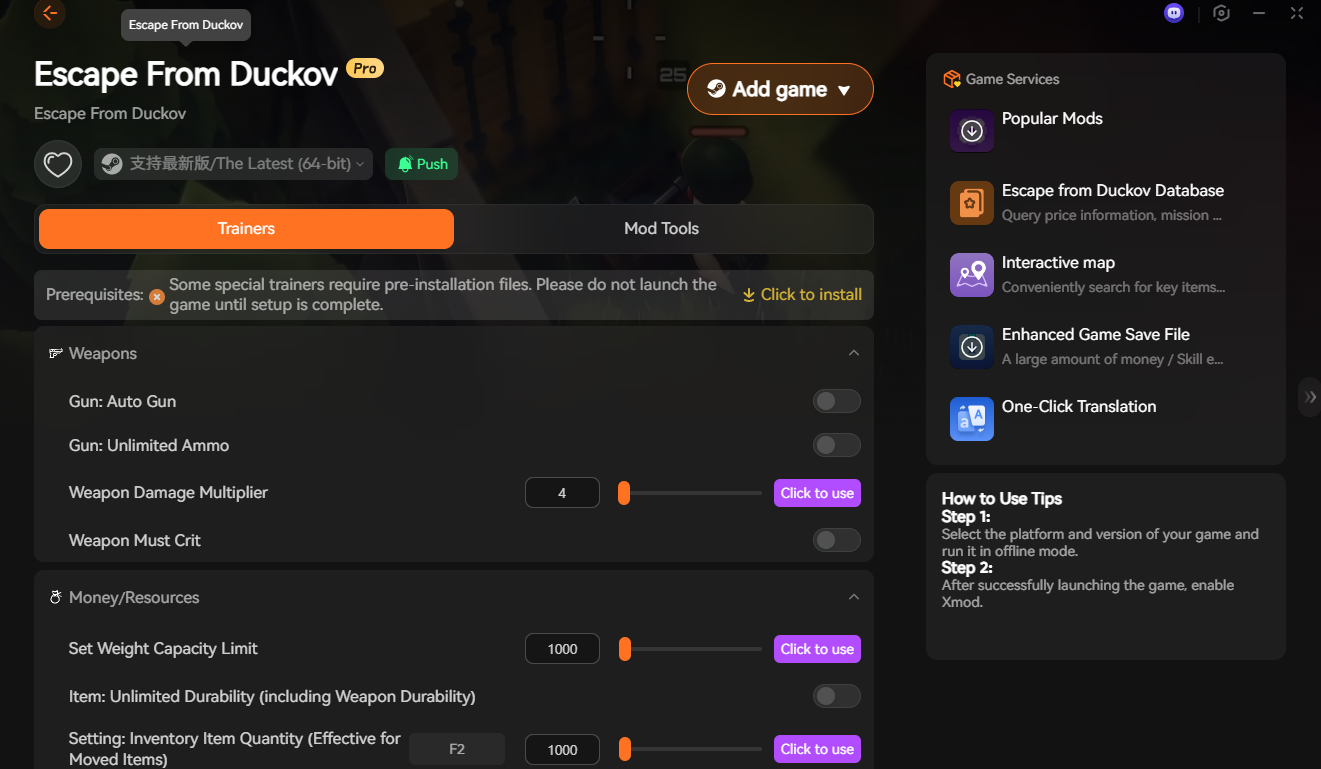
With Xmod, you can:
- Activate powerful trainers instantly — unlimited ammo, auto-fire, crit shots, damage multipliers, etc.
- Modify resources and stats — weight capacity, durability, inventory quantity, skill levels, and more.
- Use built-in game services — interactive map, item price database, save-file boosters, and instant translation.
- Enable everything through a clean UI — just launch the game, toggle a feature, and play.

No debug files, no console typing — just click and apply.
If you want full control, faster progression, or an easier solo run, Xmod is the most convenient, safe, and feature-rich enhancement tool for Escape From Duckov.
Conclusión
Whether you’re using built-in console commands or upgrading the game with Xmod, Escape From Duckov becomes far more flexible and enjoyable once you take control of its systems. Console cheats are great for quick tweaks, but Xmod unlocks a full suite of powerful, user-friendly tools that go beyond what the console can do.
If you want faster progression, easier solo runs, or simply more freedom to experiment, both methods work — but Xmod delivers the smoother, safer, and more complete experience.
Soy un jugador apasionado y escritor en XMODhub, dedicado a traerte las últimas noticias de juegos, consejos y puntos de vista.
Conecta conmigo:
Perfil en LinkedIn

 Catherine Hu