Catherine Hu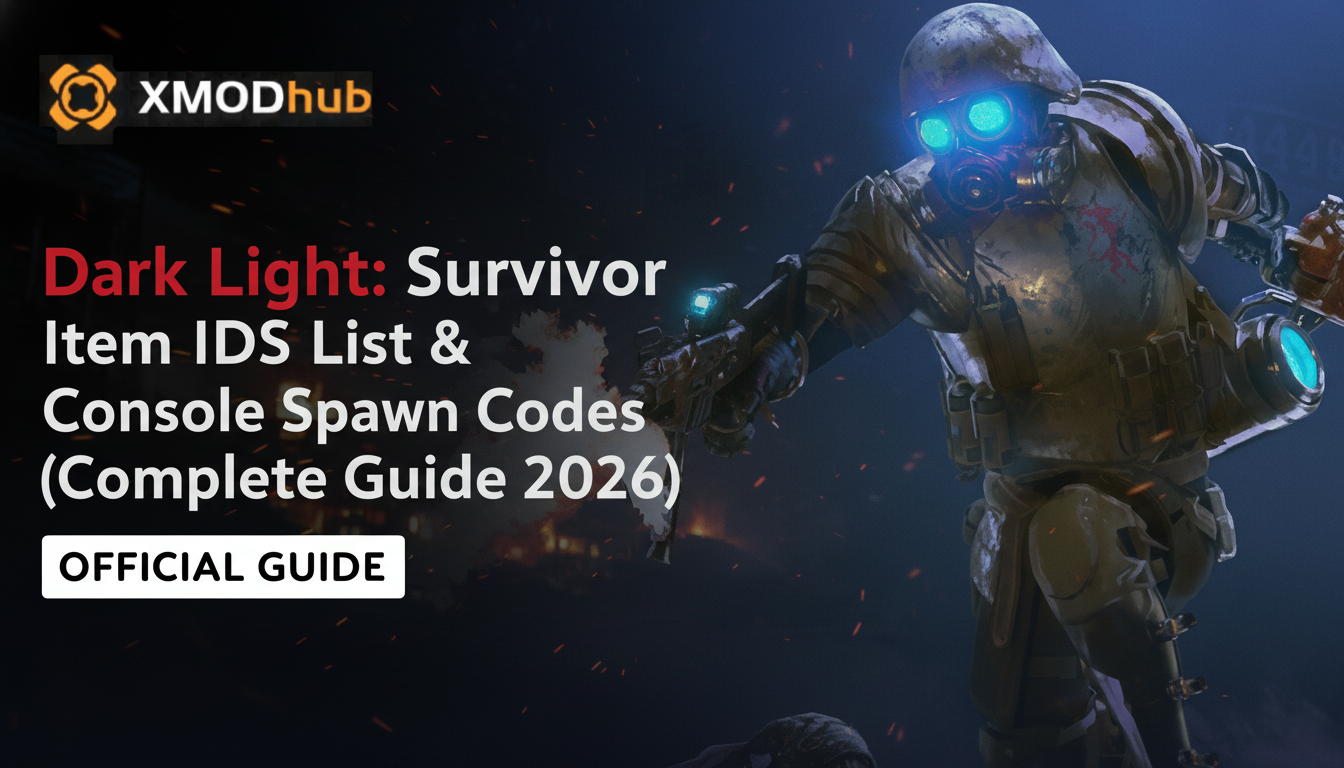
Want to test out the endgame Plasma Greatsword early? Are you tired of endlessly grinding for Cores and Shards just to upgrade your drone, or perhaps you accidentally wasted your heavy ammo right before a brutal boss fight and your playthrough feels soft-locked?
Using developer console commands to spawn items is a beloved staple of PC gaming freedom, especially in punishing metroidvania survival games. Because Dark Light: Survivor runs on the Unity engine, accessing these items requires specific string codes rather than simple hex numbers. Below is the most comprehensive, categorized, and up-to-date list of Item IDs, spawn codes, and perk IDs for Dark Light: Survivor, verified for the latest patch.
⚡ Quick Reference: Top 10 Most Wanted Dark Light: Survivor IDs
If you don’t want to scroll through thousands of rows of code, here are the exact spawn codes for the most essential and frequently searched items in the game (including Shards, Max Health Medkits, and top-tier weapons).
Command Syntax: Inventory.AddItem("[Item ID]", [Quantity])
| Nombre del artículo | Item Description | Dark Light: Survivor Item ID |
|---|---|---|
| Shards (Currency) | The primary currency for purchasing gear. | Resource_Shard_Base |
| Drone Cores | Required for unlocking advanced drone abilities. | Resource_Core_Tech |
| Large Medkit | Fully restores your Dark Hunter’s health. | Consumable_Medkit_Large |
| Plasma Greatsword | High-damage, slow-swinging melee weapon. | Weapon_PlasmaGreatsword |
| Heavy Energy Cell | Ammo for the most powerful ranged weapons. | Ammo_Energy_Heavy |
| Exo-Suit Upgrade T2 | Increases base armor and damage resistance. | Cyberware_ExoSuit_T2 |
| EMP Grenade | Temporarily stuns cybernetic enemies and bosses. | Consumable_Grenade_EMP |
| Map Decryptor | Reveals hidden rooms in the current sector. | Item_Map_Decryptor |
| Skill Point Fragment | Used to level up your character’s tech tree. | Resource_SkillPoint_Frag |
| Assault Rifle | Reliable, rapid-fire ballistic weapon. | Weapon_AssaultRifle |
💻 How to Enable the Console & Use Spawn Commands
Before you can use the ID codes listed below, you must understand the correct syntax for the developer console in Dark Light: Survivor. Because the game is built in Unity, the native developer text box is locked in the retail version. You must use a framework like Unity Explorer (via BepInEx) to input these scripts.
F7 key to open the Unity Explorer overlay, then navigate to the C# Console or Method Invoker tab.Inventory.AddItem("[Item ID]", [Quantity])Inventory.AddItem("Resource_Shard_Base", 500) and press Enter.⚠️ Expert Warning
“Typing Inventory.AddItem("Resource_Shard_Base", 1000) is fine if you only need to do it once to recover from a bad death. But if you are trying to test different weapon builds or max out your drone, manually typing case-sensitive C# strings becomes incredibly repetitive. One wrong character results in a ‘NullReferenceException’ or worse, a complete game crash. While the lists below are meticulously verified, I personally switched to a visual UI injector months ago. Seeing the item icon and just clicking ‘Add to Inventory’ is how modern PC modding should feel.”
🚀 The Easy Way: XMODhub Visual Spawner (No Typing Required)
Stop Alt-Tabbing to check massive spreadsheets. Typing long, case-sensitive ID codes breaks your immersion and wastes time.
The XMODhub PC Client includes a dedicated “Visual Item Spawner” feature specifically built to safely hook into Dark Light: Survivor.
⚔️ Weapon IDs List (Melee & Ranged)
Use these codes to instantly equip yourself with the best cyber-arsenal.
(Command Format: Inventory.AddWeapon("[Weapon ID]"))
| Weapon Name | Weapon ID |
|---|---|
| Chain Blade | Weapon_ChainBlade |
| Twin Daggers | Weapon_TwinDaggers |
| Heavy Shotgun | Weapon_Shotgun_Heavy |
| Laser Pistol | Weapon_LaserPistol |
| Railgun | Weapon_Railgun_Prototype |
🛡️ Cyberware & Armor IDs List
Upgrade your Dark Hunter’s defenses without farming for elite drops.
(Command Format: Inventory.AddArmor("[Armor ID]"))
| Cyberware Name | Cyberware ID |
|---|---|
| Kevlar Under-Suit | Armor_Kevlar_Suit |
| Kinetic Deflector Shield | Cyberware_Shield_Kinetic |
| Optic Scanner Lvl 3 | Cyberware_Optic_L3 |
| Motor-Assist Legs | Cyberware_Legs_Motor |
💊 Ammo & Consumables IDs List
Never run out of supplies during a boss fight again. We recommend spawning these in batches of 500+.
(Command Format: Inventory.AddItem("[Item ID]", 500))
| Nombre del artículo | Número de artículo |
|---|---|
| Small Medkit | Consumable_Medkit_Small |
| Standard Ballistic Ammo | Ammo_Ballistic_Standard |
| Shotgun Shells | Ammo_Shotgun_Shells |
| Adrenaline Injector | Consumable_Injector_Adrenaline |
| Poison Curing Serum | Consumable_Serum_Antidote |
🧬 Skills, Perks & Traits IDs
You don’t just have to spawn physical items. You can use the engine methods to instantly learn metroidvania traversal skills or add permanent character traits.
(Command Format: PlayerProgression.UnlockSkill("[Perk ID]"))
| Skill/Perk Name | Perk ID |
|---|---|
| Double Jump | Perk_Traversal_DoubleJump |
| Invincibility Dash | Perk_Combat_IFrameDash |
| Wall Grab | Perk_Traversal_WallGrab |
| Drone Auto-Fire | Perk_Drone_AutoTurret |
⚠️ Troubleshooting: Why Are My Commands Failing?
If you are typing the IDs correctly but the game is throwing errors in the Unity Explorer console, check these common issues:
resource_shard_base will fail; it must be capitalized exactly as Resource_Shard_Base.Item_Keycard_BossRoom) out of sequence can break the game’s logic. Always back up your save at C:\Users\[YourUsername]\AppData\LocalLow\Mirari\Dark Light\ before spawning story-critical items.💬 Frequently Asked Questions (FAQ)
A: Yes, absolutely. Because the game relies on Unity’s C# backend, native inventory calls are strictly case-sensitive. Spacing and capitalization must be exact.
A: No. Dark Light: Survivor is a strictly single-player experience. These commands modify your local memory and cannot be used in online competitive games without risking an anti-cheat ban.
A: Finding dynamic load-order IDs manually in Unity is extremely difficult. We highly recommend using the XMODhub Item Browser, which automatically scans your active mods, detects the custom items, and lets you spawn them with a single click without knowing the exact string.
🌟 Conclusion: The Ultimate Sandbox Experience
Having access to the complete Dark Light: Survivor Item IDs list is the fastest way to experiment with different character builds, test heavy weapon damage on late-game enemies, or simply recover from a frustrating inventory glitch. Bookmark this page so you can quickly reference the codes whenever you need a resupply.
However, if you want a significantly smoother, crash-free experience where you don’t need to memorize strings of code like Weapon_PlasmaGreatsword, the XMODhub Visual Spawner is the superior modern choice. Browse items visually. Spawn them instantly. Keep your Steam achievements active.
 XMODhub is your ultimate all-in-one toolkit for PC single-player gaming. Whether you need powerful Trainers, real-time Translation Tools, or Interactive Maps, our engine supports over 5,000+ games—including Dark Light: Survivor and similar hits like Caballero Hueco y Células muertas.

Soy un jugador apasionado y escritor en XMODhub, dedicado a traerte las últimas noticias de juegos, consejos y puntos de vista.
Conecta conmigo:
Perfil en LinkedIn
 Nancy Miller