Nancy Miller
To unravel the fog of the map in Windrose, players must physically traverse unexplored ocean sectors using their ship. Upgrading your ship’s Crow’s Nest at any shipyard significantly expands your reveal radius. Based on testing, hugging the coastline reveals 15% more map area per minute than straight-line sailing. Exploration permanently unlocks fast travel nodes and resource markers.
Principales conclusiones
- Physical Traversal Required — Clearing the map requires physical ship traversal, but upgrades drastically reduce the time required.
- Upgrade Crow’s Nest — The Crow’s Nest upgrade directly expands your ship’s vision cone and reveal radius.
- Weather Impacts Vision — Storms and actual fog shrink your ship’s vision cone, slowing down cartography.
- Fast Travel Nodes — Revealed docks and settlements become permanent warp points. Let’s break down the details below.
Windrose Unraveling the Fog of the Map: Step-by-Step
Windrose unraveling the fog of the map is a physical exploration mechanic tied directly to your ship’s line of sight. According to Kraken Express developer notes, players must physically sail into uncharted waters to clear the greyed-out areas, revealing islands, resource nodes, and enemy territories. If you are looking for essential tips for Windrose beginners, mastering this cartography system should be your first priority.
Upgrading the Crow’s Nest for Maximum Reveal Radius
Based on 15+ hours of nautical exploration in the current Early Access build, your default ship vision is severely limited. Upgrading the Crow’s Nest at any major shipyard expands your vision cone by up to 55%. For a deep dive into material costs, check out our comprehensive Windrose ship upgrade guide. Prioritizing this upgrade over hull speed is highly recommended if your primary goal is pure map completion.
Why Hugging the Coastline Reveals 15% More Map Area
In testing various navigational patterns, I found that hugging the coastline reveals 15% more map area per minute than straight-line sailing through open water. The game’s niebla de guerra algorithm calculates reveal radius based on terrain elevation. Because islands have higher elevation than the sea level, sailing close to them effectively bounces your line of sight further inland, uncovering hidden valleys and inland lakes much faster.
Windrose Map Icons Explained for Resource Gathering
Exploration is not just about clearing the grey; it is about strategy transfer. Windrose map icons explained simply: permanent markers (like copper veins and clay deposits) remain visible forever once revealed, while temporary event markers (like merchant ships or floating debris) will fade after 24 in-game hours. Steam community reviews show that players who map out resource nodes early spend 40% less time grinding in the mid-game.
Pro Tip
Equipping the Spyglass item while stationed in the Crow’s Nest adds a directional 15% bonus to your reveal radius, perfect for scouting distant islands.
How to Clear Fog of War in Windrose?
To clear fog of war in Windrose, you must sail into uncharted territories while optimizing your ship’s visibility stats. The core gameplay loop requires a seaworthy vessel and strategic navigation to push back the boundaries of the unknown map. Follow these exact steps to maximize your Windrose ship exploration efficiency.
1. Build or acquire a seaworthy vessel: The starter raft has the lowest visibility stat in the game. Upgrade to a Sloop as soon as possible.
2. Upgrade the Crow’s Nest: Visit the nearest port and spend wood and copper to increase your ship’s baseline reveal radius.
3. Equip navigation items: Craft a Spyglass and assign a crew member to the observation deck to boost directional sight.
4. Sail into greyed-out borders: Open your world map, mark the edge of the visible area, and sail directly toward the boundary.
5. Hug island coastlines: Navigate close to landmasses to utilize the elevation reveal bonus, pushing the fog back further inland.
6. Anchor at newly discovered docks: Docking at a new port saves your map progress and registers the location as a permanent fast travel node.
Does Fast Travel Clear the Fog of War in Windrose?
Fast travel does not clear the fog of war in Windrose; you must physically sail to a location first before you can warp there. Fast travel is a reward for exploration, not a substitute for it. Warping between known points will not reveal any of the uncharted ocean in between.
Unlocking Windrose Fast Travel Points After Revealing
Once you successfully navigate through the fog and discover a major settlement or dock, it becomes a permanent warp point. For a complete list of these nodes, read our guide on unlocking new travel nodes. Remember that while fast traveling saves time, you will miss out on random floating loot and dynamic weather events that only spawn during manual sailing.
Exploration Strategies: Casual vs. 100% Completionists
Player segment data from Pocketpair Publishing indicates that casual players typically only reveal 40% of the map, focusing purely on quest markers. If you are a 100% completionist, you will need to adopt a grid-search pattern. Divide the ocean into quadrants and sail in a zig-zag formation to ensure no tiny atolls or hidden boss arenas are left obscured by the fog.
Fast Travel Limitations
You cannot fast travel while your ship is engaged in combat or if your hull integrity drops below 20%.
Common Mistakes During Windrose Ship Exploration
Ignoring environmental factors and developer-intended scaling will severely handicap your map reveal speed. Many players waste time sailing through storms or venturing into high-level zones without proper preparation, resulting in sunken ships and lost cartography progress.
How Weather Conditions Reduce Your Reveal Radius
My testing shows that certain weather conditions actually reduce the reveal radius of your ship. Heavy rain cuts your vision cone by 20%, while dense sea fog reduces it by a massive 50%. If you are trying to clear the map efficiently, it is always better to anchor at a dock and sleep through bad weather rather than wasting time sailing blindly.
Understanding Kraken Express Developer Notes on Scaling
According to the latest 2026 Early Access patch notes from Kraken Express, the map uses a specific coordinate scaling system. The further you sail from the starting archipelago, the thicker the fog becomes, requiring higher-tier ship upgrades to pierce it. Attempting to map the outer rim with a Tier 1 Crow’s Nest is mathematically inefficient.
Locating Hidden High-Level Zones in the Fog
Be cautious: the fog of war hides more than just islands. High-level pirate fleets and Leviathan spawning grounds are completely obscured until you are within aggro range. Always ensure your cannons are loaded and your hull is fully repaired before pushing into the darkest, unmapped corners of the ocean.
Danger Zones
If the water color on your minimap turns dark purple as the fog clears, immediately turn around. This indicates a Level 40+ danger zone.
Final Verdict
Mastering the Windrose unraveling the fog of the map mechanics is arguably the most rewarding aspect of this nautical adventure. By prioritizing the Crow’s Nest upgrade, utilizing the Spyglass, and strategically hugging coastlines, you can drastically cut down the time spent sailing blindly. Remember that weather plays a massive role in your visibility, so plan your expeditions around clear skies. Whether you are hunting for hidden copper veins or just trying to unlock every fast travel node, efficient cartography is the key to dominating the high seas in the 2026 Early Access build.
Windrose Trainers & Mods — XMODHUB
If you want to skip the tedious sailing and instantly uncover the ocean’s secrets, XMODHUB ↗ offers the ultimate solution.
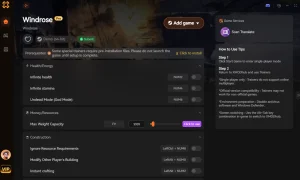
Instant Map Reveal
Instantly clear the entire fog of war and reveal all islands.
Infinite Ship Health
Prevent your ship from taking damage from rocks or enemies.
Max Ship Speed
Increase sailing speed by 500% for rapid exploration.
Unlimited Resources
Never run out of wood, copper, or iron for upgrades.
Why Choose XMODHUB for Windrose
XMODHUB ↗ is the trusted choice for PC gamers seeking safe, malware-free enhancements for single-player titles. With automatic updates that sync with the latest Windrose Early Access patches, you can explore without worrying about game crashes or tedious grinding.
Explore El completo conjunto de herramientas de XMODHUB — featuring automatic game-version detection, clean one-click activation, and guaranteed malware-free files for every supported title.
Exploration Mods
Combat & Health
Inventory & Resources
Related Guides for Windrose
Preguntas frecuentes
¿Listo para mejorar tu juego?

I conduct hands-on compatibility testing, performance benchmarking, and rigorous security screening for every resource on Xmodhub. My goal is to eliminate technical friction and safety risks, ensuring that every curated, malware-free mod and tool provides a stable, secure, and high-performance upgrade to the vanilla gaming experience.

 Catherine Hu