Catherine Hu
You have waited months for OPUS: Prism Peak, pre-loaded the files, and prepared yourself for an emotional journey through the ethereal Dusklands. You click Play, and… nothing. Or worse, a cryptic Unity Fatal Error pops up right as you are about to capture the perfect photograph. Launch day issues are deeply frustrating, especially for a narrative-driven game, but they are rarely unfixable.
Whether you are facing a black screen after the SIGONO developer logo, random crashes to desktop (CTD) during scene transitions, missing DLL files, or unplayable frame rates that ruin the beautiful aesthetic, this guide covers the most effective solutions to get you back into the story.
También te puede gustar:
How to Use Cheat Engine on OPUS: Prism Peak (+ 1-Click Alternative) | 2026
🔥 Editor’s View: The “Day One” Curse
“I remember trying to launch OPUS: Echo of Starsong on release day, and it crashed every time a major cutscene tried to load. When reviewing OPUS: Prism Peak, I ran into a similar issue—the game froze every time I pulled out my camera. I almost gave up on my 15-hour save file.
Before you give up on OPUS: Prism Peak, realize that 90% of these crashes are caused by three simple things: corrupted Unity engine downloads, missing C++ libraries, or overlay conflicts. I have tested the methods below on my own rig (RTX 4070 / Win 11), and Method 2 was the one that finally solved the camera-freeze issue for me.”
— Catherine Hu, Tech Support Lead at XMODhub
Check First: OPUS: Prism Peak System Requirements
Before debugging, ensure your PC can actually run the game. Trying to run a modern Unity engine game on below-minimum specs is the most common cause of silent crashes where the game closes without throwing an error box.
| Componente | Requisitos mínimos | Recommended Specifications |
|---|---|---|
| OS | Windows 10 (64 bits) | Windows 11 (64 bits) |
| CPU | Intel Core i5-4690 / AMD Ryzen 3 1200 | Intel Core i7-8700 / AMD Ryzen 5 3600 |
| RAM | 8 GB DE RAM | 16 GB RAM |
| GPU | NVIDIA GTX 1050 Ti / AMD Radeon RX 560 | NVIDIA GTX 1660 Super / RTX 2060 |
| Almacenamiento | 10 GB available space (SSD required) | 10 GB NVMe SSD |
Method 1: Verify Game Files (Steam)
Corrupted installation files are the number one cause of OPUS: Prism Peak crashing on startup. When dealing with Unity asset bundles, a single missing file will break the entire game.
Para usuarios de Steam:
1
Haga clic con el botón derecho del ratón en OPUS: Prism Peak en tu biblioteca de Steam.
2
Seleccione Propiedades, then go to Archivos instalados.
3
Haga clic en Verificar la integridad de los archivos del juego.
4
Wait for the process to finish. It will automatically re-download any missing or broken asset files.
Method 2: Update Drivers & Visual C++ Redistributables
OPUS: Prism Peak runs on the Unity Engine, which strictly requires updated software environments to process its lighting and shaders properly.
🖥️
GPU Drivers:
Update your NVIDIA (Game Ready Driver) or AMD (Adrenalin) drivers to the latest version. Outdated drivers will often crash when the game attempts to render heavy volumetric fog in the spirit realm.
⚙️
Visual C++ All-in-One:
If you get errors like MSVCP140.dll missing o VCRUNTIME140.dll not found, you need to reinstall the Microsoft Visual C++ Redistributables. Make sure to download and install both the x86 and x64 versions directly from Microsoft.
🎮
DirectX:
Ensure DirectX is fully updated via Windows Update.
Method 3: Fix Black Screen & Overlay Issues
If you hear the atmospheric background audio but see a black screen, or the game closes instantly after launch, it is likely a conflict with background apps fighting the Unity engine for display priority.
➤
Disable Overlays:
Turn off the Steam Overlay, Discord Overlay, and NVIDIA ShadowPlay or GeForce Experience Overlay.
➤
Fullscreen Optimization:
1. Find your OPUSPrismPeak.exe file in your Steam directory.
2. Right-click the executable and select Propiedades.
3. Go to the Compatibility ficha.
4. Check Disable fullscreen optimizations.
5. Check Run this program as an administrator.
Method 4: Common Error Codes & Fixes (DLL / UnityPlayer)
Here are specific solutions for the most common error messages players are reporting during their journey:
Unity Crash Handler / UnityPlayer.dll Error:
This is the most infamous Unity engine crash. It is usually tied to a memory leak or an unstable GPU overclock. If you are overclocking your graphics card with MSI Afterburner, reset it to the factory default speeds.
Error 0xc0000005 (Access Violation):
Usually caused by strict antivirus software preventing the game from accessing your AppData save folder. Whitelist the OPUS: Prism Peak installation folder and your C:\Users\YourUsername\AppData\LocalLow\SIGONO\ directory in Windows Defender.
Graphics API Error (Force DX11):
If your older GPU is struggling to process the modern render pipelines, you can force the engine to run in an older, more stable mode. Right-click the game in Steam, go to Properties, find Launch Options, and type -force-d3d11 to force DirectX 11 mode.
Unhandled Exception: EXCEPTION_ACCESS_VIOLATION:
This is often a RAM instability issue. Disable XMP profiles in your BIOS temporarily or close high-memory applications like Google Chrome before launching the game.
Method 5: Fix Low FPS & Stuttering
Is OPUS: Prism Peak running like a slideshow when panning the camera?
➤
Lower Post-Processing and Shadows:
The game uses heavy post-processing to achieve its cinematic look. Lowering these settings will consume significantly less GPU power.
➤
Set High Priority:
Open your Windows Task Manager, go to the Details tab, right-click OPUSPrismPeak.exe, and set Priority to High. This forces Windows to dedicate more CPU resources to the game.
The Workaround: Skip Laggy Areas with XMODhub
Sometimes, OPUS: Prism Peak crashes not because of your PC hardware, but because of unoptimized code during massive scene transitions or complex photography sequences. Because the developers completely locked the native Unity developer console in the retail build, you cannot simply type in a command to skip a bugged quest.
XMODhub offers unique memory-injection tools to help bypass these technical hurdles safely:
✨
Speedhack:
Use the trainer to slow down the game to 0.5x speed during high-load environmental transitions to prevent GPU spikes and Unity crashes. Alternatively, speed up the game by 3x to quickly walk past boring, laggy areas without wasting time.
💾
Save Manager:
Automatically backup your LocalLow save files before entering a new chapter, so you never lose your emotional narrative progress due to a random desktop crash.
How to Get Started with XMODhub
Getting the ultimate toolkit for OPUS: Prism Peak is simple. Just follow these steps:

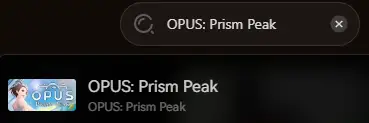
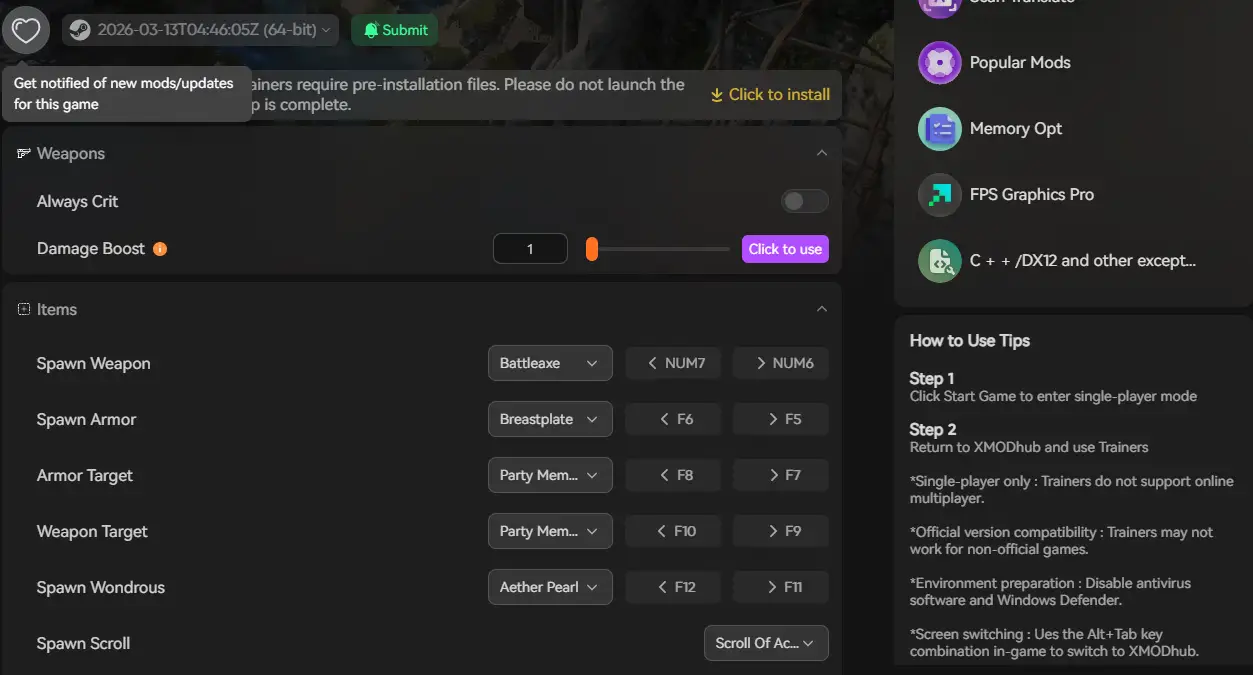
XMODhub will offer OPUS: Prism Peak mods on the release day
Frequently Asked Questions (FAQ)
Q: Does OPUS: Prism Peak support Windows 10?
A: Yes, but ensure you are on version 22H2 or newer. Older Windows builds lack the necessary background frameworks to run modern Unity engine titles without throwing a DLL error.
Q: Will reinstalling fix the Unity Crash Handler error?
A: Reinstalling should be your absolute last resort. Try Verifying Integrity of Game Files (Method 1) first, as it repairs the exact same files but takes a fraction of the time.
Q: Is there an official patch coming?
A: SIGONO frequently monitors community feedback. Check the XMODhub news section for updates regarding official stability patches and hotfixes.
Conclusión
Launch issues are painful, but they are temporary. By verifying your Steam files, updating your Visual C++ libraries, and optimizing your graphics drivers, you should be able to fix the OPUS: Prism Peak crash on startup error and dive back into the Dusklands.
If the game is still suffering from poor optimization or scene-transition bugs, XMODhub can help bridge the gap. Use Game Speed adjustments to bypass sluggish sections and Auto-Backups to secure your emotional journey until the official patch arrives.
XMODhub is more than just a tool for one game—it is a comprehensive gaming platform supporting over 5,000+ PC titles. Whether you are capturing memories in OPUS: Prism Peak or exploring similar narrative hits like OPUS: Echo of Starsong, Firewatch, and A Space for the Unbound, XMODhub ensures you always have the ultimate toolkit ready at your fingertips.
Don’t let Unity bugs stop your photography journey. Play smarter.

Soy un jugador apasionado y escritor en XMODhub, dedicado a traerte las últimas noticias de juegos, consejos y puntos de vista.
Conecta conmigo:
Perfil en LinkedIn
 Nancy Miller