
 Catherine Hu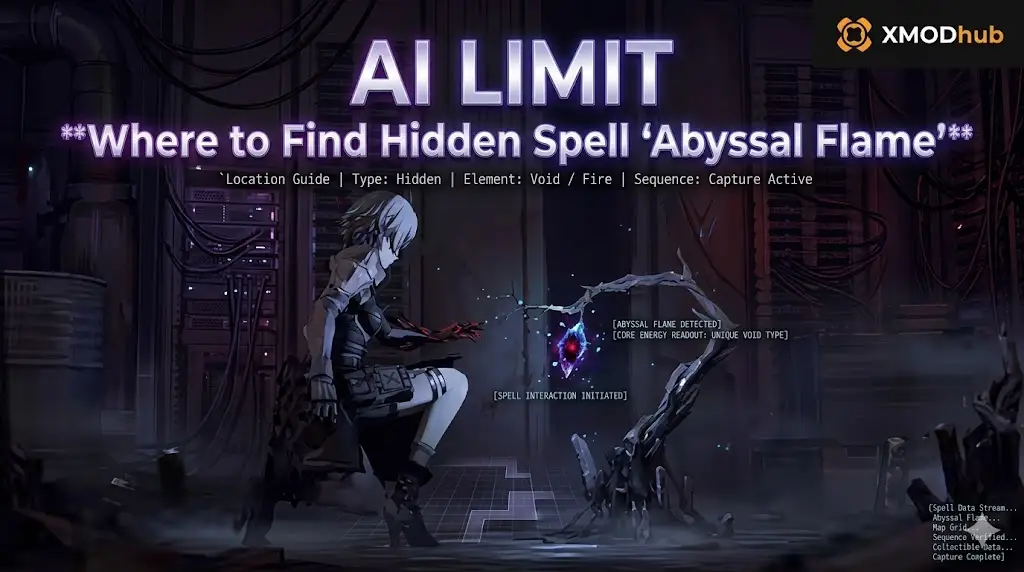
To find the Abyssal Flame location in AI LIMIT – Eirene’s Furnace of War, you must fast travel to the Forsaken Altar checkpoint in the Eirene Depths while your PC’s real-world system clock is set exactly between 12:00 AM (Midnight) and 1:00 AM. This hidden spell is tied to a real-time hardware trigger. If your Windows clock is outside this one-hour window, the stone pedestal will be completely empty.
Because the game’s Unreal Engine 5 build permanently locks the native developer console, players who do not want to mess with their PC settings can use the XMODhub PC Client Visual Spawner to instantly inject the spell directly into their inventory.
You run around hitting invisible walls, trying to figure out what you missed. The truth is, you didn’t miss a boss or a key. You just arrived at the wrong time of day in real life.
In this guide, we will break down why the developers implemented this Kojima-esque real-time puzzle, exactly how to manipulate your operating system to force the spell to spawn, how to maximize its AoE damage, and how to use external memory tools to bypass the gimmick entirely.
También te puede gustar: How to Fix AI LIMIT – Eirene’s Furnace of War PC Crashes & Stuttering (2026 Guide)
Editor’s View: The Fourth-Wall Breaking Puzzle
“I spent almost four hours running around the Forsaken Altar thinking my game was bugged. I had the complete Eirene Region map unlocked, but that one pedestal remained empty. I only figured it out purely by accident because I was playing at 12:30 AM on a Saturday night. The Abyssal Flame suddenly materialized on the altar.”
“Tying a crucial, high-damage spell to the player’s real-world PC clock is a neat fourth-wall-breaking trick, but it is incredibly frustrating for people who work night shifts or only have time to play in the afternoon. Once I realized the trigger, I just started telling my community to use a visual spawner to get it. A gimmick shouldn’t lock you out of experiencing the best magic build in the game.”
Why the Abyssal Flame is Hidden Behind a Clock Puzzle
Before attempting to change your system settings, it helps to understand why the developers locked a crucial piece of magic behind real-world time.
The developers at Lion Shield took inspiration from classic fourth-wall-breaking games. The “Abyssal” nature of the spell is thematically tied to the witching hour (midnight). By forcing the player to physically alter their PC’s clock, the game blurs the line between the digital world of Eirene’s Furnace and reality. While it is a brilliant nod to old-school gaming secrets, it is an undeniable progression blocker for players who just want to optimize their build without dealing with meta-puzzles.
Method 1: The Forsaken Altar Route (Map Directions)
Before you can manipulate the clock, you need to actually reach the location where the spell spawns. The Forsaken Altar is a hidden sub-area off the main path in AI LIMIT – Eirene’s Furnace of War.
How to navigate to the pedestal:
- Fast travel to the Eirene Depths – Lower Strata terminal.
- Proceed past the toxic waterfall and take the hidden elevator down into the dark cavern.
- You will encounter a massive stone door locked by a rotating bridge mechanism. Align the bridge to the symbol of the crescent moon.
- Cross the bridge to discover the Forsaken Altar terminal. Rest here to set your spawn point.
- Walk up the grand staircase. At the top sits the circular pedestal where the Abyssal Flame will appear—if the time is right.
Method 2: The System Clock Puzzle (The Real Secret)
The Abyssal Flame location AI Limit puzzle reads your Windows operating system’s local time. The spell only physically renders in the Unreal Engine 5 world space between 00:00 y 01:00.
How to force the spell to spawn:
- Fast travel to the Forsaken Altar terminal and save your game.
- Completely close AI LIMIT – Eirene’s Furnace of War. Do not just minimize it; exit to your desktop.
- Disconnect your PC from the internet temporarily (disable Wi-Fi or unplug your Ethernet cable) to prevent Windows from auto-correcting the time.
- Right-click the clock on your Windows taskbar and select Adjust date and time.
- Toggle off Set time automatically.
- Click Change under Set the date and time manually. Change the time to 12:05 AM.
- Launch the game in Offline Mode via Steam. Load your save, walk up the stairs, and the black-and-purple flame will be sitting on the pedestal. Loot it, save the game, and restore your internet and correct time.
Method 3: Exploit the Abyssal Flame AoE Damage
Jumping through all these hoops is actually worth it. The Abyssal Flame is arguably the most overpowered Area of Effect (AoE) spell in the early-to-mid game.
When cast, it consumes 40% of your Sync Rate capacity to unleash a massive, expanding shockwave of dark fire. It not only deals immense burst damage to multiple enemies, but it also inflicts a unique “Soul Burn” damage-over-time status effect that eats through shielded enemies’ posture. If you are surrounded by Slag Hounds, one cast of this spell clears the entire room, making it the ultimate crowd-control tool.
Method 4: The Developer Console Myth (Unreal Engine Facts)
When players hear that a spell requires them to disconnect their internet and change their computer’s clock, they often search for an easier way, hoping to open a developer console and type a command like give_spell abyssal_flame.
Do not waste your time trying to find a hidden text prompt. Because AI LIMIT – Eirene’s Furnace of War is packaged as a secure retail Unreal Engine 5 build, the developers have stripped out the native command line entirely. Pressing the tilde key will do nothing.
Furthermore, you cannot manually inject the spell into your save file. Your character’s inventory is baked into encrypted binary strings located in your %LOCALAPPDATA%\AILimit\Saved\SaveGames directory. Opening this file with a text editor to add the spell ID will instantly corrupt the file, wiping your character permanently. To add items safely, you must use a verified memory tool.
The Ultimate Solution: Instant Spell Spawning with XMODhub
If you think changing your Windows clock and playing offline is a ridiculous requirement just to unlock a piece of magic in a single-player game, you do not have to participate in the developer’s gimmick.
En XMODhub PC Client gives you the ultimate armory at your fingertips, allowing you to bypass tedious puzzles and build your character exactly how you want.
How XMODhub Supercharges Your Magic Build:
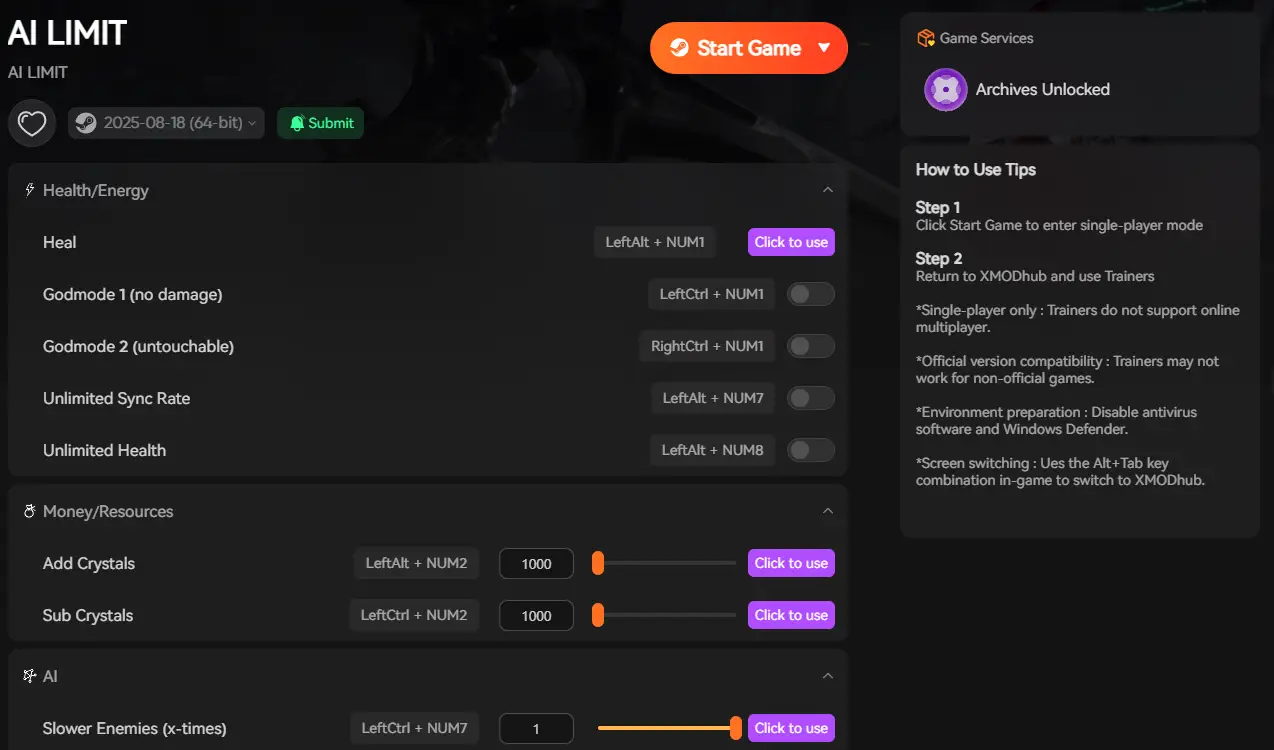
- Visual Item Spawner: Completely bypass the Forsaken Altar puzzle. Open the XMODhub in-game overlay, navigate to the Spells tab, and click Add Abyssal Flame. The Unreal Engine seamlessly registers the spell in your inventory, ready to be equipped at any terminal.
- Infinite Sync Rate: The Abyssal Flame is powerful, but it drains massive amounts of your Sync Rate. Toggle the “Infinite Sync Rate” modifier in our UI to cast this devastating AoE spell back-to-back without ever running out of magical energy.
- Custom Game Time Modifier: If you still want to do the puzzle legitimately without closing the game or messing with your Windows settings, use our internal Time Modifier to trick the engine’s internal clock to 12:00 AM instantly while you stand right next to the pedestal.
How to Get Started:
- Download XMODhub: Grab the secure, ad-free PC client directly from our official website.

- Auto-Detect Game Path: Launch the app. It will instantly map out your AI LIMIT – Eirene’s Furnace of War installation and hook into the engine safely.
- Activate the Spawner: Launch the game through the XMODhub dashboard. Press the hotkey to open the overlay, select your desired spells, and incinerate Eirene’s Furnace.
Frequently Asked Questions (FAQ)
Q: Does the Abyssal Flame drop from a secret boss in AI LIMIT – Eirene’s Furnace of War?
A: No. Unlike most major spells that require you to defeat a boss and consume their core, the Abyssal Flame is exclusively an environmental pickup tied to the real-time clock puzzle at the Forsaken Altar.
Q: What are the stat requirements to cast the Abyssal Flame?
A: You need a minimum of 25 in your primary Magic attribute and at least a base Sync Rate capacity of 50 to equip the spell without suffering a massive casting speed penalty.
Q: Will changing my PC clock ban me from Steam?
A: No. AI LIMIT – Eirene’s Furnace of War is a single-player action RPG. Changing your local system clock while in Offline Mode to trigger an environmental puzzle will not trigger VAC bans or Steam penalties.
Conclusión
Finding the Abyssal Flame location AI Limit hides in the Forsaken Altar requires thinking outside the box—and outside the game itself. By manipulating your Windows system clock to hit the midnight trigger, you can claim one of the most devastating AoE spells in Eirene’s Furnace and melt through mid-game boss encounters.
However, if fourth-wall-breaking hardware puzzles are not your idea of fun, you do not have to jump through hoops. The XMODhub PC Client provides a seamless bypass, letting you instantly spawn the hidden spell directly into your inventory or lock your Sync Rate for infinite casting. Equip the Abyssal Flame, ignore the gimmicks, and experience the brutal combat of AI LIMIT – Eirene’s Furnace of War on your own terms.
Think Bigger: XMODhub is the ultimate gaming companion for hardcore PC action gamers. With native support for over 5,000+ games, we provide Safe Save Managers and combat modifiers. Whether you are hunting for hidden magic in AI LIMIT – Eirene’s Furnace of War, discovering secret boss weapons in Elden Ring, or mastering the arcane arts in Lords of the Fallen, XMODhub ensures you conquer every game in your library safely.

Soy un jugador apasionado y escritor en XMODhub, dedicado a traerte las últimas noticias de juegos, consejos y puntos de vista.
Conecta conmigo:
Perfil en LinkedIn

 Nancy Miller