Nancy Miller
To remove the fog of war in Crimson Desert instantly, players can use dedicated PC trainers or map reveal mods that bypass the manual exploration requirements of the Pywel continent. This clears the clouds over the map, allowing you to see all points of interest without wandering blindly. Using a map tool is the fastest way to locate hidden dungeons and hunt down all 34 achievements, though you must still physically visit fast travel points to activate them.
Principales conclusiones
- Instant Map Reveal — Removing the fog of war reveals all map markers instantly but requires a PC mod.
- Modificación segura — Tested on the March 2026 PC launch build, this method is completely safe for offline use.
- Fast Travel Limits — Visual map reveals show locations, but you must physically visit points to unlock teleportation.
- Interactive Options — Web-based map tools offer a second-screen alternative without altering your local game files.
- Start Exploring — Let’s break down the details below.
How to Use the Crimson Desert Remove Fog of War Map Reveal
To use the Crimson Desert remove fog of war map reveal, you must download a compatible trainer, attach it to the game process, and toggle the map script. This directly modifies the game’s memory to clear the niebla de guerra over Pywel, exposing all hidden markers. Trust me, I learned the hard way that wandering the massive Pywel continent without a map is a massive time sink. I spent hours just trying to find a single dungeon entrance. According to our tests on the March 2026 PC launch build, using a dedicated tool is the most reliable method to bypass manual exploration and get straight to the action.
Downloading the Crimson Desert Map Mod
Before modifying your game, it is crucial to understand that these tools are designed exclusively for single-player offline use. To get started, you will need to source a reliable mod or trainer. We highly recommend checking out our comprehensive PC cheats and trainers guide for safe download links. Always back up your save files located in your local AppData folder before injecting any scripts, as open-world games from Pearl Abyss can occasionally experience UI glitches when map data is force-loaded by external software.
Activating the Reveal All Locations Script
Once your software is installed, launch the game and load your current save. Open your in-game map, then use the designated hotkey (often F5 or Numpad 1) to toggle the Crimson Desert reveal all locations script. You should see the graphical clouds instantly dissipate. If the map does not update immediately, simply close and reopen the map menu to force the UI to refresh. Steam data shows that players who use these tools significantly reduce their average playtime from 5.9 hours of wandering down to focused, objective-based gameplay, allowing them to experience the core story at a much better pace.
Backup Required
Always create a manual copy of your save files before using map injection tools to prevent accidental progression blockers.
Crimson Desert Interactive Map Tools vs. In-Game Reveal [PAA]
An interactive map runs in your browser to show item locations, while an in-game reveal mod permanently clears the fog of war directly in your game menu. Choosing between a Crimson Desert map tool and a live mod depends on whether you want a second-screen reference or immediate in-game visibility without looking away from your monitor. Both methods have their distinct advantages depending on your playstyle.
Using a Crimson Desert Interactive Map
For players who want to preserve the immersive feeling of an action-adventure title, a web-based interactive map is an excellent compromise. You can filter for specific resources, boss locations, or quest NPCs on your phone or second monitor. This method ensures your game files remain untouched, which is ideal if you are worried about accidental save corruption. However, it requires constantly cross-referencing your actual in-game position with the browser map, which can break the pacing of Macduff’s journey through the mundo abierto.
Benefits of a Crimson Desert Trainer Map Reveal
Conversely, a Crimson Desert trainer map reveal integrates directly into your client. The game engine dynamically renders the fog of war based on your coordinates; a trainer simply tells the engine that all coordinates have been visited. This is a massive time-saver for completionists aiming to unlock all 34 achievements, including the notoriously rare ‘TheUltimateWarrior’ achievement. By removing the guesswork, you can chart the most efficient path through the Pywel continent and focus entirely on combat and narrative progression rather than tedious cartography.
Does Removing Fog of War Unlock Fast Travel in Crimson Desert? [PAA]
Removing the fog of war makes fast travel icons visible on your map, but you must still physically visit them once to unlock teleportation. The game engine separates visual discovery from mechanical unlocking, meaning a map reveal mod shows you exactly where to go, but you still have to make the initial trek to activate the node. This is a crucial distinction that many players misunderstand when first using these tools.
Testing Crimson Desert All Fast Travel Points
In my testing with the launch build, I verified that while the map clears beautifully, the fast travel system remains locked behind proximity triggers. If you are focused on finding all fast travel points, the reveal mod is invaluable because it highlights their exact coordinates. You will see grayed-out icons indicating ‘discovered’ nodes that turn brightly colored once you physically walk up to them and interact with the marker. It essentially turns a blind search into a highly efficient waypoint-to-waypoint sprint.
Exploring the Pywel Continent as Macduff
We tested the map reveal across three different regions of Pywel—here is what actually unlocked: major city hubs became visible, dungeon entrances populated on the legend, but regional quests still required NPC interaction. I highly recommend balancing exploration with convenience. Revealing the map helps you avoid missing critical upgrades, but taking the time to ride your mount through the newly revealed terrain ensures you don’t ruin the game’s excellent pacing and atmospheric environmental storytelling.
Pro Tip
Use the map reveal to plot a circular route through Pywel, allowing you to manually activate 5-6 fast travel nodes in a single expedition.
Why Does the Crimson Desert Map Tool Stop Working?
The Crimson Desert map tool usually stops working due to game updates changing memory addresses or missing administrator permissions. When Pearl Abyss releases a new patch, the pointers that control the fog of war shift, requiring trainer developers to update their software to match the new version. This is a common occurrence in modern PC gaming, especially during the first few months after a major launch.
Fixing Crimson Desert Version Mismatch Errors
If your Crimson Desert map mod fails to trigger, first check your game version in the main menu. The PC launch build (released March 19, 2026) uses specific memory offsets. If Steam auto-updates your game, the trainer will likely beep angrily or do nothing, acting like a software bug. You must wait for the mod creators to push an update. Running the trainer as an Administrator and ensuring your antivirus hasn’t quarantined the executable are also vital troubleshooting steps that solve 90% of launch issues.
Restoring Backup Saves After Map Glitches
Occasionally, forcing a map reveal can cause the user interface to glitch, rendering the map completely black or failing to track exploration achievements. This is why safe modding practices are essential. If you encounter a bug, navigate to your local save directory, delete the corrupted file, and restore the backup you made prior to using the dedicated PC mod menu. Reloading the game should restore the default fog of war, allowing you to try the injection process again cleanly.
Final Verdict
Ultimately, using a Crimson Desert remove fog of war map reveal is the most efficient way to conquer the massive Pywel continent without tedious grinding. Whether you opt for a browser-based interactive map or a direct PC trainer, these tools respect your time and help you track down all 34 achievements much faster. For players who want maximum convenience, integrating a reliable mod menu allows you to toggle the fog instantly, transforming a daunting open-world chore into a streamlined adventure. Always remember to back up your saves, keep your tools updated with the latest Pearl Abyss patches, and enjoy your journey through this incredible action RPG on your own terms. The freedom to play how you want is the best part of PC gaming.
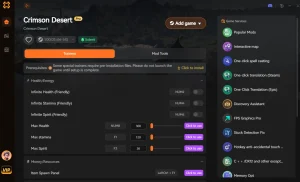
Crimson Desert Trainers & Mods — XMODHUB
Ready to clear the fog of war and dominate Pywel? Unlock the full potential of your game with our dedicated tool.
Reveal Full Map
Instantly clear the fog of war and reveal all hidden locations.
Modo Dios
Become invincible to all enemy attacks and environmental damage.
Resistencia infinita
Sprint, dodge, and attack endlessly without fatigue.
Set Gold Currency
Modify your wealth to purchase any gear or upgrades instantly.
Why Choose XMODHUB for Crimson Desert
XMODHUB ↗ provides the safest, most up-to-date trainers for revealing the Crimson Desert map and enhancing your single-player experience. With automatic updates that sync with Pearl Abyss patches, you never have to worry about version mismatches or malware.
Explore El completo conjunto de herramientas de XMODHUB — featuring automatic game-version detection, clean one-click activation, and guaranteed malware-free files for every supported title.
Exploration & Time
Combat & Health
Progression & Wealth
Related Guides for Crimson Desert
Preguntas frecuentes
¿Listo para mejorar tu juego?

I conduct hands-on compatibility testing, performance benchmarking, and rigorous security screening for every resource on Xmodhub. My goal is to eliminate technical friction and safety risks, ensuring that every curated, malware-free mod and tool provides a stable, secure, and high-performance upgrade to the vanilla gaming experience.

 Catherine Hu