
 Catherine Hu
There is nothing worse than sinking 50 hours into surviving 14th-century Italy, mastering the complex HEMA sword combat, and guiding Etta through plague-ridden villages, only to worry about a corrupted save file or a Steam Cloud sync error.
Whether you want to manually backup your hard-earned progress, transfer your save to another gaming PC, or modify the config file for better frame rates during intense duels, you first need to find where the data is hidden on your drive.
Below is the exact Unreal Engine file path for 1348 Ex Voto en Windows y Steam Deck, junto con un método más seguro y automatizado para gestionar tus copias de seguridad.
✨También te puede gustar:
1348 Ex Voto Cheat Engine Table vs. XMODhub Trainer: Best Free Alternative (2026)
Opinión del Editor: Por qué es importante
I specifically wrote this guide because 1348 Ex Voto runs on Unreal Engine, which buries its save files deep inside the hidden AppData folders instead of your standard Documents folder. Even if you don’t plan on cheating or using mods, please backup your SaveGames folder manually right now. Don’t lose Etta’s tragic journey and learn this lesson the hard way like I did.”
Windows PC Guardar ubicación del archivo
For the Steam and Epic Games versions of 1348 Ex Voto, the save files (including your story progress, inventory, and unlocked skills) are located in the hidden AppData folder.
C:\Users\%USERNAME%\AppData\Local\ExVoto\Saved\SaveGames\Cómo llegar rápidamente:
Pulse Tecla Windows + R en el teclado para abrir el cuadro de diálogo Ejecutar.
Tipo
%localappdata% and press Enter.Desplácese hacia abajo y abra ExVoto carpeta.
Vaya a Guardado, then open the GuardarJuegos carpeta.
✨ Note: If you cannot see the AppData folder when clicking through your C: drive manually, you need to enable “Hidden Items” in the View tab of your Windows File Explorer.
1348 Ex Voto Config File Location (Graphics & Settings)
If you need to manually tweak graphics settings (like disabling Motion Blur, turning off V-Sync, or adjusting post-processing for better visibility in dark areas) that aren’t properly applying in the in-game menu, you will need to edit the Unreal Engine configuration file.
C:\Users\%USERNAME%\AppData\Local\ExVoto\Saved\Config\WindowsNoEditor\🔥 How to Edit & Warning: Inside this folder, look for the GameUserSettings.ini file. Right-click it and select Open with Notepad. Be careful not to change resolution or rendering lines you don’t understand, as this can cause the engine to crash on startup.
Steam Deck / Linux Save Location
If you are playing 1348 Ex Voto on the Steam Deck to practice your parrying on the go, the Windows file structure is emulated within the Proton compatibility layer.
/home/deck/.local/share/Steam/steamapps/compatdata/SteamAppID/pfx/drive_c/users/steamuser/AppData/Local/ExVoto/Saved/SaveGames/✨ Tip: You will need to replace the SteamAppID folder with the specific numerical ID for 1348 Ex Voto. You can quickly find this exact string of numbers by searching for the game on SteamDB.
La forma más inteligente: Copia de seguridad en un clic con XMODhub
Navigating through hidden LocalAppData folders every time you want to backup a save before making a crucial story choice is tedious and prone to error. One accidental delete, and your progress is gone forever.
XMODhub offers a built-in Save Manager tool designed specifically for Unreal Engine games like 1348 Ex Voto.
XMODhub: More Than Just a Save Manager
XMODhub is your ultimate all-in-one toolkit for PC single-player gaming. Whether you need powerful Trainers (for infinite stamina during sword fights), real-time Translation Tools, or detailed Save Managers, XMODhub has everything covered to customize your experience.
Our library supports over 5,000+ games, ensuring that whether you are playing 1348 Ex Voto or similar historical hits like Kingdom Come: Deliverance and A Plague Tale: Requiem, you always have the best tools at your fingertips.
How to Use XMODhub for 1348 Ex Voto: Getting started is easy. Just follow these steps:
- 1
Download and Install the XMODhub client safely from our official site. 
- 2
Search for 1348 Ex Voto in the client’s search bar. 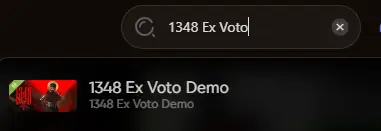
- 3
Select the specific tool you need (Trainer, Mods, or Save Manager). - 4
Launch the game directly from the client and enjoy your enhanced gameplay! 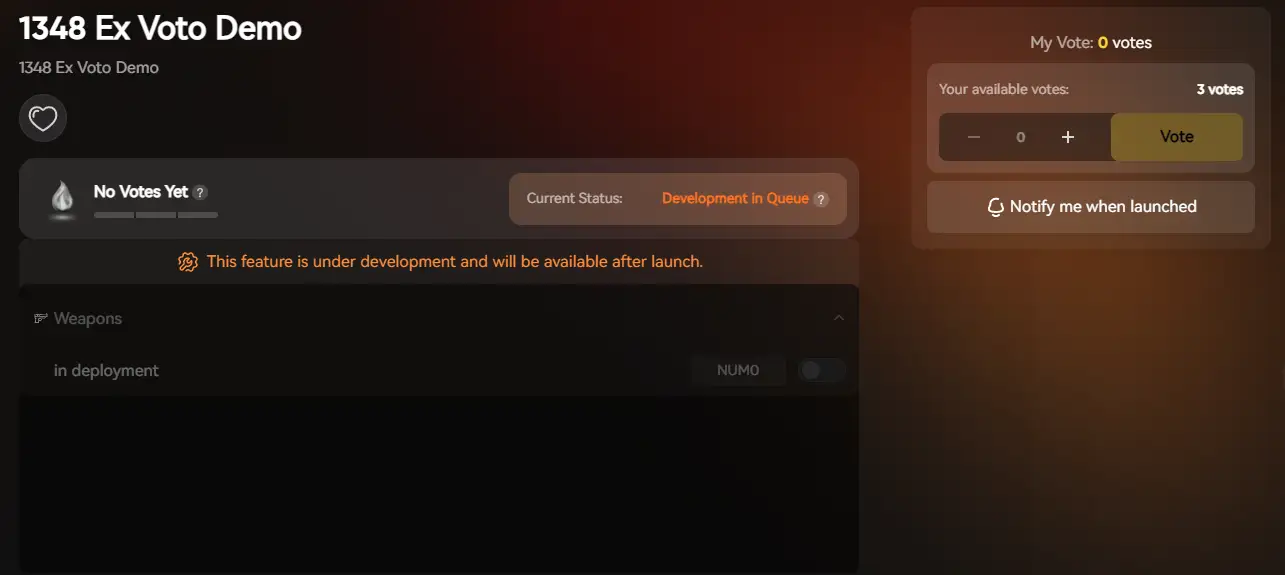
PREGUNTAS FRECUENTES
Q: Can I transfer my 1348 Ex Voto save to another PC?
A: Yes. Simply copy the entire contents of the GuardarJuegos folder mentioned above to the exact same location on your new computer. This is a great way to force a manual sync if Steam Cloud fails.
Q: What happens if I delete the config file?
A: Usually, the Unreal Engine will regenerate a default GameUserSettings.ini file upon the next launch, resetting your audio and graphics settings to factory defaults. However, we strictly recommend renaming the file to .bak instead of deleting it permanently.
P: ¿Se me prohíbe modificar los archivos guardados?
A: In single-player mode, modifying your save file (e.g., adding extra Florins or skill points) will not get you banned. 1348 Ex Voto is a solo narrative experience, so you are completely safe to tweak your files offline.
Conclusión
Locating your 1348 Ex Voto save file is a crucial skill, whether you are recovering from a game-breaking glitch, migrating your historical adventure to a Steam Deck, or manually tweaking config files for smoother swordplay.
However, digging through hidden system folders always carries a risk. One wrong deletion or a typo in an INI file can wipe out hours of progress instantly. If you prefer a safer, “set it and forget it” solution, we highly recommend the XMODhub Save Manager. It automates your backups, keeping your hard-earned progress secure so you can focus on the story, not the file directory.
Think Bigger: XMODhub is far more than just a modding tool or a save manager—it is a comprehensive Gaming Platform. With support for over 5,000+ titles, we provide an all-in-one ecosystem for PC gamers. Whether you are deep into 1348 Ex Voto or exploring similar cinematic action games, XMODhub ensures you always have the ultimate toolkit ready at your fingertips.

Soy un jugador apasionado y escritor en XMODhub, dedicado a traerte las últimas noticias de juegos, consejos y puntos de vista.
Conecta conmigo:
Perfil en LinkedIn
 Nancy Miller