Catherine Hu
Opinión del Editor: Por qué es importante
I specifically wrote this guide because Unity games store saves in the LocalLow folder, which is often confused with Local or Roaming by players used to Unreal Engine games. Even if you play casually, please backup your save folder manually before entering Borg space. Don’t let a glitch end your journey.”
There is nothing worse than navigating the USS Voyager through 50 sectors of Borg space, managing your crew’s morale perfectly, only to lose your progress to a corrupted save file or a cloud sync error. Whether you want to manually backup your “Ironman” run, transfer your Captain’s Log to a new PC, or edit the config file to give yourself more starting Dilithium, you first need to find where the data is hidden on your drive.
Below is the exact file path for Star Trek: Voyager – Across the Unknown en Windows y Steam Deck, junto con un método más seguro y automatizado para gestionar tus copias de seguridad.
También te puede gustar:
Star Trek: Voyager – Across the Unknown Cheat Engine Table vs. XMODhub Trainer (2026)
Windows PC Guardar ubicación del archivo
Para la versión Steam de Star Trek: Voyager – Across the Unknown, the save files are located in the LocalLow AppData folder, following standard Unity architecture.
C:\Users\%USERNAME%\AppData\LocalLow\Paramount\StarTrekVoyagerAtU\(Note: Depending on the specific build version, the developer folder might be listed as “ParamountGameStudios” or similar.)
Cómo llegar rápidamente:
- Pulse Tecla Windows + R en el teclado para abrir el cuadro de diálogo Ejecutar.
- Tipo
%userprofile%\AppData\LocalLowand press Enter. - Desplácese hacia abajo y abra Paramount carpeta.
- Abrir StarTrekVoyagerAtU > Saves.
Nota: Your save files will typically be named SaveSlot_01.json o Autosave.dat. If you cannot see the “AppData” folder, you need to enable “Hidden Items” in the View tab of your File Explorer.
Config File Location & JSON Editing
If you want to manually tweak game settings or modify your starting conditions (like editing the PlayerConfig.json to increase starting crew count or Dilithium reserves), look in the same directory.
C:\Users\%USERNAME%\AppData\LocalLow\Paramount\StarTrekVoyagerAtU\Config\How to Edit:
- 1. Navigate to the folder above.
- 2. Haga clic con el botón derecho del ratón en
GameSettings.jsonoPlayerConfig.json. - 3. Seleccione Open with Notepad (or a code editor like VS Code).
- 4. Look for lines like
"StartingDilithium": 100and change the value.
Warning: Always backup the file before editing. A missing comma or bracket in a JSON file will prevent the game from launching.
Steam Deck / Linux Save Location
If you are playing Star Trek: Voyager – Across the Unknown on the Steam Deck, the Windows file structure is emulated within the Proton compatibility layer.
/home/deck/.local/share/Steam/steamapps/compatdata/[SteamAppID]/pfx/drive_c/users/steamuser/AppData/LocalLow/Paramount/StarTrekVoyagerAtU/Tip: You will need to know the specific Steam App ID. You can check this on SteamDB or by right-clicking the game in your Library > Properties > Updates.
La forma más inteligente: Copia de seguridad en un clic con XMODhub
Navigating through hidden LocalLow folders every time you want to backup a save is tedious. One accidental delete, and your voyage is over. XMODhub offers a built-in Save Manager tool designed specifically for strategy games like Star Trek: Voyager.
01Auto-Backup
XMODhub automatically backs up your .json save files every time you exit the game.
02Ironman Safety
Even if the game deletes your save upon death (per Roguelike mechanics), XMODhub keeps a backup history so you can retry the sector.
03Visual Management
Access and organize your different Captain profiles with a single click.
XMODhub: More Than Just a Save Manager
XMODhub is your ultimate all-in-one toolkit for PC gaming. Whether you need powerful Trainers for Infinite Resources, real-time Translation Tools, or Interactive Maps of the Delta Quadrant, XMODhub has everything covered.
How to Use XMODhub for Star Trek: Voyager:
1. Download and Install the XMODhub client safely.

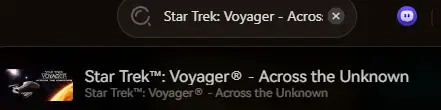
2. Search for “Star Trek: Voyager” in the client.
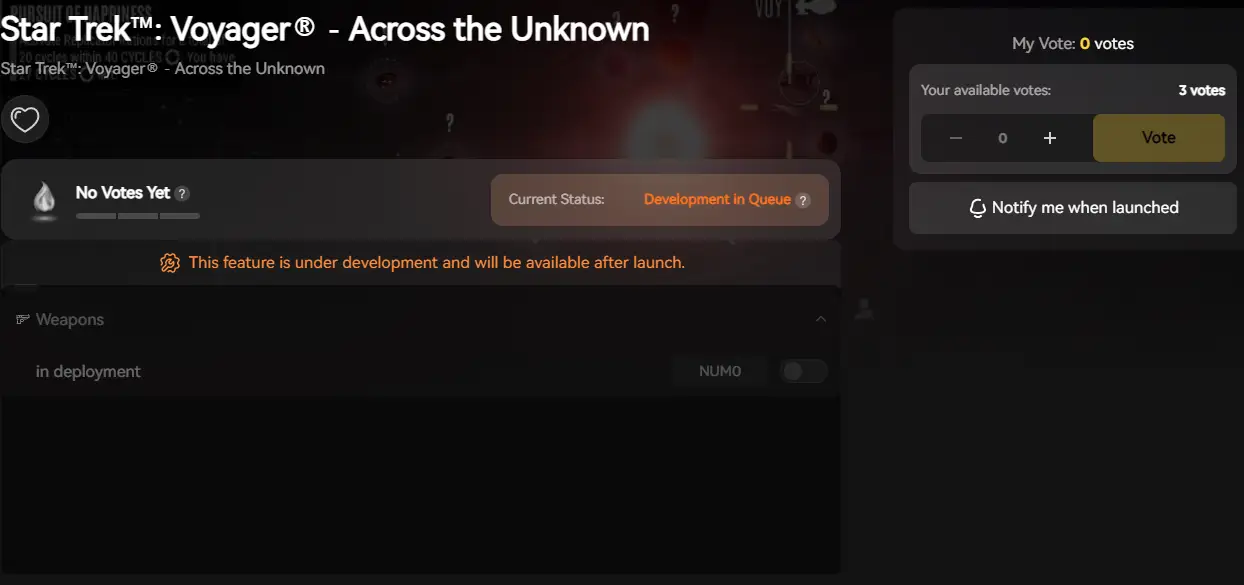
3. Launch the game directly from the client and enjoy your enhanced gameplay!
PREGUNTAS FRECUENTES
Q: Can I transfer my save to another PC?
A: Yes. Simply copy the entire contents of the StarTrekVoyagerAtU folder mentioned above to the exact same location on the new computer. Ensure both PCs are running the same game version to avoid compatibility errors.
Q: Can I edit the save file to get more Dilithium?
A: If the save file is in .json format, yes. Open it with Notepad, search for “Dilithium”, and change the number. If it is encrypted (.dat), you will need the XMODhub Trainer to modify these values safely in memory.
P: ¿Se me prohíbe modificar los archivos guardados?
A: In single-player, absolutely not. Modifying your save file is a standard part of PC gaming freedom. However, verify that you are offline if the game has any asynchronous multiplayer features.
Conclusión
Locating your Star Trek: Voyager – Across the Unknown save file is a crucial skill, whether you are recovering from a glitch, migrating your progress to a Steam Deck, or manually tweaking config files for a custom difficulty.
However, digging through hidden system folders always carries a risk. One wrong deletion or a JSON syntax error can wipe out hours of progress instantly. If you prefer a safer, “set it and forget it” solution, we highly recommend the XMODhub Save Manager. It automates your backups, keeping your hard-earned progress secure so you can focus on getting the crew home.

Soy un jugador apasionado y escritor en XMODhub, dedicado a traerte las últimas noticias de juegos, consejos y puntos de vista.
Conecta conmigo:
Perfil en LinkedIn

 Nancy Miller