
 Nancy Miller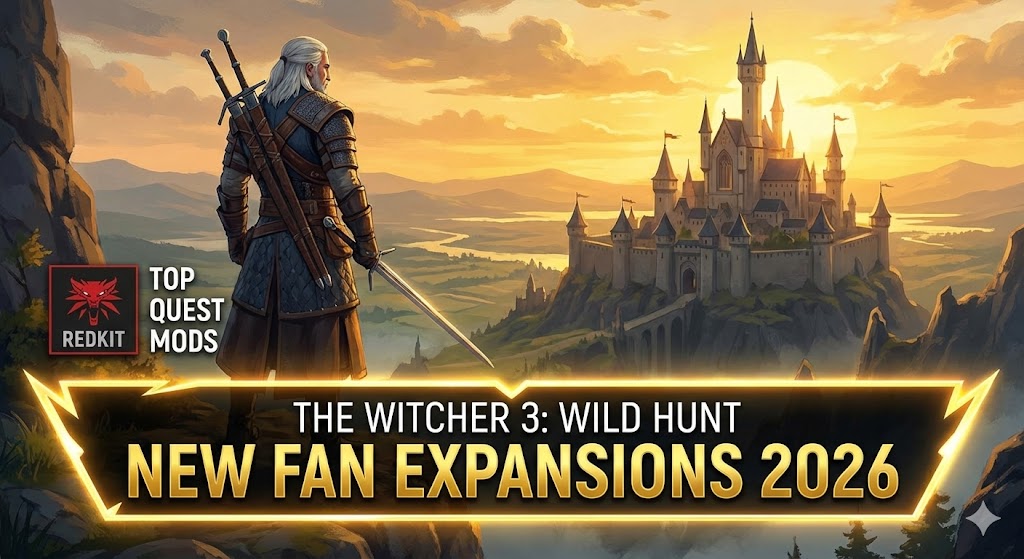
It has been over a decade since Geralt first tracked Ciri across the Continent, yet the appetite for new adventures hasn’t waned. While official development has shifted to the next saga, the release of the REDkit modding tools has sparked a renaissance. In 2026, “new DLC” doesn’t come from a studio patch—it comes from a dedicated community building expansions that rival Blood and Wine in scope and ambition. Wind’s howling, and it’s bringing fresh content.
Principales conclusiones
- Community DLC – “New DLC” in 2026 refers to massive REDkit-powered fan expansions.
- Version Critical – Most new quest mods require Next-Gen (4.04+) and will crash on v1.32.
- Safety Tools – Using Script Merger is mandatory for running multiple story mods.
- Expectations – These are unofficial projects, often with professional-grade voice acting.
Desglosemos los detalles a continuación.
Best Witcher 3 Fan Expansions to Play in 2026
The landscape of The Witcher 3: Wild Hunt has changed dramatically. What used to be simple texture swaps or armor recolors has evolved into full-blown campaigns. If you are looking for fresh content to tide you over until the next saga begins, the modding community has delivered. As an action role-playing game, Witcher 3 thrives on story, and that is exactly what these new mods provide.
The Rise of Witcher 3 REDkit Expansions
The release of the official REDkit tools by CD Projekt was a turning point. Unlike previous modding tools that were limited to script edits, REDkit allows creators to manipulate the game engine almost as freely as the original developers. This means we are now seeing new landmasses, custom cutscenes with lip-syncing, and complex branching quests that feel indistinguishable from the base game. These aren’t just mods; they are effectively unofficial expansion packs.
Top Rated Witcher 3 Story Mods Available Now
Several projects have already set the standard for what a “fan DLC” can be. In 2026, the bar has been raised significantly. Here are the standout experiences you should download immediately:
1. The Spider and the Wolf
This questline is often cited as the gold standard for post-REDkit content. It introduces a mysterious new contract in Velen that spirals into a conspiracy involving the Order of the Flaming Rose. The writing is sharp, mimicking the cynical tone of the base game perfectly, and the custom voice acting is nearly indistinguishable from the original cast thanks to high-quality synthesis and community actors.
2. Ciri’s Solemnity
For players who felt the ending left too many questions about Ciri’s path, this mod offers a closure-focused campaign. It allows you to play as Ciri for extended sequences, utilizing her blink abilities in new combat scenarios designed specifically for her kit. It bridges the narrative gap between Wild Hunt and the potential storylines of the upcoming Project Polaris.
3. Tales of the Continental
Rather than one massive story, this mod acts as an anthology, adding over 20 new “Witcher Contracts” across Skellige and Novigrad. Each contract features unique monsters with new attack patterns, forcing veterans to rethink their combat strategies. It’s perfect for players who want more of the core “monster hunter” gameplay loop without committing to a 40-hour new plot.
Upcoming Witcher 3 DLC Sized Mods to Watch
Rumors and roadmaps from major modding teams suggest that 2026 will be a massive year. Projects aiming to recreate areas from the first two games in the Witcher 3 engine are nearing completion. While “Project Polaris” refers to the official new saga, the community has adopted similar codenames for their massive undertakings. Keep an eye on Nexus Mods for “New Lands” categories, as these are where the true DLC-sized content will appear. One highly anticipated project, Sands of Ofir, promises to finally let Geralt visit the distant lands mentioned in Hearts of Stone, complete with new desert biomes and scimitar-wielding foes.
Do Old Mods Work with Witcher 3 Next-Gen?
One of the biggest hurdles for returning players is version compatibility. The Next-Gen update (4.0+) fundamentally changed how scripts are handled, breaking thousands of older mods.
Understanding Witcher 3 Version Differences
If you try to load a mod from 2018 into a 2026 version of the game, it will likely result in an immediate crash. The Next-Gen update introduced DirectX 12 support and integrated several popular community mods into the base game. This created a split in the ecosystem: “Classic” (1.32) and “Next-Gen” (4.04+). For the new DLC-sized content we are discussing, you must be on the Next-Gen version.
Identifying Compatible Witcher 3 Quest Mods
When browsing Nexus Mods, always check the “Last Updated” date. Any mod not updated after late 2022 is suspect. Look for tags like “Next-Gen Compatible” or “4.04+”. If a quest mod relies on older frameworks without an update, it will likely cause infinite loading screens or script errors.
How to Install Massive Witcher 3 Content Safely
Installing a 5GB fan expansion is more complex than adding a simple sword. These large files touch critical game systems and require a clean foundation to work correctly. Unlike the simple drag-and-drop days of 2015, modern modding requires a bit more finesse.
Preparing Witcher 3 for Large Fan Expansions
Before installing any “new DLC,” verify your game files through Steam or GOG. It is highly recommended to start with a fresh “mods” folder. Delete any leftover files from previous playthroughs. Create a backup of your save games located in your Documents folder, just in case a new quest mod corrupts your progression.
C:/Users/[YourName]/Documents/The Witcher 3/gamesaves/Manual vs. Mod Manager: Which is Better?
For massive quest expansions, manual installation is often safer. Mod managers like Vortex can sometimes mishandle the priority of large DLC-sized files, leading to missing textures or broken audio. To install manually, simply unzip the downloaded archive and place the folder starting with mod into your game’s mods directory, and any folder starting with dlc into the dlc directory. This ensures the game loads the content in the correct order every time.
Using Script Merger for Witcher 3 Mods
This is the most critical step. Modificación The Witcher 3 invariably leads to script conflicts when two mods try to change the same file. Script Merger is a tool that detects these conflicts and merges them automatically. If you skip this, your game will not launch. Run it every single time you add or remove a mod. It looks intimidating with its three-column text comparison, but 99% of the time, the “Create Merge” button handles everything automatically.
Essential Utility Mods for a Stable Game
Before you load up a massive new quest, you should install these utility mods. They act as the glue that holds a heavily modded game together, preventing crashes and improving quality of life in the new mundo abierto areas you’ll be exploring.
- Brothers in Arms
This is the unofficial “Next-Gen Patch” fix. It corrects thousands of dialogue bugs, broken quest triggers, and mesh errors that CDPR missed. Many new quest mods assume you have this installed as a base. - All Quest Objectives on Map
Fan expansions often add multiple active quests. This mod lets you see every objective simultaneously, preventing the need to constantly switch active quests in the journal. - Mod Limit Fix
The game engine has a hard limit on how many mods it can load. If you are installing DLC-sized content, you will hit this limit quickly. This patcher expands the memory allocation, preventing infinite loading screens.
Why Your Witcher 3 New Content Isn’t Loading
Even with careful installation, things can go wrong. Here are the two most common issues players face with large content mods.
Troubleshooting Witcher 3 Script Compilation Errors
If you see a Red Engine crash screen with text about “Script Compilation Errors” on startup, it means your mods are conflicting. This confirms you didn’t use Script Merger, or the merge failed. To fix this, delete your “mod0000_MergedFiles” folder and run Script Merger again. If the error persists, one of your mods is simply incompatible with the current game version.
Fixing Infinite Loading Screens in Witcher 3
Infinite loading screens usually happen when the game runs out of memory for mod IDs or textures. This is common with “DLC-sized” mods that add thousands of new assets. You may need to install the “Mod Limit Fix” patcher mentioned above. Additionally, verify that you haven’t exceeded the texture budget; if you have 4K texture mods installed alongside a massive new land expansion, the engine might choke. Try disabling high-res texture packs to see if the new quest loads.
Enhance Your New Adventures
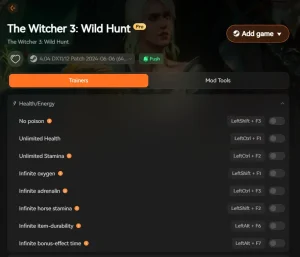
Exploring massive new fan expansions can be challenging, especially if they are balanced for endgame characters. XMODhub’s Witcher 3 formador offers a suite of tools to help you enjoy the story without the frustration of grinding for resources or replaying difficult combat sections.
❤️ Salud infinita
Become invincible to survive even the toughest new boss encounters added by fan expansions.
💰 Dinero infinito
Instantly add Crowns to afford Grandmaster gear and runewright upgrades without farming.
⏱️ Infinite Durability
Keep your swords and armor in perfect condition so you never have to visit a blacksmith mid-quest.
⚔️ Muertes de un solo golpe
Clear out tedious monster nests instantly to focus purely on the new storylines.
📈 Infinite Weight
Loot everything you find in new regions without ever being overencumbered.
Estos mods destacados son sólo el principio. Tanto si quieres saltarte el tedioso proceso de molienda como si quieres experimentar con diferentes estilos de juego o acelerar tu progresión, El completo conjunto de herramientas de XMODhub ofrece docenas de opciones más adaptadas a tu estilo de juego.
Witcher 3 New DLC 2026 FAQ
¿Listo para mejorar tu juego?

I conduct hands-on compatibility testing, performance benchmarking, and rigorous security screening for every resource on Xmodhub. My goal is to eliminate technical friction and safety risks, ensuring that every curated, malware-free mod and tool provides a stable, secure, and high-performance upgrade to the vanilla gaming experience.

 Catherine Hu