Dominio de Patológico 3 está diseñado para ser un calvario. El juego lucha activamente contra el jugador con mecánicas de castigo: la infección se propaga rápidamente, el hambre es constante y el tiempo nunca está de tu parte.
Tanto si estás atrapado en un “bucle mortal” debido a una mala gestión de los recursos como si simplemente quieres explorar la Ciudad sin la presión del tic-tac del reloj, utilizando Comandos de consola de Pathologic 3 es una forma habitual de sobrevivir a la narración.
Sin embargo, acceder al menú de depuración para desarrolladores no es sencillo. Ice-Pick Lodge oscurece notoriamente estas herramientas para preservar la dificultad prevista.
A continuación se muestra la guía técnica sobre cómo forzar la apertura de la consola, la lista de comandos conocidos y la alternativa más segura -. XMODhub, para modificar el juego sin corromper tus datos guardados.
Índice
Nota del editor: ¿Se puede hacer trampa en Pathologic 3?
Cómo activar la consola en Pathologic 3
Lista de comandos esenciales de la consola
Avanzado: Ajustes del archivo de configuración y desbloqueo de FPS
Patológico 3 Lista de ID de artículos
El problema: logros y riesgos de ahorro
La mejor alternativa: Entrenador XMODhub
PREGUNTAS FRECUENTES
Conclusión
Nota del editor: ¿Se puede hacer trampa en Pathologic 3?
“Patológico 3se ejecuta en una compleja iteración del motor Unity. En la versión actual, los desarrolladores han desactivado la superposición estándar de la consola para evitar que los jugadores rompan accidentalmente los activadores de script.
Aunque puede modificar el boot.config para forzar el modo de depuración, esto es arriesgado. Pathologic se basa en un sistema de reloj global; forzar variables a través de la consola a menudo causa ‘desincronización lógica’, donde los eventos no se activan en el momento correcto. En XMODhub, recomendamos usar un entrenador de memoria externo para inyectar valores (como Inmunidad o Hambre) directamente, lo que evita tocar los frágiles scripts de eventos del motor.”
— Catherine Hu, redactora jefe de juegos en XMODhub
Cómo activar la consola en Pathologic 3
Para acceder al menú de depuración, las teclas de acceso rápido estándar pueden estar desactivadas por defecto. Debes seguir estos pasos para habilitar el método de entrada.
Método A: Opciones de lanzamiento estándar
Haga clic con el botón derecho del ratón en Patológico 3 en tu biblioteca de Steam y selecciona Propiedades.
Navegue hasta el General ficha.
En el Opciones de lanzamiento tipo: -consola -modo_dev
Inicia el juego y pulsa la tecla Tilde (~) o Ctrl + Turno + F4.
Método B: Arreglo del archivo de configuración (si falla el método A)
Si la consola permanece bloqueada, debes editar la configuración de arranque del juego:
Vaya a la carpeta de instalación (p. ej, Steam\steamapps\common\Pathologic 3).
Abra la carpeta denominada Datos_patológicos3 (o similar).
Busque el archivo denominado boot.config.
Ábrelo con el Bloc de notas y añade la siguiente línea al final:
player-connection-debug=1
Guarda el archivo y reinicia el juego.
Lista de comandos esenciales de la consola
Una vez que la línea de comandos esté activa, utilice los siguientes códigos. Tenga en cuenta que los comandos suelen distinguir entre mayúsculas y minúsculas.
Supervivencia y estadísticas
dios o modo_dios 1 - Concede invencibilidad contra el daño físico (cuchillos, puñetazos). Nota: Esto no siempre evita la muerte por infección.
set_hunger [0-100] - Establece tu nivel de hambre. Utiliza 0 para quitar el hambre por completo.
set_immunity [100] - Maximiza tu estatus de inmunidad, previniendo riesgos de infección en distritos con plaga.
set_exhaustion [0] - Elimina la necesidad de dormir.
add_money [importe] - Añade dinero a tu inventario.
mosca o noclip - Permite moverse a través de paredes (útil para despegarse de la geometría).
Mundo y PNJ
killall - Elimina a todos los PNJ hostiles cargados en las inmediaciones.
ai_ignore_player - Los enemigos dejarán de atacarte.
show_debug_info - Revela estadísticas ocultas sobre la salud de los PNJ y el pathfinding.
Avanzado: Ajustes del archivo de configuración y desbloqueo de FPS
Los comandos de consola no son la única forma de mejorar tu experiencia. Muchos jugadores sufren problemas de rendimiento o estrechamiento del campo de visión (FOV).
Cómo desbloquear FPS:
Los juegos patológicos suelen tener un límite de 60 FPS. Para desbloquear esto:
Vaya a C:Usuarios[SuNombre]AplicacionesDatosLocalesBajosHielo-Pick LodgePatológico 3.
Abrir Configuración.xml.
Localice 1 y cambiarlo por <VSync>0</VSync>.
Localice 60 y cambiarlo por 144 (o la frecuencia de refresco de tu monitor).
Patológico 3 Lista de ID de artículos
Para utilizar el dar [ID] necesita los nombres específicos de las cadenas internas.
Medicina (Crucial para la supervivencia):
ID_Medicina_polvo (Cura instantánea, daño de alta toxicidad)
ID_Medicina_Panacea (La cura milagrosa)
ID_Medicina_Antibiótico_A (Monomicina)
ID_Medicina_Bandage_Limpiar
Alimentos y recursos:
ID_Alimentos_Carne_Fresca
ID_Alimentos_Pan
ID_Resource_WaterBottle
ID_Herb_Twyre_Bloody
Elementos clave:
ID_Weapon_Revolver
ID_Weapon_Scalpel
ID_Key_Item_Lantern
(Nota: Si el dé devuelve un error, es posible que los ID de artículo hayan cambiado en el último parche. El Entrenador XMODhub utiliza un editor de inventario visual que no requiere códigos de texto).
El problema: por qué los comandos de consola desactivan los logros
El uso de la consola de desarrollador es tratado como “modificación del estado del juego” por Steam y las plataformas de consola.
Bloqueo de logros: Introduciendo comandos como dios marcará tu archivo de guardado como “Tramposo”, desactivando permanentemente logros como “Sueño de la colmena” o “Sin muertes”.”
Salvar la corrupción: El sistema de guardado de Pathologic está ligado a estados temporales específicos. Despertar objetos de misión antes de tiempo puede romper la cadena lógica, haciendo que las misiones principales desaparezcan.
Inconvenientes: Debes volver a introducir los trucos cada vez que cargues una partida guardada o entres en un nuevo distrito.
La mejor alternativa: Entrenador XMODhub
Para una experiencia estable que mantenga limpio tu archivo de guardado, XMODhub ofrece una solución basada en la memoria. En lugar de forzar comandos del motor, el Entrenador modifica valores en la memoria del sistema.
Lanzamiento: Abra XMODhub; detectará automáticamente su Patológico 3 instalación.
Activar: Alterna opciones como “Inmunidad infinita” o “Congelar durante el día” y juega.
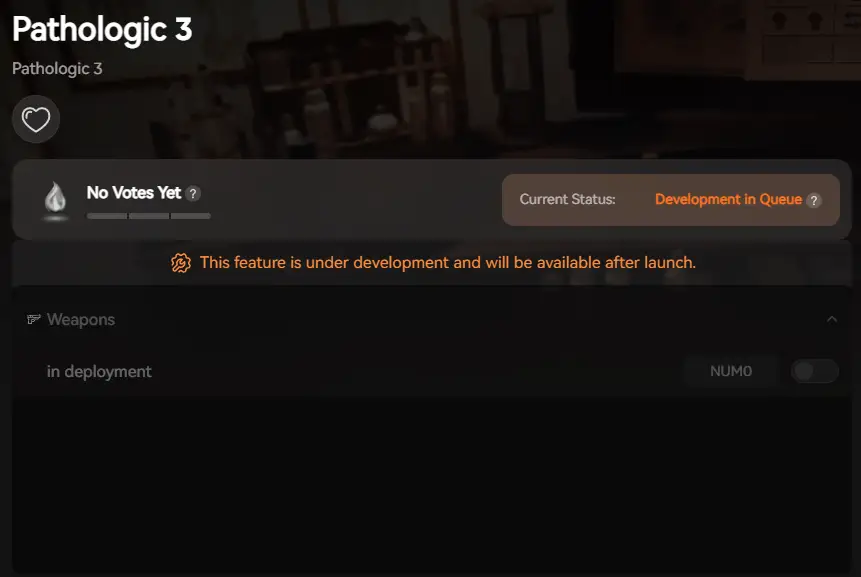
XMOD proporcionará asistencia completa a los entrenadores cuando se publique oficialmente el juego, garantizando la compatibilidad y la estabilidad desde el primer día.
PREGUNTAS FRECUENTES
P: ¿Puedo usar comandos de consola para saltarme el tiempo en Pathologic 3?
R: Sí, puedes usar set_time, pero te lo desaconsejamos encarecidamente. Saltarse el tiempo a menudo omite desencadenantes de conversación esenciales, lo que puede resultar en la muerte de NPCs clave (Bound). Es más seguro usar el “Speed Hack” de XMODhub para moverse más rápido que saltarse el reloj.
P: ¿Por qué no se abre mi consola a pesar de seguir la guía?
R: Si la tecla Tilde no funciona, comprueba la configuración de idioma de tu teclado. Otra posibilidad es que la versión del juego haya parcheado el acceso a la consola. En este caso, el XMODhub Trainer es el único método que funciona.
P: ¿Funcionan estos trucos en la versión para consola (PS5/Xbox)?
R: No, los comandos de consola están restringidos a la versión para PC. Los jugadores de consola no pueden acceder al menú de depuración.
Conclusión: Hacer trampas de forma más inteligente
Aunque los comandos clásicos de consola son una forma nostálgica de modificar los juegos, resultan arriesgados en un título complejo y narrativo como el Patológico 3. Un solo comando erróneo puede romper la lógica del Pueblo. XMODhub ofrece una alternativa profesional y respetuosa con los logros que te permite personalizar la dificultad sin arruinar la integridad técnica de tu archivo de guardado.
Una herramienta, más de 5.000 juegos
Patológico 3 es sólo el principio. XMODhub está diseñado para ser la única herramienta de modding que necesites. Nuestra plataforma soporta actualmente más de Más de 5.000 títulos, para que tengas acceso inmediato a trucos y entrenadores para toda tu biblioteca.
Si le gusta el ambiente implacable de Patológico, XMODhub también ofrece entrenadores totalmente actualizados para experiencias de supervivencia y terror similares, entre las que se incluyen:
Soy un jugador apasionado y escritor en XMODhub, dedicado a traerte las últimas noticias de juegos, consejos y puntos de vista.
Conecta conmigo:
Perfil en LinkedIn
HoMM Olden Era Combat Cheat: Working Infinite Focus Guide
6 min readHoMM combatCheatInfiniteGuide Quick AnswerHeroes of Might and Magic: Olden Era → To get infinite Focus charges in HoMM Olden Era, you can use the XMODHUB trainer to set a Focus Gauge…
⚡ Quick Answer What is the best and safest shapez 2 – Factory mods tool? To modify your automation gameplay safely without corrupting your 50-hour factory save file, you need to use the…

 Catherine Hu





 Nancy Miller