Catherine Hu
Want to test out the endgame MAG Weapons early? Are you tired of grinding UFO crash sites for Alien Alloys, or perhaps you accidentally sold a critical research item on the Geoscape and now your global defense progression is soft-locked?
Using developer tools to spawn resources is a beloved staple of tactical PC gaming freedom. However, because Xenonauts 2 is built on the Unity engine, accessing these tools is not as simple as pressing the Tilde key. Below is the most comprehensive guide on the reality of Xenonauts 2 Item IDs, spawn codes, and how to safely inject materials into your base stores in the latest patch.
Das könnte Ihnen auch gefallen:
How to Use Cheat Engine on Xenonauts 2 (+ 1-Click Alternative) | 2026
Quick Reference: Top 10 Most Wanted Xenonauts 2 IDs
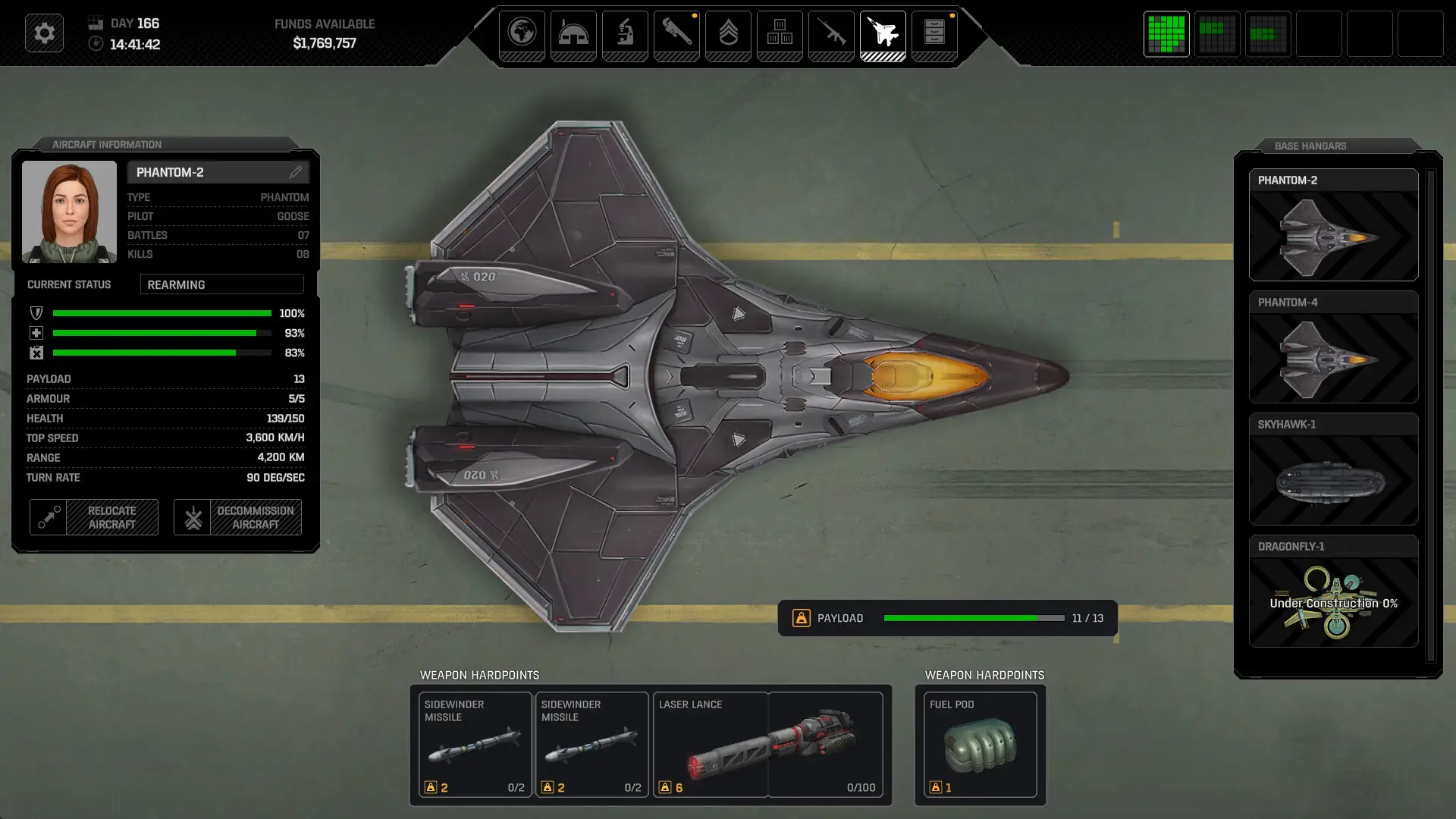
If you are looking to modify your base storage directly through .json save editing or an external memory hook, here are the exact internal string references for the most essential and frequently searched items in the game (including Funding, Alenium, and top-tier weapons).
| Artikel Name | Exact Item ID / Code | Item Effect / Stats |
|---|---|---|
| Base Funding | res.money |
Adds standard global funding |
| Alien Alloys | res.alienalloys |
Essential material for advanced armor/weapons |
| Alenium | res.alenium |
Power source for interceptors and explosives |
| MAG Rifle | item.weapon.magrifle |
Highest base kinetic damage for riflemen |
| Laser Sniper | item.weapon.lasersniper |
High-accuracy mid-game energy weapon |
| Warden Armor | item.armour.warden |
High-tier defense against plasma fire |
| Medikit | item.equipment.medikit |
Restores soldier HP during tactical missions |
| Stun Baton | item.weapon.stunbaton |
Essential for capturing live Sebillians |
| Cleaner Intel | item.misc.cleanerintel |
Progresses the early-game storyline |
| C4 Charge | item.explosive.c4 |
Destroys UFO hulls and terrain cover |
How to Enable the Console & Use Spawn Commands
Before you attempt to use the ID codes listed above, you must understand the correct architecture of the developer console in Xenonauts 2.
➤
➤
~) and type giveitem item.weapon.magrifle 10. This does not work natively. The code to render the console window simply does not exist in the retail executable.⚠️
C:\Users\YourUsername\Documents\My Games\Xenonauts-2\Saves\, open your tactical .json save file with Notepad++, Ctrl+F for your base stores, and manually inject the res.alienalloys string and desired quantity. This is incredibly risky and often corrupts the save if you miss a single comma.“Editing raw JSON save files for a tactical game like Xenonauts 2 is fine if you only need to do it once. But if you are experimenting with different squad builds or trying to bounce back from a squad wipe, manually typing case-sensitive strings becomes incredibly repetitive. One wrong character results in a ‘Save File Corrupted’ error. While the internal string lists are meticulously verified, I personally switched to a visual UI injector months ago. Seeing the material icon and just clicking ‘Add to Stores’ is how modern PC modding should feel.”
Der einfache Weg: XMODhub Visual Spawner
(No Typing Required)
Stop Alt-Tabbing to check massive spreadsheets. Trying to parse .json arrays breaks your immersion and wastes time. The XMODhub PC Client includes a dedicated “Visual Item Spawner” feature specifically built to bypass the locked Unity console in Xenonauts 2.
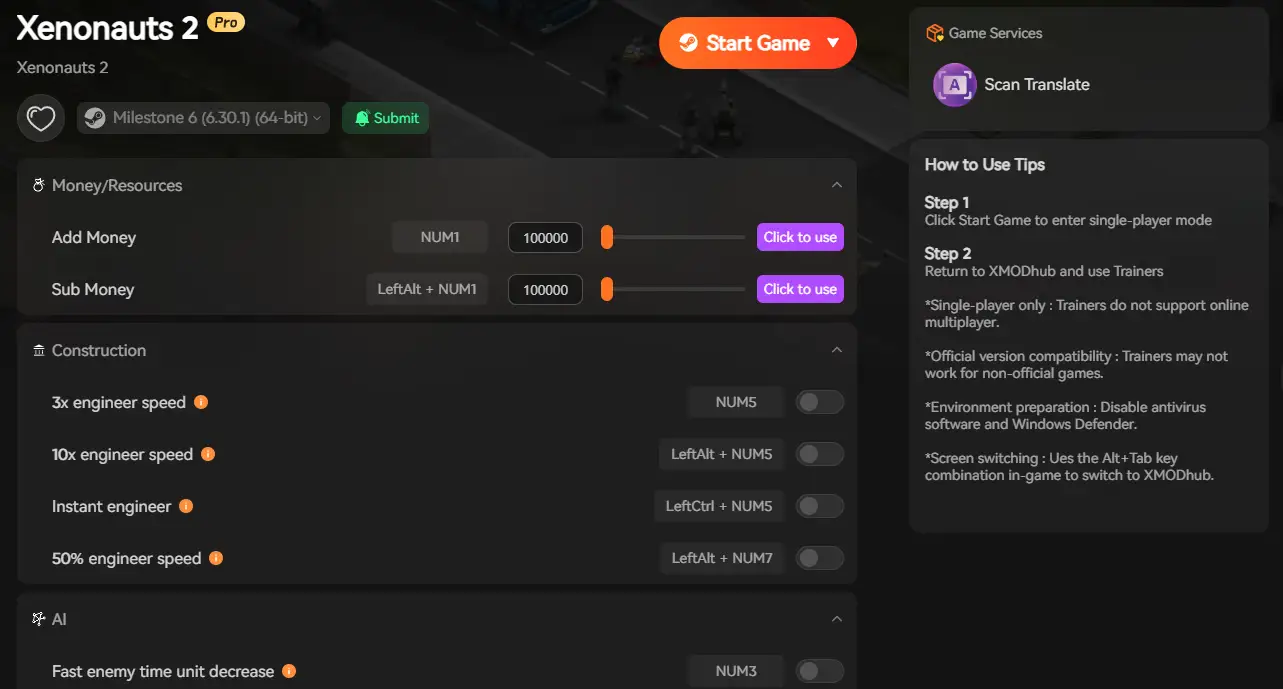
👁️ Icon-Based UI
See exactly what the MAG Rifle, Warden Armor, or Alien Alloy looks like before you spawn it directly into your Geoscape base stores.
🔍 Instant Search
Just type “Laser” or “Alloys” in the overlay search bar and click the one you want.
📦 Batch Spawning
Get 999x of every single alien crafting material with one button press, instantly solving your global funding crisis.
🔄 Auto-Updated Lists
When Goldhawk Interactive adds new dropships or weapons, XMODhub updates its internal dictionary database automatically via the cloud.
Weapon IDs List (Ballistic & Energy)
If you are manually editing your base storage JSON, use these internal strings to instantly equip your squad with the best arsenal.
| Weapon Name | Item ID | Rarity / Tier |
|---|---|---|
| Assault Rifle | item.weapon.rifle |
Starter (Ballistic) |
| Laser Shotgun | item.weapon.lasershotgun |
Mid-Game (Energy) |
| Plasma Cannon (Aircraft) | item.aircraftweapon.plasma |
Late-Game (Energy) |
Armor & Equipment IDs
| Armor Name | Item ID | Equip Slot |
|---|---|---|
| Jackal Armor | item.armour.jackal |
Tactical Torso |
| Wolf Armor | item.armour.wolf |
Tactical Torso |
| Colossus Armor | item.armour.colossus |
Heavy Exo-Suit |
Ammo & Consumables IDs
| Artikel Name | Item ID | Quantity |
|---|---|---|
| Laser Battery | item.ammo.laserbattery |
99 |
| Frag Grenade | item.explosive.grenadefrag |
50 |
| Flashbang | item.explosive.grenadeflash |
50 |
Research & Base Facilities IDs
You don’t just have to spawn physical items. While you cannot instantly “learn” a tech via JSON, you can inject the corpses and datacores required to trigger the research immediately.
| Material Name | Item ID | In-Game Effect |
|---|---|---|
| Sectoid Corpse | item.corpse.sectoid |
Unlocks alien biology research |
| UFO Flight Computer | item.misc.ufo_computer |
Unlocks advanced aerospace engineering |
| Alien Datacore | item.misc.alien_datacore |
Accelerates global lore progression |
Troubleshooting: Why Are My Commands Failing?
If you are editing your JSON save file correctly but the game is throwing errors, check these common issues:
❌
], or brace } when pasting the item.weapon.magrifle string into your base inventory array. Always use a JSON validator before loading the game.❌
item.weapon.plasmasniper) that hasn’t been officially implemented into the current Early Access build yet. The game cannot find the associated 2D sprite.✅
Frequently Asked Questions (FAQ)
QAre these Item IDs case-sensitive in Xenonauts 2?
A: Yes. Because you are dealing with Unity’s internal asset strings within a JSON structure, they are strictly lowercase. Typing ITEM.WEAPON.RIFLE will break your save file.
QCan I spawn items while playing in Multiplayer or Co-Op?
A: Xenonauts 2 is a strictly single-player tactical experience. However, as a general rule, modifying memory or save files to spawn items is only for single-player environments.
QHow do I find the Item IDs for custom modded weapons from the Steam Workshop?
A: Finding dynamic load-order IDs manually in the Unity asset bundles is extremely difficult. We highly recommend using the XMODhub Item Browser, which automatically scans your active BepInEx mods, detects the custom weapons, and lets you spawn them with a single click without knowing the internal string.
Conclusion: The Ultimate Sandbox Experience
Having access to the complete Xenonauts 2 internal Item IDs list is the fastest way to experiment with different squad builds, test MAG weapon damage against heavy Sebillians, or simply recover from a frustrating early-game squad wipe. Bookmark this page so you can quickly reference the strings whenever you need to edit your save.

However, if you want a significantly smoother, crash-free experience where you don’t need to risk corrupting your 40-hour campaign by mistyping res.alienalloys, the XMODhub Visual Spawner is the superior modern choice. Browse items visually. Spawn them instantly. Keep your achievements active.
Get XMODhub Visual Spawner Now
XMODhub is your ultimate all-in-one toolkit for PC single-player gaming. Whether you need powerful Trainers, real-time progression tools, or Visual Spawners, our engine supports over 5,000+ games—including Xenonauts 2 and similar tactical hits like XCOM 2, Phoenix Point, and Jagged Alliance 3.

Ich bin ein leidenschaftlicher Gamer und Autor bei XMODhub, der sich der Aufgabe verschrieben hat, euch die neuesten Gaming-News, Tipps und Einblicke zu geben.
Verbinden Sie sich mit mir:
LinkedIn-Profil

 Nancy Miller