WUCHANG: Fallen Feathers Version 1.4 Rollback Guide

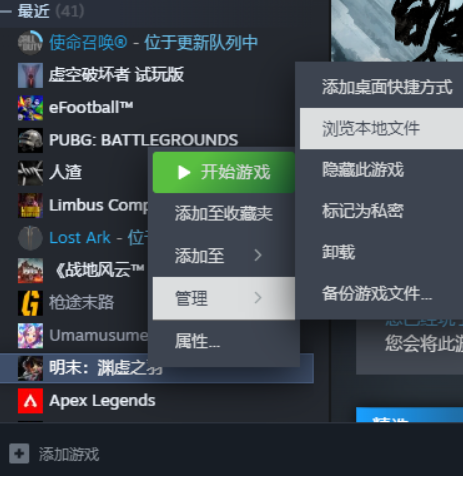
After downloading version 1.4, you will see the prompt shown below. Please follow the guide to complete the process once you see this prompt.

1A6986CA 7AFD 4b51 AD27 7E41A5AB6162

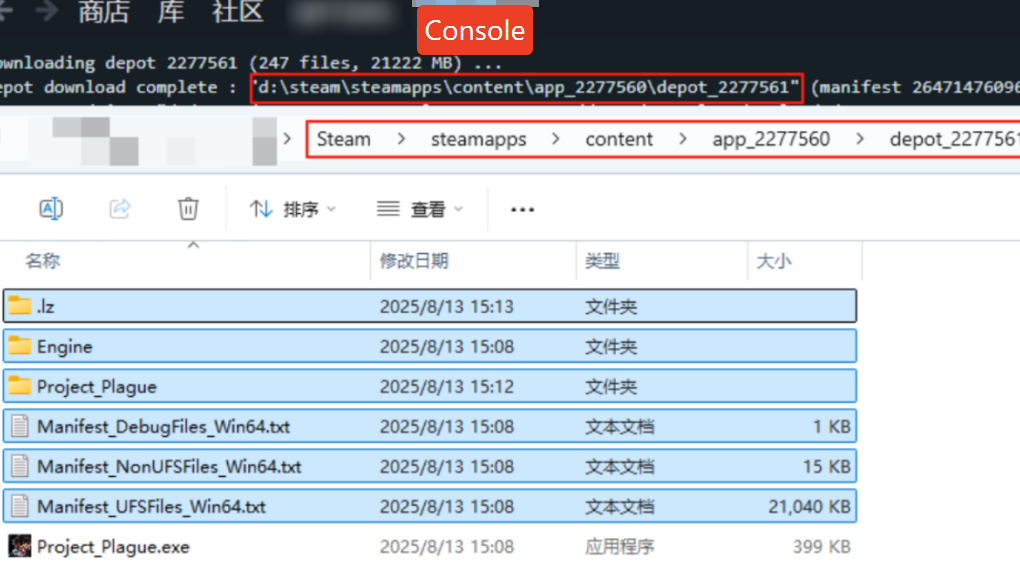
1. Locate the downloaded version 1.4 files according to the folder path shown in the download completion prompt. Select and copy all files except the last process file.
FE33214C 3EA6 41c1 AEC1 B89B22B745FB
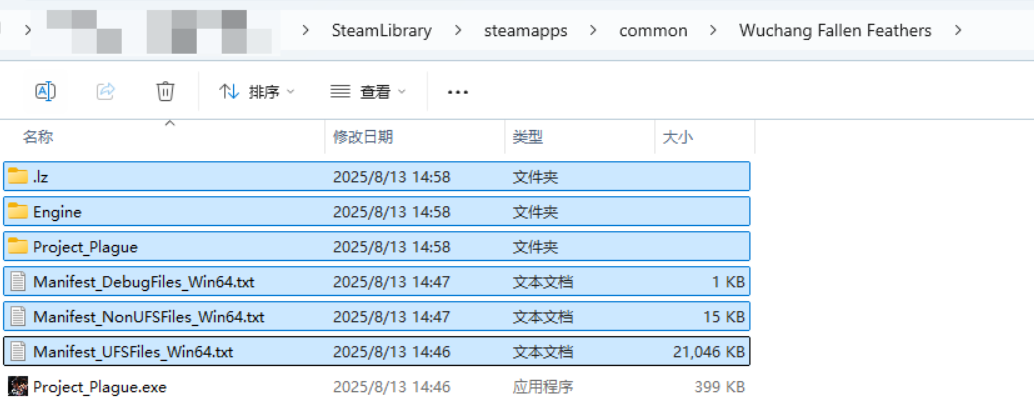
2. Replace all files in the game’s original folder. To avoid potential issues, it is recommended to delete all files in the original folder except for the final .exe file before copying.

43E5C5D6 C620 4dc8 BF70 733AF7741DDA


109D02AC F246 4fa4 BE3D 7B284FD74B6F

  • Catherine Hu

    Ich bin ein leidenschaftlicher Gamer und Autor bei XMODhub, der sich der Aufgabe verschrieben hat, euch die neuesten Gaming-News, Tipps und Einblicke zu geben. Verbinden Sie sich mit mir: LinkedIn-Profil

    Verwandte Beiträge

    Wie man in Happy Island Fantasy alle Szenen sofort freischaltet

    Sich durch sich wiederholende Aufgaben zu quälen, nur um die Story in Happy Island Fantasy zu sehen, kann frustrierend sein, besonders wenn man nur wenig Zeit zum Spielen hat. Egal, ob du deine Speicherdatei verloren hast oder einfach...

    Happy Island Fantasy Black Screen Fix: 5 bewährte Lösungen (2026)

    Sie haben das Spiel gerade installiert und sind bereit, in Ihr Simulationsparadies einzutauchen, aber stattdessen starren Sie ins Leere. Ein schwarzer Bildschirm bei Happy Island Fantasy ist frustrierend, vor allem, wenn du...

    Schreibe einen Kommentar

    Deine E-Mail-Adresse wird nicht veröffentlicht. Erforderliche Felder sind mit * markiert

    Primärfarbe

    Sekundärfarbe

    Layout-Modus

    Schaltflächen und Icons für soziale Netzwerke unterstützt von Ultimatelysocial