Zusammenfassung: Find out The Scouring’s minimum and recommended system requirements, see if your PC can run it, and explore tips to optimize performance for smooth gameplay.
The Scouring is an intense and immersive game that demands both skill and the right hardware for a smooth experience.
Whether you’re new to the title or planning to upgrade your setup, understanding its system requirements is essential.
In diesem Leitfaden, we’ll cover everything from the minimum and recommended specs to running the game on a low-end PC.
We’ll also walk you through ways to check if your machine can handle it and share how tools like XMOD can enhance your gameplay for maximum performance and enjoyment.
Inhaltsübersicht
- What is The Scouring?
- The Scouring Requirements: Minimum and Recommended?
- Can You Run The Scouring on a Low-End PC?
- Can My PC Run The Scouring?
- How to Enhance The Scouring Gaming Experience with XMOD?
- Schlussfolgerung
What is The Scouring?

The Scouring is a real-time strategy (RTS) game developed and published by Orc Group, released in Early Access on Steam on August 12, 2025. It blends classic RTS mechanics with modern features, allowing players to command human or orc factions, build bases, gather resources, lead armies, use magic, and deploy cannons to outsmart enemies. The game also introduces an action-RPG twist, letting you control a hero who can level up, collect gear, and use skills in real-time combat alongside your army. Each night, waves of undead invade, adding a survival challenge to the strategic gameplay.
Players can enjoy multiple modes, including Classic RTS, Hero Mode, MOBA-like battles, and survival scenarios, with support for up to eight players in multiplayer, complete with matchmaking and ranked play. Full Steam Workshop integration enables custom maps, AI scripts, and game modes, making modding a core feature. Originally a small indie project built on a custom engine, The Scouring has grown through strong community involvement, with developers actively gathering player feedback to refine and expand the experience.
The Scouring Requirements: Minimum and Recommended?
Before diving into whether your PC can handle The Scouring, it’s important to know the game’s system requirements.
Here’s a breakdown of the minimum requirements needed to run the game smoothly:
Minimum System Requirements
| Specification |
Requirement |
| OS |
Windows 10 (64-bit) |
| Prozessor |
Intel Core i5-2500K / AMD FX-6300 |
| Speicher |
8 GB RAM |
| Grafiken |
NVIDIA GeForce GTX 770 / AMD Radeon R9 280 |
| DirectX |
Version 11 |
| Lagerung |
10 GB available space |
| Network |
Broadband Internet connection |
If you want the best experience with higher graphics and smoother gameplay, check out the recommended requirements below:
Recommended System Requirements
| Specification |
Requirement |
| OS |
Windows 10/11 (64-Bit) |
| Prozessor |
Intel Core i7-6700K / AMD Ryzen 5 3600 |
| Speicher |
16 GB RAM |
| Grafiken |
NVIDIA GeForce GTX 1070 / AMD Radeon RX 5600 XT |
| DirectX |
Version 12 |
| Lagerung |
10 GB SSD (recommended) |
| Network |
Broadband Internet connection |
These tables make it easy to see what your PC needs to run The Scouring, whether you’re aiming for basic play or the best performance.
Can You Run The Scouring on a Low-End PC?
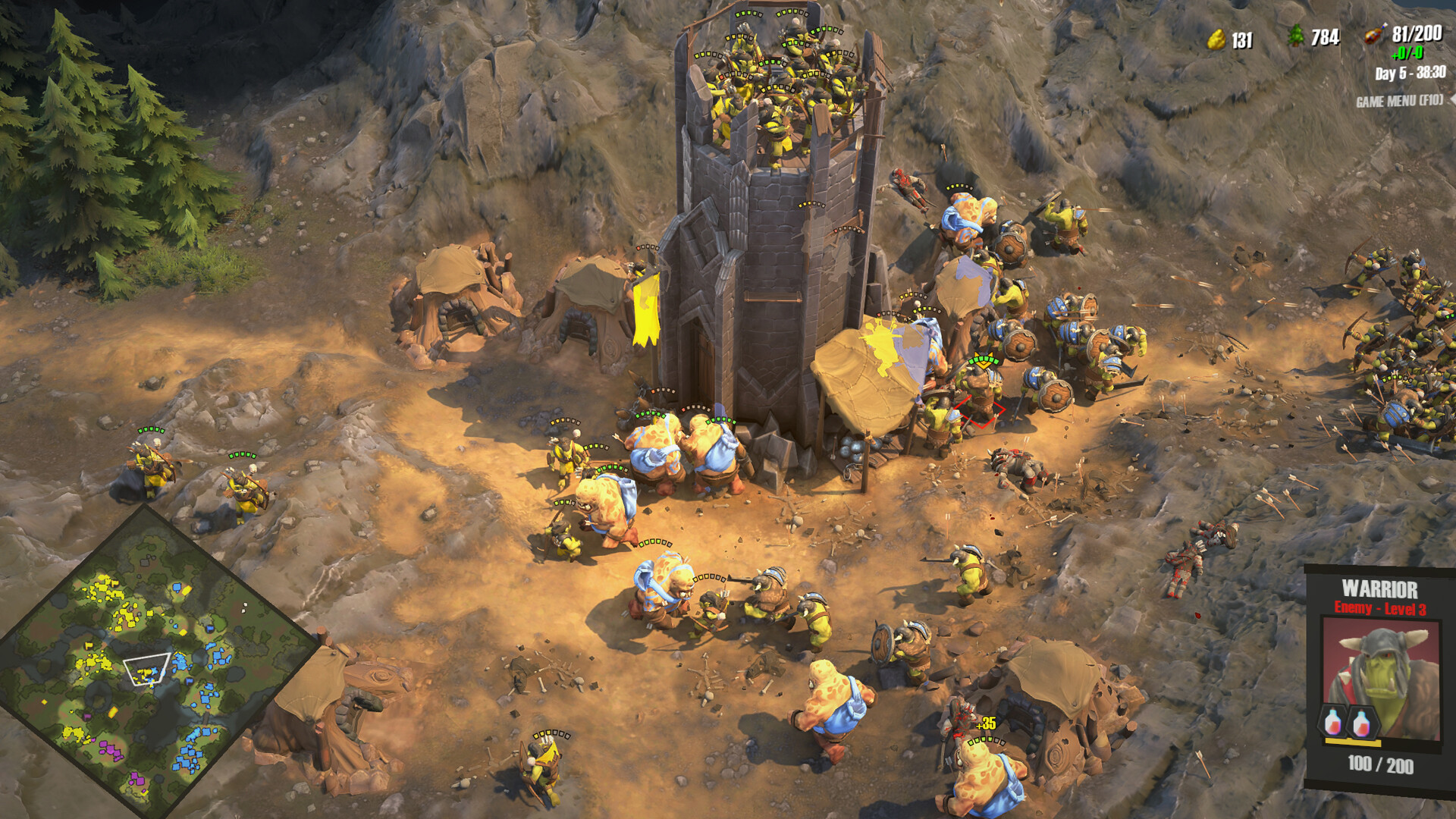
Of course you can run The Scouring on a low-end PC, but you’ll need to adjust the settings to get a playable experience. The game’s minimum requirements (8 GB RAM, Intel Core i5-2500K or AMD FX-6300, and a GTX 770 or equivalent) are designed to allow it to run on older or less powerful systems.
To improve performance on a low-end PC:
- Lower graphics settings such as textures, shadows, and effects.
- Reduce the resolution to 720p or 1080p depending on your monitor.
- Close background programs to free up CPU and RAM.
- Use performance tools like XMOD, which can optimize the game and provide smoother gameplay.
While you won’t get the high-end visuals or ultra-smooth frame rates of a powerful PC, these adjustments make the game fully playable for casual or strategic sessions.
Can My PC Run The Scouring?
To determine if your PC can run The Scouring, you need to compare your system’s specifications with the game’s minimum and recommended requirements. If your PC meets or exceeds the recommended specs, you can enjoy smooth gameplay with high graphics settings. If it only meets the minimum, the game will still run, but you may need to lower graphics settings for better performance.
You can also use tools like XMOD to check compatibility, optimize settings, and improve overall performance. Even on older hardware, these adjustments help make the game playable while keeping frame rates stable.
How to Enhance The Scouring Gaming Experience with XMOD?
XMOD is an all-in-one platform for managing mods, cheats, and game customization in The Scouring. It allows you to easily apply various cheats such as:
- Resource Management: Instantly set money or wood to desired amounts.
- Gesundheit und Energie: Enable options like “Never Hungry” to simplify survival mechanics.
- Building & Construction: Use “Quick Build Complete” to finish constructions instantly.
- Zeitkontrolle: Adjust in-game hours or speed up gameplay with timer options.
Beyond individual cheats, XMOD’s mod management system lets you install, enable, or disable mods seamlessly, making it simple to expand your gameplay and experiment with custom content. It serves as a centralized hub, so you can access cheats, mods, and configuration tools all in one place.
How to use Xmod:
Install XMOD – Download and launch the app on your PC.
Add Games – Use the library to add your installed games.
Browse Mods – Check available mods for each game.
Activate Mods – Click “Enable” on the mod you want before launching the game.
Launch Game – Start your game through XMOD for all selected mods to work.
Schlussfolgerung
In summary, The Scouring offers an exciting gaming experience, but understanding its system requirements is key to enjoying it smoothly. Whether you’re on a low-end PC or a high-performance rig, checking compatibility ensures the best performance. For those looking to elevate gameplay, XMOD provides a convenient all-in-one platform to manage mods and enhance features. With the right setup and optimization, you can fully enjoy everything The Scouring has to offer.
Ich bin ein leidenschaftlicher Gamer und Autor bei XMODhub, der sich der Aufgabe verschrieben hat, euch die neuesten Gaming-News, Tipps und Einblicke zu geben.
Verbinden Sie sich mit mir:
LinkedIn-Profil

 Catherine Hu
 Nancy Miller