Catherine Hu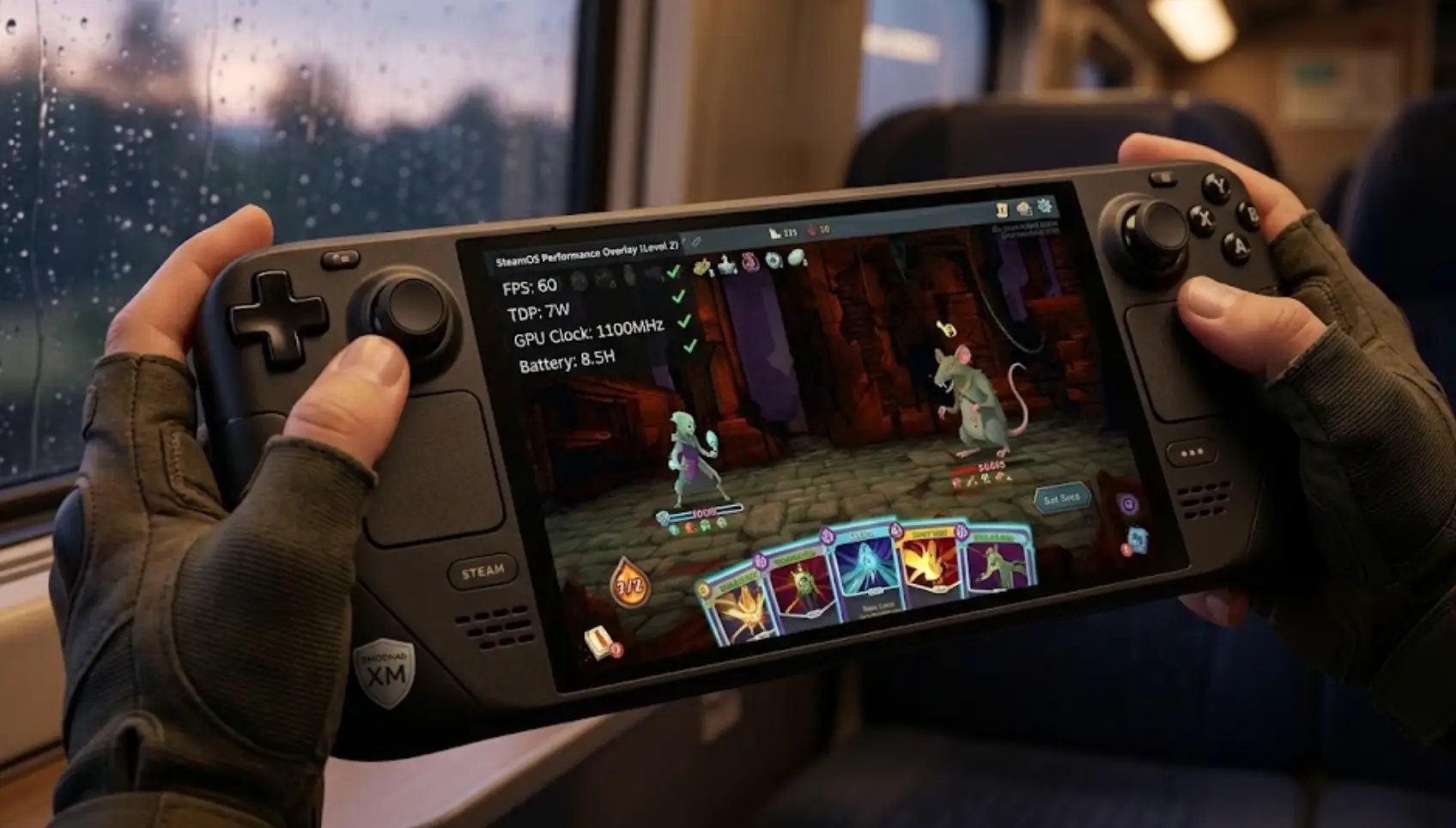
The wait is finally over. The Spire has awakened once more. Slay the Spire 2 drops into Early Access on March 5, 2026, bringing massive overhauls, the brand-new Necrobinder and Regent classes, and the highly anticipated 4-player co-op mode.
Just like its predecessor, Slay the Spire 2 is practically built for handheld play. Thanks to Mega Crit’s bold decision to rebuild the game entirely on the open-source Godot Engine, the game runs incredibly efficiently.
However, if you want to stretch your Steam Deck’s battery to outlast those agonizing boss runs, you need to tweak a few things.
Here are the optimal settings to get the perfect balance of crisp visuals and extreme battery life.
Das könnte Ihnen auch gefallen:
Slay the Spire 2: Cheat Engine Table vs. XMODhub Trainer (Best Free Alternative
1. Quick Answer: Best Settings for Slay the Spire 2
If you want to jump straight into drafting cards and fighting the new two-tailed rat monster, configure your Steam Deck performance overlay to these exact parameters for the best experience:
| Best Slay the Spire 2 Steam Deck Settings | |
|---|---|
| Framerate Limit | 60 FPS (The animations are incredibly smooth). |
| Refresh Rate | 60 Hz (or 90 Hz for OLED models). |
| TDP Limit | ON, set to 7W. |
| GPU Clock Control | OFF (Let SteamOS manage this natively). |
| In-Game Resolution | 1280×800 (Native 16:10 aspect ratio). |
| Compatibility | Native Linux / Proton Experimental (The game supports Native Linux out of the box). |
2. How to Maximize Battery Life (TDP Optimization)
Because Slay the Spire 2 is a 2D roguelike deckbuilder, it does not need the full 15W power of the Steam Deck’s APU. Leaving the TDP uncapped will just drain your battery and make the fans spin loudly for no reason.
By restricting the TDP Limit to 7W, you force the Steam Deck to sip power. On a standard LCD Steam Deck, this setup should grant you roughly 4.5 to 5.5 hours of continuous gameplay. If you are playing on the Steam Deck OLED, you can expect an astonishing 7 to 9 hours of spire-climbing on a single charge.
If you are on a long flight and need absolute maximum battery life, drop the Framerate Limit to 45 FPS and lower the TDP to 5W. The turn-based nature of the game means you won’t even notice the frame drop.
3. The Godot Engine Advantage on Steam Deck
One of the biggest behind-the-scenes changes is that Mega Crit ditched Unity after over two years of development to use the free, open-source Godot Engine due to Unity’s controversial pricing policies.
Why does this matter for your Steam Deck? Godot is famously lightweight and compiles exceptionally well for Linux environments. This means Slay the Spire 2 boots faster, uses significantly less RAM, and experiences almost zero shader compilation stuttering compared to Unity-based roguelikes. It is a massive win for handheld gamers.
4. Optimizing for 4-Player Co-Op
For the first time ever, you can die to the Spire’s bosses alongside your friends. Slay the Spire 2 introduces an official 4-player online co-op mode with specific multiplayer cards and powerful team synergies.
When playing co-op on the Steam Deck, you are relying heavily on the system’s Wi-Fi chip. To prevent connection drops during intense multiplayer runs:
- Disable Wi-Fi Power Management:
Press the STEAM button, go to Settings > Developer (ensure Developer Mode is enabled), and turn OFF “Enable Wi-Fi Power Management.” This prevents the console from throttling your connection to save battery, ensuring your co-op sessions remain lag-free.
5. Test Deck Builds Faster with XMODhub
With the Early Access version constantly evolving and adding new cards and relics, there will be countless completely broken combinations to discover for the returning Ironclad, Silent, and Defect, as well as the new Necrobinder and Regent.
If you are a theory-crafter who wants to test max-level synergies without spending hours grinding through Act 1, XMODhub is your ultimate companion.
How to use XMODhub on Steam Deck:
Access the XMODhub Linux/SteamOS client directly from your Steam Deck’s Desktop Mode.
Our verified client integrates seamlessly with your Steam library.
Launch Slay the Spire 2 and open the XMODhub overlay to instantly grant yourself Infinite Gold, Specific Relic Spawns, or Max Health.
Draft the craziest Necrobinder poison-revive deck imaginable and see if the Spire can withstand your power.
6. Frequently Asked Questions (FAQ)
Does Slay the Spire 2 feature Local Split-Screen Co-Op?
No. Currently, during the Early Access launch, the 4-player co-op mode is exclusively online. You cannot play couch co-op on a single Steam Deck.
Is Slay the Spire 2 Verified for Steam Deck?
While Early Access games often launch with an “Unknown” status on day one, Mega Crit built the game with Native Linux support via the Godot engine. It runs perfectly out of the box.
Do Slay the Spire 2 cloud saves work between PC and Steam Deck?
Yes. Steam Cloud saving is fully enabled. You can start a run on your desktop PC and seamlessly continue exactly where you left off on your Steam Deck.
7. Conclusion
Slay the Spire 2 is destined to become the next permanent resident on your Steam Deck’s SSD. By locking your TDP to 7W and ensuring a solid 60FPS, you are guaranteed hours of uninterrupted, fluid deck-building strategy.
Mega Crit’s switch to the Godot engine has resulted in a sequel that is incredibly gentle on hardware, allowing you to focus purely on survival. Tweak your settings, grab your friends for some co-op, and we will see you at the top of the Spire!

Ich bin ein leidenschaftlicher Gamer und Autor bei XMODhub, der sich der Aufgabe verschrieben hat, euch die neuesten Gaming-News, Tipps und Einblicke zu geben.
Verbinden Sie sich mit mir:
LinkedIn-Profil

 Nancy Miller