
 Catherine Hu
Editor’s View: The “Day One” Curse
Before you give up on Slay the Spire 2, realize that Mega Crit rebuilt this game entirely in the Godot engine, ditching the old Java framework from the first game. This means 90% of these new crashes are caused by three simple things: corrupted Steam downloads, outdated GPU drivers failing to initialize the Vulkan API, or overlay conflicts. I’ve tested the methods below on my own rig, and Method 4 (forcing OpenGL) was the one that finally solved the black screen for me.”
You have waited years for the sequel to the greatest deckbuilder of all time, pre-loaded the files, and cleared your schedule to climb the Spire once again. You click “Play,” and… nothing. Or worse, a cryptic Godot engine “Fatal Error” pops up. Launch day issues are frustrating, especially when they ruin a promising Ascension run, but they are rarely unfixable.
Whether you are facing a black screen with only the menu music playing, random crashes to desktop (CTD) during card animations, missing DLL files, or unplayable frame rates, this guide covers the most effective solutions to get you into the game.
Das könnte Ihnen auch gefallen:
Slay the Spire 2: Cheat Engine Table vs. XMODhub Trainer (Best Free Alternative)
Check First: Slay the Spire 2 System Requirements
Before debugging, ensure your PC can actually run the game. While deckbuilders aren’t usually demanding, the new engine’s dynamic lighting and 3D-rendered card effects require a relatively modern graphics API. Trying to run Slay the Spire 2 on a severely outdated GPU is the most common cause of “silent crashes” (the game closes without an error message).
| Komponente | Mindestanforderungen | Recommended Specifications |
|---|---|---|
| OS | Windows 10 (64-bit) | Windows 11 (64-Bit) |
| CPU | Intel Core i3 / AMD Ryzen 3 | Intel Core i5 / AMD Ryzen 5 |
| RAM | 4 GB RAM | 8 GB RAM |
| GPU | Vulkan-compatible GPU (GTX 970+) | NVIDIA GTX 1060 / AMD RX 580 |
| Lagerung | 2 GB SSD | 2 GB NVMe SSD |
Method 1: Verify Game Files (Steam/Epic)
Corrupted installation files are the #1 cause of Slay the Spire 2 crashing on startup, especially after an Early Access patch.
- Right-click Slay the Spire 2 in your Library.
- Wählen Sie Properties > Installed Files.
- Klicken Sie auf “Verify integrity of game files”.
- Wait for the process to finish (it may re-download some missing engine binaries).
For Epic Games Users:
- Go to Library, click the three dots (…) on the game card.
- Wählen Sie Manage > Verify.
Method 2: Update Drivers & Visual C++ Redistributables
Slay the Spire 2 runs on the Godot Engine, which strictly requires updated software environments—specifically for proper Vulkan API rendering.
- GPU Drivers: Update your NVIDIA (Game Ready Driver) or AMD (Adrenalin) drivers to the latest version. Outdated drivers will instantly crash modern Godot games.
- Visual C++ All-in-One: If you get errors like
MSVCP140.dllmissing orVCRUNTIME140.dllnot found upon clicking Play, you need to reinstall the Microsoft Visual C++ Redistributables (install both x86 and x64 versions). - DirectX/Vulkan: Ensure your Windows OS is fully updated to support the latest graphics rendering pipelines.
Method 3: Fix Black Screen & Overlay Issues
If you hear the iconic Spire background audio but see a completely black screen, or the game closes instantly when transitioning to the main menu, it is likely a conflict with background apps trying to hook into the game’s display.
- Disable Overlays:
Turn off Steam Overlay, Discord Overlay, and NVIDIA ShadowPlay/Overlay. - Fullscreen Optimization:
- Right-click the game’s
SlayTheSpire2.exefile > Properties. - Go to the Compatibility tab.
- Check “Disable fullscreen optimizations”.
- Check “Run this program as an administrator”.
- Right-click the game’s
Method 4: Common Error Codes & Fixes (DLL / DX12)
Here are specific solutions for the most common error messages players are reporting with the new engine:
This is the most common Slay the Spire 2 error. If your older GPU doesn’t fully support Vulkan, you can force the game to run on older architecture. Right-click the game in Steam > Properties > Launch Options. Type
--rendering-driver opengl3 to force OpenGL mode.Usually caused by strict antivirus software blocking the Godot executable. Whitelist the Slay the Spire 2 installation folder in Windows Defender.
This is often a RAM instability issue. Disable XMP profiles in your BIOS temporarily or close high-memory apps like Chrome before launching your run.
Method 5: Fix Low FPS & Stuttering
Is Slay the Spire 2 running like a slideshow when you play a card with massive particle effects?
- Godot Shader Compilation: If the game stutters specifically the first time you see a new card animation, this is normal Godot shader compilation. It should fix itself after playing for a few encounters.
- Disable Screen Shake / V-Sync: Go into the in-game settings (or edit the config file if the game won’t load) and turn off V-Sync and Screen Shake.
- Set High Priority: Open Task Manager > Details > Right-click
SlayTheSpire2.exe> Set Priority > High.
The Workaround: Skip Laggy Areas with XMODhub
Sometimes, Slay the Spire 2 crashes not because of your PC, but because of an unoptimized interaction between 50 different relics and cards triggering at once.
XMODhub offers unique tools to help bypass these technical hurdles:
- Speedhack:
Use the trainer to speed up the game (2.0x speed) to skip agonizingly slow, laggy animations, or slow it down to prevent CPU spikes during massive poison/damage calculations. - Save Manager:
Automatically backup your save before entering a Boss room. If a random crash deletes your continue file, you never lose your Ascension progress.
How to Get Started with XMODhub
Getting the ultimate toolkit for Slay the Spire 2 is simple. Just follow these steps:
Download & Install: Get the latest version of the XMODhub Client from our Official Site.

Auto-Detect: Launch the app. It will automatically scan your PC and locate Slay the Spire 2 in seconds.
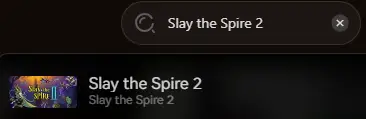
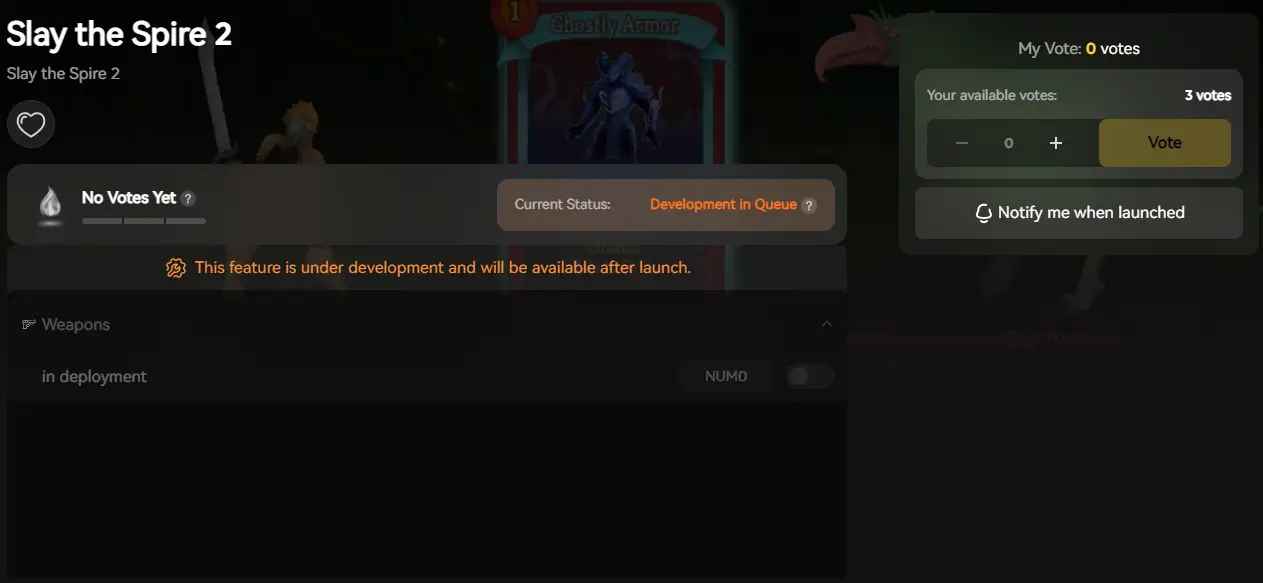
Select Your Tools: Choose the tool or enable Trainers to customize your gameplay resources.
Launch & Play: Start the game directly from XMODhub to apply all changes seamlessly.
FAQ
Q: Does Slay the Spire 2 support Windows 10?
Yes, but ensure you are on version 22H2 or newer. Older builds may lack the necessary Vulkan API support for the Godot engine.
Q: Will reinstalling fix the crash?
Reinstalling should be your last resort. Try “Verifying Integrity” (Method 1) first, as it does the same thing but much faster.
Q: Is there a patch coming?
The developers have acknowledged the launch-day bugs. Check the XMODhub news section for updates on the latest Early Access hotfixes.
Schlussfolgerung
Launch issues are painful, but they are temporary. By verifying your files, updating your C++ libraries, forcing OpenGL if needed, and optimizing your drivers, you should be able to fix the Slay the Spire 2 crash on startup error.
If the game is still suffering from poor optimization or Early Access bugs, XMODhub can help bridge the gap. Use Game Speed adjustments to bypass sluggish animations and Auto-Backups to secure your Ascension progress until the official patch arrives.
Think Bigger: XMODhub is more than just a tool for one game—it is a comprehensive gaming platform supporting over 5,000+ titles. Whether you are mastering Slay the Spire 2 or exploring similar hits like Battle BrothersXCOM 2Jagged Alliance 3, XMODhub ensures you always have the ultimate toolkit (Trainers, Mods, and Tools) ready at your fingertips.
Don’t let bugs stop your climb. Play smarter.

Ich bin ein leidenschaftlicher Gamer und Autor bei XMODhub, der sich der Aufgabe verschrieben hat, euch die neuesten Gaming-News, Tipps und Einblicke zu geben.
Verbinden Sie sich mit mir:
LinkedIn-Profil
 Nancy Miller