
 Catherine Hu
Editor’s Review: Surviving in the untamed lands of Dragonwilds is a brutal test of endurance. Between managing your Hunger/Hydration levels and dodging attacks from roaming Dragons, the grind for resources can severely slow down your base building. This XMOD-Trainer is designed specifically for Solo Survival, allowing you to gather resources faster, build without limits, and explore the map freely.
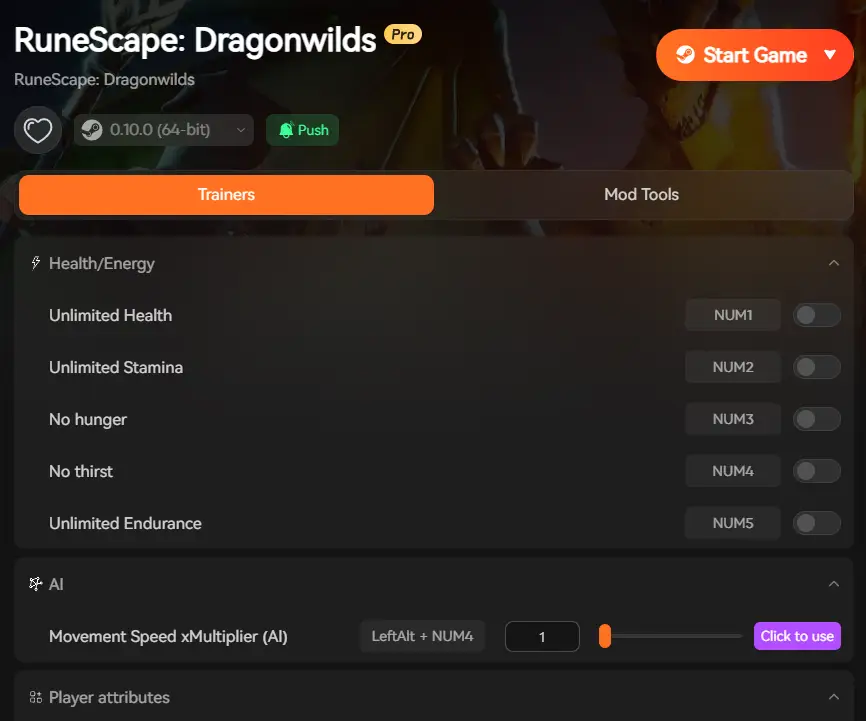
RuneScape: Dragonwilds Trainer Features
Stop worrying about inventory limits and stamina drain. This tool enhances your gameplay by removing the tedious survival grind, letting you focus on crafting and exploration.
Essential Survival Cheats:
-
Numpad 1: Infinite Health (God Mode)
-
Effect: You become invincible. Take zero damage from Goblins, Dragons, or environmental hazards like poison/fire. Perfect for surviving “Dragon Attack” events at your base.
-
-
Numpad 2: Infinite Stamina
-
Effect: Sprint, chop trees, and mine ores indefinitely without waiting for your stamina bar to recharge. Travel across the map in record time.
-
-
Numpad 3: No Item Weight (Unlimited Carry)
-
Effect: Sets your inventory weight to zero. You can carry thousands of logs, stones, and ores back to your base in a single trip without becoming “Encumbered” or slowed down.
-
-
Numpad 4: No Spell Cooldown
-
Effect: Cast magic spells instantly without waiting for the cooldown timer.
-
-
Numpad 5: Max Vitals (No Hunger/Thirst)
-
Effect: Instantly refills your Hydration, Sustenance, und Rest meters so you never starve or collapse from exhaustion.
-
-
Numpad 6: Easy Crafting
-
Effect: Craft items even if you don’t have the required materials in your inventory (Creative Mode style).
-
Safety & Usage Warning
Is this safe for my account?
-
Single Player / Private Host: SAFE. We strongly recommend using this trainer only when playing alone or hosting a private session with friends.
-
Public Servers / Competitive: NOT RECOMMENDED. Do not use these cheats on official public servers. Server-side anti-cheat protections may flag abnormal player stats (like moving too fast with heavy weight).
How to Install & Use

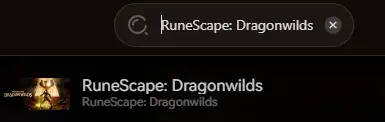
- RuneScape: Dragonwilds
Virus Scan & False Positives
Why does my Antivirus flag this file? You may see a warning labeled “HackTool:Win32/GameHack” or similar. This is a False Positive.
-
The Reason: Game trainers work by “injecting” code into the active game memory to modify values (like changing your Stamina from 10 to 100). Antivirus software often mistakes this harmless injection behavior for a virus.
-
Die Lösung: This file is clean. Please add the trainer folder to your Antivirus Exclusion/Allow List to use it.
Troubleshooting (FAQ)
-
Q: The “No Weight” cheat isn’t updating?
-
A: After activating Numpad 3, please drop one item from your inventory and pick it up again. This forces the game to recalculate your current weight to 0.
-
-
Q: Does this work on the latest game update?
-
A: Yes, this version (v1.0) is tested on the latest Steam/Launcher build. If the game updates, check back here for a new trainer version.
-

Ich bin ein leidenschaftlicher Gamer und Autor bei XMODhub, der sich der Aufgabe verschrieben hat, euch die neuesten Gaming-News, Tipps und Einblicke zu geben.
Verbinden Sie sich mit mir:
LinkedIn-Profil

 Nancy Miller