Catherine Hu
You have spent the last 30 minutes scouring shady forums for a working Retro Rewind – Video Store Simulator Cheat Engine table (.ct file). You finally find one, load it up, attach the process, and boom—it says “Process not found,” your cash values revert to zero, or worse, your game instantly crashes right in the middle of a crazy busy Friday night shift.
With Blood Pact Studios constantly pushing new patches and content updates to expand their 90s nostalgia trip, the era of manually hunting for Unreal Engine memory addresses and risking save file corruption is over.
Today, we break down why the XMODhub PC Trainer is the safer, smarter, and fully automated evolution of Cheat Engine for players on Steam, Epic, and Xbox Game Pass.
You may also like:
Retro Rewind – Video Store Simulator Cheat Engine Table vs. XMODhub: Best Free Trainer (2026)
How to Enable Console Commands in Retro Rewind – Video Store Simulator
Since Retro Rewind runs on Unreal Engine, the native developer debug menu is hidden in the retail release. If you want to use raw text commands before unlocking the end-game cheat room, follow these steps to force it open using a standard UE unlocker:

Launch Retro Rewind – Video Store Simulator and load your store save.
Download and inject a Universal Unreal Engine Unlocker (UUU) while in offline mode.
Press the Tilde key (~ ) or Backtick key (
`) located under the Escape key on your keyboard.If the console does not drop down, exit the game, right-click the game in Steam > Eigenschaften > General, and type
-Konsole in your Launch Options.Relaunch the game and press ~ again to start typing commands.
Expert Note: Are Commands Locked in Retro Rewind?
“Because Retro Rewind – Video Store Simulator runs on Unreal Engine, developers at Blood Pact Studios compile out the custom resource command console in the final retail release to prevent store progression bugs. While you naturally unlock a physical ‘Cheat Room’ at Store Level 20 to toggle fees and holidays, getting there takes dozens of hours. If the UUU method fails, it means the console is hard-locked at the code level. In these cases, an external memory injector like XMODhub is the only functional way to use cheats early.”
— Catherine Hu, Senior Gaming Specialist at XMODhub
Essential Retro Rewind Console Commands List
If you managed to open the Unreal Engine command line, type the following universal engine codes and press Enter. (Note: Custom resource commands for cash and levels are compiled out; see XMODhub below for money cheats).
| Command Syntax | Cheat Effect |
|---|---|
Geist |
Activates noclip, allowing you to fly through store walls, shelves, and customers. |
Spaziergang |
Disables noclip and returns physics to normal floor walking. |
slomo [value] |
Changes the game speed (e.g., slomo 5 to fast-forward through slow shifts). |
teleport |
Instantly teleports you to where your crosshair is pointing in the store. |
fov [value] |
Changes the camera field of view for wider store screenshots. |
statistische Daten pro Sekunde |
Toggles the frame rate and Unreal Engine performance overlay. |
quit |
Instantly closes the game to the desktop. |
How to Spawn Items: Blueprint Paths
To spawn specific gear in Unreal Engine, you generally use the syntax: Summon [Blueprint_Path].
Because internal asset IDs update frequently with new weekly movie releases and festival patches, guessing them will crash your simulator. Here is the standard format for Retro Rewind:
➤
VHS Tapes: Blueprint'/Game/Items/VHS/BP_VHS_[Genre]_[Title].BP_VHS_[Genre]_[Title]'
➤
Snacks & Candy: Blueprint'/Game/Items/Consumables/BP_Snack_[Type].BP_Snack_[Type]'
➤
Store Decorations: Blueprint'/Game/Decor/BP_Decor_[Name].BP_Decor_[Name]'
Tired of looking up giant spreadsheets of UE blueprint strings just to stock a shelf or buy a bootleg from the shady dealer? The XMODhub application features a built-in visual UI. Just toggle “Infinite Inventory” from the menu and completely bypass the typing.
The Trap: Do Cheats Disable Achievements in Retro Rewind?
🔥 Yes. Using native developer console commands or memory injection comes with a severe drawback. The moment you press Enter on a command or alter your store level unnaturally, the game’s engine flags your save file.
This will permanently disable Steam Achievements for that specific playthrough. Furthermore, forcibly spawning festival items (like Jack O’Lanterns or Neon Signs) out of season via the console can corrupt script triggers, ruining your carefully curated store save file.
The Better Alternative: XMODhub Trainer (No Typing, No Bans)
If the console is locked, you haven’t reached Level 20 yet, or you want to keep earning achievements while using cheats, the XMODhub PC Trainer is the superior solution. It acts as an external overlay, bypassing the game’s internal command restrictions seamlessly.
| Merkmal | In-Game Console Commands | XMODhub Trainer |
|---|---|---|
| Activation | Memorizing and typing Unreal Engine paths | One-click UI toggles and hotkeys |
| Achievement Status | Disabled instantly (High Risk) | Safe (Achievements remain active) |
| Store Upgrades | Requires reaching Level 20 for Cheat Room | Instant Max Cash & Level unlocks |
| Spiel-Updates | Patches often lock the console | Cloud-synced auto-updates |
How to Use XMODhub for Retro Rewind – Video Store Simulator
Don’t waste time editing config files or installing risky mod loaders.

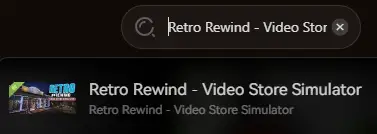
Start: Open XMODhub; it will automatically detect your Steam installation of Retro Rewind.
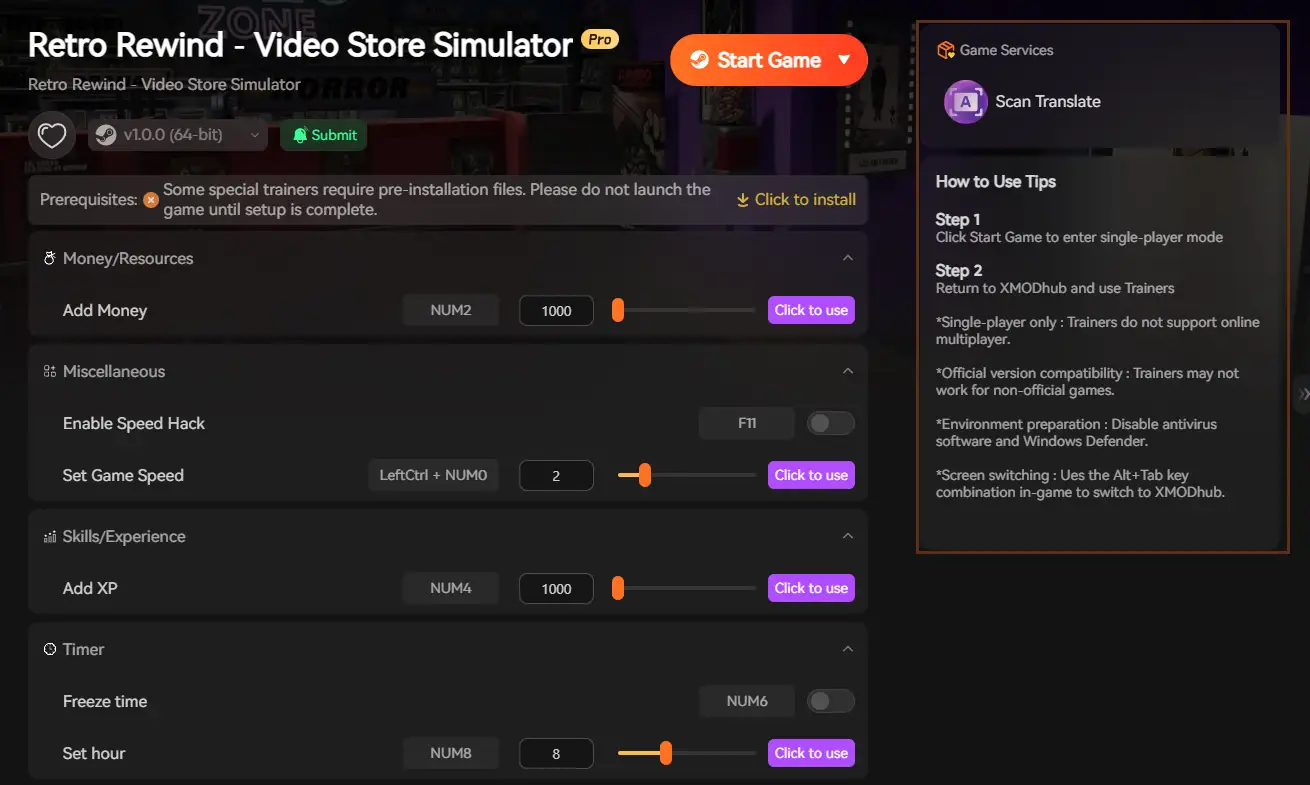
Play: Click “Play” and use the simple sliders to enable Infinite Cash, Fast Max Level, Ignore Customer Patience, and more.
Frequently Asked Questions (FAQ)
Q: Can I use console commands in Retro Rewind Multiplayer?
A: No. Retro Rewind – Video Store Simulator is a Single-Player experience. While you can share movie codes with friends, the actual store management is offline. XMODhub is built exclusively for Single-Player modes.
Q: I typed a command and Retro Rewind crashed. Why?
A: Spawning an item that doesn’t exist in your current game version (like a bootleg tape that hasn’t unlocked yet), or bypassing a scripted customer event using noclip, causes severe memory leaks in Unreal Engine. Always back up your save file before using raw console commands.
Schlussfolgerung: Schummeln Sie klüger, nicht härter
While classic console commands carry a sense of PC gaming nostalgia, they are increasingly risky, clunky, and often disabled entirely in modern Unreal Engine releases like Retro Rewind – Video Store Simulator.
The XMODhub PC Trainer offers a highly secure, visual, and achievement-friendly way to customize your 90s rental experience without memorizing lines of code or grinding for days just to reach Level 20.
XMODhub is the ultimate cheat utility, supporting over 5,000 PC games, including massive simulation hits and genre similarities like Supermarket Simulator and TCG Card Shop Simulator.

Ich bin ein leidenschaftlicher Gamer und Autor bei XMODhub, der sich der Aufgabe verschrieben hat, euch die neuesten Gaming-News, Tipps und Einblicke zu geben.
Verbinden Sie sich mit mir:
LinkedIn-Profil

 Nancy Miller