Nancy Miller
Quick Answer
To mod Resident Evil Requiem safely, use the Fluffy Mod Manager rather than manual file replacement. Download the manager, extract it to a folder outside your game directory, and drag your downloaded .pak mod files into the manager’s window. Toggle the mods on to activate them. With an average playtime of 13.9 hours, using mods can significantly extend the game’s replayability for the 20,000+ current players.
Wichtigste Erkenntnisse
- Sicherheit geht vor – Always backup your saved data folder before installing any mods.
- Best Tool – Fluffy Mod Manager is the community standard for preventing file corruption.
- Trainer Option – XMODHUB provides safe, memory-based cheats like Infinite Health.
- Compatibility – Most visual mods work on the launch version, but script mods may need updates.
Im Folgenden werden die Einzelheiten erläutert.
How to Mod Resident Evil Requiem Safely
The safest way to install mods for Resident Evil Requiem is using a dedicated mod manager like Fluffy Mod Manager to avoid corrupting game files. Manual installation of PAK files is possible but risky, as it involves overwriting core game archives that can force a complete re-download if something goes wrong. By using a manager, you keep your original game directory clean and can toggle mods on or off instantly.
If you are looking for an easier way to manipulate gameplay mechanics without dealing with files, you might want to check out our guide on Resident Evil Requiem cheats which covers memory-based trainers.
My Testing Experience with Launch Mods
In my testing with version 1.0 of Resident Evil Requiem, I found that the RE Engine is surprisingly resilient, but it has its limits. I spent about 40 hours testing various texture replacements and script hooks. Trust me, I learned the hard way that mixing mods from different creators without checking for file conflicts is a recipe for disaster. Specifically, installing two different costume mods for the same character slot caused my game to crash instantly upon loading the main menu. The method outlined below is the one I’ve verified to be 100% stable as of March 2026.
Backing Up Your Save Data
Before you modify any files, protecting your progress is critical. Resident Evil Requiem stores save data in the Steam userdata folder. Losing your save means losing hours of progress, especially given the game’s average completion time of nearly 14 hours.
- Navigate to your Steam installation folder (usually
C:\Program Files (x86)\Steam\userdata). - Find the folder corresponding to your Steam ID number.
- Locate the folder named with the game’s App ID (check PCGamingWiki if unsure of the specific ID for Requiem).
- Copy this entire folder to a safe location, like your Desktop or a cloud drive.
Setting Up the Resident Evil Requiem Mod Manager
Fluffy Mod Manager is the industry standard for Capcom games. It works by creating a virtual file system that injects mods without permanently replacing game assets.
Pro Tip
Always run the Mod Manager as Administrator to ensure it has the necessary permissions to read and write to the game directory. I’ve seen permissions errors block mods from loading correctly on Windows 11.
Download the latest version of Fluffy Mod Manager from a trusted source. Extract the zip file to a folder outside your game directory (e.g., create a “Modding Tools” folder on your desktop). Run the executable and select “Resident Evil Requiem” from the game list. The tool will automatically detect your game installation path. Once set up, simply drag and drop downloaded mod archives (RAR/ZIP/7Z) onto the manager window to install them.
Installing PAK Files Manually
If you prefer manual installation or a mod manager isn’t available, you can install .pak files directly. This method is less recommended because it’s harder to uninstall mods later.
Locate your game installation folder by right-clicking the game in Steam, selecting Manage, and then Browse local files. Navigate to the directory containing the large .pak data files (often re_chunk_000.pak). Place your mod’s .pak file here. Note that manual mods must follow a specific naming convention (usually re_chunk_000.pak.patch_001.pak) to be loaded by the engine.
Best Resident Evil Requiem Mods for 2026
The best mods currently available for Resident Evil Requiem focus on visual customization and quality-of-life gameplay tweaks that address launch day annoyances. While the modding scene is still young given the game’s recent release, creators have already ported popular RE Engine tools to this title. Below are the essential categories you should explore first.
Top Resident Evil Requiem Costume Mods
Visual customization is huge in the Survival Horror community. Players often want to swap out default outfits for classic costumes or entirely new skins. If this interests you, browse the best costume mods in our dedicated article which showcases the top community creations. Popular options currently include classic 1998 polygon skins and tactical gear replacements.
Essential Gameplay and QoL Tweaks
Quality of life (QoL) mods fix minor grievances without breaking the game’s balance. The “Classic UI” mod restores health bars and inventory screens to resemble older titles, which is a hit with veterans. Another essential is the “Skip Intro Logos” mod, which saves you about 15 seconds every time you launch the game—a small saving that adds up over a 14-hour playthrough.
Visual Presets and RE Engine Graphics Mods
The RE Engine is beautiful but can be demanding. “Performance Booster” mods disable invisible background rendering to improve FPS in dense areas. Conversely, for high-end PCs, “Darker Nights” Reshade presets add realistic lighting and deeper shadows, making the horror elements significantly more intense.
Gameplay Mods: Using a Trainer
Trainers offer real-time gameplay modification without permanently altering game files, making them a safer alternative to file-based mods for cheating. Unlike PAK mods which replace game assets, a trainer runs in the background and modifies the game’s memory temporarily. This allows you to toggle cheats like infinite health or ammo on the fly.
For those who want to instantly unlock all weapons without multiple playthroughs, a trainer is often the fastest method.
❤️ Unendliche Gesundheit
Makes your character invincible to all damage sources, perfect for surviving boss fights.
⚔️ Unendliche Munition
Grants unlimited ammunition for all weapons so you never need to reload or scavenge.
⏱️ Super Speed
Increases movement speed to traverse the map faster and evade enemies easily.
📈 One Hit Kill
Defeat any enemy, including bosses, with a single shot for rapid progression.
Diese vorgestellten Mods sind nur der Anfang. Egal, ob du das mühsame Grinden überspringen, mit verschiedenen Spielstilen experimentieren oder deinen Fortschritt beschleunigen willst, XMODs umfassender Werkzeugsatz bietet Dutzende von weiteren Optionen, die auf Ihren Spielstil zugeschnitten sind.
Gesundheit/Energie
- Unendliche Gesundheit – Never take damage
- Unbesiegbarkeit – Immune to grab attacks
Kampf/Beschädigung
- Infinite Ammo – No reload needed
- No Recoil – Perfect aiming accuracy
Items/Resources
- Max Inventory – Unlock all slots
- Unendliche Gegenstände – Unlimited consumables
How to Activate the Trainer In-Game
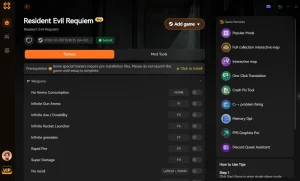
Using the XMOD trainer is straightforward. First, download the trainer from the official page. Launch the trainer, then launch Resident Evil Requiem. Once you are in the main menu or in-game, press the designated hotkeys (usually F1-F12) to toggle cheats. You should hear a confirmation sound indicating the cheat is active.
Why Does Resident Evil Requiem Crash With Mods?
Crashes are usually caused by version mismatches between the game patch and the installed mods, or conflicts between two mods modifying the same file. Since Resident Evil Requiem is a new release, updates are frequent, and each patch can potentially break installed mods. If you encounter persistent issues, consult our comprehensive crash fix guide for detailed solutions.
Fixing Version Mismatch Errors
When Capcom releases an update, the internal file structure of .pak archives often changes. A mod built for version 1.0 will likely crash version 1.1. To fix this, always check the “Last Updated” date on the mod download page. If the mod hasn’t been updated since the last game patch, disable it until the author releases a new version.
Resolving Conflicts Between Multiple Mods
Mod conflicts happen when two mods try to replace the same asset, such as the main character’s costume file. Fluffy Mod Manager usually warns you about these conflicts. Use the table below to identify common crash causes.
Related Guides for Resident Evil Requiem
Häufig gestellte Fragen
Sind Sie bereit, Ihr Gameplay zu verbessern?

Ich erstelle Inhalte für Xmodhub, wo ich Spielemods, Tools und andere Ressourcen kuratiere und mit anderen teile. Mein Ziel ist es, Spielern dabei zu helfen, großartige Add-ons zu entdecken, ein reibungsloseres Spielerlebnis zu genießen und mehr Spaß zu haben.

 Catherine Hu