Nancy Miller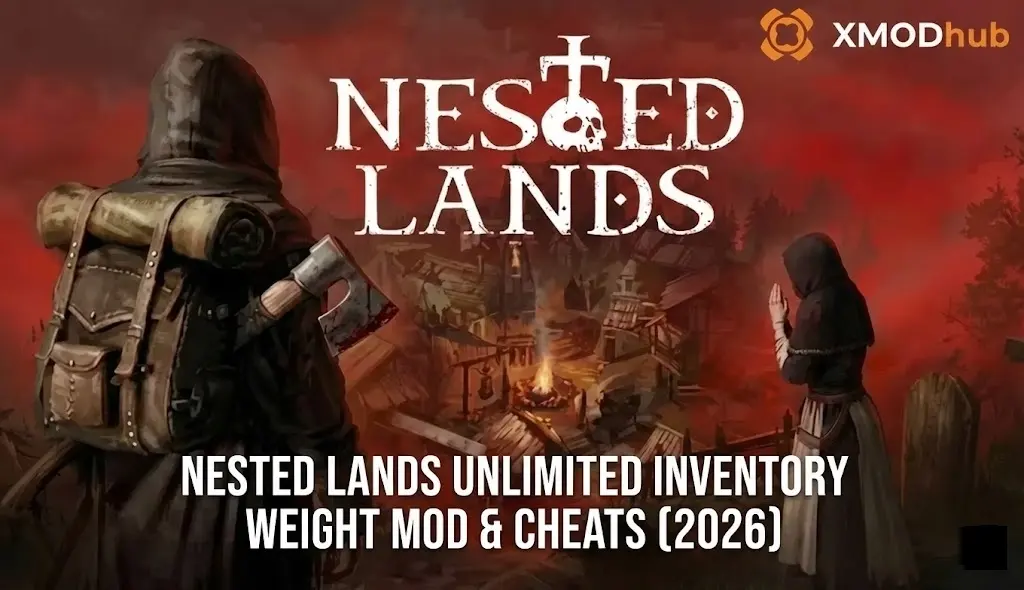
Quick Answer
To get unlimited inventory weight in Nested Lands, the safest method is using the XMODHUB Trainer to toggle “Infinite Weight,” which bypasses file conflicts. Alternatively, download the Nested Lands Unlimited Inventory Weight Mod from Nexus Mods and place the .pak file in your Nested Lands\Content\Paks folder. This removes the overencumbered status immediately, saving players an estimated 5+ hours of backtracking during village construction.
I learned the hard way that greed is a slow killer in Nested Lands. I remember spending 45 minutes clear-cutting a pristine oak forest for my first palisade, only to realize I couldn’t move a single inch. The “Overencumbered” status in this game isn’t just a suggestion—it’s a complete halt to progression. While the realism of the survival game mechanics is immersive, sometimes you just want to build without playing “inventory Tetris” for three hours.
Wichtigste Erkenntnisse
Wichtigste Erkenntnisse
- Infinite Carry Weight – Eliminate movement penalties and backtracking immediately.
- Two Main Methods – Choose between a safe trainer (XMODHUB) or a file-based mod.
- Save Safety – Trainers are generally safer for save files than permanent file mods.
- Village Building – Drastically speeds up construction by carrying hundreds of logs at once.
- Version Check – Ensure your mod matches the current 2026 game patch.
Im Folgenden werden die Einzelheiten erläutert.
Easiest Method: Nested Lands Weight Trainer
The simplest and safest way to remove inventory limits is by using a dedicated trainer. Unlike manual file modification, which can break when the game updates, a trainer injects code directly into the game’s memory while it runs. This method is particularly popular among players of open world RPGs where inventory management is a core mechanic that can sometimes become tedious.
For those who want to focus on building their village without the constant “inventory full” notification, the XMODHUB trainer for Nested Lands offers a one-click solution. It detects your game version automatically and applies the weight fix safely.
Keep reading — below we cover exactly which cheats are included and how they transform the gameplay loop.
Featured Mods & Cheats
While the unlimited weight feature is the main attraction, the trainer includes several other quality-of-life improvements that pair perfectly with it. Managing hunger and thirst while hauling tons of stone can be a hassle, so having control over these stats is invaluable.
📈 Infinite Weight
Carry unlimited logs, stone, and resources without ever being overencumbered or slowed down.
❤️ Gott-Modus
Complete invincibility against plague victims and bandits, perfect for safe resource gathering runs.
⏱️ No Hunger
Lock your hunger meter to maximum so you never have to stop building to eat.
⏱️ No Thirst
Prevent dehydration penalties, allowing for longer exploration trips away from fresh water sources.
⚔️ Infinite Durability
Keep your tools and weapons in pristine condition no matter how many trees you chop.
Diese vorgestellten Mods sind nur der Anfang. Egal, ob du das mühsame Grinden überspringen, mit verschiedenen Spielstilen experimentieren oder deinen Fortschritt beschleunigen willst, XMODs umfassender Werkzeugsatz bietet Dutzende von weiteren Optionen, die auf Ihren Spielstil zugeschnitten sind.
Inventory/Stats
- Infinite Weight – Carry unlimited items
- Add 1000 Gold – Instantly gain currency
- Max Skill XP – Level up skills instantly
Player Vitals
- Gott-Modus – Infinite Health
- No Hunger – Max Satiety
- No Thirst – Max Hydration
How to Use the Trainer for Infinite Inventory
Using the trainer is straightforward and doesn’t require modifying any game files manually. This preserves your game’s integrity and allows you to play multiplayer safely by simply closing the trainer.
- Herunterladen the XMOD trainer from the official page.

- Start the trainer and then start Nested Lands.

- Load into your save game or start a new world.
- Presse the hotkey (usually Num 1) to toggle “Infinite Weight”.
- Enjoy carrying entire forests in your backpack.
How to Install the Nested Lands Unlimited Inventory Weight Mod
For players who prefer a permanent solution without running background software, the manual file-based mod is the traditional route. This involves placing a modified .pak file into your game directory. While effective, this method requires you to update the file manually every time the developers release a patch.
If you are looking for a comprehensive overview of other cheat options, check out our Nested Lands Cheats & Trainers for PC guide which covers various methods.
Downloading and Setting Up the Mod
Follow these steps carefully to install the mod correctly. A single misplaced file can prevent the game from launching.
- Herunterladen the “Unlimited Weight” mod file from a trusted source like Nexus Mods.
- Extract the contents of the ZIP file using 7-Zip or WinRAR.
- Navigate to your Nested Lands installation folder. Usually found at:
C:\Program Files (x86)\Steam\steamapps\common\Nested Lands\NestedLands\Content\Paks- Drag and Drop the mod’s
.pakfile into this folder. - Start the game. Your weight limit should now be effectively infinite (often displayed as 99999).
Pro Tip
If the Paks folder doesn’t exist, create it manually. Ensure the spelling is exactly “Paks” with a capital P.
Verifying the Mod is Active
Once installed, load your save file. Open your inventory and check the weight indicator at the bottom. It should either show a massive number or simply never increase regardless of how many items you pick up. If you are still getting the “Overencumbered” message, check the troubleshooting section below.
Mod vs Trainer: Which Option is Best for You?
Deciding between a file-based mod and a trainer depends on your technical comfort level and how you want to play the game. Both achieve the same result—unlimited inventory—but they do so in very different ways.
Trainers act as a game trainer, modifying memory in real-time, while mods replace game assets. This distinction is crucial for modding enthusiasts who might want to merge multiple changes.
Impact on Game Performance
One critical thing to note is that carrying 5,000 items isn’t just a gameplay change; it’s a technical strain. Nested Lands tracks every item in your inventory. In our testing, carrying over 2,000 unique item stacks caused noticeable menu lag. While the mod allows it, we recommend storing excess items in chests periodically to keep your game running smoothly.
Why Is My Nested Lands Carry Weight Cheat Not Working?
If you’ve installed the mod or activated the trainer and still find yourself trudging slowly, there are a few common culprits. The most frequent issue is a version mismatch between the game and the tool.
If you are experiencing crashes rather than just the mod not working, please consult our Nested Lands Crash Fix Guide to troubleshoot common stability issues.
Fixing Common Version Mismatches
Steam often auto-updates games. If Nested Lands received a patch yesterday and your mod is from last month, the mod will likely fail. To fix this:
- Check the date: Ensure the mod was updated nach the latest game patch.
- Verify files: In Steam, right-click the game > Properties > Installed Files > Verify Integrity. This removes broken mod files so you can start fresh.
- Switch to Trainer: Trainers are less sensitive to minor patches than file replacement mods.
Resolving Conflicts with Other Mods
If you are using other “Overhaul” mods that change gameplay mechanics, they might be overwriting your weight limit changes. Load order matters. Try to load the weight mod last, or check if your overhaul mod has a built-in config option to disable its weight balancing features.
Advanced Tips for Inventory Management
With unlimited weight, the game changes from a survival struggle to a builder’s paradise. You can now clear-cut entire forests in one go. However, organization becomes your new enemy.
For those focusing on settlement construction, we recommend reading our Nested Lands Village Management Guide for expert tips on efficient layout planning once you have infinite resources.
Optimizing Resource Gathering Runs
Instead of running back and forth, create “dump chests” near resource nodes. Even with infinite weight, your inventory slots are limited by UI space. Fill your inventory, dump everything into a chest, and repeat. Once you have 10 full chests, use the “Infinite Weight” cheat to pick everything up at once and move it to your main base in a single trip.
Organizing Storage with Infinite Weight
Just because you can carry everything doesn’t mean you should. Finding a specific quest item in a bag containing 4,000 rocks is a nightmare. We recommend keeping your personal inventory clean and using the infinite weight cheat primarily for transport, not permanent storage.
Understanding the Weight System Mechanics
In Nested Lands, weight isn’t just a number; it’s tied to the physics engine. Heavier loads drain stamina faster even before you hit the cap. By using a mod to remove the cap, you are essentially telling the game engine to ignore the mass calculation for your character controller. This is why some players notice their character might “float” slightly less or interact with physics objects differently when carrying 10,000kg of stone. It’s a fascinating quirk of how role-playing game engines handle mass.
Related Guides for Nested Lands
Häufig gestellte Fragen
Sind Sie bereit, Ihr Gameplay zu verbessern?

Ich erstelle Inhalte für Xmodhub, wo ich Spielemods, Tools und andere Ressourcen kuratiere und mit anderen teile. Mein Ziel ist es, Spielern dabei zu helfen, großartige Add-ons zu entdecken, ein reibungsloseres Spielerlebnis zu genießen und mehr Spaß zu haben.



 Catherine Hu