
 Nancy Miller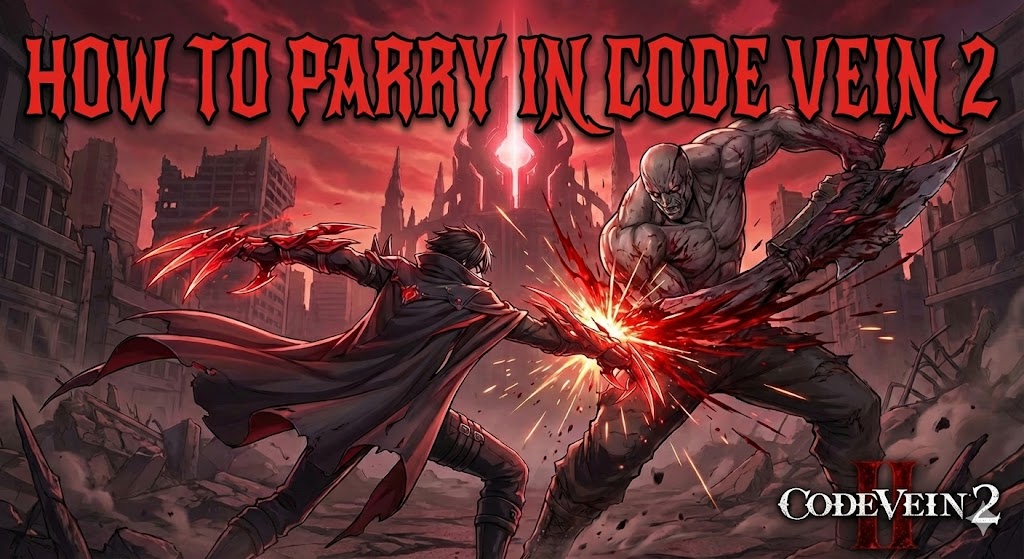
Quick Answer
To parry in Code Vein 2, press the parry button (F on PC, L2/LT on consoles) just as an enemy’s attack is about to connect. Timing depends heavily on your Blood Veil type: Ogre veils are the fastest with a nearly instant startup, while Ivy veils have the longest delay but offer range. Successful parries restore Ichor and boost your maximum capacity, with data showing a 25% increase in Ichor stock per successful execute.
Wichtigste Erkenntnisse
- Input – Press F (PC) or L2/LT (Console) to initiate the parry animation.
- Veil Types – Parry timing changes based on your equipped Blood Veil (Ogre, Stinger, Hounds, Ivy).
- Reward – Parrying grants invincibility frames and restores massive Ichor.
- Risiko – Mistiming a parry usually results in taking full damage from the attack.
- Practice – Use Ogre veils to learn the basics due to their generous window.
Im Folgenden werden die Einzelheiten erläutert.
How to Parry in Code Vein 2
Mastering the parry mechanic is the difference between struggling through the ruined city and dominating every encounter. In this Action role-playing game, parrying isn’t just defensive; it’s your primary method of resource generation. When you successfully parry an enemy, you perform a drain attack that deals massive damage, knocks the enemy down, and fully restores your Ichor stock, allowing you to unleash more Gifts.
The core concept is simple: you must intercept an enemy’s attack with your Blood Veil’s unique animation. However, unlike other Souls-like games where the timing is consistent across shields, Code Vein 2 ties the parry window directly to the armor you are wearing. This adds a layer of complexity, as changing your gear for better stats might completely disrupt your muscle memory for defensive timings.
Understanding the Parry Button and Controls
Before you can master the timing, you need to be comfortable with the inputs. The default controls for parrying are designed to be accessible during intense combat, but they can be remapped if needed. Many players find that moving the parry function to a mouse side button allows for quicker reactions than the default keyboard binding.
- PC (Keyboard & Mouse): The default key is F. You can also use Alt + Left Click if you prefer a two-button combination, though the single key is faster for reactions.
- PlayStation Controller: Presse L2. This is the standard trigger placement for special actions.
- Xbox Controller: Presse LT. Ensure your trigger deadzones are set correctly to avoid input lag.
When you press the button, your character will perform an animation specific to their Blood Veil. You are not instantly safe the moment you press the button. There is a “startup” period where you are vulnerable, followed by “active frames” where the parry will connect. Understanding this distinction is crucial for high-level play.
Visual Cues for Perfect Timing in Code Vein 2
The secret to consistent parrying lies in watching the enemy’s hand, not their weapon. Most enemies in Code Vein 2 have a distinct wind-up animation created using advanced motion capture techniques. As they swing, there is a split second where the attack accelerates toward you. This is your cue.
For standard enemies, look for the “flash” or distinct sound cue that often accompanies unblockable or heavy attacks. While regular attacks don’t always flash, the rhythm remains consistent. You want your Blood Veil’s active frames to overlap with the moment the enemy’s hitbox would touch your character model. If you see sparks fly and hear a metallic clang, you’ve timed it perfectly. If you take damage but hear a dull thud, you were likely too late. Keep in mind that your Bildfrequenz can impact how these cues appear; playing at a stable 60 FPS or higher is recommended for the most consistent parry windows.
Which Blood Veil Has the Best Parry Window?
This is the most common question for new players. The answer depends entirely on your playstyle, as each Veil type has different startup speeds and recovery times. Ogre veils are generally considered the “best” for reaction-based parrying because they come out the fastest, minimizing the prediction required.
Below is a comparison of the four main Blood Veil types found in Code Vein 2, detailing their frame data characteristics relative to a 60 FPS baseline.
Ogre Type Veils: The Fastest Startup
Ogre veils transform your hand into a giant claw. This animation is incredibly snappy and visually distinct. As soon as you press the button, the claw manifests and swipes upward. This makes it ideal for players who prefer to react to an enemy’s swing rather than predict it. If you see an enemy start to swing, you can often press parry immediately and catch it. The downside is the recovery; if you miss, you are left open for a follow-up combo, and the short active window means you cannot “linger” the parry to catch delayed attacks.
Stinger and Hounds: Medium Range Timing
Stinger veils use a tail-like appendage that uncoils from your back, while Hounds use two dog heads on your jacket sleeves that lunge forward. Both of these have a noticeable delay compared to the Ogre claw. You need to press the parry button slightly before the enemy’s attack would hit you, accounting for the time it takes for the tail to extend or the hounds to materialize. It requires you to memorize enemy patterns rather than just reacting to movement. However, the Hounds type offers a slightly longer active window, meaning the parry stays “active” for more frames, making it forgiving if you press it a bit too early.
Ivy Type Veils: Remote Parrying Mechanics
Ivy veils are unique because they attack from the ground, often manifesting as thorns or spikes. When you parry, the thorns erupt from below the enemy. This has the longest startup delay in the game, often feeling sluggish to new players. You must predict the attack almost a full second in advance. Why use it? Because it can parry enemies from a distance. You don’t need to be in their face to trigger the drain attack, allowing you to play safely as a caster or ranged support. Mastering the Ivy parry is considered a badge of honor among veteran Revenants due to its difficulty.
Optimizing Your Build for Parries
While timing is 90% of the equation, your build plays a significant role in how effective your parries are. In Code Vein 2, certain Blood Codes and Passive Gifts are designed specifically to reward successful drain attacks. If you plan to make parrying a core part of your combat loop, you should prioritize these elements.
Look for Passive Gifts that increase “Drain Rating” or “Ichor Recovery.” These ensure that every successful parry not only refills your stock but also boosts the speed at which you can cast spells afterward. Additionally, some Blood Codes offer unique bonuses, such as increased defense immediately after a drain attack or a temporary damage buff. Equipping a veil with high Drain Attack power is also crucial; while the parry timing is determined by the veil type (Ogre, Stinger, etc.), the damage dealt by the cinematic execution is determined by the veil’s stats. A high-level Ogre veil can one-shot weaker enemies upon a successful parry, clearing the battlefield instantly.
Parry vs. Backstab: When to Use Which
New players often confuse the utility of parries with backstabs. Both trigger a cinematic drain attack, restore Ichor, and grant invincibility frames, but they serve different tactical purposes. Understanding when to fish for a backstab versus when to stand your ground and parry is key to survival.
Backstabs are safer. They require you to circle around an enemy or dodge through an attack to reach their rear. They are ideal for slow-moving enemies or when you are fighting a single target. However, backstabs are unreliable in group fights because circling one enemy exposes you to others. Parries, on the other hand, are frontal and aggressive. They are faster to execute and don’t require positioning, making them better for aggressive enemies that track your movement and prevent you from getting behind them. If an enemy has a long combo string, parrying the first hit stops the entire sequence, whereas trying to circle behind might get you caught in a wide swing.
Can You Parry Bosses in Code Vein 2?
Yes, you can parry bosses, but with significant caveats. Unlike standard mobs that are instantly drained and knocked down, bosses follow different rules. Parrying a Boss (video games) typically interrupts their combo and deals a chunk of damage, but it may not always trigger the full cinematic drain animation depending on the boss’s size and type.
Identifying Parryable Boss Attacks
As a general rule in Code Vein 2, if the boss is humanoid and using a weapon, they can be parried. This includes the various Successors and Revenant-type enemies. However, monstrous bosses with giant limbs or AOE magic attacks generally cannot be parried. You should focus on dodging their physical swipes. If a boss glows red or charges up a massive overhead slam, it is safer to dodge than to risk a parry. Learning which specific moves are parryable is a trial-and-error process, often requiring multiple attempts to perfect.
Risk vs Reward in Boss Encounters
The risk in boss fights is extreme. A missed parry often results in losing 50-80% of your health bar. However, the reward is infinite Ichor sustainability. If you are running a heavy magic build, learning to parry the boss’s basic light attacks is essential to keep your Ichor topped up. Without parries, you will run out of resources and be forced to engage in risky melee combat to recharge. For many players, the strategy involves parrying the easy, telegraphed openers and dodging the complex mid-combo mixups.
Why is My Parry Not Working in Code Vein 2?
If you feel like you are hitting the button at the right time but still getting hit, you are likely falling victim to one of two common issues: frame data mismatch or resource depletion. Even veteran players struggle when switching between Veil types or playing on different hardware configurations.
Confusing Active Frames with Startup Frames
The most common mistake is ignoring the startup frames. If you switch from an Ogre veil to an Ivy veil, your muscle memory will betray you. You will press the button as the attack lands, but the Ivy veil is still in its “startup” phase, offering no protection. You must adjust your internal clock. Go to the training dummy at the home base and practice the delay for your specific veil until the timing feels natural. Additionally, consider input lag if you are playing on a TV without “Game Mode” enabled, as even a few milliseconds of delay can make reaction parrying impossible.
Managing Ichor and Stamina Costs
Parrying consumes Stamina. If your stamina bar is empty, you cannot perform the action. This often happens after a long sequence of dodging. Ensure you always leave a sliver of stamina available. Additionally, while parrying restores Ichor, you don’t need Ichor to perform it. Focus on stamina management above all else during defensive maneuvers. If you are out of stamina, your character will simply stand there and take the hit, leading to frustration.
Practice Parrying Safely with XMODHUB
Learning parry timings can be frustrating when every mistake sends you back to the loading screen. The most efficient way to practice is by removing the penalty for failure. XMODhub’s trainer for Code Vein 2 provides tools that allow you to turn yourself into an invincible training dummy.
Using God Mode to Learn Timing
By enabling “Infinite Health” or “God Mode,” you can stand in front of any enemy or boss and attempt to parry every single attack without fear of death. This allows you to learn the exact frame where an attack connects. Once you feel confident, you can disable the cheat and play normally. It turns hours of trial-and-error into a focused 10-minute practice session.
❤️ Unendliche Gesundheit
Prevents all damage, allowing you to practice parry timing against bosses without dying.
📈 Infinite Stamina
Never run out of stamina so you can attempt parries and dodges indefinitely.
⏱️ Infinite Ichor
Maintain full Ichor stock to test Gift combinations immediately after a parry.
⚔️ One-Hit-Kills
Instantly defeat enemies to speed up grinding or clear areas quickly.
Diese vorgestellten Mods sind nur der Anfang. Egal, ob du das mühsame Grinden überspringen, mit verschiedenen Spielstilen experimentieren oder deinen Fortschritt beschleunigen willst, XMODhub's umfassendes Toolkit bietet Dutzende von weiteren Optionen, die auf Ihren Spielstil zugeschnitten sind.
Häufig gestellte Fragen
Ready to master the parry timing without the frustration?

Ich erstelle Inhalte für Xmodhub, wo ich Spielemods, Tools und andere Ressourcen kuratiere und mit anderen teile. Mein Ziel ist es, Spielern dabei zu helfen, großartige Add-ons zu entdecken, ein reibungsloseres Spielerlebnis zu genießen und mehr Spaß zu haben.





 Catherine Hu