Zusammenfassung: Grounded 2 supports multiple languages for a global player base. This guide covers available language options and how to enhance translations with tools like Xmod.
Geerdet 2 is the thrilling sequel to the popular survival game, expanding the backyard adventure with a larger world and deeper gameplay.
To make the experience accessible to players worldwide, Grounded 2 supports multiple languages, though full localization is currently limited to just a few.
For those seeking better translation and smoother communication, Xmod stands out as the best tool to enhance language support.
This guide will introduce the game, its language options, and how Xmod can improve your gameplay experience.
Inhaltsübersicht
- Was ist Grounded 2
- How Many Languages Does Grounded 2 Support
- Best Grounded 2 Game Translation Tool-Xmod
- Schlussfolgerung
Was ist Grounded 2

Set in 1992, Geerdet 2 takes players to Brookhollow Park, a massive new area whose starting zone alone is as large as the entire backyard from the first game. Players reunite as the original four teens, now older and tougher, to craft, survive, and uncover mysteries in a world where everyday objects turn into extraordinary obstacles.
What Grounded 2 offers:
- Buggies: Customizable insect mounts that assist in combat, travel, and gathering resources.
- The Omni-Tool: A sleek, all-in-one device that simplifies inventory management.
- Expanded Story & Biomes: From overturned ice cream carts to cockroach-filled snack shacks, danger and secrets await at every turn.
- Community-Driven Development: Early Access players influence the game’s growth through feedback and a transparent roadmap.
With its emphasis on cooperative gameplay and rich world-building, Geerdet 2 is set to captivate players worldwide. However, language barriers may limit full engagement, especially in multiplayer or when exploring lore—making translation tools essential for a complete experience.
How Many Languages Does Grounded 2 Support
Grounded 2 officially supports seven languages:
- English
- French
- Italian
- German
- Spanish (Spain)
- Spanish (Latin America)
- Simplified Chinese
However, complete localization—including full audio, subtitles, and interface translation—is currently available only for English and French. Players using other languages will benefit greatly from game translation tools, which assist with menu navigation, teamwork across different languages, and comprehension of in-game lore and narratives.
Best Grounded 2 Game Translation Tool-Xmod
If you’re a player from Vietnam, Thailand, or any country using a language not officially supported by Grounded 2, and you’re looking for an accurate and convenient game translation tool, Xmod is your best choice!
It’s built-in Grounded 2 game translation tool supports over ten languages, providing a seamless way to enjoy localized content and collaborate with international players.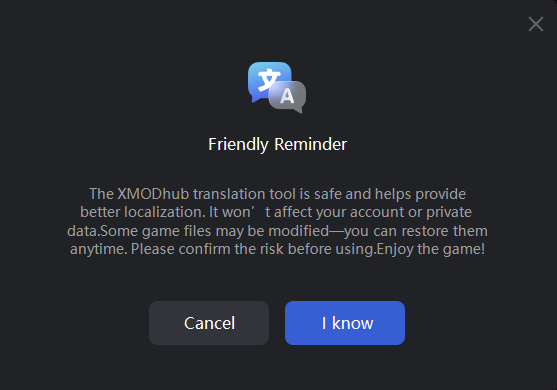
Xmod provides various language options, including Portuguese, Russian, Japanese, Turkish, Thai, Traditional Chinese, and more on the way.
Now, here is a specific tutorial on how to practice Xmod:
How to Use Xmod: Step-by-Step Guide
- Download Xmod. Besuchen Sie die offizielle Xmod website and download the latest version.
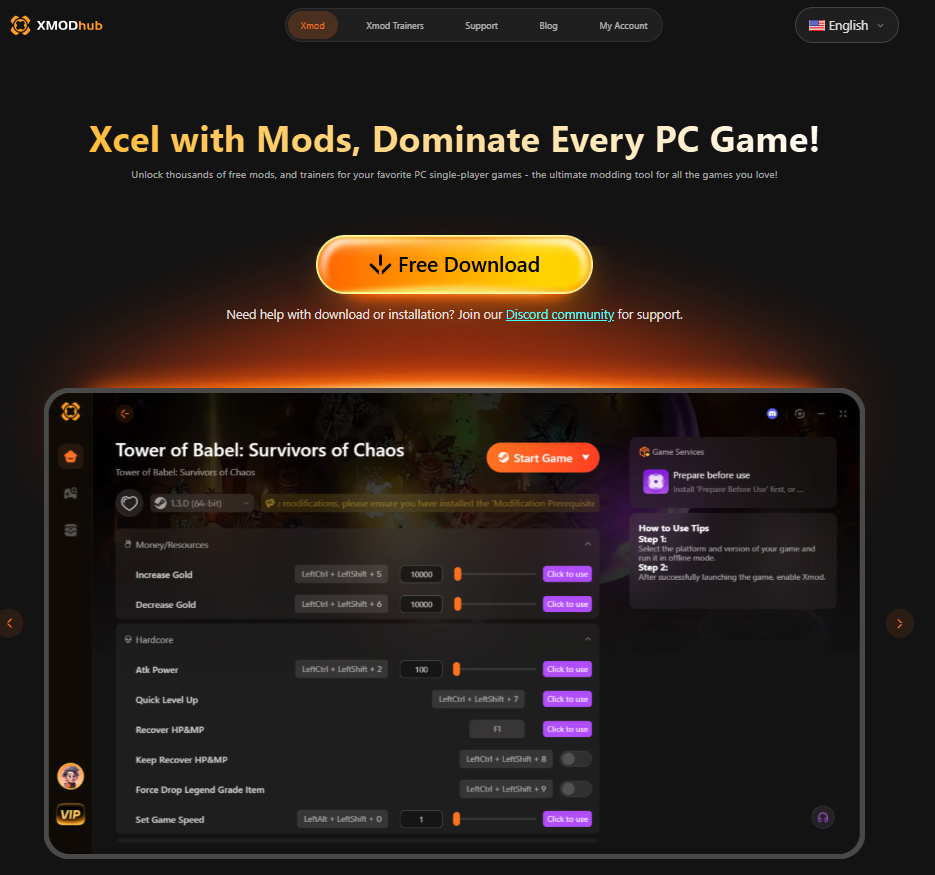
- Install Xmod. Run the installer and follow the on-screen instructions to complete the installation.
- Launch Xmod. Öffnen Sie Xmod und melden Sie sich an oder erstellen Sie ein Konto, wenn Sie dazu aufgefordert werden.
- Locate Grounded 2. In der Spieleliste von Xmod finden Sie Geerdet 2 oder fügen Sie das Spielverzeichnis manuell hinzu.
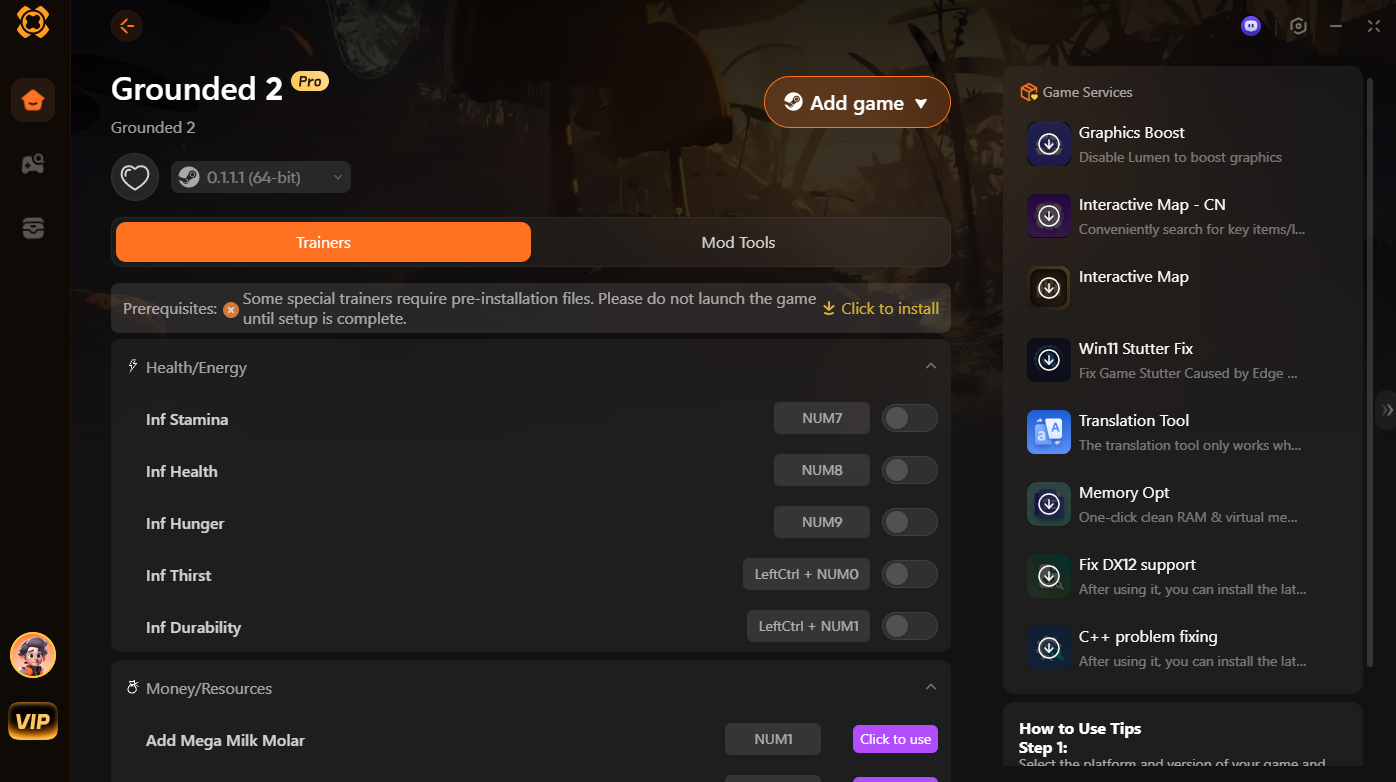
- Browse & Apply Mods: Explore available mods, click Translation Tool on the right side
- Starten Sie das Spiel Start Geerdet 2 directly from Xmod to ensure all selected mods and optimizations are active.
- Update Regularly Keep Xmod and your mods updated for best compatibility and performance.
After that, every barrier lying between is gone, enjoy the game to the full!
Schlussfolgerung
Grounded 2 offers an exciting and expanded survival experience set in a vast new world, welcoming players from around the globe with support for multiple languages.Although full localization currently offers a limited variety of languages, tools like Xmod actively provide essential translation support to help players bridge the language gap.
By using Xmod, gamers can fully enjoy Grounded 2’s rich content and connect seamlessly with the community. Overall, combining the game’s immersive design with effective translation tools ensures a rewarding experience for everyone.
Ich bin ein leidenschaftlicher Gamer und Autor bei XMODhub, der sich der Aufgabe verschrieben hat, euch die neuesten Gaming-News, Tipps und Einblicke zu geben.
Verbinden Sie sich mit mir:
LinkedIn-Profil

 Catherine Hu

 Nancy Miller


I’m not sure exactly why but this web site is loading very
slow for me. Is anyone else having this issue or is it a issue on my end?
I’ll check back later on and see if the problem still exists.