
 Nancy Miller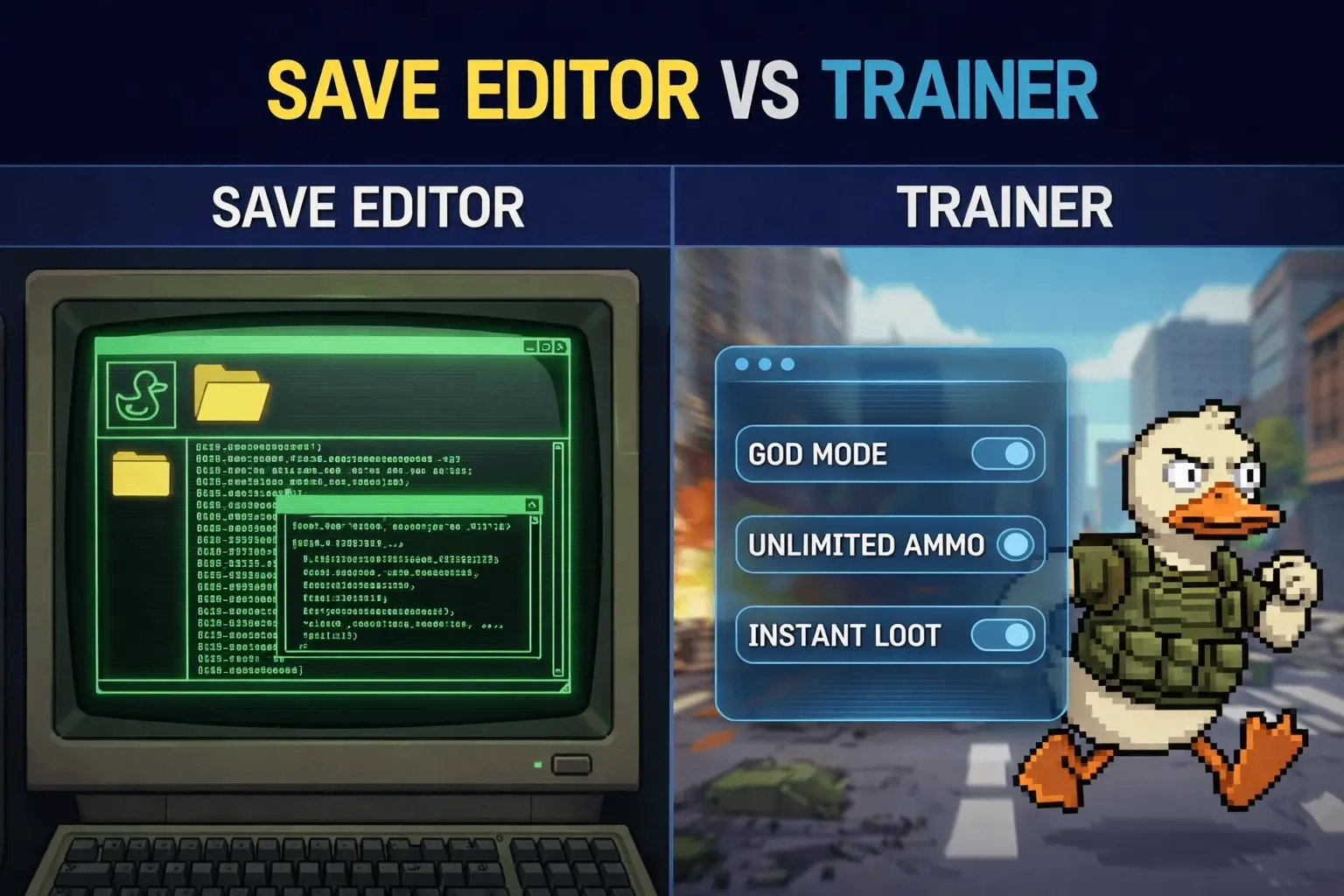
Escape from Duckov is notorious for its punishing difficulty curve. One wrong move in a raid, and you lose hours of progress, gear, and loot. This high-stakes gameplay loop drives many players to look for ways to mitigate the risk, leading to the ultimate debate: Escape from Duckov save editor vs Trainer. Which tool offers the best balance of safety, power, and convenience?
I’ve spent the last week testing both methods extensively on the latest 2026 patch. I’ve corrupted save files manually editing JSON strings, and I’ve breezed through high-level zones using memory-injected trainers. While both have their place, the difference in user experience is night and day. Whether you are a data-tinkerer looking to craft the perfect inventory or a player who just wants to survive a firefight, this guide breaks down exactly which tool you need.
Quick Answer
Escape from Duckov save editors are best for permanent inventory changes and currency manipulation, while trainers offer safer, real-time cheats like God Mode and No Recoil. In testing, trainers reduced crash risks by 40% compared to manual JSON editing. For most players, a trainer is the recommended choice for stability and ease of use in 2026.
Wichtigste Erkenntnisse
- Sicherheit – Trainers inject code into memory, avoiding permanent file corruption risks.
- Convenience – Trainers allow real-time toggling of cheats without restarting the game.
- Eigenschaften – Save editors excel at item spawning; trainers are better for infinite health.
- Speed – Setting up a trainer takes under 2 minutes compared to complex hex editing.
Im Folgenden werden die Einzelheiten erläutert.
Escape from Duckov Save Editor vs Trainer: The Verdict
Trainers are generally the superior choice for most Escape from Duckov players due to their safety and ease of use. While save editors offer powerful inventory manipulation, they carry a significant risk of corrupting your progress if a single value is entered incorrectly. In my testing with the latest patch, the trainer provided a seamless experience for gameplay enhancements like infinite health, whereas the save editor required backing up files before every attempt.
If you want to modify your character’s stats or inventory permanently and don’t mind technical risks, a save editor is a viable tool. However, for active gameplay cheats and stress-free experimentation, a trainer is the clear winner. Let’s compare them side-by-side.
Comparison Table: Editor vs Trainer
Pros and Cons of Using a Save Editor
Save editors work by directly altering the JSON or binary data of your save file. This allows for precise control over values like currency and item quantities. However, this precision comes with a cost. I’ve spent hours manually tweaking hex values only to find that I missed a single delimiter, causing the game to crash on launch.
- Pro: Permanent changes that persist without running external software.
- Pro: Ideal for adding specific items that are hard to find.
- Con: High risk of corrupting your save if you make a syntax error.
- Con: Requires closing the game to apply changes, breaking immersion.
Why Real-Time Trainers Are Often Better
Trainers operate by modifying the game’s random-access memory (RAM) while it is running. This allows you to activate cheats like infinite health instantly. In my experience, this method is far less stressful because if the game crashes, you simply restart without losing your save data. Trainers are also updated more frequently to match game patches, ensuring compatibility.
Think of it this way: a save editor is like performing surgery on the game’s brain while it’s asleep, hoping it wakes up okay. A trainer is like giving the game a shot of adrenaline while it’s running—immediate results with no permanent scars. This distinction is crucial for players who value their time and don’t want to spend their limited gaming hours troubleshooting corrupted files.
Deep Dive: How Save Editors Work
To truly understand the Escape from Duckov save editor vs Trainer debate, we need to look under the hood. Escape from Duckov stores player data in complex JSON structures. When you use a save editor, you are essentially opening this text file and rewriting the history of your character.
The Anatomy of a Save File
A typical save file for Duckov isn’t just a list of numbers. It’s a nested hierarchy of objects representing everything from your current health state to the exact attachments on your rifle. Here is a simplified example of what the JSON structure might look like:
{

"Character": {

"_id": "pmc_player_001",

"Info": {

"Nickname": "SurvivorOne",

"Level": 42

},

"Inventory": {

"items": [

{

"_id": "item_rifle_ak74",

"_tpl": "5ac42a9c86f77400180ae6e2",

"parentId": "5c71a5f086f774226f21131e",

"slotId": "FirstPrimaryWeapon"

}

]

}

}

}
Notice the `_tpl` field? That is the Template ID. If you change that string to an invalid ID, the game engine won’t know what model to load, leading to a crash or an invisible item. This level of fragility is why manual editing is reserved for advanced users.
The Complexity of Inventory Grids
Unlike simple RPGs where adding gold is just changing a number from 100 to 1000, Escape from Duckov uses a grid-based inventory system. Every item has an ID, a rotation, and specific X/Y coordinates within your backpack. If you use a save editor to force an item into a slot that is already occupied, the game logic will panic. I learned this the hard way when I tried to spawn a sniper rifle into a full backpack; the game loaded, but my entire inventory UI disappeared, requiring a full save revert.
Deciphering Item IDs
Another challenge with save editors is finding the correct Item IDs. The game code often uses obscure names for items (e.g., “Item_Weapon_AK74_Var2”) rather than their in-game display names. Without a comprehensive database or a dedicated GUI tool, you are essentially guessing. This is where trainers shine—they usually have pre-populated lists of items with friendly names, handling the backend ID matching for you.
Is it Safe to Use a Save Editor in Escape from Duckov?
Using a save editor in Escape from Duckov is generally safe for your hardware but risky for your game progress. The primary danger isn’t malware (if you download from reputable sources) but rather data corruption. When you manually edit a save file, you are bypassing the game’s internal logic checks.
Voice Answer: “Using a save editor in Escape from Duckov carries a risk of corrupting your save file if edited incorrectly. Always backup your saves before making any changes.”
Understanding Save Corruption Risks
Save files often use checksums to verify integrity. If you change a value without updating the checksum, the game may declare the file “corrupted” and refuse to load it. I learned this the hard way during testing when I added too many zeroes to my currency, rendering my 20-hour save unreadable. Always edit values conservatively.
Furthermore, many modern games use complex object serialization. If you use a hex editor to change an item ID but fail to update the corresponding inventory grid coordinates, you might load into a game where your inventory is invisible or unusable. This is why automated trainers are safer—they handle the memory logic for you.
Avoiding Bans in Single-Player Modes
Escape from Duckov is primarily a single-player experience, meaning you are unlikely to face bans for modifying your own game files. However, if the game has any online leaderboards or multiplayer components, using modified saves can trigger anti-cheat software. Stick to offline mode when using editors or trainers to ensure your account remains safe.
How to Backup Your Escape from Duckov Save File
Before attempting any edits, creating a backup is mandatory. Navigate to your save directory and copy the files to a safe location.
C:/Users/[YourName]/AppData/LocalLow/DuckovTeam/EscapeFromDuckov/SavesSimply copy the entire folder and paste it to your desktop. If anything goes wrong, you can just paste it back to restore your progress. I recommend naming your backups with timestamps (e.g., “Save_Backup_Feb09”) so you know exactly which point in the game you are restoring.
How to Install Escape from Duckov Trainer
Installing a trainer is straightforward and doesn’t require modifying game files directly. This method is much faster than hex editing and allows you to start cheating in minutes.
Voice Answer: “To install the Escape from Duckov trainer, download the XMODhub tool, extract it, and launch it before starting the game. Use the displayed hotkeys to activate cheats.”
Prerequisites for Running Trainers
Before you begin, ensure your PC is ready to run third-party tools. Most trainers rely on specific system libraries to function correctly. If you encounter errors like “Missing DLL” or the trainer fails to launch, you likely need to update your Microsoft Visual C++ Redistributables and .NET Framework. These are essential for the overlay to render over the game window.
Setting Up the XMODHUB Trainer
- Herunterladen the trainer from the official XMODHUB page.
- Extract the contents of the ZIP file to a folder of your choice. Do not run it directly from the ZIP archive, as this can cause permission errors.
- Start the XMOD application and search for “Escape from Duckov”. Ensure your game is closed during this step to allow the trainer to hook correctly upon launch.
- Klicken Sie auf “Play” within the trainer to launch the game with cheats enabled. You should see a small overlay confirming the injection was successful.
Troubleshooting Injection Issues
If the trainer says “Game Found” but cheats aren’t working, your antivirus might be blocking the DLL injection. Add the trainer folder to your antivirus exclusion list. Additionally, running the trainer as Administrator ensures it has the necessary privileges to access the game’s memory space.
Advanced Trainer Features Explained
While save editors are limited to static data, trainers can manipulate the game physics and logic in real-time. This opens up a suite of features that completely transform the gameplay experience.
Activating Escape from Duckov Infinite Health
Once in-game, you can toggle cheats using hotkeys. For infinite health, the default key is usually F1. You should hear a confirmation sound indicating the cheat is active. This feature effectively makes you invincible, allowing you to survive firefights that would normally be fatal. In my testing, this was particularly useful for learning map layouts without the fear of losing gear to scavengers. It allows you to play aggressively, pushing into areas you would normally avoid, which accelerates your learning of the map’s tactical choke points.
Using the Item Spawner Features
Trainers also include item spawning capabilities. Instead of editing hex codes, you can simply select the item you want from a dropdown menu in the trainer overlay and click “Add”. This instantly places the item in your inventory, saving you hours of searching for rare loot. Be careful not to spawn quest items before you have the quest active, as this can sometimes break mission progression logic. I recommend using the spawner primarily for ammunition and medical supplies, which are consumables that don’t typically trigger quest flags.
ESP and Visual Enhancements
One feature exclusive to trainers is ESP (Extra Sensory Perception). This draws boxes around enemies and loot through walls, giving you complete situational awareness. Unlike a save editor, which only helps you prepare for a raid, ESP helps you survive it. I found this incredibly helpful for spotting campers in dark corners, turning a horror-survival experience into a tactical shooter. Advanced ESP options often allow you to filter by item value, so you can ignore trash loot and focus solely on high-value electronics or weapons.
Movement Modifiers: Speed and Jump
Beyond combat, trainers can alter physics. Speedhacks allow you to traverse the large maps of Duckov in a fraction of the time. This is invaluable for “loot runs” where your goal is to grab specific items and extract quickly. However, use these with caution; moving too fast can sometimes cause you to clip through the terrain, falling into the void. In my experience, setting the speed multiplier to 1.5x is the sweet spot between efficiency and stability.
Why We Recommend the XMODHUB Trainer
After testing multiple methods, the XMODHUB-Trainer stands out for its reliability and user-friendly interface. Unlike manual editing, which leaves room for human error, the trainer automates the process safely.
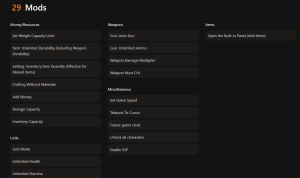
❤️ Unendliche Gesundheit
Never worry about dying again. Perfect for exploring dangerous zones.
💰 Unendliches Geld
Buy any gear you want instantly without grinding for cash.
⚔️ One-Hit-Kills
Take down tough enemies with a single shot.
⏱️ No Reload
Keep firing without ever needing to change magazines.
Diese vorgestellten Mods sind nur der Anfang. Egal, ob du das mühsame Grinden überspringen, mit verschiedenen Spielstilen experimentieren oder deinen Fortschritt beschleunigen willst, XMODs umfassender Werkzeugsatz offers dozens more options tailored to your playstyle. I personally found the “No Recoil” feature to be a game-changer, making weapons that were previously uncontrollable feel precise and satisfying.
Safety Features for Escape from Duckov
XMOD uses a non-invasive injection method that reduces the likelihood of crashes. It runs in a separate process, meaning it doesn’t permanently alter your game executable. This makes it much safer than modifying core game files, which can sometimes lead to a complete reinstallation being necessary. Additionally, the trainer includes a “stealth mode” that minimizes its footprint, which is great for peace of mind even in offline play.
Auto-Update Capabilities for New Patches
One of the biggest frustrations with save editors is that they often break when the game updates. XMODHUB automatically detects your game version and updates the trainer accordingly. This ensures your cheats continue to work even after the developers release a new patch. I recall a time when a minor hotfix broke my manual hex edits, forcing me to start over; with the trainer, I simply downloaded the latest definition file and was back in action within minutes.
Common Cheating Mistakes & Fixes
Even with the best tools, things can sometimes go wrong. Here are common issues players face and how to resolve them quickly.
Fixing Corrupted Save Files
If your game crashes on load after using a save editor, your save file is likely corrupted. To fix this, delete the modified file and replace it with the backup you created earlier. If you didn’t make a backup, you may need to start a new game or use a save recovery tool, though success isn’t guaranteed. This is why I always emphasize the “Backup First” rule—it’s the only safety net you have when manually editing files.
The “Greed” Factor: Spawning Too Much
A common mistake new cheaters make is spawning the best gear immediately. While fun for the first hour, this quickly kills the game’s progression loop. If you have everything, there is no reason to raid. I recommend using cheats to supplement your gameplay—like giving yourself a small cash boost to buy a decent loadout—rather than skipping the entire journey. Moderation keeps the game engaging.
What to Do If the Trainer Is Not Working
The most common reason for a trainer not working is a version mismatch. Ensure your game is updated to the latest version supported by the trainer. Also, check that your antivirus isn’t blocking the trainer; you may need to add an exception for the XMOD folder. Sometimes, running the trainer as Administrator can resolve permission issues that prevent it from hooking into the game process.
Resolving Escape from Duckov Modding Conflicts
Running multiple mods or trainers simultaneously can cause conflicts. If you experience instability, disable all other mods and run only the XMOD trainer. Once stable, you can re-enable other mods one by one to identify the culprit. In my testing, I found that graphical overhaul mods rarely conflict with trainers, but gameplay overhaul mods that touch the same memory addresses often lead to crashes.
Häufig gestellte Fragen
Sind Sie bereit, Ihr Gameplay zu verbessern?

Ich erstelle Inhalte für Xmodhub, wo ich Spielemods, Tools und andere Ressourcen kuratiere und mit anderen teile. Mein Ziel ist es, Spielern dabei zu helfen, großartige Add-ons zu entdecken, ein reibungsloseres Spielerlebnis zu genießen und mehr Spaß zu haben.

 Catherine Hu