DuneCrawl’s hand-drawn isometric world looks like a playable comic book, but don’t let its charming aesthetic fool you into thinking it’s a lightweight title.
While Alientrap’s unique projection-mapping tech is artistically brilliant, the 4-player co-op netcode and dynamic dust physics can place a surprising tax on legacy hardware.
Whether you’re piloting the massive DuneCrawl solo or coordinating a full 4-man crew, frame drops during chaotic cannon battles can mean the difference between victory and becoming bug food.
Lagerung:SSD is Mandatory to eliminate stuttering during open-world transitions.
XMOD Status:Day-0 Optimization Profile Ready.
Inhaltsübersicht
Official System Requirements (Verified for Jan 5 Launch)
Real-World Performance: Why the “Dust Sea” Stutters
Optimierungs-Checkliste: Stottern und Lag beheben
DuneCrawl on Steam Deck & Handhelds
How to Use XMODhub to Optimize Your Experience
FAQ & Fehlerbehebung
Conclusion: Smooth Co-op is Key
Official System Requirements (Verified for Jan 5 Launch)
Komponente
Minimum (30 FPS Solo)
Recommended (60 FPS Co-op)
OS
Windows 10 (64-bit)
Windows 10/11 (64-Bit)
CPU
Intel i3-6100 / Ryzen 3 1200
Intel i5-8400 / Ryzen 5 2600
RAM
8 GB
16 GB (Essential for Hosting)
GPU
GTX 960 / RX 560 (2GB)
GTX 1660 / RX 5600 XT (6GB)
Lagerung
8 GB HDD
10 GB SSD (Recommended)
Real-World Performance: Why the “Dust Sea” Stutters
Unter DuneCrawl, performance costs come from specific technical challenges that we identified during our demo stress tests:
The Projection Rendering Problem: By projecting 2D artwork onto 3D meshes, the GPU must handle complex lighting calculations. Older cards struggle when 4 players fire weapons simultaneously.
Multiplayer Netcode: In asymmetric co-op, the host’s CPU must sync AI, physics, and the movement of the Dune Crawler. This makes the CPU the primary bottleneck in multiplayer.
Open World Streaming: Entering new desert regions triggers asset loading. On traditional HDDs, this causes noticeable “micro-stutter.”
Optimierungs-Checkliste: Stottern und Lag beheben
Enforce High-Performance Mode: Go to Windows Settings > Display > Graphics. Force DuneCrawl.exe to use your dedicated GPU.
Move to SSD: This is the #1 fix for stuttering when your Crawler enters new regions or boss dungeons.
Host Selection: The player with the strongest PC (highest single-core CPU speed) must host the session.
Network Stability: Avoid WiFi. Use wired Ethernet to prevent the “Server no longer live” errors.
DuneCrawl on Steam Deck & Handhelds
DuneCrawl is a perfect fit for mobile play, but you need the right settings:
Zielleistung: Lock to 40 FPS / 80Hz for the smoothest battery-to-visuals ratio.
XMOD Tip: Use the ‘UI Scale Mod’ to enhance text legibility on the 7 or 8-inch screens.
How to Use XMODhub to Optimize Your Experience
XMODhub acts as a performance equalizer for low-end systems. Follow these steps:
Download & Sync: Install the XMODhub-Klient. It will auto-detect DuneCrawl.
VRAM Buffer Flush: Click the “Optimize” button before launching to clear memory for intense 4-player battles.
XMOD wird bei der offiziellen Veröffentlichung des Spiels vollen Trainer-Support bieten, um Kompatibilität und Stabilität vom ersten Tag an zu gewährleisten.
The XMOD Advantage: If hardware lag makes aiming difficult, use our Resource Multipliers to unlock powerful weapons like the Buzzooka oder Acid Harpoon instantly.
Infinite Health: Use the “Crawler Health Lock” to explore the 15-hour open world without the stress of constant repairs during laggy sessions.
FAQ & Fehlerbehebung
Q: Can I run this on Intel HD Graphics?
A: Only at 720p/Low. 4-player co-op will likely be unplayable.
Q: Why does co-op lag more than solo?
A: The host’s CPU must process AI and network packets for all players simultaneously.
Q: How do I fix connection drops?
A: Sync your Steam Download Regions and enable the XMOD Network Stabilizer.
Conclusion: Smooth Co-op is Key
DuneCrawl officially launches on January 5, 2026. With its unique hand-drawn aesthetic and chaotic co-op, ensuring your PC is ready is essential. Use this guide and XMODhub to secure your 60 FPS journey across the sands.
Ich bin ein leidenschaftlicher Gamer und Autor bei XMODhub, der sich der Aufgabe verschrieben hat, euch die neuesten Gaming-News, Tipps und Einblicke zu geben.
Ich bin ein leidenschaftlicher Gamer und Autor bei XMODhub, der sich der Aufgabe verschrieben hat, euch die neuesten Gaming-News, Tipps und Einblicke zu geben.
Verbinden Sie sich mit mir:
LinkedIn-Profil
Quick answer The most reliable path to victory in a Slay the Spire 2 Defect build is to prioritize Frost orbs and Focus. This strategy automatically generates block each turn, allowing you to…
John Carpenter’s Toxic Commando Cheats & Trainers for PC
Quick Answer The best John Carpenter’s Toxic Commando Cheats & Trainers for PC provide infinite ammo, god mode, and custom game speed for offline solo play. By downloading a verified trainer from XMODHUB,…

 Catherine Hu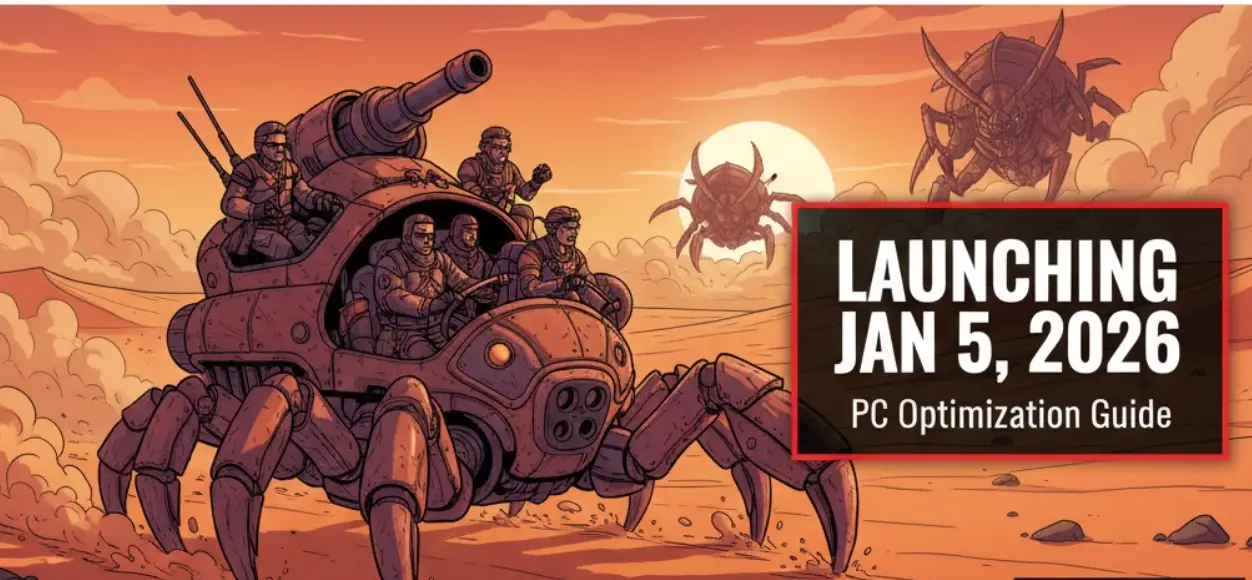



 Nancy Miller