Zusammenfassung: This guide covers everything from what the game is to the full Sekiro system requirements, helping you determine if your PC can run Sekiro: Schatten sterben zweimal and how to enhance the experience using XMOD.
Looking to master Sekiro: Schatten sterben zweimal but unsure if your PC meets the demands?
This comprehensive guide breaks down everything from what Sekiro is, to its minimum and recommended system requirements. We’ll also help you find out if you can run Sekiro on a low-end PC, check your PC’s compatibility, and explore ways to enhance your gaming experience with XMOD.
Whether you’re a seasoned gamer or a newcomer, this guide will prepare you for the ultimate shinobi challenge.
Inhaltsübersicht
- What Is Sekiro: Shadows Die Twice
- Sekiro: Shadows Die Twice Requirements: Minimum and Recommended
- Can You Run Sekiro: Shadows Die Twice on a Low-End PC?
- Can My PC Run Sekiro: Shadows Die Twice
- How to Enhance Sekiro: Shadows Die Twice Gaming Experience with XMOD?
- Schlussfolgerung
What Is Sekiro: Shadows Die Twice
Sekiro: Schatten sterben zweimal is a critically acclaimed action-adventure game developed by FromSoftware, the creators of Dark Souls und Bloodborne. Set in a reimagined late 1500s Sengoku-era Japan, the game follows a shinobi named Wolf on a quest to rescue his kidnapped lord and seek revenge on his enemies. Blending stealth, intense sword combat, and exploration, Sekiro challenges players with punishing difficulty, a deep narrative, and a unique resurrection mechanic that lets you come back from the dead—at a cost. It’s a must-play for fans of challenging, story-driven experiences.
Now that you know what Sekiro: Schatten sterben zweimal is about, let’s take a look at the system requirements needed to run the game.
Sekiro: Shadows Die Twice Requirements: Minimum and Recommended
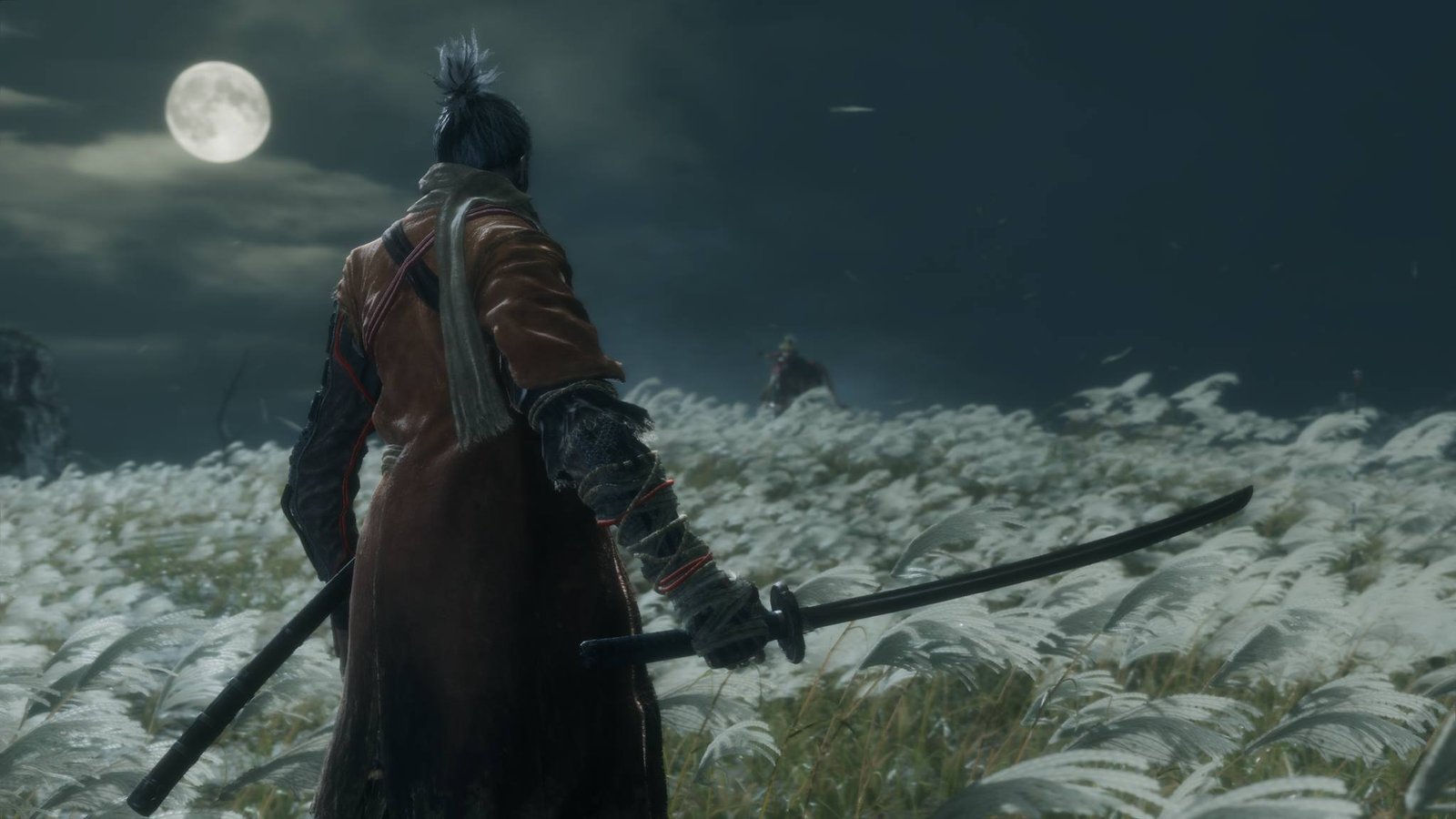
Here’s a detailed breakdown of the minimum and recommended system requirements for Sekiro: Schatten sterben zweimal to help you ensure your PC is ready for this challenging game.
With these requirements in mind, you might be wondering if the game can run on a lower-end PC.
Mindestanforderungen
| CPU |
Intel Core i3-2100 / AMD FX-6300 |
| CPU Speed |
Info |
| RAM |
4 GB |
| Video Card |
NVIDIA GeForce GTX 760 / AMD Radeon HD 7950 |
| Dedicated Video RAM |
2048 MB |
| Pixel Shader |
5.0 |
| Vertex Shader |
5.0 |
| Operating System (OS) |
Windows 7 64-bit / 8 64-bit / 10 64-bit |
| Free Disk Space |
25 GB |
| Sound Card |
DirectX 11 Compatible |
Empfohlene Anforderungen
| CPU |
Intel Core i5-2500K / AMD Ryzen 5 1400 |
| CPU Speed |
Info |
| RAM |
8 GB |
| Video Card |
NVIDIA GeForce GTX 970 / AMD Radeon RX 570 |
| Dedicated Video RAM |
4096 MB |
| Pixel Shader |
5.1 |
| Vertex Shader |
5.1 |
| Operating System (OS) |
Windows 7 64-bit / 8 64-bit / 10 64-bit |
| Free Disk Space |
25 GB |
| Sound Card |
DirectX 11 Compatible |
By meeting or exceeding these Sekiro: Schatten sterben zweimal system requirements, you can enjoy smooth gameplay and fully experience the intense action the game offers.
Can You Run Sekiro: Shadows Die Twice on a Low-End PC?
Laufen Sekiro: Schatten sterben zweimal on a low-end PC can be challenging due to its demanding graphics and gameplay requirements. While the game’s minimum system specs are relatively modest, players with older or less powerful hardware may experience performance issues like low frame rates and longer load times. However, lowering in-game settings and resolution might help improve playability on less powerful machines, but for the best experience, a PC that meets or exceeds the recommended requirements is ideal.
To get a clear answer, it’s important to check how your specific PC stacks up against these requirements.
Can My PC Run Sekiro: Shadows Die Twice
To find out if your PC can run Sekiro: Schatten sterben zweimal, compare your system’s specs with the game’s minimum and recommended requirements. Key components to check include your CPU, RAM, graphics card, and available disk space. You can also use online tools or game launcher features that automatically scan your hardware and tell you if your PC is compatible. Ensuring your system meets at least the minimum specs will allow you to play, but for smooth performance, aim for the recommended requirements.
Once you’ve confirmed your PC can run the game, here’s how you can enhance your gaming experience even further with XMOD.
How to Enhance Sekiro: Shadows Die Twice Gaming Experience with XMOD?
To enhance your single-player experience in Sekiro: Schatten sterben zweimal, try using XMOD. This app gives you access to cheats and trainers that can elevate your gameplay and customize your experience. Here’s how to get started:
- Download the XMOD app.
- Suche nach Sekiro: Schatten sterben zweimal in der App.

- Launch the game directly through XMOD.
- Activate the mods you want to use and enjoy a tailored gaming experience.
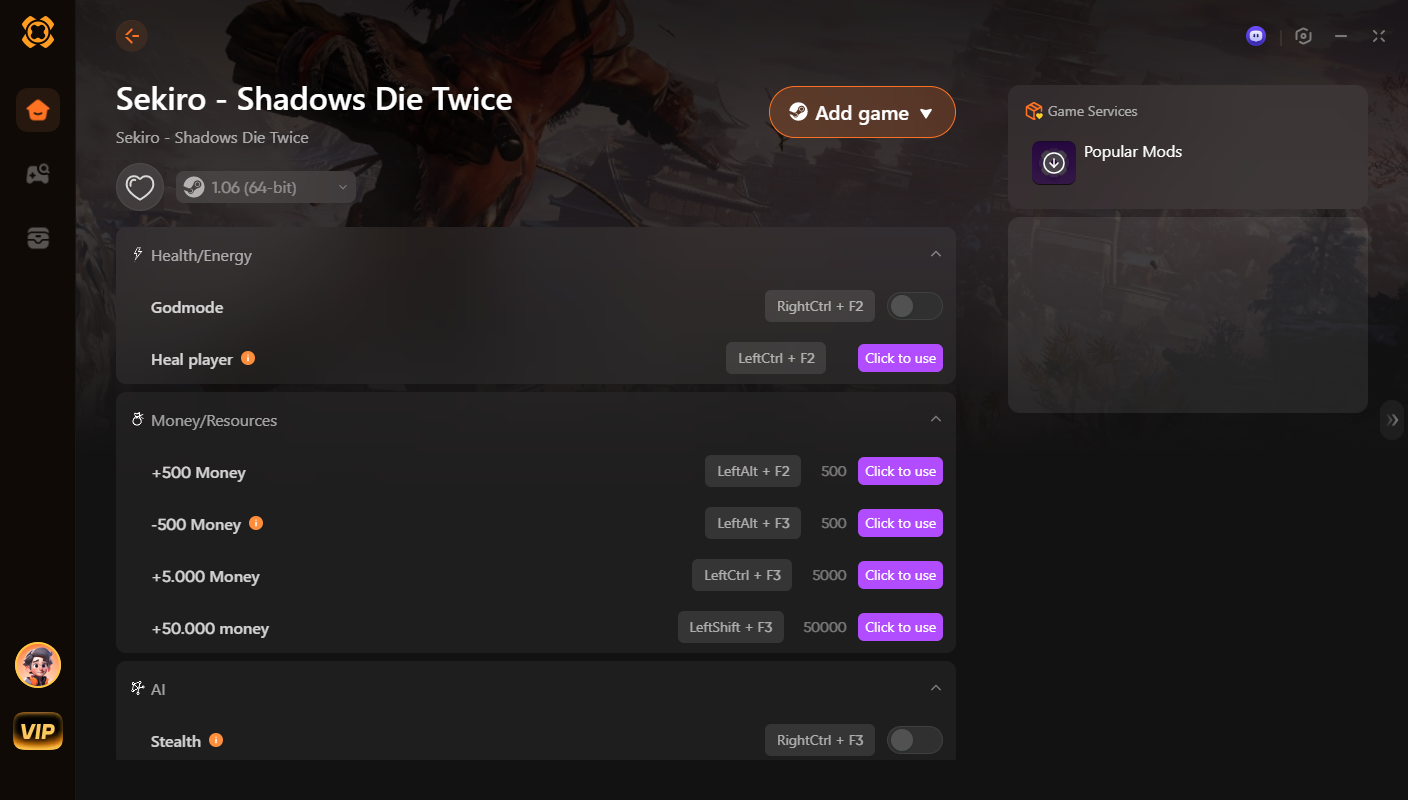
Using XMOD can significantly enhance your Sekiro: Schatten sterben zweimal gameplay by providing easy access to useful mods and customization options.
Schlussfolgerung
Whether you’re new to Sekiro: Schatten sterben zweimal or revisiting it, understanding the system requirements is key to a smooth experience. From checking if your PC can run the game to enhancing gameplay with XMOD, you’re now equipped to make the most of this intense and rewarding adventure.
Ich bin ein leidenschaftlicher Gamer und Autor bei XMODhub, der sich der Aufgabe verschrieben hat, euch die neuesten Gaming-News, Tipps und Einblicke zu geben.
Verbinden Sie sich mit mir:
LinkedIn-Profil

 Catherine Hu

 Nancy Miller