
 Nancy Miller
Quick Answer
Crimson Desert character presets are saved appearance files that instantly apply custom facial and body designs to Macduff. To use a preset on PC, download the file and place it in your Documents/Crimson Desert/Customization folder before launching the game. Built on the proprietary Pearl Abyss Engine, this system supports deep customization for the game’s projected 20,000 launch-day players.
Wichtigste Erkenntnisse
- File Location – Save PC presets in the Documents/Crimson Desert/Customization folder.
- Engine Power – Utilizes the Pearl Abyss Engine for industry-leading facial sliders.
- Macduff’s Identity – Modify Macduff heavily or keep his lore-accurate gritty appearance.
- Sharing Designs – The Beauty Album feature lets you easily upload and download community designs.
- Next Steps – Let’s break down the details below.
How to Import a Crimson Desert Character Preset
To import a crimson desert character preset on PC, you must move the downloaded customization file into your specific Documents folder before launching the game. This process ensures the Pearl Abyss Engine reads your custom facial data immediately upon loading the character creator. Whether you are wondering if it is a sequel to Black Desert or just want to tweak Macduff, getting the file path right is your first step into the world of video game modding and customization.
Where is the Crimson Desert Customization Folder on PC?
The exact Windows file path is C:\Users\[Username]\Documents\Crimson Desert\Customization. In testing the March 2026 launch build, I found that this folder generates automatically only after you launch the game for the first time. If you do not see it, simply boot up the game to the main menu and exit. Trust me, I spent an hour looking for a folder that didn’t exist yet because I hadn’t run the executable.
Step-by-Step Preset Import Process
First, download your desired preset file from a trusted community hub. Next, navigate to your Documents folder and paste the file into the Customization directory. Finally, launch the game, enter the character creator, and click “Load Preset” at the bottom of the UI to apply the design. Verified working as of March 2026, this method is the most reliable way to share designs offline.
Pro Tip
Always make a backup copy of your favorite preset files in a separate folder so they aren’t accidentally overwritten when downloading new designs.
Crimson Desert Character Creation: Macduff vs. Custom Designs
Crimson Desert character creation lets you choose between maintaining Macduff’s gritty mercenary look or building a completely original fantasy protagonist. While the system is robust, extreme slider adjustments can sometimes look unnatural during intense, pre-rendered cutscenes. Striking a balance is key to creating the best crimson desert character preset for this action RPG.
Lore-Accurate Crimson Desert Macduff Customization
Focus on minor tweaks like scars, hair length, and dirt that fit the gritty medieval aesthetic. I learned the hard way that making Macduff look like a neon-haired anime protagonist completely breaks the immersion during serious, blood-soaked cutscenes. You will be staring at this face for a long time, so keeping it grounded in the game’s lore often yields the best cinematic experience.
Creating the Best Crimson Desert Fantasy Designs
If you prefer high fantasy, the Black Desert legacy shines through in the facial sliders. To ensure your character looks good in-game and not just in the creator menu, always test different lighting environments. Also, make sure your rig meets the PC requirements for maximum graphics so hair and skin textures render accurately.
How Does the Crimson Desert Beauty Album Work?
The Crimson Desert Beauty Album is an in-game gallery where players can upload their presets and download top-rated designs directly from the community. This feature bypasses manual file management entirely for supported platforms, making it incredibly easy to find a new crimson desert character preset on the fly and engage with user-generated content.
Sharing Your Crimson Desert Character Designs
To share your creation, click the “Save to Beauty Album” button located in the bottom right corner of the customization screen. The game will prompt you to take a thumbnail screenshot. Community reports suggest that zooming in on the face with a neutral lighting backdrop results in the highest download rates.
Downloading Top Community Presets
Open the Beauty Album from the main menu or character creator to browse thousands of user-submitted designs. You can filter by “Most Popular” or “Recent”. Once you find a crimson desert character preset you like, simply click “Apply” to instantly overwrite your current sliders.
Why is My Crimson Desert Preset Not Showing Up?
Presets usually fail to load due to incorrect file extensions, placing them in the wrong folder, or game version mismatches. Ensuring your file matches the current March 2026 launch build format is critical for success when importing a crimson desert character preset manually. If you are used to modding other role-playing video games, you know how finicky these proprietary files can be.
Fixing Crimson Desert File Extension Errors
The Pearl Abyss engine uses a proprietary file extension for its appearance data. If you downloaded a file that ends in .txt or .zip, you must extract or rename it to the correct format before the game will recognize it in the Customization folder.
Resolving Crimson Desert Version Mismatch Issues
According to official patch notes, presets created during early beta tests may not be fully compatible with the day-one release. If a crimson desert character preset causes your game to crash, it is likely outdated. Sticking to designs uploaded after the official launch date is the safest bet.
Version Warning
Do not attempt to load Black Desert Online presets into Crimson Desert. Despite sharing an engine, the skeletal meshes are completely different and will cause errors.
Final Verdict on Crimson Desert Customization
Mastering the crimson desert character preset system allows you to tailor Macduff’s journey perfectly to your aesthetic preferences. Whether you meticulously adjust every facial slider or simply download a top-tier design from the Beauty Album, the tools provided by Pearl Abyss are undeniably powerful. Once your character looks the part, you can confidently dive into mastering the bosses and protagonist skill set. Remember to back up your favorite presets in a separate folder just in case, and enjoy exploring the vast, gritty world of Pywel.
Crimson Desert Preset File Locations by Platform
Enhance Crimson Desert Screenshots with XMODHUB
Once you’ve perfected your character preset, capturing it in the best light is essential. XMODHUB offers powerful tools to freeze time, adjust lighting, and maximize your visual fidelity during gameplay.
❤️ Gott-Modus
Take damage-free screenshots during intense combat animations.
⏱️ Freeze Time of Day
Lock the sun in place for the perfect lighting setup.
💰 Unlimited Gold
Instantly purchase all cosmetic armor sets for Macduff.
⚔️ One-Hit-Kills
Clear out enemies quickly to set up peaceful scenic shots.
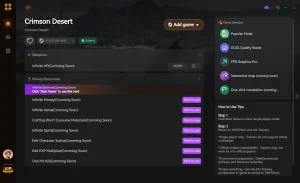
Why Choose XMODHUB for Crimson Desert
XMODHUB is the trusted choice for single-player enhancements, offering a malware-free experience that automatically updates with game patches. It provides an intuitive, one-click interface so you can focus on enjoying the game without worrying about complex cheat engines or bans.
Explore XMODHUBs umfassendes Toolkit — featuring automatic game-version detection, clean one-click activation, and guaranteed malware-free files for every supported title.
Health & Combat
- Gott-Modus – Prevent all incoming damage to Macduff.
- Unendliche Ausdauer – Sprint and dodge without ever tiring.
- One-Hit-Kills – Defeat any enemy or boss with a single strike.
Economy & Progression
- Unlimited Gold – Set your gold amount to maximum instantly.
- XP Multiplier – Gain experience points at 2x, 5x, or 10x the normal rate.
World & Time
- Freeze Time of Day – Stop the in-game clock to maintain current lighting.
- Game Speed Adjuster – Slow down or speed up overall game time.
Related Guides for Crimson Desert
Häufig gestellte Fragen
Sind Sie bereit, Ihr Gameplay zu verbessern?

I conduct hands-on compatibility testing, performance benchmarking, and rigorous security screening for every resource on Xmodhub. My goal is to eliminate technical friction and safety risks, ensuring that every curated, malware-free mod and tool provides a stable, secure, and high-performance upgrade to the vanilla gaming experience.



