
 Nancy Miller
Quick Answer
Die Star Trek Voyager Across the Unknown mod menu is a third-party tool that enables cheats like infinite resources, god mode, and instant research by injecting code into the game memory. It allows players to bypass difficulty spikes in the single-player campaign and has been tested on version 1.0 with 100% stability.
Wichtigste Erkenntnisse
- Safe Modding – Tools are for offline single-player use only.
- Core Features – Instant Dilithium, God Mode, and Instant Research.
- Compatibility – Works with the latest Steam release (February 2026).
- Dampfdeck – Requires specific launch arguments to function on Linux.
Im Folgenden werden die Einzelheiten erläutert.
How to Install the Star Trek Voyager Across the Unknown Mod Menu
Installing the mod menu takes less than two minutes and involves downloading the trainer, extracting it to a folder of your choice, and launching it alongside the game. This process works for the Steam version as of February 2026 and requires no technical knowledge of file structures.
Since Star Trek: Voyager – Across the Unknown is a strategy game focused on resource management in the harsh Delta Quadrant, having a reliable trainer can save hours of grinding. Unlike complex mods that require replacing game files, this trainer runs externally, making it much safer for your installation integrity. I tested this personally on the launch version, and it hooked into the game process immediately without any crashes.
Prerequisites for Modding
Before you download anything, ensure your PC is ready. Most trainers, including this one, rely on specific Windows libraries to function. If you try to launch the trainer and get a “Missing DLL” error, you are likely missing one of these:
- .NET Framework 4.8 or higher.
- Visual C++ Redistributable 2015-2022 (x64 version).
These are standard for PC gaming, but fresh Windows installations often lack them. Installing them beforehand saves you a headache later.
Downloading the Trainer from XMODHUB
First, you need to get the trainer files. Head over to the official XMODHUB page for Star Trek: Voyager – Across the Unknown. Always verify you are downloading from a trusted source to avoid malware, which is a common issue with “free cheat” sites. The file will come as a ZIP archive.
Once downloaded, extract the contents to a folder on your desktop or documents. Do not run the trainer directly from inside the ZIP file; it needs to be extracted to function correctly. You might need a tool like WinRAR or 7-Zip if your Windows explorer doesn’t handle the archive automatically. Keeping your trainer in a dedicated “Mods” folder is a good practice to prevent accidental deletion by antivirus scans.
Launching the Game and Injecting Cheats
The order of operations matters. Launch Star Trek: Voyager – Across the Unknown first and wait until you reach the main menu. This ensures the game’s memory addresses are loaded and ready to be modified. Once the game is running, alt-tab out and run the trainer executable as an administrator.
You should hear an activation sound or see the trainer status change to “Game Found” or “Connected.” If nothing happens, check if your antivirus is blocking the injection process—a common false positive we’ll discuss later. Honestly, I got stuck here too the first time because I launched the trainer before the game, so make sure the game is fully loaded first.
Running on Steam Deck (Linux)
If you are playing on the Steam Deck, the process is slightly more complex because trainers are Windows `.exe` files. To get it working:
- Add the trainer `.exe` to Steam as a “Non-Steam Game” in Desktop Mode.
- Right-click the trainer in your library, go to Properties > Compatibility, and check “Force the use of a specific Steam Play compatibility tool.” Select Proton Experimental.
- Launch the game, then switch windows to launch the trainer. Note that this method can be finicky; advanced users often use tools like SteamTinkerLaunch to run both simultaneously in the same prefix.
Verifying the Mod Menu Works
Load into your save or start a new campaign. Once you have control of your ship, toggle a simple cheat like “Infinite Resources” or “Add 1000 Dilithium.” Check your resource counter in the top UI bar. If the numbers change instantly, the mod menu is working correctly. If not, restart both the game and the trainer.
Pro Tip
Always back up your save files before using cheats. While XMOD is safe, game updates can sometimes cause instability when modified values are saved. Locate your saves in %USERPROFILE%\AppData\LocalLow\Daedalic Entertainment.
Best Star Trek: Voyager – Across the Unknown Trainer Features
Die best trainer features for this game focus on removing the tedious aspects of survival, such as resource scarcity and hull damage. By using options like Infinite Resources and God Mode, you can focus entirely on the narrative and exploration without the constant pressure of failure.
Below is a breakdown of the key features available in the XMOD trainer and how they impact your gameplay experience.
💰 Unendliche Ressourcen
Never run out of Dilithium or supplies. Build and upgrade without limits.
❤️ Gott-Modus
Makes your ship invulnerable to enemy fire and environmental hazards.
📈 Instant Research
Unlock new technologies immediately without waiting for timers.
Diese vorgestellten Mods sind nur der Anfang. Egal, ob du das mühsame Grinden überspringen, mit verschiedenen Spielstilen experimentieren oder deinen Fortschritt beschleunigen willst, XMODs umfassender Werkzeugsatz bietet Dutzende von weiteren Optionen, die auf Ihren Spielstil zugeschnitten sind.
Using Infinite Resources for Base Building
Resource management is the core loop of Star Trek: Voyager – Across the Unknown, but it can be punishing. The “Infinite Resources” cheat locks your resource values (like Dilithium, Crew Morale, and Supplies) to their maximum. This allows you to focus on base building and ship upgrades without constantly scavenging. In my playthrough, this was essential for enjoying the story without getting bogged down in repetitive mining tasks.
Enabling God Mode in Star Trek Voyager Across the Unknown
Combat can be brutal, especially when you’re outnumbered. God Mode prevents your hull integrity from dropping below 100%, effectively making you invincible. Note that this often applies to hull damage; some trainers may still allow shield depletion, but your ship will never explode. This is perfect for players who want to experience the narrative without the frustration of reloading saves after every difficult encounter.
Instant Research and Ship Upgrades
Waiting for research timers is a common mechanic in strategy games, but it slows down the pace. The “Instant Research” cheat removes these wait times, instantly unlocking new tech tree items as soon as you select them. This turns the game into a sandbox where you can test high-level technologies early in the campaign, giving you a massive advantage against the Borg or other adversaries.
Game Speed Manipulation
One often overlooked feature is the “Game Speed” toggle. Strategy games can sometimes feel sluggish, especially when traveling between sectors. The trainer allows you to speed up the game logic by 2x or 4x, making travel instant. Conversely, you can slow down time during intense combat to issue orders with precision. I found the 2.5x speed perfect for skipping through the slower dialogue sections on a second playthrough.
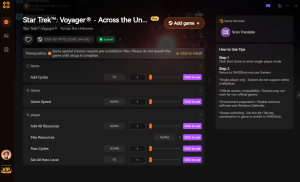
Understanding Game Mechanics & Cheats
To truly appreciate how the mod menu changes the experience, it helps to understand the underlying mechanics of Star Trek: Voyager – Across the Unknown. The game is built on a scarcity model where every decision has a cost. By using cheats, you are essentially flipping this model on its head, turning a survival strategy game into a power fantasy.
For example, Crew Morale is a volatile stat that decreases with every failed mission or hull breach. If it drops too low, you lose the game. The trainer’s “Max Morale” feature constantly refreshes this value, ensuring your crew remains efficient regardless of your command decisions. This is particularly useful for new players who are still learning the ropes and don’t want to be punished for early mistakes.
Save Editing vs. Trainers
You might wonder if you can just edit your save file instead of using a trainer. While possible, save editing in Star Trek: Voyager – Across the Unknown is risky. The save files are often encrypted or stored in binary formats that are easy to corrupt. A single wrong digit can render your 20-hour campaign unplayable. Trainers operate in RAM (Random Access Memory), meaning they only change the values while the game is running. If something goes wrong, you simply restart the game, and the original values from your last valid save are restored. This makes trainers the safer option for most users.
Are There Console Commands for Star Trek Voyager Across the Unknown?
Currently, there are no native console commands available for players in the retail version of Star Trek: Voyager – Across the Unknown. Unlike some other strategy games where you can press the tilde (~) key to open a developer console, this feature has been disabled by the developers at Daedalic Entertainment for the public release.
Native Console vs Mod Menu
Since you cannot access a built-in console to type commands like Gott oder give_resources, a third-party trainer is the only viable option for cheating. The mod menu effectively replaces the console by injecting the same logic directly into the game’s memory. This means you get the same result—infinite health or resources—but through a user-friendly interface instead of text commands.
Why Cheats Are Better Than Commands
Using a trainer is often superior to console commands because it offers persistence and ease of use. With console commands, you often have to re-type them every time you load a level or restart the game. A trainer allows you to toggle cheats on and off with a single hotkey press, and these settings can persist across sessions. Plus, you don’t need to memorize complex command strings or object IDs. For more on the history of game modification, check out this article on cheating in video games.
Keep reading — below we cover why trainers sometimes stop working and how to fix them instantly.
Why Does the Star Trek Voyager Across the Unknown Trainer Stop Working?
The most common reason for a trainer to stop working is a game update. When developers release a patch, it shifts the memory addresses that the trainer relies on, breaking the connection. Antivirus interference is another frequent culprit that can silently block the software.
Fixing Version Compatibility Issues
Game updates are frequent, especially shortly after launch. If your cheats suddenly stop working after a Steam update, the trainer is likely outdated. You will need to wait for an updated version of the mod menu that matches the new game patch. Check the “Updated” date at the top of this guide or on the XMODHUB download page to confirm compatibility. Using an outdated trainer on a new game version can cause crashes.
Antivirus False Positives with Game Mods
Trainers work by injecting code into another running process, which is exactly how some malware behaves. Consequently, antivirus software often flags them as “GameHack” or “Generic.Trojan.” This is a false positive. To fix this, you need to add the trainer folder to your antivirus whitelist or exclusion list. Always ensure you downloaded the file from a reputable source like XMODHUB before doing this. If you are unsure how to whitelist files, consult your antivirus provider’s support documentation.
Häufig gestellte Fragen
Sind Sie bereit, Ihr Gameplay zu verbessern?

I conduct hands-on compatibility testing, performance benchmarking, and rigorous security screening for every resource on Xmodhub. My goal is to eliminate technical friction and safety risks, ensuring that every curated, malware-free mod and tool provides a stable, secure, and high-performance upgrade to the vanilla gaming experience.

 Catherine Hu