Welcome to the retro-futuristic nightmare of Facility 3826. Whether you are struggling against a swarm of aggressive P-plyu robots or simply want to explore the stunning world Mundfish created without limits, you are likely looking for Atomic Heart console commands.
But there is a catch that stumps most players. Unlike games like Skyrim or Fallout, Atomic Heart does not have a native console enabled by default. You can press the tilde (~) key all day, but nothing will happen.
As experts in game modification and Unreal Engine architecture, the XMODhub team has broken down exactly how to force the console open using mods, the essential commands you need to know, and a safer, instant alternative that avoids file corruption.

Table of Contents
- Editor’s View: The Struggle is Real
- The Missing Console: Why You Can’t Just Type Cheats
- Method 1: How to Enable the Console (The Mod Method)
- The Essential Atomic Heart Console Commands List
- Method 2: The XMODhub Solution (Recommended)
- Not Just for Atomic Heart: One Hub for Every Game
- Frequently Asked Questions (FAQ)
- Verdict
Editor’s View
“The Struggle is Real (and Modding is Messy)”
Catherine Hu | Game Writer & Lead Tester at XMODhub
“I remember reviewing Atomic Heart during its chaotic launch week. The Soviet-punk aesthetic was incredible, but the resource scarcity in the early Vavilov Complex levels was brutal. I wanted to focus on the narrative and dialogue for my review, but I kept running out of ammo and dying to basic Lab Tech bots.
I desperately needed ‘God Mode’ just to finish my article on time. I went down the route of manually installing the ‘Blueprint Mod’ to force the console open. It worked… eventually. But not before it crashed my game three times and accidentally corrupted one of my save files because the mod version didn’t match the game’s latest hotfix.
My professional advice? If you are a technical user, the commands below are fun to play with. But if you just want to bypass the grind without the headache of ‘Fatal Errors,’ skip the manual file editing and use a Trainer. It saves so much time.”
The “Missing” Console: Why You Can’t Just Type Cheats
Development studio Mundfish disabled the standard Unreal Engine 4 Developer Console in the retail build of the game. This was done to preserve the game’s difficulty and immersion.
To use console commands today, you have two options:
- The “Hacker” Way: Manually install a third-party Mod to force the console to appear. (Risk: High complexity, breaks with game updates).
- The XMODhub Way: Use our specialized Trainer to inject cheats instantly. (Risk: None, works on all versions).
Method 1: How to Enable the Console (The Mod Method)
If you are comfortable modifying game directories like Catherine mentioned above, here is how to get the command line running.
Step 1: Download the Mod
You will need a mod typically called “Atomic Heart Developer Console” (available on Nexus Mods). Note: This method works best for the Steam version. The Game Pass version uses encrypted file structures that make this method extremely difficult.
Step 2: Installation
- Navigate to your game installation folder.
- Steam Example:
\SteamLibrary\steamapps\common\Atomic Heart\
- Go to
AtomicHeart\Content\Paks.
- Drop the downloaded
.pak mod file into this folder.
- Important: Always back up your save files before adding
.pak mods to avoid data loss.
Step 3: Activation
Launch the game. Once loaded, press ~ (Tilde) or Backspace (depending on the mod version). A green debug menu or a command line should appear at the top of the screen.
The Essential Atomic Heart Console Commands List
Once you have successfully modded the console back into existence, use these commands to alter reality.
(Note: Commands are usually not case-sensitive).
God Mode & Survival
God
- Effect: Grants total invincibility. You take no damage from robots or falls.
Immortal
- Effect: Similar to God mode, but you may still suffer from knockback physics.
KillAll
- Effect: Instantly destroys all enemies in the immediate vicinity. Warning: Can break scripted events if used during boss intros.
Movement & Exploration
Noclip
- Effect: Ghost mode. Allows you to fly through walls, doors, and the floor. Great for getting unstuck or finding secrets.
Teleport
- Effect: Instantly moves P-3 to the exact location you are looking at.
Visuals & Utility
FOV [Number]
- Effect: Changes Field of View. The default is often too narrow for PC players. Try
FOV 110 for a better experience.
r.ScreenPercentage [Number]
- Effect: Adjusts internal rendering resolution.
ShowDebug
- Effect: Displays coordinate data and engine statistics.
Method 2: The XMODhub Solution (Recommended)
Let’s be honest: Modding .pak files is annoying. One small game update from the developers can break the Console Mod, causing your game to crash on startup.
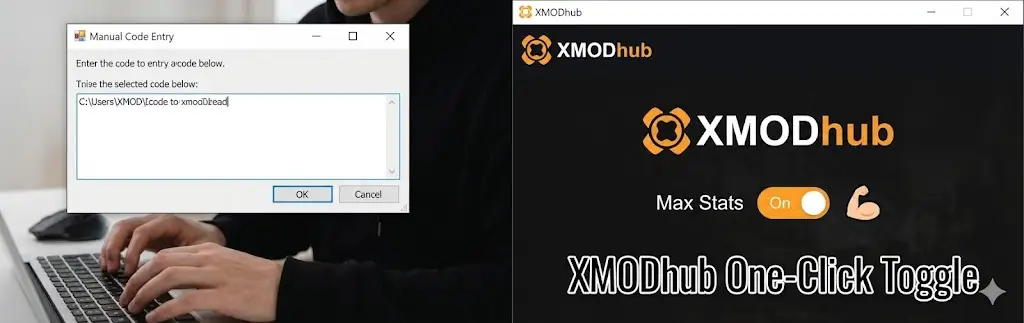
XMODhub offers a streamlined alternative. We built the XMOD Trainer to bypass the need for console commands entirely.
Why use XMODhub instead of Console Commands?
- No File Modification: You do not need to touch your
Paks folder or risk corrupting your installation.
- Works on All Versions: Compatible with Steam and PC Game Pass.
- User-Friendly Interface: Instead of memorizing codes like
Pl.Health.Infinite 1, you simply toggle a switch.
How to Use XMOD for Atomic Heart
Skip the complex files and get straight to the action in 3 steps:
- Auto-Detect: Open XMODhub. It instantly identifies your game version (Steam or Game Pass).
- Select Cheats: Toggle options like God Mode, Infinite Ammo, or Max Resources from the visual menu.
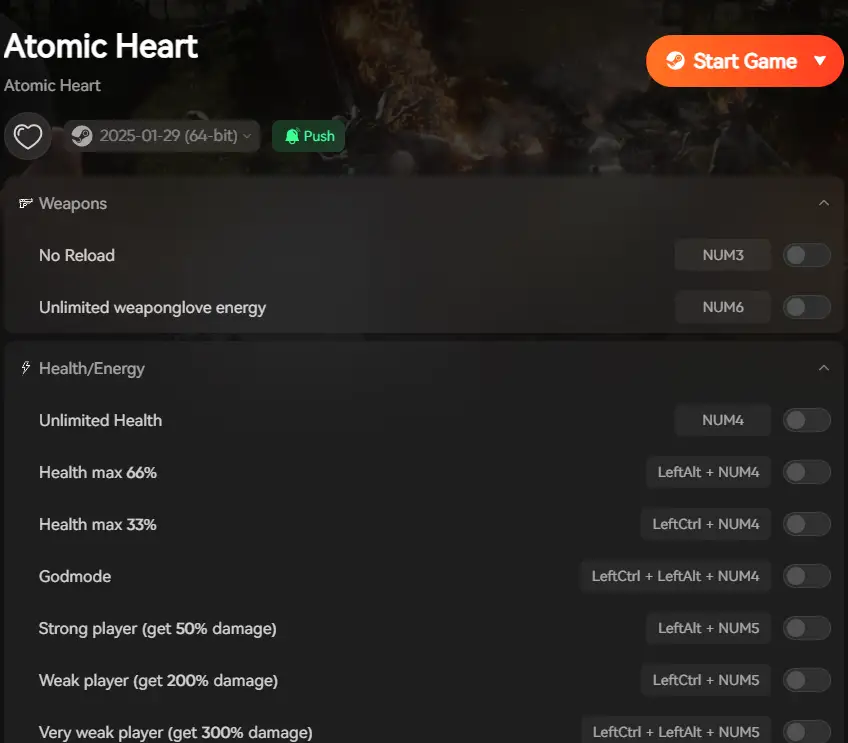
- Play: Click Activate and launch the game. Use hotkeys (e.g., F1) to toggle cheats in real-time.
Not Just for Atomic Heart: One Hub for Every Game
While you are here for Atomic Heart, XMODhub is likely the last modding tool you will ever need to install. Our platform is not a single-game utility; it is a universal library.
We support over 5,000+ PC titles, ranging from the latest AAA blockbusters to niche indie gems.
Popular Supported Titles Include:
Once you install the XMOD client, it automatically detects your installed games and prepares the relevant cheats. No more hunting for separate trainers for every game you own.
Frequently Asked Questions (FAQ)
Q: Will using console commands ban me? A: No. Atomic Heart is a single-player experience. You will not be banned for cheating.
Q: Do console commands disable Steam Achievements? A: Generally, no. However, using Noclip to skip major story triggers can cause achievements to “glitch” and not pop when they should because you missed the trigger volume.
Q: Why does my game crash when I type a command? A: Unreal Engine 4 is sensitive. Typing a command incorrectly or spawning an item that doesn’t exist in your current level can cause an immediate crash to desktop (CTD). This is another reason we recommend using our stable Trainer instead of raw commands.
Verdict
Accessing Atomic Heart console commands gives you the freedom to play the game your way. While the manual .pak modding method works for the tech-savvy, it comes with stability risks that our editor Catherine experienced firsthand.
For a seamless, crash-free experience that covers Atomic Heart and the rest of your game library, XMODhub is your best companion.
[Download XMODhub Today & Unlock Your Entire Game Library]
I am a passionate gamer and writer at XMODhub, dedicated to bringing you the latest gaming news, tips, and insights.
Connect with me:
LinkedIn Profile ↗

 Catherine Hu


 Nancy Miller