Surviving the cannibal-infested island is brutal. Whether you just want to build a mega-base without chopping trees for hours, or you need to resurrect Kelvin after an “accident,” Sons of the Forest console commands are your best friend.
However, the game doesn’t make it easy. You have to type the secret cheatstick phrase, memorize hundreds of Item IDs, and type lengthy commands every time you load a save.
This guide provides the essential list of commands for 2026, along with a better, faster alternative that lets you spawn items with a single click.
Editor’s View (by Catherine Hu, XMOD Senior Game Tester and Writer):
“I love building in Sons of the Forest, but typing additem 78 (Logs) five hundred times gave me carpal tunnel. The native console is powerful but clunky. For my recent playthrough, I switched to the XMOD Trainer. Instead of typing codes, I just pressed F1 to toggle ‘Infinite Logs’ and F2 for ‘Instant Build.’ It saved me literal hours of typing and wiki-checking.”
Quick Comparison: Manual Console vs. XMOD
Feature
Developer Console (cheatstick)
XMOD Trainer (GUI)
Activation
Type “cheatstick” blindly every session
1-Click Launch
Ease of Use
Must memorize/lookup Item IDs
Visual Menu (No IDs needed)
God Mode
Type godmode on repeatedly
Toggle On/Off instantly
Stability
Can glitch saves if typed wrong
Safe Injection
Table of Contents
How to Enable Console Commands (The cheatstick Method)
Essential Cheats (God Mode, Kelvin, Virginia)
Item IDs List (Weapons, Tools, Keycards)
The Better Way: Using XMOD Instead of Typing
Multiplayer Admin Commands
FAQ: Console Not Working?
How to Enable Console Commands (The cheatstick Method)
Unlike other games, you cannot just press ~ to open the console immediately. You must unlock it first.
Load into your game (Single Player or Multiplayer).
Type the word cheatstick directly on your keyboard.
Note: No text box will appear. Just type it blindly.
Tip: If you have a non-US keyboard layout, this might bug out.
Press F1.
If done correctly, a massive list of text commands will drop down from the top of the screen.
Essential Cheats (The Best Commands)
Once the console is open (F1), type these commands and press Enter:
godmode on – Invincibility. No hunger, thirst, or damage.
loghack on – You carry infinite logs. Perfect for building.
addallitems – Adds every item in the game to your inventory (Risk: Can crash game if backpack overflows).
speedyrun on – Move significantly faster.
virginiasentiment 100 – Makes Virginia fall in love with you instantly.
addcharacter robby 1 – Spawns another Kelvin (Robby). You can have an army of Kelvins!
aigodmode on – Makes companions (Kelvin/Virginia) invincible.
Item IDs List (2026 Updated)
To spawn specific items, use the command format: additem [ID].
Example: additem 358 gives you a Shotgun.
Weapons & Ammo
Shotgun: 358
Pistol: 355
Revolver: 386
Compound Bow: 360
Crossbow: 365
Katana: 367
Pistol Ammo: 370
Buckshot (Shotgun): 364
Tools & Keycards
Flashlight: 471
Rebreather: 444
Rope Gun: 522
Shovel: 485
Maintenance Keycard: 566
VIP Keycard: 568
Guest Keycard: 567
Need the full list of 600+ IDs?
The list above covers the essentials. However, if you are a hardcore builder looking for specific items like “Golf Cart” or “Solar Panel,” we have compiled the entire raw database for you.
(Pro Tip: It is much easier to search for the item name inside the XMOD Trainer than to Ctrl+F through a text file!)
The Better Way: Using XMOD Instead of Typing
Why memorize “358” for a Shotgun when you can just click a button?
The XMOD Trainer acts as a visual interface for console commands.
Top XMOD Features for 2026:
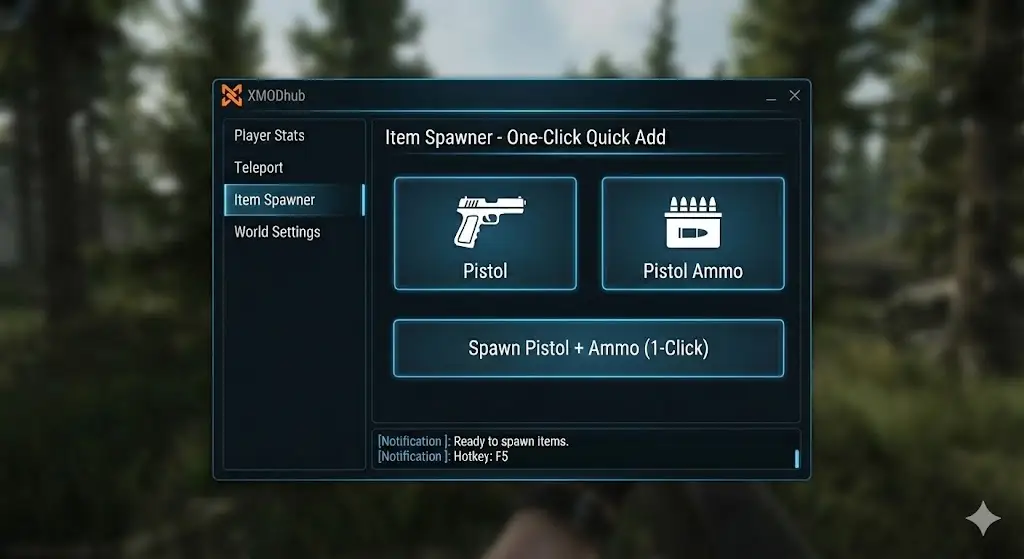
Visual Item Spawner: Select “Katana” from a dropdown list. No IDs required.
Instant Build: Build blueprints instantly without carrying logs.
Teleport: Warp to any cave entrance or Point of Interest (POI) instantly.
Freeze Time: Stop the day/night cycle to build in peace.
How to use the Visual Spawner (Quick Start):
Download & Install:
Get the XMOD Client (Verified Safe). Note: If your antivirus flags it, this is a standard false positive for trainers—simply allow the file.
Auto-Launch:
Open XMOD, search “Sons of the Forest“, and click Play. The trainer attaches automatically.
Spawn Visually:
Once in-game, open the XMOD overlay. Click “Item Spawner”, type “Shotgun” or “Log” into the search bar, and click to spawn. No IDs required.
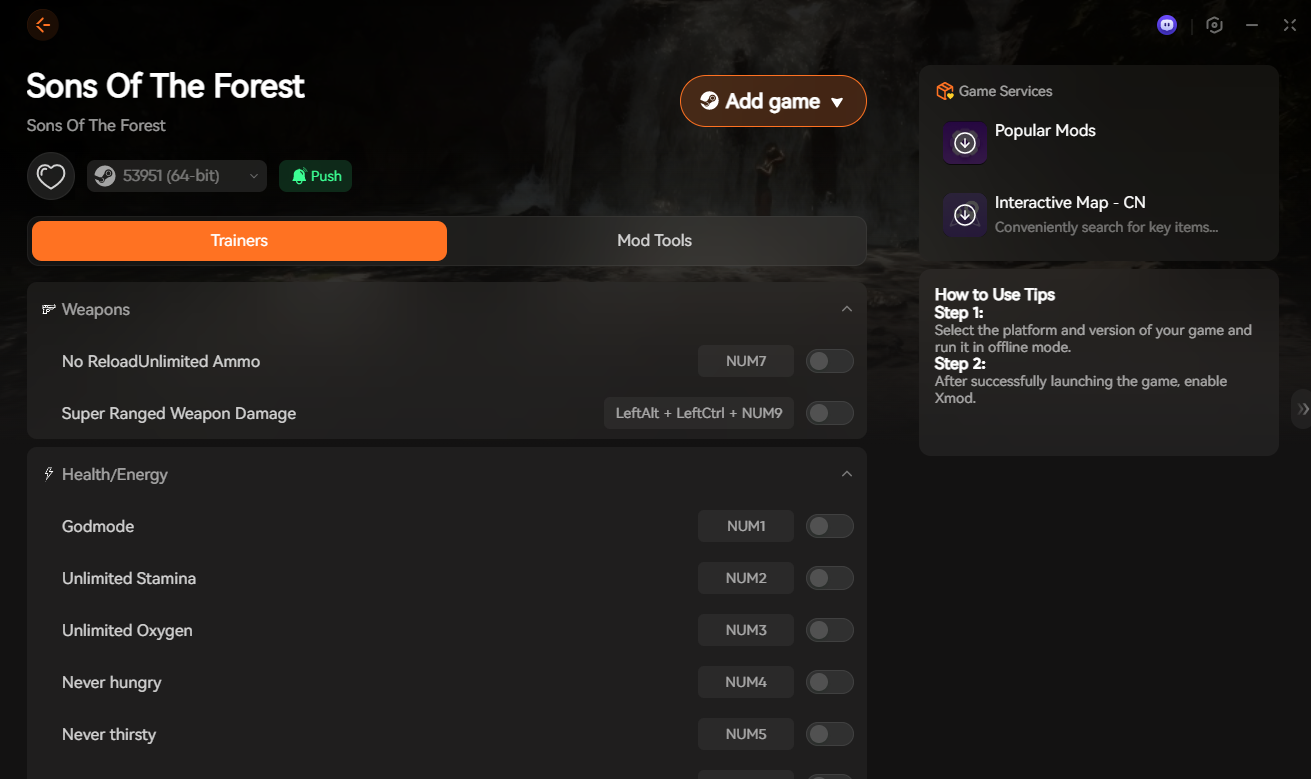
Build Faster: Toggle the “Infinite Logs” and “Instant Build” switches to construct mega-bases in minutes.
Pro Tip: Run the game in “Borderless Window” mode for the smoothest overlay experience. Toggle the menu visibility with Home or Shift+X.
Multiplayer Admin Commands
If you are hosting a server, you need these to manage griefers:
kick [SteamID] – Kicks a user.
ban [SteamID] – Bans a user.
allowcheats on – Allows other players to use console commands (Use with caution!).
FAQ: Console Not Working?
Q: I typed ‘cheatstick’ but F1 doesn’t work.
A: This is common. Try these fixes:
Make sure your keyboard is set to US English (QWERTY).
You must type it fairly quickly.
Do not be in the pause menu; type it while standing in the game world.
Q: Do console commands disable achievements?
A: In the current 2026 build, no. You can use addallitems and still unlock Steam achievements.
Q: Can I spawn bosses?
A: Yes, use addcharacter demon or addcharacter heavy to spawn enemies for testing defenses.
Conclusion: Survive Smarter
Console commands are powerful, but they are a hassle to use. If you want to spend more time fighting demons and less time typing numbers into a text box, the XMOD Trainer is the ultimate upgrade for your survival kit.
I am a passionate gamer and writer at XMODhub, dedicated to bringing you the latest gaming news, tips, and insights.
Connect with me:
LinkedIn Profile ↗
How to Survive the Minotaur Curse Puzzles in Resonance: A Plague Tale Legacy
You are trapped in the labyrinth, the walls are shifting, and the oppressive darkness of the ancient island is closing in. If you are searching for how to survive the Minotaur Curse puzzles…
Best SurroundedByBoys Mods Tool (2026): Safe Downloads & No-Crash Guide
Quick Answer: What is the best and safest SurroundedByBoys mods tool? To modify your gameplay safely without corrupting your save files, you need to use the right SurroundedByBoys mods tools: XMODhub: The absolute…

 Catherine Hu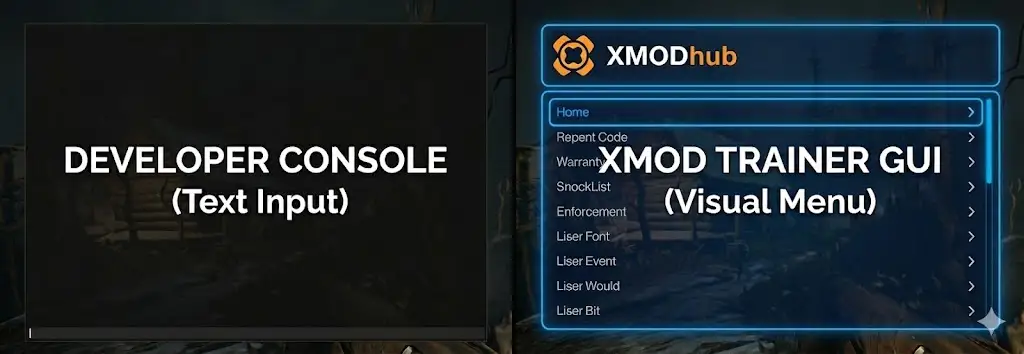




 Nancy Miller