
 Catherine Hu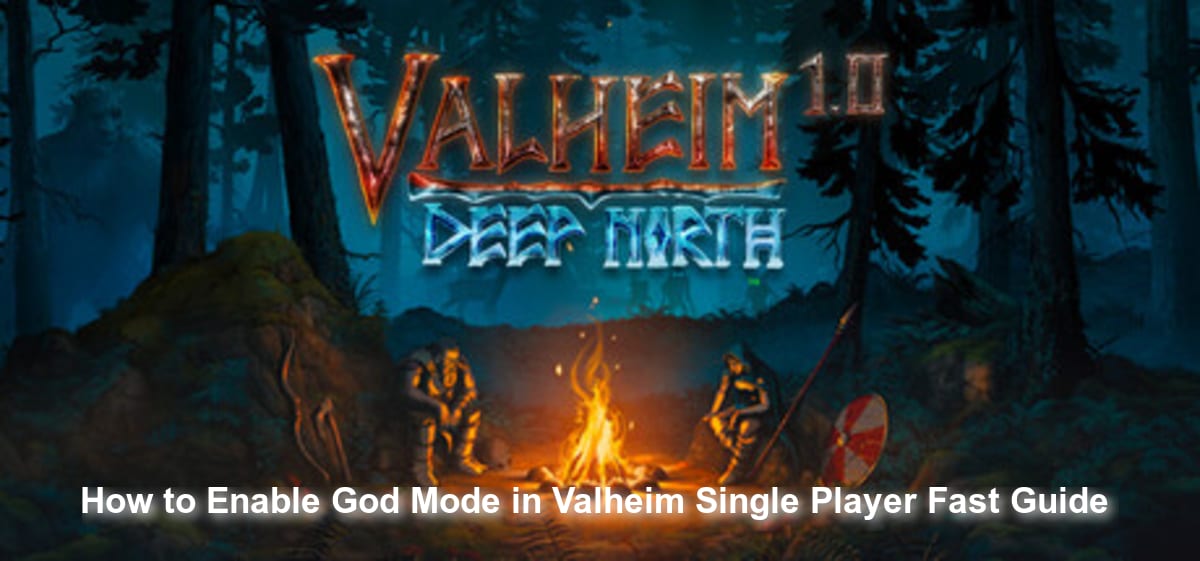
You have spent hours gathering resources, building your Viking longhouse, and preparing the perfect food buffs, only to be instantly crushed by a roaming Troll in the Black Forest. Valheim is a beautiful but brutal exploration and survival game set in a procedurally-generated world inspired by Norse mythology. When you are playing solo without the backup of up to nine other co-op players, the difficulty curve can sometimes feel like a sheer cliff. If you just want to build in peace or explore the map without constantly babysitting your health bar, you are likely looking for a way to become invincible.
“After losing my highest-tier weapons and armor to a surprise Deathsquito attack in the Plains, I realized I needed a break from the punishing grind. Enabling God Mode completely changed how I experienced the game, allowing me to focus on massive architectural builds without fear of being one-shot.”
TL;DR: The Short Answer
No official fix has been confirmed yet regarding a simple in-game menu toggle for invincibility. However, based on community reports and standard PC gaming practices, players can easily enable God Mode in Valheim single-player by activating the developer console. Here is the universally accepted shortcut to immortality:
- Step 1: Open your Steam Library, right-click Valheim, and select Properties.
- Step 2: In the General tab, find the Launch Options field and type
-console. - Step 3: Launch Valheim and load into your single-player world.
- Step 4: Press the F5 key on your keyboard to open the developer console.
- Step 5: Type
devcommandsand press Enter to enable cheat mode. - Step 6: Type
godand press Enter. The console will confirm that God Mode is set to True.
Table of Contents
- TL;DR: The Short Answer
- The Brutal Reality of Valheim’s Survival Mechanics
- Why Players Seek God Mode in Single Player
- Step-by-Step: Enabling the Developer Console
- Activating God Mode: Commands and Confirmation
- The Limitations of Invincibility in Valheim
- Essential Console Commands to Pair with God Mode
- The Ultimate Shortcut: Using XMODhub for Valheim
- Frequently Asked Questions
- Final Verdict: Mastering Your Norse Adventure
The Brutal Reality of Valheim’s Survival Mechanics
To understand why God Mode is such a highly requested feature, we must look at how Valheim is designed. Valheim is an open-world survival game played from a third-person perspective. As fallen Vikings, players are dropped into a hostile, procedurally-generated purgatory. Your primary goals are to craft tools, build shelters, and fight increasingly difficult enemies to survive and prove your worth to Odin.
The game uses low-resolution stylized three-dimensional graphics, but do not let the charming aesthetic fool you. Valheim features a punishing combat system inspired by hardcore action games. While it supports co-operative gameplay for up to ten people (where you can rely on friends to revive you or draw aggro), playing Valheim in single-player means you bear the entire brunt of enemy assaults alone.
At its core, Valheim is remarkably simple: you gather resources, build, eat, explore, and fight—then repeat. The survival mechanics are restrained but highly impactful. Food matters immensely. The game never demands that you spend your entire evening babysitting a depleting hunger meter (your character will not keel over and die if you forget lunch), but eating better food is the only way to gain more stamina and a larger health pool. This makes preparation meaningful. However, it also means that if you are caught exploring a high-tier biome without top-tier meals active, you are incredibly vulnerable. This fragile balance is exactly what drives solo players to seek out developer commands.
Why Players Seek God Mode in Single Player
Since its early access release on February 2, 2021, and leading up to its full version launch on September 9, 2026, Valheim has attracted millions of players who love its building mechanics just as much as its combat.
In single-player mode, the grind for resources is entirely on your shoulders. When you are attempting to construct a massive, multi-story mead hall or a sprawling stone castle, the last thing you want is a random “The Forest is Moving” raid event destroying hours of hard work. God Mode allows players to temporarily pause the survival anxiety. With invincibility enabled, you can stand your ground against a horde of Greydwarves, ignore fall damage while constructing high roofs, and freely explore the darkest corners of the Swamps without fear of poison damage ticking away your life.
Step-by-Step: Enabling the Developer Console
Because Valheim does not have a built-in “Cheat Menu” in its standard graphical user interface, you must use the developer console. Based on community reports, the developers locked the console behind a launch parameter to prevent players from accidentally ruining their vanilla survival experience. Here is the deep dive into unlocking it:
Configuring Steam Launch Options
Before you even boot up Valheim, you must tell the game engine that you want access to the backend console.
- Navigate to your Steam Library.
- Locate Valheim in your list of games.
- Right-click on the game title and select Properties from the drop-down menu.
- Stay on the default General tab.
- Look at the very bottom of this window for a text box labeled Launch Options.
- Click inside this box and type exactly:
-console - Close the Properties window. Steam automatically saves this parameter.
Accessing the Command Line In-Game
Once the launch option is set, launch Valheim normally. Select your character and load into your preferred single-player world.
Once you have spawned into the world, press the F5 key. A dark, semi-transparent text box will drop down from the top of your screen. This is the developer console, your gateway to modifying the rules of the Norse afterlife.
Activating God Mode: Commands and Confirmation
With the console open, you cannot simply type “god” right away. Valheim requires you to explicitly unlock cheat commands first, acting as a secondary safety measure.
- In the F5 console, type
devcommandsand press Enter.
(Note: Based on community reports from earlier versions of the game, this command used to be imacheater, but the developers updated it. If you are playing on a legacy build, keep this in mind, but for all modern versions, devcommands is the required syntax.)
- You will see a warning message appear in the console stating that using these commands may ruin the intended experience. It will also confirm that developer commands are now set to True.
- Now, type
godand press Enter. - The console will output a message saying
God mode True.
You can now press F5 again to close the console. You are officially invincible. Enemies can strike you, you can fall from the highest mountains, and you can stand in roaring campfires—your health will not drop.
The Limitations of Invincibility in Valheim
While God Mode makes you immune to physical and elemental damage, it is crucial to understand its edge cases and limitations within the game’s engine.
First, God Mode does not grant you infinite stamina. If you are swinging a heavy pickaxe or running across the Plains, your stamina bar will still deplete, and you will still need to rest or wait for it to recharge. You are immortal, but you are still bound by the physical exhaustion mechanics of a Viking.
Second, God Mode does not affect your inventory weight limits. You will still be bogged down and unable to run if you mine too much copper, tin, or iron ore. Being invincible is great, but crawling across the Black Forest at a snail’s pace because your pockets are full of heavy metals is still incredibly tedious. If your goal is to completely streamline your building and crafting process, you need to combine your invincibility with inventory modifications. For a complete guide on how to bypass the game’s restrictive weight physics, check out our dedicated breakdown on the Valheim Infinite Carry Weight Cheat: Max Inventory Guide
Essential Console Commands to Pair with God Mode
While becoming invincible solves the immediate threat of a Troll smashing your character into the dirt, true creative freedom in Valheim often requires a combination of developer tools. Because God Mode does not prevent enemies from attacking your structures or stop you from being staggered by heavy blows, pairing it with other backend commands can drastically improve your single-player experience.
Here is a detailed breakdown of the most valuable commands to use alongside your newfound immortality:
| Command Syntax | In-Game Effect | Best Used For |
|---|---|---|
ghost |
Enemies will completely ignore your character. | Undisturbed base building in hostile biomes like the Plains or Mistlands. |
heal |
Instantly restores your character’s health to maximum. | Emergency recovery if you forgot to activate God Mode before a boss fight. |
freefly |
Detaches the camera, enabling a free-roaming drone view. | Taking cinematic screenshots of your massive Viking longhouse or stone castle. |
debugmode |
Unlocks creative mode toggles (Z for flying, B for free placement). | Unlimited crafting and building without needing a Workbench or raw materials. |
tod 0.5 |
Forces the time of day to high noon. | Avoiding the Freezing debuff and dangerous enemy spawns during the Night. |
To activate any of these, simply ensure devcommands is set to True, type the syntax into the F5 console, and press Enter. Combining god with ghost and debugmode effectively transforms Valheim from a brutal survival sandbox into a limitless architectural playground.
The Ultimate Shortcut: Using XMODhub for Valheim
Typing -console into Steam, remembering to hit F5, typing devcommands, and then entering god every single time you launch Valheim can quickly become a tedious chore. Furthermore, if you want to manage stamina, carry weight, and item spawning simultaneously, you will find yourself spending more time typing in the console than actually playing the game.
If you want to skip the tedious command lines and instantly dominate the Norse wilderness, the ultimate shortcut is XMODhub. XMODhub is a premium, lightweight modification engine designed specifically for PC gamers who want total control over their single-player experiences without the hassle of manual configuration.
Here is how you can bypass the console entirely:
- Download XMODhub: Install the secure client directly to your PC.

- Auto-Detect Valheim: Launch XMODhub. The software will instantly detect your Valheim installation (whether on Steam or Xbox PC App) and load the dedicated cheat trainer.
- Toggle Cheats: Simply use an intuitive overlay or custom hotkeys to instantly toggle Invincibility, Infinite Stamina, One-Hit Kills, and Infinite Carry Weight. No typing required.
Frequently Asked Questions
Does God Mode work in Valheim multiplayer servers?
No official fix has been confirmed yet for enabling God Mode as a standard player on a dedicated multiplayer server. Based on community reports, the devcommands function is strictly limited to single-player worlds or to the specific host of a peer-to-peer multiplayer session. If you are a guest on a dedicated server, typing devcommands will simply return an error stating you do not have permission.
Will using console commands disable my Steam achievements?
As of the latest updates leading up to the September 9, 2026 full launch, Valheim does not currently penalize players for using the developer console. Based on community reports, enabling God Mode in your single-player world will not lock you out of any progression or achievements. However, always check the latest patch notes, as developers occasionally change achievement parameters upon full release.
How do I turn God Mode off if I want to play normally again?
The god command acts as a simple toggle. If you have God Mode enabled and wish to return to standard survival rules, simply press F5 to open the console, ensure devcommands is still active, type god again, and press Enter. The console will display God mode False, confirming you are vulnerable to damage once more.
Why isn’t the F5 developer console opening when I press the key?
If pressing F5 does nothing, you have likely missed the Steam launch options step. Valheim completely disables the F5 key’s console functionality unless -console is explicitly typed into the Steam Properties > Launch Options menu. Ensure there are no spaces before the hyphen and that you have restarted the game after adding it.
Final Verdict: Mastering Your Norse Adventure
Valheim is a masterpiece of the survival genre, expertly blending atmospheric exploration, Norse mythology, and deeply rewarding crafting mechanics. However, the punishing nature of its procedurally-generated biomes is not for everyone at all times. Whether you are recovering from a devastating gear loss or simply want to focus on constructing the ultimate Viking settlement, enabling God Mode via the developer console gives you the freedom to play exactly how you want.
For those who want to elevate their gameplay even further without the friction of manual command entries, XMODhub remains the definitive solution. Supporting over 5,000+ single-player PC games, XMODhub allows you to apply these same quality-of-life enhancements not just to Valheim, but to similar massive survival titles like ARK: Survival Evolved and Rust&Roots. Stop fighting the game engine and start building your legacy.
Stop Grinding, Start Enjoying.
Bypass the tedious resource gathering and unlock your full potential instantly.

I am a passionate gamer and writer at XMODhub, dedicated to bringing you the latest gaming news, tips, and insights.
Connect with me:
LinkedIn Profile ↗


 Nancy Miller