Nancy Miller
To use cheats in Cookie Clicker PC, open your game, click your bakery name, and append ‘saysopensesame’ to the end. This immediately displays the developer debug panel in the upper left corner, allowing you to spawn golden cookies, add infinite lumps, and unlock all upgrades instantly. With over 637 Steam achievements to collect, using direct console injection will trigger the ‘Cheated cookies taste awful’ shadow achievement, though it does not prevent standard Steam achievement completion.
Key Takeaways
- Access Debug Menu — Append saysopensesame to your bakery name to unlock native PC cheats instantly.
- Infinite Cookies Code — Use Game.cookies = Infinity to bypass extremely long progression walls.
- Avoid Save Corruption — Always export your save string before injecting large integer values via console.
- Shadow Achievements — Cheating flags your save but doesn’t disable the 637 standard Steam achievements.
- Trainer Alternatives — Use external trainers like XMODHUB for safe toggles without console editing. Let’s break down the details below.

Cookie Clicker Cheats PC: Key Takeaways
To get started with Cookie Clicker cheats on PC, the most critical step is understanding the difference between the browser version and the official Steam release. Developed by Orteil and DashNet, and published by Playsaurus, the Steam version hides its developer tools behind a specific naming convention. By appending saysopensesame to your bakery name, you unlock the native debug menu. This is entirely safe for your save file, provided you do not inject values that exceed the game’s integer limits. Steam data shows that out of the 2,000,000 to 5,000,000 owners, a significant portion uses these tools to bypass the extremely long progression walls associated with late-game heavenly chip farming. Verified working as of September 2026, these methods will trigger a specific shadow achievement but will not prevent you from earning the other 637 standard Steam achievements. Let’s explore the exact steps to safely modify your game.
How Do You Open the Cheat Console in Cookie Clicker PC?
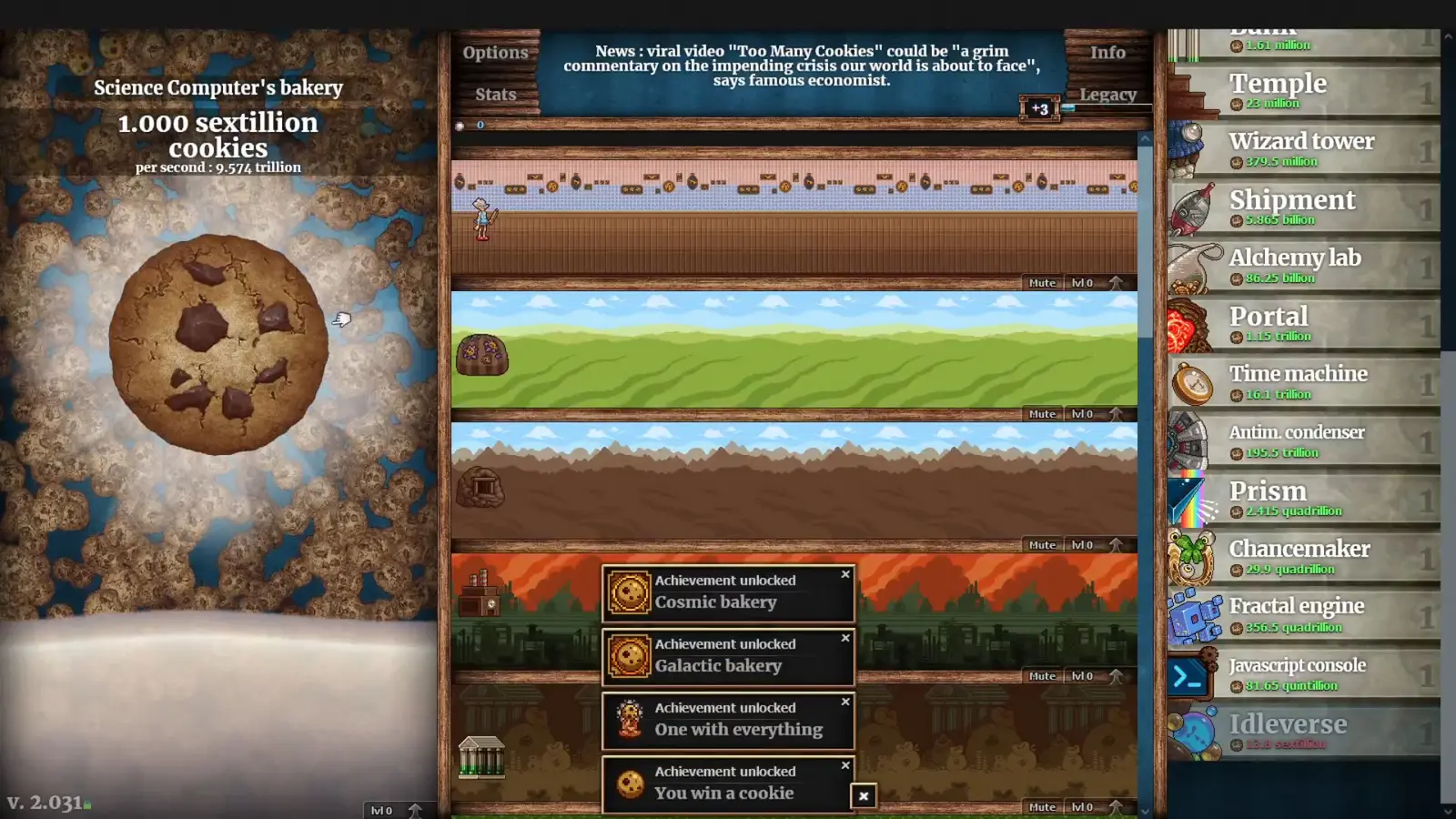
You can open the cheat console in Cookie Clicker PC by clicking on your bakery’s name at the top left of the screen, typing your desired name followed by ‘saysopensesame’ with no spaces, and pressing enter. This immediately reveals a small golden cookie icon in the top left corner, which opens the comprehensive debug menu. From here, you can access powerful developer tools without needing to modify the game’s installation files.
Unlocking the Cookie Clicker Debug Menu PC
The process to unlock the saysopensesame debug menu is incredibly straightforward, but it requires exact syntax. First, launch the game via Steam and load your active save file. Next, click on your bakery’s name located just above your total cookie count. A text box will appear allowing you to rename your empire. Type any name you wish, but you must append saysopensesame directly to the end of it. For example, if your bakery is named “Grandma”, you would change it to “Grandmasaysopensesame”. Press enter to confirm the name change. Immediately, you will hear a chime, and a small golden cookie icon will appear in the top left corner of your screen, hovering over the milk selection. Clicking this icon expands the debug UI, revealing dozens of buttons that allow you to spawn golden cookies, trigger wrath cookie effects, instantly unlock all heavenly upgrades, and manipulate the time stream of your incremental game.
Browser DevTools vs. Steam PC Client Console
Since its PC release on September 1, 2021, players migrating from the web version have often been confused about how to input traditional console commands. In my testing, I found that pressing F12 works flawlessly in the browser version to open the standard JavaScript console, but the Steam Electron wrapper requires the bakery name trick to expose the hidden UI. The Steam client does not natively support the F12 DevTools shortcut by default to prevent accidental save corruption. However, once you activate the saysopensesame debug menu, you gain access to a built-in command line interface at the bottom of the debug panel. This allows you to execute the exact same JavaScript functions that web players use, ensuring that the Steam version remains just as modifiable as its browser counterpart.
Pro Tip
You can change your bakery name back to normal immediately after the debug menu appears. The cheat panel will remain active for the duration of your play session.
Best Cookie Clicker Cheats PC: Codes and Commands
The best Cookie Clicker cheats for PC include the infinite cookies command (Game.cookies = Infinity) and the unlimited sugar lumps command (Game.lumps = 1000), both of which can be executed directly through the saysopensesame debug menu or the developer console. These commands instantly bypass months of idle grinding and allow you to experiment with late-game mechanics.
Cookie Clicker Infinite Cookies Cheat Setup
To give yourself an unlimited bank of cookies, open the command line interface within the debug menu and type Game.cookies = Infinity. This instantly maxes out your current cookie count, allowing you to purchase every building and upgrade in the game without waiting. However, it is important to note that modifying your current bank does not automatically update your total cookies baked all-time, which is the metric used to calculate your heavenly chips upon ascending. To properly simulate massive progression, you should use the Game.Earn(999999999999) command instead. This function safely adds a specific amount of cookies to both your current bank and your all-time baked statistics, ensuring that your prestige levels scale correctly when you decide to wipe your save and ascend.
Spawning Unlimited Sugar Lumps in Cookie Clicker
Sugar lumps are the most heavily time-gated resource in Cookie Clicker, taking up to 24 hours of real-time to mature. They are essential for leveling up your buildings and unlocking powerful mini-games like the Grimoire, Pantheon, Garden, and Stock Market. To bypass this massive time sink, you can use the sugar lumps command: Game.lumps = 1000. While it is tempting to give yourself millions of lumps, I learned the hard way that spawning more than 100,000 sugar lumps at once can cause the building mini-game cooldowns to glitch out permanently. The game engine relies on standard floating-point arithmetic, and injecting values that are too large will break the offline progression math, resulting in negative timers that freeze your Garden tick rates forever.
Warning
Never use the Game.RuinTheFun() command unless you are prepared to completely destroy your progression. This command instantly unlocks every single upgrade, achievement, and building in the game, leaving you with nothing left to do.
Why Do Cookie Clicker Steam Cheats Cause Errors?
Cookie Clicker Steam cheats cause errors primarily because injecting massive integer values via the console can corrupt the game’s memory state, leading to broken save files or frozen building mini-games. Additionally, opening the debug menu instantly triggers the ‘Cheated cookies taste awful’ shadow achievement, which permanently marks your save file as modified.
Fixing the Cheated Cookies Taste Awful Shadow Achievement
The moment you append saysopensesame to your bakery name, the game silently awards you the “Cheated cookies taste awful” shadow achievement. While shadow achievements do not count toward your total completion percentage and will not disable the 637 standard Steam achievements, many players dislike having their save file permanently branded. If you want to remove this flag, open the console and input Game.Achievements['Cheated cookies taste awful'].won=0. This simple line of code instantly revokes the achievement. I prefer using the built-in debug buttons over typing raw JavaScript because a single typo in the console can wipe out hundreds of hours of idle progression, but this specific command is entirely safe to execute.
Resolving Cookie Clicker Save File Corruption
With a review score of 97% positive across 87,760 total reviews, the community consensus is clear: back up your save string before experimenting with cheating in video games. Save file corruption usually occurs when players input infinite values into variables that require strict numerical limits, such as building levels or heavenly chip totals. If your game crashes upon launch or your cookie production drops to zero, your save file is likely corrupted. To prevent this, always navigate to the Options menu and click “Export Save” before opening the debug panel. Copy the massive string of text and paste it into a blank Notepad document. If your cheating session goes wrong, you can simply click “Import Save”, paste the text string, and restore your bakery to its exact pre-cheat state.
Final Verdict: Safest Way to Cheat in Cookie Clicker
The safest way to cheat in Cookie Clicker on PC is to use the native saysopensesame debug menu for minor adjustments, or rely on a dedicated external trainer for persistent enhancements. While the built-in developer tools are incredibly powerful and allow you to execute raw JavaScript commands, they carry a high risk of save file corruption if you accidentally inject values that exceed the engine’s integer limits. For casual players looking to bypass the late-game grind without risking their hundreds of hours of progress, external trainers offer a streamlined, risk-free alternative. Whether you choose to manually manipulate the console or use an automated utility, always remember to export your save string to a text document first.
XMODHUB Trainer for Cookie Clicker: Full Feature List
For players who want persistent toggles without the risk of typing raw JavaScript commands, the XMODHUB ↗ trainer offers a streamlined, safe alternative for the Steam PC version.
Infinite Cookies
Instantly maxes out your cookie bank without corrupting save data.
Unlimited Sugar Lumps
Bypasses the 24-hour maturation timer for sugar lumps.
Auto-Click Golden Cookies
Automatically clicks all golden and wrath cookies the moment they spawn.
Instant Upgrade Unlock
Unlocks all heavenly upgrades and building enhancements instantly.
Why Choose XMODHUB for Cookie Clicker
XMODHUB ↗ is the trusted choice for single-player enhancements because it operates entirely outside of the game’s memory state, preventing the save corruption issues common with manual console injection. The software automatically updates alongside official Steam patches and features a beginner-friendly interface that requires zero programming knowledge.
Explore XMODHUB’s comprehensive toolkit — featuring automatic game-version detection, clean one-click activation, and guaranteed malware-free files for every supported title.
Resources
Automation
Progression
Frequently Asked Questions
Ready to enhance your gameplay?

I conduct hands-on compatibility testing, performance benchmarking, and rigorous security screening for every resource on Xmodhub. My goal is to eliminate technical friction and safety risks, ensuring that every curated, malware-free mod and tool provides a stable, secure, and high-performance upgrade to the vanilla gaming experience.

 Catherine Hu