
 Nancy Miller
To install a Treasure of Nadia 100% save file, place the downloaded .rpgsave file into %LOCALAPPDATA%\User Data\Default (for Steam) or the game’s www/save directory (for standalone versions). Rename the file to File1.rpgsave through File9.rpgsave. Disable Steam Cloud synchronization before launching to prevent overwrites. This completed save instantly unlocks all 21 Steam achievements, max gold, and the full gallery.
Key Takeaways
- Exact Location — Steam saves are hidden in AppData, while standalone versions keep saves in the www/save folder.
- Cloud Fix — You must disable Steam Cloud synchronization before launching to prevent your new save from being overwritten.
- File Naming — Downloaded files must be explicitly renamed to File1.rpgsave through File9.rpgsave to be recognized.
- Full Unlocks — A 100% save provides max gold, all crafting talismans, and full Kama Sutra gallery access. Let’s break down the details below.

Where Is the Treasure of Nadia Save File Location on PC?
The treasure of nadia save file location depends entirely on your specific game version and platform. Steam players will find their saves buried deep in the hidden Windows AppData folder, while standalone NLT Media downloads keep saves directly inside the game’s installation directory. Knowing exactly which path to use is the critical first step to a successful save transfer, as placing the file in the wrong directory will result in the game failing to recognize your progress.
Finding the AppData Directory for Treasure of Nadia
If you purchased the game on Steam, the engine utilizes the NW.js framework, which defaults to storing user data in a hidden system directory rather than the standard Documents folder. I learned the hard way that looking for a ‘My Games’ folder is a complete waste of time for RPG Maker MV titles like this one. To locate the correct folder on Windows 10 or Windows 11, you need to use the Windows Run command. Press Win + R on your keyboard, type %LOCALAPPDATA%\User Data\Default, and hit Enter. This will open the hidden directory where the game stores its savegame.rpgsave files. You will likely see several files here, including a configuration file that tracks your global gallery unlocks across all playthroughs.
Locating the Game Folder for Standalone Versions
For players utilizing the standalone version directly from NLT Media or other DRM-free distributors, the process is significantly more straightforward. The save files are contained entirely within the game’s root directory, making them portable and easy to manage. Simply navigate to the folder where you extracted or installed the game, open the www folder, and then open the save directory. Inside, you will find the exact same file structure as the Steam version. This modular approach is a hallmark of the NLT Universe, allowing players to easily backup their progress before attempting a complex NLT Media save transfer. Before moving to the installation steps, it is highly recommended that you identify which of these two paths applies to your specific installation to avoid unnecessary frustration.
Pro Tip
If you are playing on a Steam Deck or Linux via Proton, the AppData path is emulated. You will need to navigate to ~/.steam/steam/steamapps/compatdata/1709240/pfx/drive_c/users/steamuser/AppData/Local/User Data/Default/ to find your saves.
How to Install a Treasure of Nadia Completed Save Game
Installing a treasure of nadia completed save game requires moving your downloaded file into the correct directory and renaming it to match the game’s rigid slot syntax. If the file isn’t named exactly File1.rpgsave through File9.rpgsave, the engine simply won’t recognize it on the load screen, leaving you wondering why your new 100% completion file isn’t working.
How to Backup Treasure of Nadia Save Data
Before modifying any system files, creating a secure backup of your existing progress is mandatory. Navigate to your designated save directory and copy all existing .rpgsave files to a new folder on your desktop labeled ‘Nadia Backups’. This ensures that if the downloaded file is corrupted or incompatible, you can instantly restore your original game state. Personally, I prefer using File2.rpgsave or File3.rpgsave for my 100% completion file because it preserves my original, legitimate playthrough on slot 1. This allows you to seamlessly switch between a fully unlocked sandbox experience and your standard story progression without constantly swapping files in and out of the directory.
Placing and Renaming the .rpgsave File
Once your backups are secure, it is time to inject the new save. First, extract the downloaded archive if it arrived in a ZIP or RAR format. Locate the primary save file, which is often generically named by the uploader. You must rename this file to match the game’s internal slot logic. Right-click the file, select Rename, and type File1.rpgsave (or whichever slot number you prefer, up to 9). The capitalization of the letter ‘F’ is strictly required, especially if you are playing on a case-sensitive operating system like Linux. After renaming, drag and drop the file into either your AppData folder or the standalone www/save directory, replacing any existing file in that specific slot if prompted.
Verifying the Treasure of Nadia All Gallery Unlock
After placing the file, launch the game and select ‘Load Game’ from the main menu. Select the slot corresponding to the number you assigned to the file. To verify that the treasure of nadia all gallery unlock was successful, immediately open the in-game smartphone menu. Navigate to the contacts app and ensure all character profiles are fully populated with maximum relationship stats. Next, visit the Kama Sutra app to confirm that all hidden animations and scenes are unlocked and viewable. If the gallery is fully accessible and your inventory is stocked with endgame items, the installation was a complete success.
Warning
Never rename the file while the game is currently running. The RPG Maker engine caches save files in memory during gameplay, and altering them externally while the application is active will cause a fatal crash.
How to Apply the Treasure of Nadia Steam Cloud Save Fix
The most common frustration when modding this game is the treasure of nadia steam cloud save fix. Steam Cloud will aggressively overwrite your newly imported save file with your old cloud backup the moment you launch the game unless you explicitly disable synchronization in the game’s properties menu beforehand.
Disabling Steam Cloud Synchronization
Because Steam utilizes cloud storage to keep your progress synced across multiple devices, it constantly monitors the local AppData folder for changes. When it detects that a local file has been manually replaced by a downloaded save with a different timestamp, its default behavior is to ‘correct’ this discrepancy by downloading your older, legitimate save from the server, instantly undoing all your hard work. To stop this, open your Steam Library, right-click on Treasure of Nadia, and select Properties. Under the General tab, locate the Steam Cloud section and toggle the switch to the ‘Off’ position. This severs the connection to the server, forcing the game to read exclusively from your local hard drive.
Preventing Save Rollbacks on Startup
If you forget to disable the cloud and launch the game, Steam may present you with a ‘Cloud Sync Conflict’ dialog box. This is actually a helpful failsafe. The prompt will ask whether you want to upload your local files to the Steam Cloud or download the cloud files to your local machine. You must always choose the option to ‘Upload to Steam Cloud’ (using your newer local files). This forces Steam to accept your downloaded 100% save file as the new master copy, distributing it to the server. Once this is done, you can safely re-enable cloud synchronization if you wish to play the completed save on a different PC or Steam Deck.
What Does the Treasure of Nadia Max Money Save Include?
A verified treasure of nadia max money save provides infinite in-game currency, completely bypassing the need to grind for gold or craft items to sell. Beyond wealth, a true 100% completion file unlocks every hidden story element, bypassing the game’s puzzle progression locks entirely.
Full Kama Sutra Gallery and Scene Unlocks
For players who enjoy the visual novel aspects of the game but lack the time to solve complex inventory puzzles, a full gallery unlocked save is the perfect solution. A legitimate 100% file guarantees that all character relationship meters are maxed out and that every single page of the Kama Sutra book has been discovered. This grants immediate, unrestricted access to all animated scenes directly from the in-game smartphone menu without requiring you to replay the entire 40+ hour narrative. The save also includes maximum quantities of all crafting materials, allowing you to experiment with the game’s crafting system without the tedious resource gathering that dominates the mid-game experience.
Steam Achievements and Crafting Talismans
In my testing on the latest patched version, loading a 100% save file instantly triggered all 21 Steam achievements to pop simultaneously the moment the game loaded into the overworld. Steam data shows that out of the estimated 0 to 20,000 owners actively playing, a significant portion seek out these files specifically to complete their achievement showcases. Because the game was officially released on 15 Feb, 2022, at a price of S$14.50, many early adopters who lost their original saves are now using these files to restore their progress. The save ensures your inventory is populated with all endgame talismans, completely eliminating the need to revisit old areas or grind for rare drops.
Common Mistakes When Modding Treasure of Nadia Saves
Modding save files isn’t always flawless. Using an outdated NLT Media save transfer file on a newly patched game version often results in missing textures, broken triggers, or immediate crashes to the desktop.
Fixing Version Differences and Crashes
One of the most frequent issues players encounter is downloading a saved game that was created during the game’s Early Access period and attempting to load it on the final release build. The RPG Maker engine relies heavily on specific variable arrays, and if the developer added new variables in a patch, an old save file will cause the engine to throw a ‘TypeError: Cannot read property of undefined’ error, crashing the game. Always ensure that the save file you are downloading explicitly states it is compatible with the final v1.0+ release of Treasure of Nadia. If you experience a black screen upon loading, a version mismatch is almost certainly the culprit.
Resolving Corrupted File Errors
Occasionally, the game will display a ‘File Corrupted’ message when attempting to load your newly injected save. This is often caused by a conflict with the global.rpgsave file, which stores your cross-save settings and gallery unlocks. To resolve this, navigate back to your save directory and delete the global.rpgsave file entirely (ensure you have it backed up first). When you launch the game again, the engine will automatically generate a fresh, clean global configuration file based on the data contained within your new File1.rpgsave. This forces the game to recognize the 100% completion status and usually resolves any lingering corruption flags.
Final Verdict
Successfully installing a Treasure of Nadia 100% save file comes down to placing the .rpgsave file in the correct directory and managing Steam Cloud settings. Whether you are playing the Steam release via the hidden AppData folder or a standalone build utilizing the local www/save directory, following these precise naming and placement steps ensures you unlock the full gallery without corrupting your game. By backing up your original files and disabling cloud synchronization, you can safely enjoy the game’s complete narrative and visual content without the tedious grind, preserving your sanity and maximizing your sandbox experience.
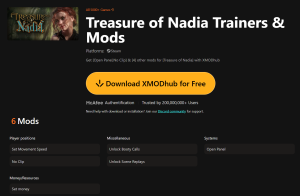
Treasure of Nadia Trainers & Mods — XMODHUB
If you want to skip the grind without messing with save files, XMODHUB ↗ offers real-time memory editing to instantly unlock the game’s full potential.
Max Money
Instantly sets your in-game currency to the maximum limit.
Unlock All Gallery
Bypasses story locks to reveal all Kama Sutra scenes immediately.
Infinite Talismans
Provides unlimited crafting materials and talismans in your inventory.
Instant Walk Speed
Increases character movement speed across the island map.
Why Choose XMODHUB for Treasure of Nadia
XMODHUB ↗ is the trusted choice for single-player enhancement because it safely injects code without permanently altering your game files. It automatically updates alongside Steam patches, ensuring your mods remain functional even after NLT Media pushes a new update, all within a beginner-friendly, malware-free interface.
Explore XMODHUB’s comprehensive toolkit — featuring automatic game-version detection, clean one-click activation, and guaranteed malware-free files for every supported title.
Progression & Wealth
Time & Unlocks
Frequently Asked Questions
Ready to enhance your gameplay?

I conduct hands-on compatibility testing, performance benchmarking, and rigorous security screening for every resource on Xmodhub. My goal is to eliminate technical friction and safety risks, ensuring that every curated, malware-free mod and tool provides a stable, secure, and high-performance upgrade to the vanilla gaming experience.
