Catherine Hu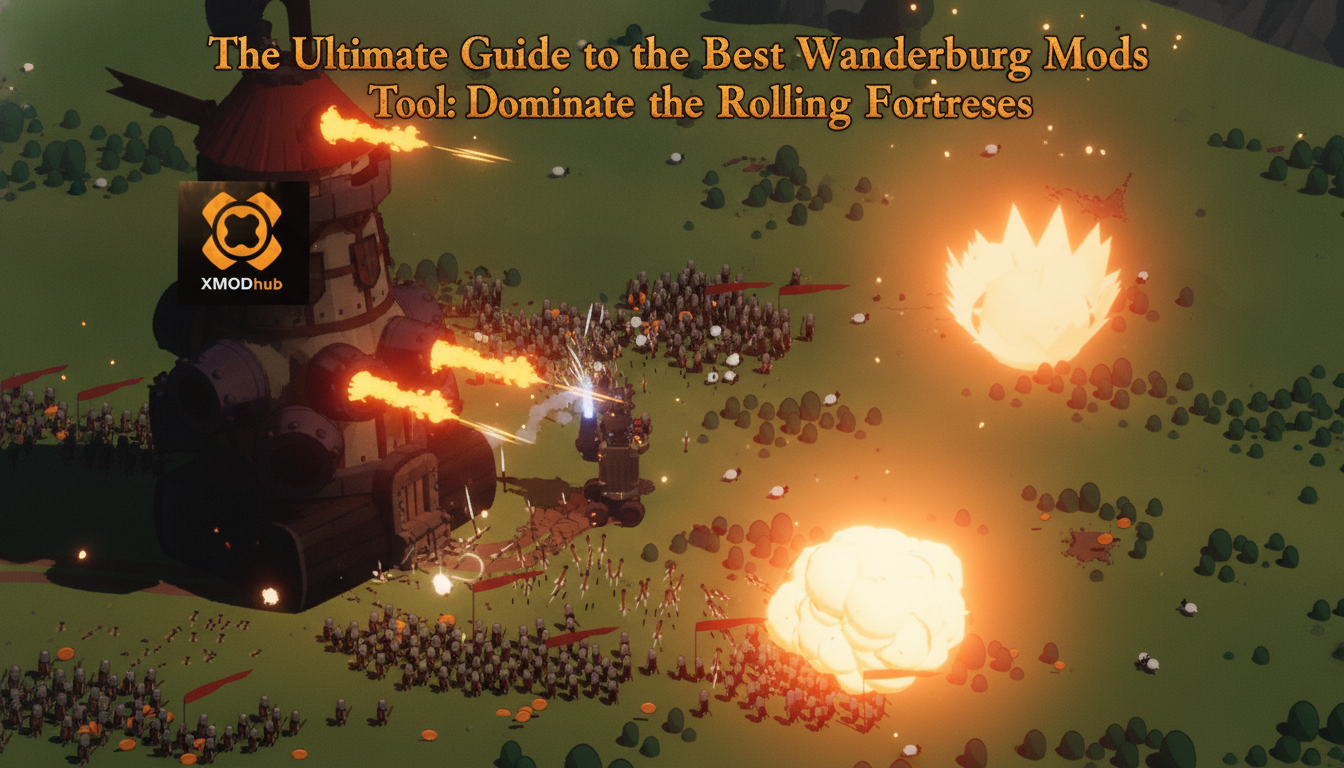
Picture this: you are two hours deep into a god-tier run in Wanderburg. Your humble castle on wheels has successfully devoured a dozen fleeing villages, and you have finally evolved your all-consuming siege engine into a massive mobile fortress bristling with upgraded cannons and arcane mage towers. Then, out of nowhere, a colossal enemy stronghold blindsides you in a brutal bullet hell-like frenzy, instantly wiping out your progress and sending you back to the main menu with barely enough resources to unlock a single new vehicle module. It is a crushing feeling that every action roguelike fan knows all too well, which is exactly why the community is desperately searching for a reliable Wanderburg mods tool to bypass the brutal early-game grind.
Developed by Randwerk and published by Sidekick Publishing, Wanderburg captured massive attention and won the “Most Entertaining” award at Gamescom for its highly engaging, minimalist medieval roguelike premise. Slated for Early Access on Steam (PC Win) on September 8, 2026, the game tasks you with rolling forward, absorbing other fortresses, and surviving a world where only the largest stronghold survives. However, the meta-progression of unlocking modules and vehicles between runs can be punishing. If you are looking to tweak the mechanics, boost your arsenal, or simply survive the mechanical chaos, this comprehensive guide will break down everything you need to know about finding and utilizing a Wanderburg mods tool.
TL;DR: The Short Answer
If you are looking for a quick fix to dominate the battlefield in Wanderburg, here is what you need to know about modding the game based on early community reports:
- No Official Workshop Yet: As Wanderburg enters Early Access on September 8, 2026, there is currently no official Steam Workshop support, meaning players must rely on third-party memory editors and community-developed mod injectors.
- Memory Editing is King: The most reliable Wanderburg mods tool right now involves using memory scanners to isolate and freeze the values of your upgrade resources, allowing you to unlock all cannons and mage towers instantly.
- Save Backups are Mandatory: Because Wanderburg is a roguelike with persistent unlocks between runs, using unstable mods can permanently corrupt your meta-progression. Always back up your save files.
- The Ultimate QoL Fix: For a hassle-free experience without manual hex editing, automated tools like XMODhub offer instant toggles for infinite fortress health and unlimited module resources.
Table of Contents
- TL;DR: The Short Answer
- Understanding Wanderburg’s Progression Mechanics
- The Best Wanderburg Mods Tool Options Available
- Common Mistakes When Modding Wanderburg
- Alternative Methods: Surviving Without Mods
- Advanced Tips for Hardcore Modders
- Wanderburg Mod Features Comparison: Which Method is Best?
- The Ultimate QoL Solution: XMODhub
- Frequently Asked Questions
- Final Verdict
Understanding Wanderburg’s Progression Mechanics
To understand why a Wanderburg mods tool is so highly sought after, you first have to understand the core gameplay loop designed by Randwerk. Wanderburg is not just a simple driving game; it is a complex action roguelike where castles hunt and villages flee. You begin each run controlling a very basic, vulnerable castle on wheels.
Your primary objective is to roll forward across the medieval landscape, actively hunting down and absorbing other fortresses. The more you consume, the larger and more threatening your siege engine becomes. However, the battlefield dynamically changes with every run. The enemies scale in difficulty, eventually culminating in a bullet hell-like frenzy of cannon fire and magical projectiles.
When your run inevitably ends, you are sent back to the hub. Here, you use the resources gathered from devouring villages and enemy castles to unlock new modules and vehicles. These modules include devastating cannons, defensive structures, and powerful mage towers that alter your playstyle for the next run. Because this meta-progression requires a significant time investment, many players turn to a Wanderburg mods tool to artificially inflate their resource count, allowing them to experiment with the wildest, all-consuming siege engine builds without grinding for dozens of hours.
The Best Wanderburg Mods Tool Options Available
Because Wanderburg is an Early Access title launching in September 2026, the modding scene is still in its foundational stages. Based on community reports from similar action roguelikes, here are the most effective ways to modify your game.
1. Memory Scanners and Hex Editors
For early adopters, the most common Wanderburg mods tool is a generic memory scanner. By attaching a memory editor to the Wanderburg executable process, players can scan for the specific numerical values of their in-game resources. For instance, if you have 50 module unlock points, you scan for “50”, purchase a cheap cannon upgrade to drop your points to “40”, and scan again. Once you isolate the exact memory address, you can change the value to 99,999, effectively giving you infinite resources to unlock every vehicle and mage tower in the game.
For players who prefer a structured, community-vetted approach to memory editing, utilizing aWanderburg Cheat Engine Table: Dominate the Rolling Fortress Grind is currently the most popular and reliable method. These tables are pre-configured scripts created by veteran modders that automatically locate the dynamic memory addresses for your fortress health, movement speed, and module currencies, saving you the headache of manual scanning.
2. Community Mod Loaders
While official mod tools are absent at launch, the PC modding community is incredibly fast at developing custom mod loaders for Unity and Unreal Engine games. Based on community reports, early custom loaders are being developed to inject .dll files directly into Wanderburg. These custom scripts act as a more advanced Wanderburg mods tool, allowing players to fundamentally alter game mechanics—such as increasing the radius at which your castle can devour villages, or multiplying the fire rate of your cannons to create your own localized bullet hell.
Common Mistakes When Modding Wanderburg
Modding an Early Access roguelike comes with significant risks. If you are experimenting with a Wanderburg mods tool, you must avoid these critical pitfalls:
Mistake 1: Ignoring Pointer Scans in Roguelikes
One of the most frequent errors players make when manually editing Wanderburg is failing to account for dynamic memory allocation. Because Wanderburg is a roguelike, the game completely rebuilds the map, your castle, and the enemy fortresses every single time you start a new run. If you freeze your fortress health using a static memory address during run one, that address will become invalid in run two. This will either result in the mod failing to work, or worse, causing a fatal game crash right as you are about to absorb a massive enemy stronghold. You must use pointer scans to ensure your mods persist across multiple runs.
Mistake 2: Corrupting the Meta-Progression Save
Wanderburg heavily relies on meta-progression between runs to unlock modules and vehicles. If a Wanderburg mods tool incorrectly injects code while the game is auto-saving your hub progress, it can permanently corrupt your profile. Players have reported losing hours of legitimate progress, losing access to their unlocked mage towers and cannons, simply because they force-closed the game while a mod tool was actively writing to the memory. Always navigate to your local AppData folder and create a manual backup of your Wanderburg save files before experimenting.
Alternative Methods: Surviving Without Mods
If you are hesitant to use a third-party Wanderburg mods tool, there are legitimate, in-game alternative methods to optimize your progression and conquer the medieval landscape.
Alternative 1: The “Scavenger” Pathing Strategy
Instead of rushing headlong into massive enemy fortresses, optimize your pathing. The core rule of Wanderburg is that only the largest stronghold survives. In the early stages of a run, completely avoid enemy castles that are even slightly larger than yours. Focus exclusively on making villages flee and devouring them. Villages offer a highly disproportionate amount of growth experience relative to the danger they pose. By strictly farming villages, you can safely scale your siege engine’s size until you naturally overpower the mid-tier fortresses.
Alternative 2: Prioritizing Defensive Modules
Many players make the mistake of spending all their meta-progression resources on offensive cannons. However, Wanderburg often devolves into a bullet hell-like frenzy. An alternative method to brute-forcing the game with mods is to heavily invest in defensive modules and mobility vehicles between runs. Upgrading your castle’s base movement speed allows you to physically dodge incoming mage tower projectiles, drastically increasing your survivability and resource yield per run without needing a Wanderburg mods tool for infinite health.
Advanced Tips for Hardcore Modders
For those who are well-versed in using a Wanderburg mods tool, you can push the game’s engine to its absolute limits to create truly unique gameplay experiences.
Tip 1: Modifying Projectile Physics
Advanced users can use memory editors to locate the floating-point values that dictate projectile physics. By isolating the gravity and velocity values of your cannons, you can modify your siege engine to fire artillery shells in a straight, hit-scan line rather than an arc. This completely trivializes enemy fortresses that rely on keeping their distance, turning your medieval castle into a modern, unstoppable tank.
Tip 2: Tweaking the Devour Threshold
In Wanderburg, your ability to absorb other fortresses is dictated by a size-comparison algorithm. By finding the memory address that calculates your “effective mass,” you can use a Wanderburg mods tool to trick the game into thinking your humble starting castle is actually the largest stronghold on the map. This allows you to instantly devour massive endgame bosses just by rolling into them, skipping the bullet-hell combat entirely.
Wanderburg Mod Features Comparison: Which Method is Best?
When choosing a Wanderburg mods tool, players must weigh the risks of potential save corruption against the convenience of instant progression. Because the game is heavily reliant on persistent upgrades, unofficial community mod loaders and manual memory scanners vary wildly in stability. Below is a comprehensive data breakdown of what you can expect from different playstyles and modding approaches.
| Modding Feature / Approach | Vanilla Gameplay | Manual Memory Editing | Automated Tool (XMODhub) |
|---|---|---|---|
| Mage Tower & Cannon Unlocks | 50+ hours of heavy grinding | High risk of save file corruption | Instant, safe one-click unlocks |
| Fortress Structural Health | Standard (Highly vulnerable) | Requires complex dynamic pointer scans | Toggleable Infinite Health |
| Village Devour Radius | Fixed by current fortress mass | Difficult floating-point value edits | Customizable radius multipliers |
| Game Update Stability | N/A (Official updates only) | Scripts break after every minor patch | Auto-updates to match latest build |
Hardware and Performance Impact When Modding
A frequently overlooked aspect of utilizing a Wanderburg mods tool is how it actively affects your system’s performance. Wanderburg operates on a highly physics-driven engine, and during late-game bullet-hell encounters, the screen is flooded with hundreds of magical projectiles, collapsing structures, and cannonballs. Poorly optimized custom .dll injectors or background memory scanners that constantly poll addresses can cause severe CPU bottlenecks and frame drops, turning a smooth roguelike run into a stuttering mess. If you are modifying the fire rate of your cannons or drastically expanding your devour radius, ensure you are using a lightweight, optimized tool that hooks cleanly into the game’s executable without hogging system resources.
The Ultimate QoL Solution: XMODhub
Let us be honest: manually scanning for memory addresses every time you start a new roguelike run in Wanderburg is tedious. Dealing with game updates that break your custom scripts can ruin your gaming session. When the conventional methods become too frustrating, it is time to elevate your gameplay with XMODhub.
XMODhub is the premier, all-in-one game enhancement platform designed to eliminate the grind. Instead of wrestling with a complicated Wanderburg mods tool, XMODhub offers a sleek, user-friendly overlay that directly hooks into the game safely and efficiently. Whether you want to instantly unlock all mage towers, grant your rolling fortress infinite structural integrity, or multiply the resources you get from devouring villages, XMODhub handles the complex coding in the background.
Here is how you can transform your Wanderburg experience in three simple steps:
- Download XMODhub: Install the lightweight, secure client directly from the official website.

- Auto-Detect Wanderburg: Launch the application. XMODhub will automatically detect your Steam installation of Wanderburg (fully compatible with the September 8, 2026 Early Access build).
- Toggle Cheats: Open the in-game overlay and simply click the toggles for “Infinite Fortress Health,” “Max Module Resources,” and “Instant Devour.” Return to your game and crush the competition instantly!
Download Wanderburg Trainer Now
Frequently Asked Questions
Is there an official Wanderburg mods tool available on Steam?
As of its Early Access launch on September 8, 2026, Wanderburg does not feature official Steam Workshop support or a dedicated developer modding kit. Players currently rely on community-created memory editors, custom .dll injectors, and premium platforms like XMODhub to modify the game.
Will using a Wanderburg mods tool disable my Steam achievements?
Based on community reports regarding similar Early Access roguelikes, injecting mods or using memory editors can sometimes flag the game’s achievement tracker, preventing you from unlocking Steam achievements. If you care about achievements, it is recommended to play on a clean, vanilla save file first.
Can I use mods to unlock all vehicles and modules instantly?
Yes. The most common use for a Wanderburg mods tool is to modify the meta-progression currency you earn between runs. By freezing or multiplying this currency, you can instantly purchase every cannon, mage tower, and vehicle chassis available in the hub area without grinding for hours.
Why does my game crash when I try to mod my fortress health?
Wanderburg is a roguelike, meaning its memory architecture is highly dynamic. Every time you start a new run or absorb a new fortress, the memory addresses shift. If you try to freeze a static address, the game will attempt to read invalid memory and crash. You must use pointer scans or an automated tool like XMODhub that dynamically tracks the correct addresses.
Final Verdict
Surviving the brutal, predatory world of Wanderburg requires patience, strategic module upgrades, and a bit of luck during the intense bullet-hell encounters. While the meta-progression of unlocking new cannons and mage towers is deeply rewarding, the grind is not for everyone. Utilizing a reliable Wanderburg mods tool is the perfect way to bypass the frustration, allowing you to focus purely on the joy of constructing a massive, all-consuming siege engine and devouring entire villages at your own pace.
However, manually editing memory values can be risky and time-consuming. To guarantee a flawless, crash-free experience, XMODhub remains the undisputed champion of quality-of-life enhancements. With support for over 5,000 PC titles—including other highly anticipated action games like Serious Sam: Shatterverse and Mewgenics —XMODhub ensures that you spend less time tweaking code and more time dominating the battlefield. Roll forward, absorb your enemies, and let nothing stand in the way of your ultimate rolling fortress.
Stop Grinding, Start Enjoying.
Bypass the tedious resource gathering and unlock your full potential instantly.

I am a passionate gamer and writer at XMODhub, dedicated to bringing you the latest gaming news, tips, and insights.
Connect with me:
LinkedIn Profile ↗