Catherine Hu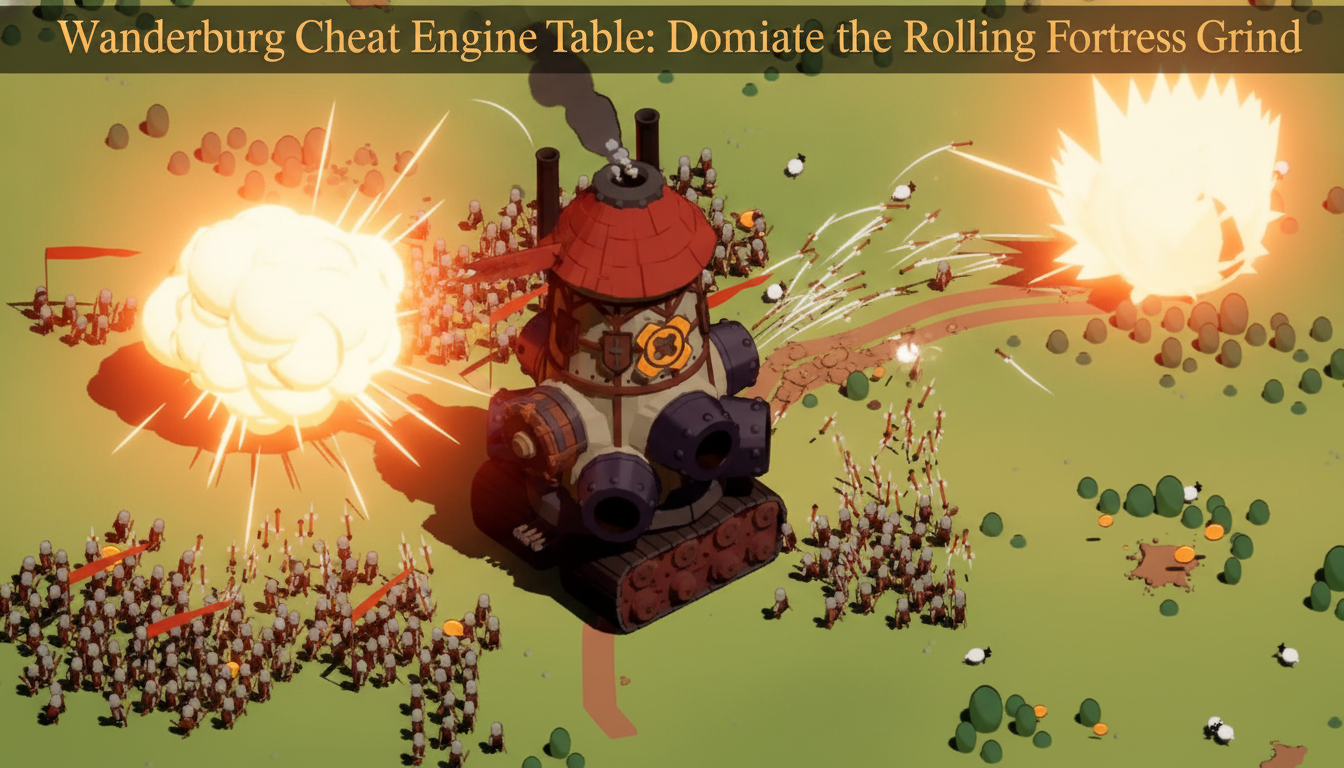
You have spent the last hour meticulously building your humble castle on wheels, absorbing smaller villages, and carefully installing cannons and mage towers. Your mobile fortress is looking unstoppable. Then, a massive, screen-filling predatory stronghold rolls over the hill, devours your entire creation in seconds, and sends you straight back to the main menu. Welcome to the brutal roguelike loop of Wanderburg. If you are tired of losing your hard-earned modules and vehicles to RNG, you are likely hunting for a way to tip the scales in your favor.
“I spent three hours perfectly optimizing my siege engine’s layout in the demo, only to get crushed by a massive AI fortress because I lacked the resources to upgrade my cannons. I immediately started looking for a .CT file to freeze my castle’s health and bypass the punishing roguelike reset.” — Based on community reports
If you are scouring the internet for a working Wanderburg Cheat Engine table to freeze your castle’s HP or give yourself infinite upgrade resources, you are in the right place. Below is the ultimate breakdown of how to manipulate the game’s memory, what works right now, and the ultimate shortcut to bypass the manual hacking process entirely.
TL;DR: The Short Answer
Because the game’s development is still highly active, finding a permanent, one-click solution requires some context:
- Current Table Status: No official, finalized Cheat Engine table (
.CTfile) has been confirmed yet. Wanderburg is scheduled for its full Early Access launch on September 8, 2026 [1]. - Demo Compatibility: The currently available Steam demo is frequently patched. Pre-made tables from forum communities (like FearlessRevolution) often break with minor updates.
- The Manual Fix: You can easily use Cheat Engine’s basic 4-byte memory scanning to manually freeze your castle’s health or resource count during any active run.
- The Ultimate Shortcut: If you don’t want to learn hexadecimal memory scanning, skip the headache and use XMODhub for instant, auto-updating cheats.
Table of Contents
- TL;DR: The Short Answer
- Why Hacking Wanderburg is Highly Sought After
- The Challenge with Roguelike Memory Structures
- How to Manually Hack Wanderburg Using Cheat Engine
- Variables You Can Safely Modify
- The Ultimate Shortcut: Use XMODhub
- Advanced Memory Scanning: Value Types and Hex Data
- Frequently Asked Questions
- Final Verdict: Building the Ultimate Siege Engine
Why Hacking Wanderburg is Highly Sought After
Wanderburg is not your typical medieval fantasy game; it is a minimalistic action roguelike where castles hunt and villages flee [1]. You start with a tiny, vulnerable structure on wheels. To survive, you must roll forward, absorb other fortresses, and dynamically expand your arsenal [1].
However, because the game is a roguelike, death means losing your current all-consuming siege engine [1]. Between runs, players unlock new modules, cannons, mage towers, and vehicles to use in future attempts [1]. This meta-progression loop is incredibly engaging—it even won the “Most Entertaining” award at Gamescom [1]—but it can also be a massive time sink. A Wanderburg Cheat Engine table allows players to bypass the repetitive early-game grind, instantly test out top-tier mage towers, and experience the thrill of piloting the largest possible stronghold without the fear of permadeath.
The Challenge with Roguelike Memory Structures
Before you go hunting for a .CT file, you need to understand why hacking Wanderburg can be slightly tricky. Like most modern roguelikes, the game uses dynamic memory allocation.
Every time you start a new run, your castle is generated in a completely different sector of your PC’s RAM. If you find the memory address that controls your cannon ammo in Run #1, that exact address will be completely useless in Run #2.
To create a permanent Cheat Engine table, creators must find “Pointers”—static addresses that always point to the dynamically changing data. Because the game is currently in its demo phase ahead of the September 2026 Early Access release [1], the developers at Studio Randwerk are constantly shifting the game’s code structure. A pointer that works today will likely break tomorrow.
If you prefer to use built-in developer tools rather than messing with third-party memory editors, you might want to check out our comprehensive guide on Wanderburg cheats and console commands to see if the developers have left any debug menus active in the current build.
How to Manually Hack Wanderburg Using Cheat Engine
Since an official, permanent fix has not been confirmed yet, your best option is to manually scan for the values you want to change during your current run. This method works perfectly on the current Steam demo.
Here is the step-by-step guide to giving yourself infinite resources to build cannons and mage towers:
Step 1: Attach the Process
- Launch the Wanderburg demo via Steam.
- Open Cheat Engine (ensure you are running the latest version).
- Click the glowing PC icon in the top left corner of Cheat Engine.
- Select the
Wanderburg.exeprocess from the list and click “Open”.
Step 2: Perform the Initial Scan
- Start a new run and check your current primary resource count (e.g., the material used to build new modules). Let’s say you have
50resources. - Alt-tab to Cheat Engine.
- In the “Value” box, type
50. Ensure the “Value Type” is set to4 Bytes(the standard for most Unity/Unreal engine integers). - Click First Scan. You will likely see thousands of results populate in the left panel.
Step 3: Change the Value in Game
- Return to the game.
- Roll your castle forward and absorb a fleeing village or a smaller fortress to increase your resources [1], or spend some resources to build a basic cannon.
- Let’s assume your new resource total is now
75.
Step 4: Filter and Freeze
- Alt-tab back to Cheat Engine.
- Change the number in the “Value” box to
75. - Click Next Scan (Do NOT click First Scan again).
- The list on the left should now be reduced to just one or two addresses.
- Double-click the address to bring it to the bottom active panel.
- Change the value to
99999and check the “Active” box to freeze it. You now have infinite resources to build the ultimate all-consuming siege engine.
Variables You Can Safely Modify
Based on community reports testing the demo, here are the safest variables to target with manual memory scanning:
- Castle Health/Integrity: Scan for your fortress’s HP. Freezing this ensures that no matter how large the enemy stronghold is, they cannot devour you.
- Module Unlock Currency: Between runs, you use a specific currency to unlock new vehicles and mage towers [1]. Scanning for this value in the main menu allows you to unlock the entire tech tree instantly.
- Cannon Cooldowns: This requires a “Float” or “Double” value scan. You can search for the cooldown timer of your siege weapons and freeze it at
0for rapid-fire destruction.
Warning: Avoid freezing values related to the physical size of your castle directly via basic scanning. The physics engine relies heavily on the modular grid system, and forcing your castle to be artificially massive without actually placing modules can cause the game’s collision detection to crash to the desktop.
The Ultimate Shortcut: Use XMODhub
Let’s be honest: manually performing 4-byte memory scans every single time you boot up the Wanderburg demo is tedious. Furthermore, when the game officially launches in Early Access on September 8, 2026 [1], constant patches will break any manual pointers you manage to save.
If you want to focus on hunting other castles and watching the villages flee without the headache of hexadecimal editing, XMODhub is the ultimate solution.
XMODhub is a premium, auto-updating mod client that detects your game version and injects safe, verified cheats directly into the engine. You don’t need to worry about pointers, offsets, or broken .CT files.
How to dominate Wanderburg with XMODhub:
- Download XMODhub: Install the lightweight, secure client directly to your PC.

- Auto-Detect Wanderburg: Launch the game. XMODhub will automatically detect whether you are playing the demo or the Early Access build and load the correct trainer profile.
- Toggle Cheats: Use hotkeys or the overlay to instantly activate features like God Mode (Un-devourable Castle), Infinite Module Resources, and Instant Mage Tower Unlocks.
Download Wanderburg Trainer Now
Why struggle with manual memory arrays when you can become the largest stronghold on the battlefield with a single click?
Advanced Memory Scanning: Value Types and Hex Data
For hardcore players who want to build their own Wanderburg cheat engine table from scratch, understanding how the game stores its data is crucial. Because the game utilizes a physics-based grid for its mobile fortress mechanics, using the wrong value type during a Cheat Engine pointer scan will yield zero results or, worse, crash your game.
Below is a quick reference data table to help you target the correct memory addresses and manipulate the game’s hidden mechanics effectively:
| In-Game Stat | CE Value Type | Recommended Action |
|---|---|---|
| Module Resources | 4 Bytes | Freeze at 9999 to build infinite cannons and defenses. |
| Castle HP | 4 Bytes | Freeze at Max HP to become an un-devourable siege engine. |
| Cannon Cooldown | Float | Freeze at 0.0 for rapid-fire destruction during combat. |
| Movement Speed | Float | Modify to 1.5 or 2.0 to easily outrun massive AI castles. |
| Meta-Currency | 4 Bytes | Edit in Main Menu only to unlock all mage towers safely. |
Troubleshooting Cheat Engine Crashes in Wanderburg
Manually manipulating a roguelike loop can sometimes lead to instability. If your game crashes to the desktop while using a Wanderburg CT file or during manual memory scans, keep these critical tips in mind:
- Physics Engine Overload: Do not freeze your castle size or grid variables directly. The game must calculate the weight, balance, and collision of every fleeing village you absorb. Let the size increase naturally by spending your hacked Module Resources to snap new pieces onto your grid.
- Pointer Shifts: If your frozen values stop working mid-run, the game likely shifted the memory block dynamically. You will need to perform a new scan immediately, unless you bypass this issue entirely by using a dynamic injector like XMODhub.
Frequently Asked Questions
Where can I download a safe Wanderburg Cheat Engine table?
Currently, no official, finalized table exists because the game is still in pre-release. Once the Early Access version drops in September 2026, reputable communities like FearlessRevolution will likely host .CT files. Until then, manual scanning or XMODhub are your best bets.
Will hacking corrupt my roguelike save file?
Because Wanderburg is a roguelike, your in-run progress is temporary. However, if you use memory editing to give yourself millions of meta-progression unlock points, there is a slight risk of overflowing the integer limit and corrupting your global save file. Always back up your save data located in your AppData/LocalLow/Randwerk folder before experimenting.
Can I unlock all vehicles and modules instantly?
Yes. By using Cheat Engine to scan for the meta-currency used between runs, you can give yourself enough points to buy every single cannon, mage tower, and vehicle chassis available in the current build [1].
Is there an anti-cheat in Wanderburg?
As of the current demo, Wanderburg is a purely single-player, minimalistic roguelike experience [1]. There is no kernel-level anti-cheat (like Easy Anti-Cheat or BattlEye) implemented, making it completely safe to attach Cheat Engine or third-party trainers.
Final Verdict: Building the Ultimate Siege Engine
Wanderburg offers a brilliant, highly addictive premise: start as a humble castle on wheels and transform into an all-consuming siege engine that changes the battlefield [1]. However, the roguelike difficulty curve isn’t for everyone. Whether you choose to manually hunt down memory addresses using Cheat Engine, or you wait for a dedicated .CT file to drop alongside the 2026 Early Access release, manipulating the game’s code is a fantastic way to experience the late-game carnage on your own terms.
But if you value your time and simply want to enjoy the power fantasy of devouring rival fortresses without the technical setup, XMODhub remains the absolute best choice. With support for over 5,000+ single-player PC games—including Serious Sam: Shatterverse and Mewgenics —XMODhub ensures that whenever you encounter a frustrating grind, the solution is only one click away. Download the client today, roll forward, and ensure that in the end, only your stronghold survives.
Stop Grinding, Start Enjoying.
Bypass the tedious resource gathering and unlock your full potential instantly.

I am a passionate gamer and writer at XMODhub, dedicated to bringing you the latest gaming news, tips, and insights.
Connect with me:
LinkedIn Profile ↗