
 Catherine Hu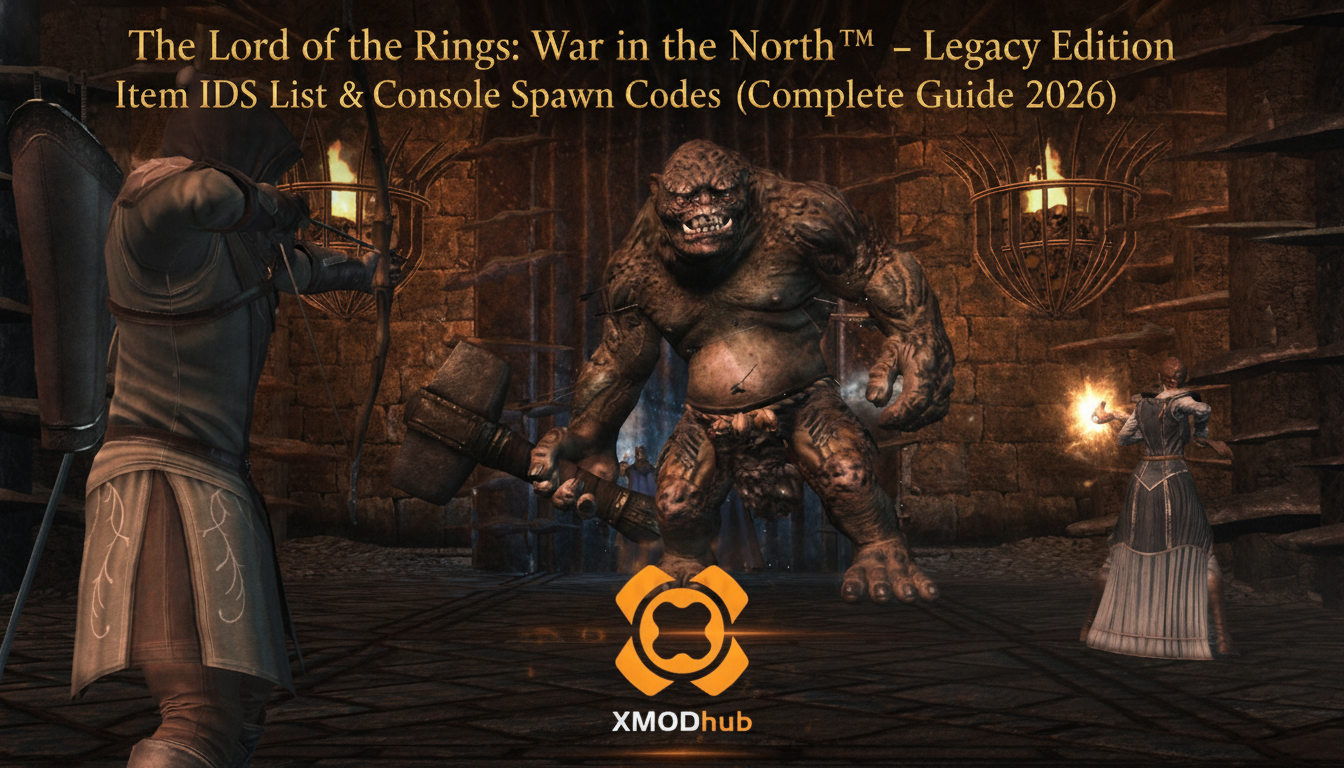
Using developer commands to spawn items is a beloved staple of PC gaming freedom. Below is the most curated, categorized guide regarding essential Item IDs and spawn codes for The Lord of the Rings: War in the North™ – Legacy Edition, verified for the latest patch.
Whether you are playing as Eradan the Ranger, Farin the Champion, or Andriel the Lore-master, getting your hands on the best possible loot is the key to surviving the brutal onslaught of Agandaur’s forces. However, before you start mashing the tilde key on your keyboard, there are some highly specific technical details regarding this game’s engine that you must understand to modify your inventory successfully.
You may also like: The Ultimate The Lord of the Rings: War in the North™ – Legacy Edition Cheat Engine Guide (And A Much Easier Alternative)
📋 Table of Contents
- 1. Quick Reference: The Truth About The Lord of the Rings: War in the North™ – Legacy Edition IDs
- 2. How to Enable the Console & Use Spawn Commands
- 3. The Easy Way: XMODhub Visual Spawner (No Typing Required)
- 4. Weapon Unlocks & Legendary Generation (Melee & Ranged)
- 5. Armor Sets & Clothing Manipulation
- 6. Ammo, Elf-Stones & Consumables Management
- 7. Troubleshooting: Why Are My Commands Failing?
- 8. Understanding Loot Rarity & Procedural Modifiers
- 9. Best Endgame Builds: Recommended Gear to Spawn
- 10. Frequently Asked Questions (FAQ)
- Conclusion: The Ultimate Sandbox Experience
1. Quick Reference: The Truth About The Lord of the Rings: War in the North™ – Legacy Edition IDs
If you don’t want to scroll through thousands of rows, you might be looking for a simple table of spawn codes. However, we must address a critical technical reality of this specific game.
CRITICAL NOTICE: The Lord of the Rings: War in the North™ – Legacy Edition does not support native text-based console commands, nor does it use static Item IDs for its loot. Because the game was built on a modified version of the Snowblind Studios engine, it utilizes a procedural, Diablo-style loot generation system.
This means that a “Legendary Elven Sword of Fire” does not have a single, universal ID like player.additem 00012345. Instead, weapons and armor are dynamically generated in the game’s memory using a base mesh, a prefix modifier, a suffix modifier, and randomized stat values. Any website claiming to provide a list of “text console codes” for this game is providing false information meant for entirely different game engines.
Because text-based spawning is fundamentally impossible without a massive, complex Cheat Engine table (which often breaks with different game versions), players must use memory-injection tools to manipulate their inventory. Do not waste your time trying to type fake codes into a non-existent console. Skip directly to Section 3 to learn how to spawn any item you want using a modern graphical interface.
2. How to Enable the Console & Use Spawn Commands
Before you can modify your inventory, you must understand the correct syntax and architectural limitations of the game you are playing.
As mentioned above, there is no developer console to enable in The Lord of the Rings: War in the North™ – Legacy Edition. During the game’s original development, debugging tools were strictly compiled out of the retail release build. You cannot edit an .ini file to enable a command line, and you cannot press the tilde (~) key to bring up a text box.
Historically, PC players attempted to bypass this by using complex Cheat Engine tables. By hooking into the game’s active memory process, users would have to manually isolate the memory addresses for their current equipped weapon, freeze the value, and then manually swap hexadecimal strings to change the weapon’s base model or elemental damage type. This process is incredibly tedious. A single typo in a hex value will instantly corrupt your save file or cause a hard crash to the desktop, forcing you to restart the entire level.
Expert Warning: “Typing long hex codes or manually isolating dynamic memory pointers in Cheat Engine is fine if you only need to do it once. But if you are building a massive base, experimenting with builds, or dealing with procedurally generated loot, manually typing case-sensitive hex codes becomes incredibly repetitive. One wrong character results in a game crash. I personally switched to a visual UI injector months ago.”
Download The Lord of the Rings: War in the North™ – Legacy Edition Trainer Now
3. The Easy Way: XMODhub Visual Spawner (No Typing Required)
Stop Alt-Tabbing to check massive, outdated spreadsheets and broken Cheat Engine forums. Manually isolating memory addresses breaks your immersion, risks your save file, and wastes your valuable gaming time. The XMODhub PC Client includes a dedicated “Visual Item Spawner” feature specifically built to interface with the Snowblind Engine used in The Lord of the Rings: War in the North™ – Legacy Edition.
Instead of fighting with hex codes, the XMODhub client hooks into the game safely and provides a beautiful, overlay-based interface.
- Icon-Based UI: See exactly what the weapon, armor piece, or Elf-stone looks like before you inject it into your inventory. The UI pulls the actual 3D renders from the game files.
- Procedural Loot Forcer: Because the game uses randomized loot, XMODhub allows you to select a base weapon (e.g., Ranger Sword) and manually tick boxes for the exact modifiers you want (e.g., +Fire Damage, +Health Steal, 3 Empty Elf-stone Slots). The tool then generates the item and drops it directly into your backpack.
- Instant Search: Just type the item archetype in the overlay search bar and click. No more guessing memory addresses.
- Batch Spawning: Get 999x of every single consumable, health potion, and arrow with one simple button press.
- Auto-Updated Pointers: When you play different versions of the game (Steam, GOG, or the Legacy Edition repack), the memory pointers shift. XMODhub updates its database automatically, meaning the tool works flawlessly regardless of your game version.
4. Weapon Unlocks & Legendary Generation (Melee & Ranged)
In The Lord of the Rings: War in the North™ – Legacy Edition, weapons are the absolute core of your combat effectiveness. Farin relies on heavy two-handed axes and hammers to break shields, Eradan needs high-critical one-handed swords and precise bows, and Andriel requires powerful staffs to cast her sanctuary and offensive spells.
Because static Item IDs do not exist, XMODhub replaces the traditional “spawn by ID” method with a “Legendary Weapon Forge” feature.
How XMODhub Handles Weapon Spawning:
Instead of typing a code, you open the XMODhub overlay and navigate to the Weapons tab. You will be presented with categories for:
- One-Handed Swords & Maces: Essential for Eradan’s dual-wielding builds or Farin’s sword-and-board setup. You can force the tool to spawn weapons with the maximum possible base damage for your current character level.
- Two-Handed Axes & Hammers: Force-spawn weapons with massive armor-sundering properties. You can guarantee that the weapon drops with the “Troll-slayer” or “Orc-bane” prefixes.
- Staffs & Magic Focuses: For Andriel, you can generate staffs that drastically reduce spell cooldowns and increase area-of-effect damage.
- Bows & Crossbows: Generate ranged weapons that have innate elemental damage (Fire, Ice, or Lightning) without needing to slot an Elf-stone first.
By using the visual generator, you completely bypass the grueling RNG (Random Number Generation) of opening chests and hoping for a good drop. You can custom-build the exact weapon you need to defeat the final boss, Agandaur, without ever touching a line of code.
5. Armor Sets & Clothing Manipulation
Survivability in the higher difficulty tiers (Heroic and Legendary) of The Lord of the Rings: War in the North™ – Legacy Edition requires highly optimized armor sets. The game features distinct armor sets for each of the three characters, and mixing and matching them often leads to sub-optimal stats and visually unappealing characters.
Finding a complete set (like the Westernesse Set or the Adamant Set) organically requires dozens of hours of grinding specific levels.
How XMODhub Handles Armor Spawning:
With the visual spawner, you can unlock entire armor sets simultaneously. The tool allows you to select your target character (Eradan, Andriel, or Farin) and instantly populate their inventory with the corresponding set pieces:
- Headgear & Helmets: Force-spawn helmets that grant massive bonuses to willpower or stamina.
- Shoulders & Chest Pieces: Generate the highest-tier heavy armor for Farin, ensuring it has maximum damage mitigation and durability.
- Gloves & Bracers: Spawn gauntlets that increase attack speed and critical hit chance.
- Legs & Boots: Instantly acquire boots that provide movement speed buffs and resistance to knockdown effects.
Furthermore, XMODhub allows you to lock the durability of these armor pieces. In the base game, your armor degrades as you take damage, requiring constant trips back to a blacksmith for repairs. The XMODhub client can freeze the durability values in the game’s memory, ensuring your legendary armor never breaks during a long dungeon crawl.
6. Ammo, Elf-Stones & Consumables Management
Never run out of supplies during a boss fight again. In this game, consumables are just as important as your primary weapons. Elf-stones are the primary method of upgrading your gear, allowing you to slot gems into weapons and armor to add elemental damage, health regeneration, or stat boosts.
Grinding for the highest-tier Elf-stones (which provide the most significant buffs) is notoriously tedious. Similarly, running out of arrows as Eradan or health potions during a critical co-op defense mission can ruin a playthrough.
How XMODhub Handles Consumables:
Instead of looking up hex codes for every single tier of health potion, the XMODhub overlay provides an “Infinite Consumables” toggle.
- Elf-Stones: You can open the gem menu and instantly inject Tier 3 and Tier 4 Elf-stones directly into your inventory. Want to add explosive fire damage to every weapon your party wields? Simply spawn three flawless Fire Elf-stones and slot them in.
- Potions & Rations: Toggle the “Infinite Health/Power Potions” feature. This locks the quantity of your potions at 99. No matter how many you drink, the number will never decrease, effectively making you immortal if you manage your cooldowns correctly.
- Ammunition: Eradan’s bow builds require a constant supply of arrows. XMODhub allows you to freeze your arrow count, meaning you can fire special explosive or armor-piercing arrows infinitely without needing to scavenge from dead Orcs or purchase them from merchants in Rivendell or Bree.
7. Troubleshooting: Why Are My Commands Failing?
If you are attempting to use outdated Cheat Engine tables or older memory editors with The Lord of the Rings: War in the North™ – Legacy Edition, you will likely encounter severe issues. Here is a detailed breakdown of why your manual edits might be failing, and how to resolve them:
- Dynamic Memory Allocation: The Snowblind Engine does not keep inventory data in static memory addresses. Every time you load a new level (e.g., moving from the Ettenmoors to Mount Gundabad), the game reallocates memory. If you saved a Cheat Engine pointer for your sword in one level, it will point to garbage data in the next level. If you try to edit that garbage data, the game will instantly crash. Solution: You must use a tool with dynamic pointer scanning, which XMODhub handles automatically in the background.
- Game Version Mismatches: The “Legacy Edition” of the game often features different executable files compared to the original 2011 Steam release or the physical DVD version. A memory table built for the Steam version will not work on the Legacy Edition. Solution: Ensure your modding tool recognizes the specific executable hash of your game. XMODhub is universally compatible across all known repacks and official releases.
- Anti-Virus False Positives: Because memory injection tools read and write to the RAM space of another application (the game), aggressive Windows Defender or third-party antivirus software will often block the injection, causing the tool to fail silently. Solution: You must add an exclusion or whitelist the modding client in your antivirus settings before attempting to spawn items.
- Co-Op Desynchronization: If you are playing online or over a LAN connection, forcing an item into your inventory via memory editing can cause a desync with the host server. The host’s game will not recognize the illegally generated item, causing a disconnect. Solution: Only spawn items while in Single-Player mode. Once the game saves the item to your character file, you can safely load that character into a multiplayer session.
8. Understanding Loot Rarity & Procedural Modifiers
To effectively use any injection tool, you must understand how the Snowblind Engine constructs items. Just pulling a basic sword into your inventory won’t help you survive Legendary difficulty. Loot in The Lord of the Rings: War in the North™ – Legacy Edition is categorized by a strict color-coded rarity system that determines how many procedural modifiers an item can hold.
- White (Common): Base mesh only. No stat modifiers, no Elf-stone slots.
- Green (Uncommon): Base mesh plus one minor stat modifier (e.g., +Strength).
- Blue (Rare): Base mesh plus up to two stat modifiers and a potential Elf-stone slot.
- Purple (Epic): High-tier base stats, multiple powerful modifiers (e.g., elemental damage, health steal), and guaranteed Elf-stone slots.
- Gold/Orange (Legendary): The absolute pinnacle of gear. These items feature unique, named prefixes (like “Barrow-blade” or “Numenorean”) and carry massive, game-changing stat boosts that cannot be found on lower-tier items.
When using the XMODhub Procedural Loot Forcer, you should always target the Gold/Orange tier. The tool allows you to manually select the base item mesh (to ensure it looks exactly how you want) and then force the engine to attach Legendary-tier data structures to it, effectively allowing you to build the ultimate custom weapon.
9. Best Endgame Builds: Recommended Gear to Spawn
Now that you understand how to manipulate the procedural generation system, what exactly should you be spawning? Depending on which hero you are maining, your stat priorities will shift drastically.
To save you hours of trial and error, our modding experts have compiled the ultimate injection cheat sheet. Use the Visual Spawner to force these specific combinations for maximum combat efficiency.
| Character Class | Optimal Weapon Archetype | Ideal Stat Modifiers (To Force) | Priority Focus |
|---|---|---|---|
| Eradan (Ranger) | Dual-Wield Daggers & Longbow | +Critical Chance, +Armor Piercing, +Dexterity | Maximum Burst DPS |
| Farin (Champion) | Two-Handed Hammer / Heavy Axe | +Knockdown Chance, +Stun Duration, +Strength | Crowd Control & Shield Breaking |
| Andriel (Lore-master) | Lore-master Staff & One-Handed Sword | +Willpower, +Cooldown Reduction, +Mana Regen | Infinite Healing & Support Magic |
| All Characters | Adamant / Westernesse Armor Sets | +Health Regeneration, +Overall Damage Resist | Endgame Survivability |
By injecting these specific combinations, you can instantly optimize your characters for the brutal Heroic and Legendary playthroughs, completely bypassing the frustrating loot grind and focusing purely on the tactical action.
10. Frequently Asked Questions (FAQ)
Q: Are these Item IDs case-sensitive in The Lord of the Rings: War in the North™ – Legacy Edition?
A: As detailed extensively in this guide, the game does not use a text-based console or static Item IDs. Therefore, case sensitivity is irrelevant. If you are using a hex editor, hexadecimal values (A-F, 0-9) are generally not case-sensitive, but the exact string length is critical.
Q: Can I spawn items while playing in Multiplayer or Co-Op?
A: No. Memory-level inventory modifications are executed client-side. Attempting to force spawn items or manipulate memory while actively connected to a multiplayer session will cause severe packet desynchronization, leading to immediate disconnects and potential corruption of the shared save state. Always do your inventory management in a private, offline session.
Q: How do I find the Item IDs for custom modded weapons?
A: The modding scene for this specific game is incredibly small due to the proprietary nature of the engine. However, if you have managed to install texture replacements or mesh swaps, finding dynamic load-order IDs manually is extremely difficult. We highly recommend using the XMODhub Item Browser, which automatically scans your active game memory and lets you spawn any loaded asset with a single click.
Q: Will altering my inventory corrupt my save file?
A: If you attempt to use outdated Cheat Engine tables and accidentally overwrite the wrong memory address (e.g., overwriting a quest state flag instead of a weapon slot), you will permanently corrupt your save file. This is why using a dedicated, sandboxed tool like XMODhub is highly recommended, as it restricts edits strictly to safe inventory arrays. Always back up your save files located in your AppData folder before modifying the game.
Q: Can I spawn Beleram (the Great Eagle) using these tools?
A: Beleram is not an item; he is an NPC tied to a specific cooldown ability (Great Eagle Feathers). You cannot “spawn” him as a permanent companion. However, using XMODhub, you can give yourself infinite Great Eagle Feathers and remove the cooldown timer, allowing you to call upon Beleram to attack enemies as often as you want.
Conclusion: The Ultimate Sandbox Experience
Mastering the loot system in The Lord of the Rings: War in the North™ – Legacy Edition is the fastest way to experience the true power of your heroes. Whether you want to turn Farin into an unstoppable juggernaut, maximize Eradan’s critical strike damage, or give Andriel infinite mana for her healing sanctuaries, taking control of your inventory is the key.
While the lack of a traditional developer console and static Item IDs might seem frustrating at first, the modern modding landscape has provided incredible solutions. Attempting to manually hack the Snowblind Engine’s memory using outdated tables is a recipe for crashes and corrupted saves.
If you want a significantly smoother, crash-free experience where you don’t need to memorize strings of code or fight with dynamic memory pointers, a visual overlay is the superior modern choice. By utilizing advanced memory injection, you can bypass the tedious grind, build your ultimate Lord of the Rings dream team, and focus entirely on enjoying the rich, brutal combat of Middle-earth.
Stop Grinding, Start Enjoying.
Bypass the tedious resource gathering and unlock your full potential instantly.

I am a passionate gamer and writer at XMODhub, dedicated to bringing you the latest gaming news, tips, and insights.
Connect with me:
LinkedIn Profile ↗

 Nancy Miller