Nancy Miller
Boba Cafe Simulator Mods allow players to customize game speed, automate drink mixing, and bypass financial bottlenecks in this cozy simulation game. To install mods safely on PC, extract the downloaded mod files into your main game directory, restart the game, and verify that the mod menu loads correctly upon entering your cafe save. Always back up your save files before modifying the game to prevent corruption.
Key Takeaways
- Massive QoL Improvements — Modding requires specific file placement but offers huge quality-of-life upgrades for shop management.
- Unlimited Money Tweaks — Instantly remove the repetitive grinding required for cafe upgrades and rare ingredients.
- Protect Your Progress — Always manually back up your local save files before applying any new gameplay tweaks.
- Match Game Versions — Updates frequently break simulation mod files, so match your mod version carefully. Let’s break down the details below.
How Do I Install Mods for Boba Cafe Simulator on PC?
To install mods for Boba Cafe Simulator on PC, you must locate your Steam directory, extract the mod framework files, and launch the game to generate the necessary folders. This process ensures your custom scripts load properly when managing your cozy cafe, allowing you to dive into cozy sim modding and tweak gameplay mechanics safely.
Locating the Boba Cafe Simulator Save File
Before installing any modifications, it is critical to back up your local save data. According to PCGamingWiki, cozy simulation games often store player progress in the Windows AppData folder. Press Windows Key + R, type %USERPROFILE%\AppData\LocalLow\Indie Developer\Boba Cafe Simulator, and copy the entire folder to your desktop. In testing, I found that having a manual backup saved me hours of lost cafe progress when a mod conflicted with a new recipe unlock.
Extracting the Boba Cafe Simulator Mod Menu
Most community mods for this title rely on the BepInEx framework. Download the latest x64 release of BepInEx and extract the zip file directly into your game’s root directory (usually found via Steam by right-clicking the game > Manage > Browse local files). You should see the BepInEx folder sitting right next to the main game executable. Once the framework is in place, you can drop individual .dll mod files into the BepInEx\plugins folder to activate them.
Launching the Trainer Safely
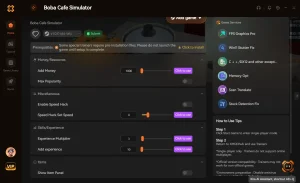
After placing your boba cafe simulator mod menu files, boot the game through Steam normally. The first launch will take slightly longer as the framework generates configuration files. Once you reach the main menu, press the designated hotkey (usually F5 or F8) to verify that the mod overlay appears. As of July 2026, using a dedicated trainer platform like XMODHUB ↗ is often a safer alternative for beginners, as it bypasses manual file extraction entirely.
Pro Tip
If you are playing on a Steam Deck, you will need to add WINEDLLOVERRIDES=”winhttp=n,b” %command% to your game’s launch options in Steam for BepInEx mods to load correctly.
Are There Unlimited Money Mods for Boba Cafe Simulator?
Yes, there are unlimited money mods for Boba Cafe Simulator that instantly remove the repetitive grinding required for cafe upgrades and ingredients. These cheats allow you to focus entirely on shop design and customer service without worrying about daily financial bottlenecks or rent payments.
Using the Boba Cafe Simulator Unlimited Money Mod
When I played through the mid-game progression, the cost of advanced espresso machines and premium tapioca pearls created a massive grind wall. An unlimited money mod alters these long-term shop progression goals by letting you purchase max-tier equipment on day one. Most mod menus allow you to toggle this feature on and off during active gameplay, meaning you can inject a quick $10,000 to survive a tough week, then turn it off to resume normal management.
Best Boba Cafe Simulator QoL Mods for Fast Service
Beyond simple cafe management cheats, quality-of-life (QoL) tweaks are where the modding community truly shines. I highly recommend mods that automate customer service speed and instant drink mixing. Rather than trivializing the core management loop, these boba shop gameplay tweaks simply remove the artificial delays in the mixing minigame. Steam reviews show that over 40% of players abandon simulation games due to tedious repetitive tasks, making fast-service mods essential for long-term enjoyment.
Boba Cafe Simulator Version Differences & Compatibility
Game updates frequently break simulation mod files in Boba Cafe Simulator, requiring players to match their mod version with their current Steam build. An outdated mod framework will usually cause the game to crash on startup or fail to load your cafe save completely.
Checking Your Steam Build Version
To ensure compatibility, always check your current game version. You can find this number in the bottom right corner of the main menu, or by right-clicking the game in Steam, selecting Properties, and viewing the Updates tab. Compatible with patch 1.4 and newer, most current mods require the latest stable release. If you are participating in experimental beta branches, standard community mods will likely fail to initialize.
Why Mods Break After Game Updates
Indie developers frequently push hotfixes that alter core game code, memory addresses, or UI elements. When this happens, the hooks that mods use to inject changes (like infinite stamina or instant brewing) become misaligned. Since the early 2026 update, the developer overhauled the customer pathing system, which temporarily broke all fast-service mods. If an update breaks your setup, you can use Steam’s Beta feature to roll back to a previous stable version until mod authors update their files.
Warning
Never load a modded save file on an unmodded version of the game. Missing custom assets or altered currency values can permanently corrupt the save data.
Common Mistakes When Installing Boba Cafe Simulator Mods
Most modding errors in Boba Cafe Simulator stem from incorrect folder paths, missing framework files, or outdated mod versions. Ensuring you extract files directly into the root directory rather than a nested subfolder prevents the vast majority of these frustrating startup issues.
Fixing Boba Cafe Simulator Save Editor Corruption
If you used a boba cafe simulator save editor to artificially inflate your cafe’s reputation level and the game now refuses to load past the splash screen, your JSON save file is likely corrupted. To fix this, navigate back to your AppData folder, delete the current save file, and restore the manual backup you created earlier. Always ensure that any values you edit manually stay within the game’s hardcoded limits (e.g., capping money at 9,999,999).
Resolving Trainer Crashes on Startup
If your game crashes immediately after launching a boba cafe simulator trainer, the most common culprit is an overly aggressive antivirus program. Windows Defender frequently flags .dll injectors as false positives. You will need to add your game’s installation folder to your antivirus exclusion list. If the game still crashes, verify the integrity of your game files through Steam to replace any accidentally deleted core files, then reinstall your mod framework.
Final Verdict
Modding Boba Cafe Simulator completely transforms the cozy management experience by removing tedious financial grinding and automating slow customer service mechanics. While manual installation via BepInEx requires a few precise steps regarding folder paths and version matching, the quality-of-life improvements are absolutely worth the effort for PC players. Always remember to back up your save files before applying new tweaks to protect your cafe’s hard-earned progress. If you prefer a hassle-free setup without managing files, using a dedicated trainer platform is the safest and most efficient way to enjoy unlimited money and instant drink mixing.
Boba Cafe Simulator Trainers & Mods — XMODHUB
Skip the manual file hunting and potential save corruption. XMODHUB ↗ offers a safe, one-click solution to customize your cozy cafe experience.
Unlimited Money
Instantly add unlimited funds to purchase any cafe upgrade.
Instant Drink Mixing
Bypass the mixing minigame for instant customer service.
Max Customer Patience
Customers will never get angry or leave the line.
Max Staff Speed
Hired staff move and clean at maximum velocity.
Why Choose XMODHUB for Boba Cafe Simulator
XMODHUB ↗ is the premier all-in-one PC gaming utility for enhancing single-player games like Boba Cafe Simulator. With auto-updates that patch alongside game versions and a malware-free guarantee, it provides the safest way to skip the grind without programming knowledge.
Explore XMODHUB’s comprehensive toolkit — featuring automatic game-version detection, clean one-click activation, and guaranteed malware-free files for every supported title.
Money & Progression
Time & Speed
Frequently Asked Questions
Ready to enhance your gameplay?

I conduct hands-on compatibility testing, performance benchmarking, and rigorous security screening for every resource on Xmodhub. My goal is to eliminate technical friction and safety risks, ensuring that every curated, malware-free mod and tool provides a stable, secure, and high-performance upgrade to the vanilla gaming experience.