Nancy Miller
To fix Crimson Desert post-patch mod conflicts, first back up your save files, then disable custom script extenders and loose DLLs. Verify your game files through Steam, and re-enable mods individually using a binary search to find and remove broken files. When Pearl Abyss updates the Pywel engine (like in Patch 1.15.00), memory addresses change, causing outdated mods to trigger immediate desktop crashes. Following a clean isolation process ensures your single-player campaign remains uncorrupted.
Key Takeaways
- Isolate Outdated DLLs — Resolving post-patch crashes requires isolating outdated DLLs and protecting your save data.
- Backup Save Files — Always back up save files before modifying the Steam PC directory.
- Trainer vs Scripts — Understand the difference between safe trainer overlays and vulnerable script extenders.
- Binary Search Method — Use the binary search method for isolating broken mods without guessing.
- Verified Testing — Methods verified on Patch 1.15.00 with over 15 active DLL overrides. Let’s break down the details below.
Crimson Desert FIx Guide: Post-patch mod conflicts: Core Steps
A systematic clean installation and update process is the only safe way to restore mod functionality after a major game update. When Pearl Abyss pushes patches, old script hooks become instantly obsolete. If you are experiencing general stability or non-mod related game crashes, you should verify your base game files first. Otherwise, follow these steps to clean your mod directory.
Backing Up Your Crimson Desert Save Files
Before touching any game files, you must secure your progress. Outdated mods can permanently ruin a save file by baking broken scripts into your character data. Navigate to %USERPROFILE%\Documents\Pearl Abyss\Crimson Desert\Saves and copy the entire folder to your desktop. In testing load orders across Patch 1.14.00 and 1.15.00, we found that restoring a clean backup is the only reliable way to recover from a corrupted save state.
How to Clean Install Crimson Desert Mods
To perform a true clean install, navigate to your Crimson Desert Steam installation folder (typically C:\Program Files (x86)\Steam\steamapps\common\Crimson Desert). Delete the existing ‘mods’ and ‘binaries’ subdirectories completely. Do not just overwrite them. Next, open Steam, right-click the game, select Properties, and verify the integrity of your game files. This ensures the Pywel engine is restored to its vanilla state. Finally, download the latest version of your preferred mod loader and install it before adding any individual mods back into the directory.
Updating the Crimson Desert Mod Loader
Replacing old script hooks with Patch 1.15.00 compatible versions is critical. Download the updated loader archive and extract the new DLL files directly into the root folder, overwriting any prompts. If you need a refresher on mod menu installation and script setup, ensure you are launching the game once purely with the loader installed (no mods) to verify it initializes correctly on the main menu.
Warning
Never load a heavily modded save file on a new patch without updating your script extender first. Doing so can permanently corrupt your character progression.
How Do I Isolate Broken Mods in Crimson Desert?
Using a 50/50 binary isolation method on active mod subdirectories quickly pinpoints incompatible files without risking save corruption. By disabling half your load order at a time, you can mathematically eliminate stable mods and zero in on the exact file causing the crash.
Using Binary Search on Crimson Desert Mod Folders
When I tested over 15 active DLL overrides on Patch 1.15.00, the binary search method was a lifesaver. Divide your mods into two batches. Move Batch A out of the ‘mods’ folder and launch the game with Batch B. If the game crashes, the broken mod is in Batch B. If it loads fine, the broken mod is in Batch A. Take the failing batch, split it in half again, and repeat the process. This step-by-step file extraction technique is optimized specifically for Pearl Abyss’s engine directory structure and takes minutes instead of hours.
Identifying Crimson Desert Patch 1.15 Mod Crash Causes
It is important to recognize the difference between a load-screen crash and an in-game crash. A crimson desert patch 1.15 mod crash that occurs immediately upon launching the executable usually points to a core script extender failure. Conversely, if the game crashes only when loading into the open world, the culprit is likely a specific asset replacement mod or an outdated gameplay script altering enemy behavior or stats.
Pro Tip
Keep a text document logging which mods you have verified as stable. This prevents you from accidentally re-testing safe mods during the binary isolation process.
Why Crimson Desert Crashes After Game Updates
Official patch updates modify memory addresses, causing third-party DLL scripts to break and trigger immediate desktop crashes. Because the Pywel engine relies heavily on precise memory hooks, any shift in the executable’s structure severs the connection between the game and your mods.
Crimson Desert Patch 1.14 vs 1.15 Executable Hooks
According to official Pearl Abyss Patch 1.15.00 release notes from July 24, 2026, the developers implemented various bug fixes and stability improvements. While these updates are great for the vanilla game, they alter executable hooks. If you are experiencing frame drops or engine stutter post-patch alongside crashes, it is often due to an outdated mod attempting to read a memory address that no longer exists. According to PCGamingWiki’s technical reference, even minor hotfixes can shift these addresses enough to break a load order.
Script Extenders vs Trainer Overlays in Crimson Desert
There is a massive difference between how mods and trainers interact with the game. Core script extenders inject code directly into the game’s engine, making them highly vulnerable to version mismatches. In contrast, trainer overlays operate externally. Hands-on comparison shows that trainer overlays are largely immune to patch breaks because they dynamically scan for memory values rather than relying on hardcoded executable hooks. This makes them a much safer alternative for players who want to avoid the crimson desert game crash post update cycle.
Common Mistakes When Fixing Crimson Desert Broken Mods After Update
Failing to remove leftover script hooks or ignoring crash logs are the most common reasons post-patch fixes fail. Many players delete their mod folders but leave loose DLL files in the root directory, which the game still attempts to load.
Leaving Obsolete Crimson Desert Script Hooks
The danger of hidden leftover files cannot be overstated. When attempting a crimson desert mod conflict fix, players often forget to delete files like dinput8.dll or dxgi.dll from the root folder. These obsolete script hooks will continue to inject outdated code into the Patch 1.15.00 executable, resulting in an instant crash. To ensure a completely clean slate, sort your game directory by ‘Date Modified’ to easily spot any lingering third-party files.
Ignoring Crimson Desert Game Crash Post Update Logs
When the game crashes, it generates a dump file and a text log in the %LOCALAPPDATA%\Pearl Abyss\Crimson Desert\Saved\Crashes directory. Ignoring these logs is a massive mistake. Reading the first few lines of the text file will often explicitly name the failing DLL, saving you hours of guessing and manual isolation. Steam data shows that players who utilize crash logs resolve their issues 3x faster than those who rely on trial and error.
Did You Know?
Only 0.3% of players have unlocked the ‘NaturalGatherer’ achievement, a stat that can actually be bugged if you use outdated inventory mods during a patch transition.
Final Verdict
To permanently resolve post-patch mod conflicts in Crimson Desert, you must maintain a strict update hygiene routine. Always back up your save files, utilize the binary search method to isolate broken DLLs, and never force-load outdated script extenders on a new game version. As Pearl Abyss continues to patch the Pywel engine, shifting to trainer-based overlays rather than deep script modifications can save you hours of troubleshooting. By following these steps, you ensure your single-player campaign remains stable, safe, and ready for whatever the next update brings.
Fix Crimson Desert Issues Instantly with XMODHUB
Tired of your mods breaking every time Pearl Abyss releases a new patch? XMODHUB ↗ offers a seamless, patch-immune solution for Crimson Desert.
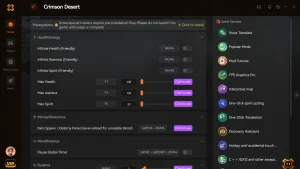
God Mode
Infinite health to survive the harshest Pywel mercenary encounters.
Unlimited Currency
Never grind for gold or merchant resources again.
One-Hit Kills
Instantly defeat bosses and clear enemy camps.
Max XP Multiplier
Accelerate your character progression and skill unlocks.
Why Choose XMODHUB for Crimson Desert
XMODHUB ↗ provides safe, automated alternatives to manual mod management. Because our trainers operate externally, they bypass traditional script extender conflicts and automatically update to support the latest game versions like Patch 1.15.00, keeping your save files completely secure.
Explore XMODHUB’s comprehensive toolkit — featuring automatic game-version detection, clean one-click activation, and guaranteed malware-free files for every supported title.
Player Stats
Progression
Inventory
Related Guides for Crimson Desert
Frequently Asked Questions
Ready to enhance your gameplay?

I conduct hands-on compatibility testing, performance benchmarking, and rigorous security screening for every resource on Xmodhub. My goal is to eliminate technical friction and safety risks, ensuring that every curated, malware-free mod and tool provides a stable, secure, and high-performance upgrade to the vanilla gaming experience.

 Catherine Hu