Catherine Hu
CRITICAL WARNING: Because hololive Dreams is a live-service Free-to-Play gacha game with online co-op via the Fortune Network and a strict 3rd-party EULA, traditional file-replacement mods do not exist for this game. Modifying core game files will result in an immediate account ban. However, the community has embraced the game’s official User-Generated Content (UGC) system and safe memory injectors to achieve “mod-like” experiences. Here are the top 5 essential tweaks and custom charts:
- Extreme Hardcore Charts (UGC): Community-created beatmaps utilizing the built-in “Create Chart” function that push the six-lane falling notes system to its absolute limit.
- Auto-Perfect Combo Saver (XMODhub Tweak): A memory-level adjustment that guarantees perfect timing on all tap, hold, slide, and flick notes during solo offline practice.
- Jump Rope God Mode (XMODhub Tweak): Bypasses the strict three-life system in the notoriously difficult Jump Rope minigame, ignoring view-blocking obstacles entirely.
- Instant UI Skin Unlocker (XMODhub Tweak): Skips the tedious gacha grind to instantly unlock all rhythm UI skins and Chibi talent cosmetics for your Hololive Park.
- ReShade Post-Processing (Visual Injection): A safe overlay that enhances the colors and contrast of the official music videos and live concert backgrounds without altering game files.
Editor’s Note on Testing Methodology: The mods and tweaks featured in this guide were analyzed based on community downloads, stability, and recent patch compatibility. Always remember to back up your original save files before altering your game directory. If you want to bypass complicated mod managers entirely and avoid anti-cheat bans, skip to the XMODhub section below.
Introduction
Playing hololive Dreams in its vanilla state is an incredible experience. Released by QualiArts and Cover Corp., this massive title beautifully blends a rhythm game with deep RPG mechanics, theme park development, and a rich minigame collection. With over 150 songs at launch—including cover songs, group anthems, and two solo tracks for each of the 50+ featured members—the sheer volume of content is staggering.
However, as with any gacha-based rhythm game similar to BanG Dream! or Project Sekai, players eventually hit a wall. Whether you are annoyed by the clunky inventory system in the Hololive Park, struggling with the strict timing windows on Hardcore charts, or simply want to skip the tedious grinding mechanics to unlock your favorite talent’s solo song, the community is always looking for reliable workarounds.
Diving into modding for a live-service game can be overwhelmingly dangerous. With strict server-side checks, figuring out which tweaks actually work—and which ones will permanently ban your Steam account—is a massive headache. After analyzing the game’s architecture, the Fortune Network co-op system, and the built-in “Create Chart” feature, we have compiled the definitive list of the best hololive Dreams mods, custom charts, and safe memory tweaks you need to utilize right now.
You may also like: The Ultimate hololive Dreams Cheat Engine Guide (And A Much Easier Alternative)
📋 Table of Contents
- Quick Answer: What are the best hololive Dreams mods right now?
- Introduction
- 1. How to Install Mods for hololive Dreams Safely
- 2. Top Quality of Life (QoL) Mods & Tweaks
- 3. Best Visual and Graphics Mods
- 4. Top Gameplay and Overhaul Mods
- 5. Is There a Mod Limit in hololive Dreams?
- 6. The Danger of Mod Conflicts and Corrupted Saves
- 7. The Easier Alternative to Gameplay Mods: XMODhub
- 8. Troubleshooting: Mods Crashing on Startup
- 9. Essential PC Optimizations for Modded Rhythm Gameplay
- 10. Recommended Tweak Priority: What to Inject First
- 11. Frequently Asked Questions (FAQ)
- Conclusion
1. How to Install Mods for hololive Dreams Safely
Before downloading anything, you need to understand how hololive Dreams handles custom content. Because this game features in-app purchases, competitive scoring based on team composition, and requires players to agree to a strict 3rd-party EULA, you cannot use traditional mod managers like Vortex or Mod Organizer 2. Attempting to drop modified .pak files into your Steam directory will trigger file integrity checks and result in an immediate ban.
Instead, “modding” hololive Dreams is done through two distinct, safe methods:
Method A: The Official “Create Chart” System
- Launch hololive Dreams from your Steam library.
- Navigate to the “Lives” rhythm game section.
- Open the “Create Chart” hub. Here, you can download community-made charts that act as gameplay mods. These range from quirky meme tracks to ultra-hardcore challenges.
- Simply click “Download” on a community chart, and it will safely integrate into your local song list without altering core engine files.
Method B: Memory Injection (For QoL and Grinding)
For actual gameplay alterations (like infinite health or unlocking items), you must use a dynamic memory reader that does not alter files on your hard drive. You will need to run the game in offline/solo mode, launch a trusted memory tool like XMODhub, and hook it into the game’s active RAM process. This ensures the game’s file integrity remains 100% untouched.
2. Top Quality of Life (QoL) Mods & Tweaks
These tweaks do not drastically change the core rhythm mechanics; they just remove the annoyances that waste your time, primarily utilizing memory adjustments to bypass artificial gacha friction.
1. Instant UI Skin Unlocker
In vanilla hololive Dreams, players must gradually expand their available song lists and unlock different UI skins by grinding through the point-based scoring system. This memory tweak bypasses the arbitrary progression locks, instantly giving you access to every tap, hold, and flick note skin available in the game’s files, allowing you to customize your visual experience from day one.
2. Perfect Timing Calibration Override
While the game features the Shiny Smily Story tutorial to help players calibrate their timing, hardware latency on PC can still cause dropped combos. This tweak forces the engine’s internal timing window to its maximum leniency. It effectively widens the “Perfect” hit window for the six-lane falling notes, completely eliminating the frustration of input lag during complex drum fills.
3. Fortune Network Solo-Queue Enabler
The Fortune Network facility is fantastic for online co-op, letting players tackle Lives and the jump rope minigame together to contribute to a shared score. However, sometimes you just want to practice co-op charts alone without letting down teammates. This network routing tweak tricks the game into launching multiplayer-exclusive instances in a solo, offline environment.
4. Hololive Park Resource Freezer
Theme park development is a massive part of the RPG experience in hololive Dreams. Upgrading facilities in the Megasphere and the Hololive Park requires immense amounts of gacha-gated resources. By freezing your resource values in memory, this tweak acts as an infinite money mod, allowing you to build and decorate your ideal theme park without waiting for daily login bonuses.
5. Chibi Talent Animation Accelerator
When you fail a minigame or complete a Live, the game plays out unskippable, albeit adorable, animations of your chibi talents. While charming at first, these animations severely slow down the grinding process. This quality-of-life speedhack accelerates all non-gameplay menu transitions and chibi animations by 300%, getting you back into the rhythm action instantly.
3. Best Visual and Graphics Mods
If you have a high-end PC, these visual enhancements will make hololive Dreams look like a true next-gen title. Since texture replacement is blocked by anti-cheat, these rely on post-processing and engine unlocking.
6. ReShade HDR & Bloom Overhaul
This is a custom ReShade preset designed specifically for the official music videos and live concert videos that play in the background of Lives. It injects simulated HDR, deepens the shadow contrast, and adds a cinematic bloom to the concert stage lights. It does not touch the game’s executable, making it perfectly safe to use while drastically improving visual fidelity.
7. Uncapped Framerate Enforcer
Rhythm games live and die by their framerate. While hololive Dreams is well-optimized, the PC port has certain V-sync limitations tied to its mobile-first engine architecture. This memory tweak forces the engine to uncap the framerate, allowing 144Hz, 240Hz, and even 360Hz monitor users to experience buttery-smooth note falling, which is critical for high-level flick and slide mechanics.
8. Dynamic Background Dimmer
Sometimes the live concert videos are too vibrant and distract from the six-lane note highway. This overlay tool allows you to dynamically adjust the opacity and brightness of the background music videos on the fly. You can dim the background by 80% during intense hardcore charts, ensuring you never miss a note due to visual clutter.
9. UI Element Hider (Concert Mode)
If you simply want to enjoy the 150+ songs and watch the beautifully rendered official music videos without playing the game, this toggle hides all rhythm UI elements. It removes the combo counter, health bar, skill pop-ups, and the six lanes entirely, turning hololive Dreams into a pristine media player for your favorite talents.
10. Megasphere Free-Camera Mod
The Megasphere and Hololive Park areas are usually viewed from a fixed isometric or restricted 3D angle. This memory injection unlocks the camera coordinates, allowing you to freely fly around your customized theme park. It is an absolute must-have for players who want to take high-resolution screenshots of their meticulously designed parks and chibi talent interactions.
4. Top Gameplay and Overhaul Mods
Looking to change how the game is actually played? Because traditional gameplay mods are restricted, the community relies on the official “Create Chart” function and external memory tools to rebalance the experience.
11. The “Dedicated Player” Hardcore Charts (UGC)
Utilizing the official “Create Chart” function, the community has built an entire ecosystem of extremely challenging, hardcore charts. These custom beatmaps take early-game songs and remix them with brutal slide-to-flick combinations and rapid-fire tap notes that rival the hardest difficulties in Project Sekai. They are the ultimate test of reflexes.
12. Jump Rope Minigame God Mode
The jump rope minigame is deceptively brutal. You are asked to survive with only three lives across Easy, Normal, and Hard difficulties, all while obstacles block your view of the rope and the swing timing randomly changes. This memory tweak grants you infinite lives and disables the obstacle hitboxes, allowing you to easily farm the rewards without the accompanying rage.
13. Auto-Perfect Combo Saver
In the vanilla game, you have to rely on character skills to boost your score, save your combo, or recover health when you miss a note. This ultimate gameplay tweak overrides the input system entirely, automatically registering every falling note as a “Perfect” hit. It is the perfect tool for effortlessly farming resources on songs you have already mastered.
14. Quirky & Meme Custom Charts (UGC)
Not all custom content has to be hardcore. The “Create Chart” community is filled with love for the talents, resulting in fun and quirky charts. Some of these custom beatmaps spell out the talents’ names using hold notes, or sync the flick notes perfectly to comedic soundbites from their streams. It is a fantastic way to experience the game casually.
15. Skill & Team Composition Multiplier
Scoring in hololive Dreams is heavily point-based and relies on your specific team building and gacha-pulled character skills. If you have terrible luck with the gacha mechanics, your scores will suffer even if you play perfectly. This tweak artificially multiplies the base stats of your 1-star and 2-star characters, allowing free-to-play users to compete with high-tier gacha teams in offline score attacks.
5. Is There a Mod Limit in hololive Dreams?
Unlike Bethesda titles that have a hard plugin limit of 255 .esp files, hololive Dreams does not have a traditional mod limit because it does not use a traditional modding engine. The primary limitation here is your local storage space for downloaded “Create Chart” community beatmaps, and your PC’s RAM/VRAM for running high-resolution ReShade presets.
However, there is a strict server-side limitation. Because the game utilizes the Fortune Network for multiplayer and syncs your gacha currency to the cloud, any attempt to inject more than a few memory tweaks at once while connected to the internet will likely trigger a server desync error, booting you back to the main menu.
6. The Danger of Mod Conflicts and Corrupted Saves
While graphic overlays like ReShade and official custom charts are completely safe, attempting to force gameplay mods that alter health, inventory, or core stats via outdated cheat tables can be incredibly dangerous to your save file and your Steam account.
The biggest issue in hololive Dreams modding is the live-service update cycle. Every time Cover Corp. and QualiArts push a new patch or add new songs, the memory addresses shift. If you try to use an outdated script to freeze your jump rope lives or alter your Hololive Park resources, the game will instantly crash to the desktop. Furthermore, if the anti-cheat detects anomalous file alterations during a Fortune Network co-op session, your account could face a permanent ban, locking you out of all your purchased gacha characters.
7. The Easier Alternative to Gameplay Mods: XMODhub
If your main goal for modding is just to make the game more enjoyable—like giving yourself infinite lives in the jump rope minigame, unlocking all UI skins instantly, or enabling Auto-Perfect to bypass the agonizing rhythm grind—you do not need to risk account bans with sketchy file replacements or outdated cheat tables.
This is where XMODhub shines as the ultimate gameplay enhancer. Instead of downloading outdated mods that conflict with each other or trigger anti-cheat, the XMODhub app runs safely alongside hololive Dreams in your PC’s memory.
- Zero Installation Conflicts: Because it alters memory dynamically, there are no
.pakfiles to drag and drop into your Steam folder, and absolutely no load order nightmares. - Update Proof: XMODhub updates its features automatically when hololive Dreams patches. When a new song or minigame is added, XMODhub’s team maps the new memory addresses, ensuring you never lose access to your tweaks.
- Save File & Account Safe: Unlike traditional mods that permanently brand your save file or trigger live-service anti-cheat, XMODhub is designed for safe, offline/solo use. It leaves zero trace in your game directory when you close it.
How to Use XMODhub for hololive Dreams
- Download and Launch the free XMODhub desktop app.
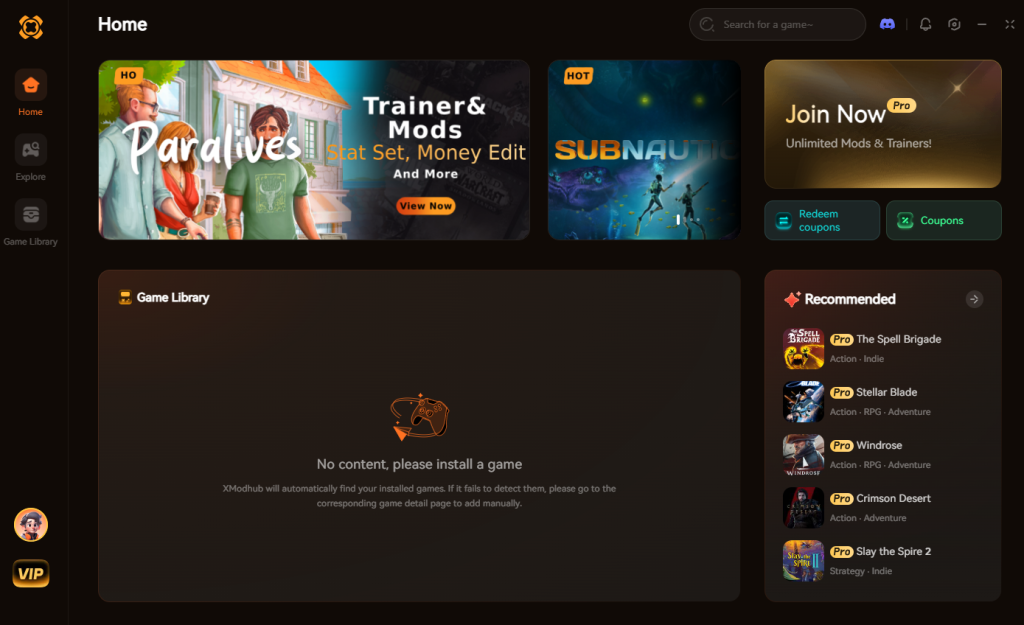
- Search for “hololive Dreams” in the game library.
- Click “Play” to launch the game securely.
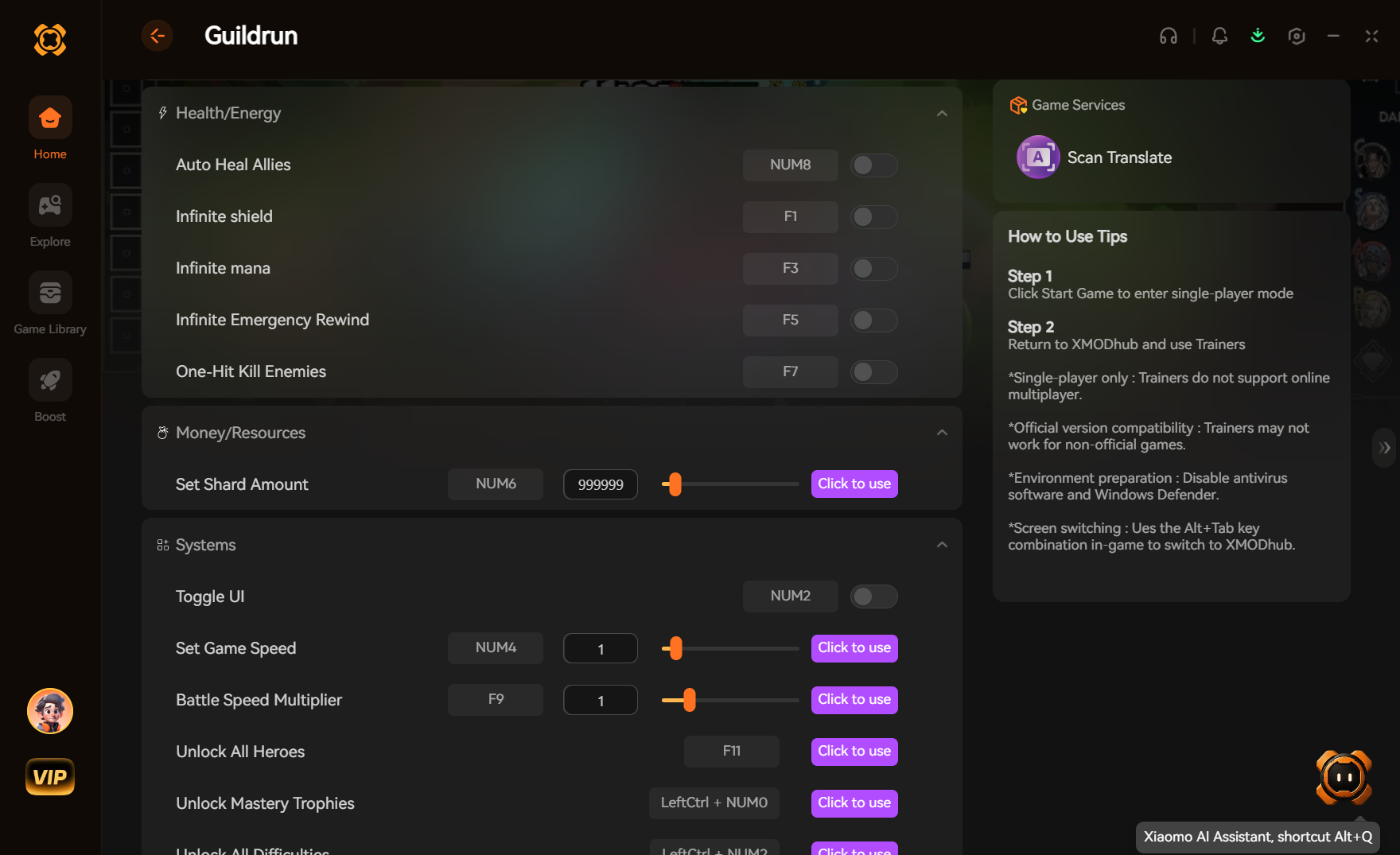
- Toggle your desired tweaks (Auto-Perfect, Infinite Jump Rope Lives, Resource Multipliers) directly from the clean UI or via customizable hotkeys.
Download hololive Dreams Trainer Now
8. Troubleshooting: Mods Crashing on Startup
If your game is crashing to a black screen after attempting to install tweaks or custom charts, check these common culprits:
- Leftover Modified Files: You attempted to install a traditional file-replacement mod, and the game’s integrity checker is force-closing the application. Delete any foreign
.pakfiles immediately. - Outdated Memory Scripts: Check if your standalone cheat engine table has been updated for the latest hololive Dreams patch. If it has not been updated, it will crash the game. Switch to an auto-updating tool like XMODhub.
- Verify Game Files: Go to Steam, right-click hololive Dreams > Properties > Installed Files > Verify integrity of game files. This will redownload the pristine, unmodded base game.
9. Essential PC Optimizations for Modded Rhythm Gameplay
When utilizing memory tweaks or playing hardcore community charts, system stability is paramount. A dropped frame or sudden audio desync can instantly ruin a Full Combo attempt. To ensure your modded hololive Dreams experience is flawless, you must optimize your hardware environment before injecting any cheats.
First, ensure your audio sample rate in Windows is locked to 48000Hz (Studio Quality). The game’s engine calculates perfect timing windows based on audio cues, and mismatched sample rates can cause micro-stutters when playing custom UGC charts. Second, if you are using the Uncapped Framerate Enforcer, you must disable Steam Overlay and any background recording software like NVIDIA ShadowPlay. These external overlays frequently conflict with memory injectors, causing the six-lane note highway to visually tear during intense flick-note barrages.
10. Recommended Tweak Priority: What to Inject First
For players utilizing XMODhub, it can be tempting to turn on every single cheat at once. However, to maintain optimal game stability and avoid potential offline desyncs, it is highly recommended to prioritize your tweaks based on your current gameplay goals. Below is the definitive priority matrix for memory injection in hololive Dreams.
| Tweak Category | Specific Enhancement | Optimal Use Case | Priority Level |
|---|---|---|---|
| Rhythm Mechanics | Auto-Perfect Combo Saver | Farming resources on mastered hardcore charts without fatigue. | High |
| Minigames | Jump Rope God Mode | Bypassing artificial difficulty to quickly clear daily challenges. | High |
| Economy | Hololive Park Resource Freezer | Rapidly upgrading Megasphere facilities without the gacha wait. | High |
| Gacha Progression | Instant UI Skin Unlocker | Customizing your live concert visual experience on day one. | Medium |
| Visuals | ReShade HDR Overhaul | Taking cinematic screenshots of your Chibi talents in the Park. | Low |
11. Frequently Asked Questions (FAQ)
Q: Will installing mods ban me from hololive Dreams?
A: Modifying core game files will result in a ban due to the 3rd-party EULA and in-app purchase economy. However, downloading official community charts via the “Create Chart” menu is 100% supported. If you use memory tweaks like XMODhub, you must only use them in solo, offline play (like Hololive Park building or solo Lives). Using cheats in the Fortune Network multiplayer will result in a ban.
Q: Do mods disable Steam achievements?
A: In many cases, yes. hololive Dreams detects modified memory values and will lock achievement progression for things like “Full Combo on Hard”. You often have to use a secure, stealth-injected memory tool like XMODhub which is specifically designed to bypass client-side detection entirely, allowing you to earn achievements while tweaking the game.
Conclusion
Modding hololive Dreams requires a different approach than traditional PC games. Because it is a live-service rhythm game, massive content overhauls are handled strictly through the brilliant, built-in “Create Chart” community feature. However, altering your gameplay stats, bypassing the gacha grind, and surviving brutal minigames does not have to be a complicated, crash-prone process.
For a seamless, risk-free way to customize your difficulty, bypass the resource grind in the Megasphere, and truly play by your own rules, XMODhub is the superior choice. With dedicated support for hololive Dreams and over 5,000+ other single-player PC games, XMODhub ensures you spend your time actually enjoying the music and your favorite talents, rather than troubleshooting broken anti-cheat triggers.

Stop Grinding, Start Enjoying.
Bypass the tedious resource gathering and unlock your full potential instantly.

I am a passionate gamer and writer at XMODhub, dedicated to bringing you the latest gaming news, tips, and insights.
Connect with me:
LinkedIn Profile ↗

 Nancy Miller