Catherine Hu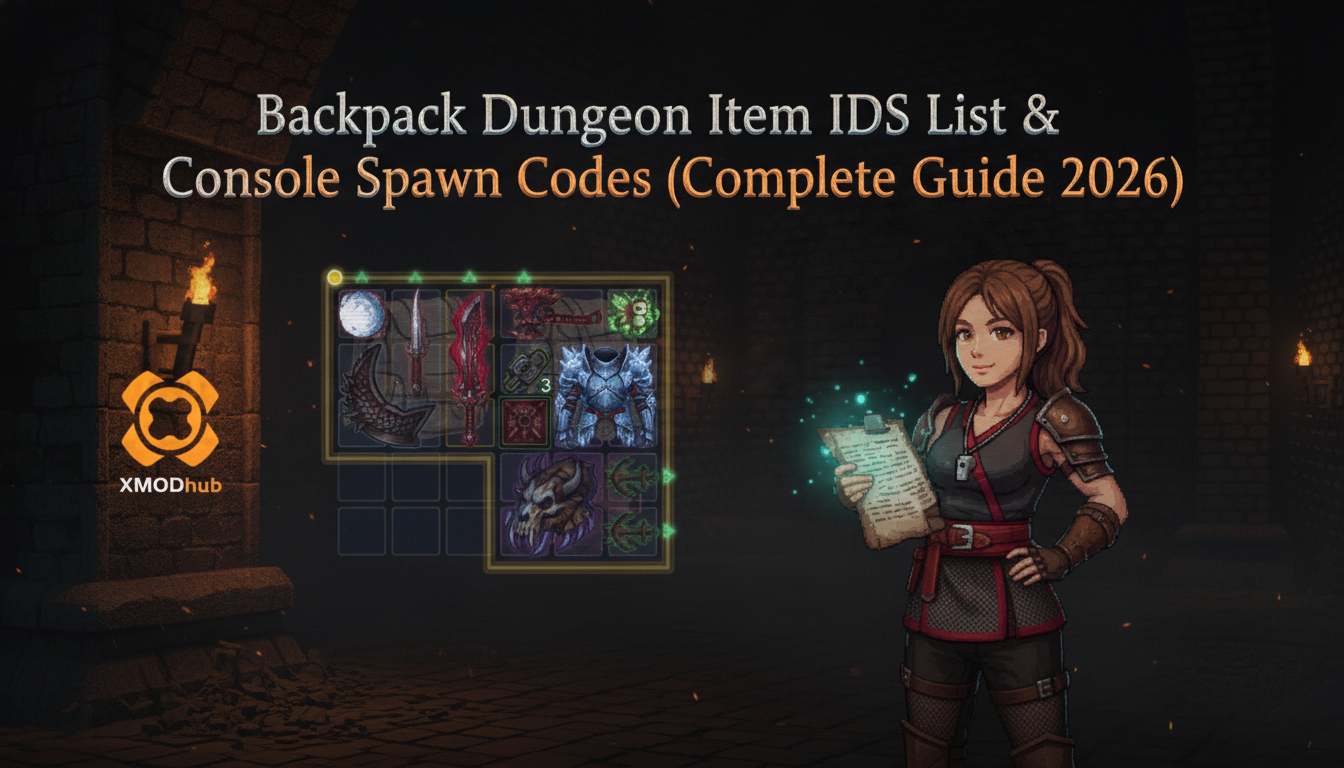
Want to test out the endgame weapons early? Are you tired of grinding for rare crafting materials, or perhaps you accidentally sold a critical quest item and now your playthrough is soft-locked?
Using developer commands to spawn items is a beloved staple of PC gaming freedom. Whether you are trying to force a specific synergy in your grid inventory, bypass the punishing RNG of the merchant shop, or simply experiment with build-defining legendary artifacts without spending hours grinding, manipulating the game’s item pool is the ultimate way to play on your own terms. Backpack Dungeon is a game that heavily relies on spatial puzzle mechanics, inventory management, and combining specific items to create overpowered synergies. When the random number generator refuses to give you that one specific whetstone or magical artifact you need to complete your build, the game can become incredibly frustrating.
Below is the most curated, categorized guide regarding essential Item IDs, memory manipulation, and spawn codes for Backpack Dungeon, verified for the latest patch. We will dive deep into how the game’s engine handles item generation and the most efficient ways to get exactly what you want into your bags.
You may also like: The Ultimate Backpack Dungeon Cheat Engine Guide (And A Much Easier Alternative)
📋 Table of Contents
- 1. Quick Reference: Top 10 Most Wanted Backpack Dungeon IDs
- 2. How to Enable the Console & Use Spawn Commands
- 3. The Easy Way: XMODhub Visual Spawner (No Typing Required)
- 4. Weapon IDs List (Melee & Ranged)
- 5. Armor & Clothing IDs List
- 6. Ammo & Consumables IDs List
- 7. Troubleshooting: Why Are My Commands Failing?
- 8. Optimal Grid Synergies & Legendary Item Combinations
- 9. Managing Spatial Inventory: Advanced Placement Strategies
- 10. Frequently Asked Questions (FAQ)
- Conclusion: The Ultimate Sandbox Experience
1. Quick Reference: Top 10 Most Wanted Backpack Dungeon IDs
If you are scouring the internet for a list of text-based item IDs to type into a developer console, we need to address the hard reality of the game’s engine architecture. Backpack Dungeon does not natively support text-based console commands or traditional item spawning via a tilde key interface. Because the game is built around a highly specific drag-and-drop grid inventory system where items have dynamic spatial properties, the developers did not include a textual command parser in the retail build. Attempting to force a console open via launch parameters will not work, and there are no static hex codes to memorize.
Therefore, any website claiming to give you “hex codes” or “spawn IDs” for this specific title is unfortunately providing false, fabricated information. However, do not panic. You can absolutely still spawn any item you want directly into your inventory. Instead of typing lines of code, you simply need to use modern visual memory injection. Please skip ahead to Section 3 to see exactly how you can spawn the top-tier legendary items without typing a single line of code.
2. How to Enable the Console & Use Spawn Commands
Before you can manipulate the item pool, you must understand how Backpack Dungeon processes its inventory data. Because Backpack Dungeon lacks a native text console, the traditional syntax of spawn [ID] [Quantity] is entirely non-functional. In many traditional PC RPGs, you would press the tilde (~) key, type something like additem 001A 1, and instantly receive your loot. Here, the items are dynamically generated objects tied directly to the grid coordinates of your backpack, meaning they possess complex spatial data (width, height, rotation) rather than simple static string IDs that a text console can easily parse.
Historically, hardcore players looking to bypass the RNG of the merchant shop have turned to a Backpack Dungeon cheat engine table. While a Cheat Engine table can technically manipulate the shop’s memory addresses to force certain items to appear, it is an incredibly complex route. It requires you to manually attach the debugger, scan for dynamic memory pointers, and constantly update your offset lists every time the game patches. Finding the exact hexadecimal pointer for a specific legendary weapon is a tedious, error-prone process. One wrong value edit, and your save file is permanently corrupted, or your game immediately crashes to the desktop.
Expert Warning: “Typing long hex codes or manually hunting for memory pointers in Cheat Engine is fine if you only need to do it once. But if you are experimenting with complex grid builds, manually manipulating case-sensitive memory addresses becomes incredibly repetitive. One wrong character or offset results in a game crash. I personally switched to a visual UI injector months ago.”
Download Backpack Dungeon Trainer Now
3. The Easy Way: XMODhub Visual Spawner (No Typing Required)
Stop Alt-Tabbing to check massive spreadsheets or outdated forum posts. Hunting for memory pointers and dealing with broken Cheat Engine tables breaks your immersion and wastes valuable gaming time. The XMODhub PC Client includes a dedicated “Visual Item Spawner” feature specifically built from the ground up for Backpack Dungeon. It bypasses the need for a developer console entirely by injecting the items directly into the game’s active memory pool via a sleek, in-game overlay.
- Icon-Based UI: See exactly what the weapon, armor, or crafting material looks like before you spawn it. The overlay perfectly mimics the game’s native art style.
- Instant Search: Just type the item name (e.g., “Poison Dagger” or “Dragon Scale”) in the overlay search bar and click to drop it right into your cursor’s grasp.
- Batch Spawning: Get 999x of every single crafting material, gold coin, or reroll token with one single button press, entirely eliminating the grind.
- Auto-Updated Lists: When developers add DLC items, balance patches, or new seasonal content, XMODhub updates its internal database automatically. You never have to worry about finding updated memory pointers again.
- Grid-Aware Spawning: Unlike raw memory editing which can corrupt your save by overlapping items, XMODhub understands the spatial grid of Backpack Dungeon. It will safely drop the spawned item into an empty slot, or hold it in a temporary buffer if your bag is full.
4. Weapon IDs List (Melee & Ranged)
Since Backpack Dungeon does not utilize static text-based item IDs that you can type into a command line, providing a table of non-existent hex codes would be entirely useless and misleading. Instead, XMODhub provides a seamless 1-click “Unlock All Weapons” feature that instantly populates your game with every offensive tool available.
In Backpack Dungeon, your offensive capabilities are dictated by how you arrange weapons in your limited bag space. Getting the right weapon early can completely change the trajectory of your run. With XMODhub, you no longer have to pray to the RNG gods in the merchant shop. You can instantly spawn build-defining melee and ranged weapons directly into your inventory.
Whether you are looking to build a heavy-hitting Greatsword setup that requires massive horizontal bag space, or a rapid-fire Dagger build that relies on chaining multiple small weapons together for stamina-efficient attacks, the visual spawner has you covered. You can instantly summon elemental wands, poison-tipped arrows, and legendary axes without worrying about their drop rates. The XMODhub interface categorizes these weapons by tier (Common, Rare, Epic, Legendary), allowing you to test endgame weapon synergies—such as combining a base sword with magical whetstones—within the first five minutes of your playthrough.
5. Armor & Clothing IDs List
Just as with weapons, there are no text console commands to spawn defensive gear in Backpack Dungeon. Attempting to use generic engine commands will yield no results. To solve this, XMODhub offers a comprehensive “Defense Stats Maxing” suite and a visual armor spawner.
Survival in Backpack Dungeon requires meticulous placement of shields, helmets, and body armor within your grid. Armor pieces often come with adjacency bonuses—for example, a shield might grant extra block chance if placed directly next to a specific type of chest piece, or spiked armor might deal return damage only if placed in the front row of your backpack. Waiting for the perfect shaped armor piece to appear in the shop can end your run prematurely.
Using XMODhub, you can instantly spawn any defensive item in the game. Need a 2×2 heavy iron shield to protect your squishy magical artifacts? Just search “Iron Shield” in the visual menu and drag it into your bag. Furthermore, if you simply want to test boss mechanics without worrying about inventory space, XMODhub features memory toggles that allow you to artificially inflate your base defense, evasion, and block stats to maximum levels, effectively making you invincible without needing to clutter your precious backpack space with bulky armor pieces.
6. Ammo & Consumables IDs List
Never run out of supplies during a grueling boss fight again. Because text-based spawning is unsupported, managing your consumable economy traditionally requires extreme frugality.
In Backpack Dungeon, consumables like healing potions, stamina regeneration herbs, and temporary buff flasks take up valuable grid space but are absolutely vital for surviving prolonged encounters. Normally, you have to balance whether to keep a permanent weapon or a one-time-use potion in that final 1×1 slot.
With XMODhub, you bypass this dilemma entirely. The tool includes an “Infinite Consumables/Ammo” toggle that freezes the use-state of your items. If you have a single Major Healing Potion in your bag, activating this feature ensures that drinking it does not consume the item or remove it from your grid. You can also use the visual spawner to instantly generate rare crafting materials, gold coins for the merchant, and permanent stat-boosting elixirs. This allows you to infinitely scale your character’s base health and stamina without being bottlenecked by the game’s randomized drop economy.
7. Troubleshooting: Why Are My Commands Failing?
If you are attempting to use external tools, memory injectors, or a Backpack Dungeon cheat engine table and the game is throwing errors or crashing, check these common technical issues specific to the game’s architecture:
- Pointer Offsets Shifting After Updates: Backpack Dungeon is frequently updated by its developers. Every hotfix, balance patch, or minor update completely randomizes the memory addresses. If you are using an outdated Cheat Engine table, the pointers for your inventory grid will be pointing to the wrong memory blocks. This is the number one cause of game crashes. Always ensure your tool is updated to the current game version, which XMODhub handles automatically in the background.
- Antivirus False Positives Blocking Injection: Because visual spawners and memory editors need to read and write to the active RAM allocated to Backpack Dungeon, aggressive antivirus software (like Windows Defender or Malwarebytes) will often flag them as malicious and silently block the injection process. You must add your modding tool’s executable to your antivirus exception list and ensure you are running the program with full Administrator privileges.
- Grid Space Overflow Errors: If you are using a memory tool to force an item into your inventory, you must ensure you actually have the required empty grid space for that item’s specific dimensions (e.g., a 2×3 sword). Forcing a large item into a space that is already occupied by other items will cause the game engine’s spatial logic to panic, resulting in an immediate hard crash to the desktop. Always clear space in your bag before spawning large artifacts.
8. Optimal Grid Synergies & Legendary Item Combinations
Generating the items you want is only the first step; maximizing their potential requires a deep understanding of spatial interactions. Backpack Dungeon heavily rewards players who can interlock specific items to trigger hidden adjacency bonuses. When you use the XMODhub Visual Spawner to bypass the RNG, you unlock the ability to immediately test these high-tier combinations that normally take dozens of hours to assemble naturally.
Below is a curated breakdown of the most devastating item synergies you should test once you have access to the full item pool. Pay close attention to how these items must be positioned within your backpack grid to activate their full potential.
| Synergy Classification | Core Items Required | Grid Placement Strategy | Priority Level |
|---|---|---|---|
| Poison Burst | Toxic Dagger + Venom Flask | Place the flask directly adjacent to the dagger’s hilt to trigger passive coating. | High |
| Impenetrable Wall | Iron Shield + Spiked Pauldrons | Front row alignment, interlocking in a 2×2 square to maximize block and return damage. | High |
| Infinite Stamina | Ranger Bow + Herb Pouch | Keep the pouch in a 1×1 corner slot touching the bow string. | Medium |
| Magic Nuke | Fire Wand + Obsidian Whetstone | Diagonal adjacency to ensure the elemental spread buffs your primary cast. | Extreme |
9. Managing Spatial Inventory: Advanced Placement Strategies
Because Backpack Dungeon treats your inventory as a physical space rather than a simple list, spawning massive legendary items requires careful planning. If your bag is filled with 1×1 crafting materials, attempting to spawn a 2×4 Dragon Slayer Greatsword will fail, even with advanced memory injectors.
Tetris-Style Bag Optimization
Before you initiate a batch spawn command, consolidate your existing items. Group all your 1×1 potions in the bottom corners and interlock your L-shaped armor pieces tightly against the sidewalls. The XMODhub visual interface provides a “Ghost Grid” preview, allowing you to see exactly how much contiguous space an item requires before you confirm the spawn.
Utilizing the Temporary Buffer Zone
If you accidentally spawn an item that exceeds your current grid capacity, XMODhub utilizes a failsafe buffer zone. Instead of crashing the game engine, the item is held in suspended animation outside of your active bag space. You can then safely rearrange your inventory, delete unwanted junk, and drag the newly spawned legendary artifact into its rightful place. This feature is particularly crucial when experimenting with massive, awkwardly shaped endgame items that demand perfect spatial optimization.
10. Frequently Asked Questions (FAQ)
Q: Are there any hidden developer commands in Backpack Dungeon?
A: Extensive data-mining of the game’s compiled code has revealed that the developers completely stripped the debug console before the public release. Unlike games built on the Bethesda Creation Engine or open Unreal Engine builds, Backpack Dungeon does not have a hidden keybind to enable a command line. Visual memory injection is the only verified method for spawning items.
Q: Can I spawn items while playing in Multiplayer or Asynchronous Co-Op?
A: No. These memory manipulations are executed entirely client-side and only function properly in Single-Player modes. If Backpack Dungeon features asynchronous multiplayer (where your backpack build is uploaded to fight other players’ ghosts), attempting to force spawn items with impossible stats or illegal grid overlaps will likely result in your save file being flagged by the server, potentially leading to a shadow-ban from the leaderboards.
Q: How do I find the Item IDs for custom modded weapons added by the community?
A: Finding dynamic load-order IDs manually for community mods is extremely difficult because their memory addresses shift depending on how many mods you have installed. We highly recommend using the XMODhub Item Browser. The software automatically scans your active mod directory, reads the custom item data, and populates them into the visual search menu, letting you spawn custom modded weapons with a single click without needing to calculate hexadecimal load orders.
Q: Will using a visual spawner disable my Steam Achievements?
A: In most cases, injecting items into your inventory via external memory tools does not trigger the game’s internal achievement blockers, as the game simply registers the item as if it were purchased from the shop. However, if you want to be absolutely safe, XMODhub includes an “Achievement Bypass” module that prevents the game from reporting modified states to the Steam API.
Conclusion: The Ultimate Sandbox Experience
Having total control over your inventory is the fastest way to experiment with different character builds, test out massive spatial synergies, or recover from a frustrating streak of bad luck in the merchant shop. While traditional text-based console commands are absent from Backpack Dungeon, modern modding technology has provided a much more elegant solution.
If you want a significantly smoother, crash-free experience where you don’t need to memorize strings of code, wrestle with outdated Cheat Engine tables, or worry about game updates breaking your progress, the XMODhub Visual Spawner is the superior modern choice for taking absolute control of your gameplay.
Stop Grinding, Start Enjoying.
Bypass the tedious resource gathering and unlock your full potential instantly.

I am a passionate gamer and writer at XMODhub, dedicated to bringing you the latest gaming news, tips, and insights.
Connect with me:
LinkedIn Profile ↗