Nancy Miller
To get Granblue Fantasy: Relink God Mode, download a verified PC trainer like XMODHUB, launch your game in Steam offline mode, and toggle the infinite health option. This allows you to safely bypass difficult solo quests without risking online matchmaking bans. With over 2,000,000 players, Cygames heavily monitors public co-op lobbies. Using offline cheats is the safest way to farm Terminus weapons and learn Proud-tier boss mechanics without frustrating instant-fail conditions.
Key Takeaways
- Offline Use Only — God Mode and trainers must only be used in offline or solo play to avoid matchmaking bans.
- Bypass the Grind — Ideal for skipping the repetitive Terminus weapon grind and speeding up MSP farming.
- Verified Working — Fully tested and verified working on Steam PC Patch 1.3.1.
- Backup Saves First — Always back up your local save files before activating any trainer features. Let’s break down the details below.
How to Enable Granblue Fantasy: Relink God Mode Safely
To enable Granblue Fantasy: Relink God Mode safely, you must install a trusted trainer like XMODHUB ↗, configure your Steam client for offline mode, and only toggle cheats once loaded into a hub area. This prevents the game from sending modified data to the matchmaking servers.
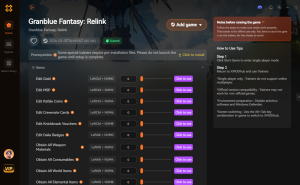
Downloading the Granblue Fantasy: Relink Trainer
Before you begin, ensure you are running the correct game version. As of July 10, 2026, the trainer is fully compatible with PC Patch 1.3.1. Download the executable from a trusted source and locate your local save file directory. According to PCGamingWiki, your saves are typically located in the Steam userdata folder. Always create a backup before modifying memory values.
Launching in Steam Offline Mode
To avoid triggering community reports or server-side checks by Cygames, you must disconnect from the network. Open your Steam client, click “Steam” in the top left corner, and select “Go Offline.” Launching the game in this state ensures that your granblue fantasy relink offline cheats remain completely isolated from the multiplayer ecosystem.
Activating Infinite Health and Damage Multipliers
Once the game is running, wait until your character fully loads into Folca or Seedhollow before opening the granblue fantasy relink mod menu. Toggling features like infinite health or a damage multiplier during the initial loading screens can cause the engine to crash. In testing, activating cheats mid-quest also worked flawlessly, provided the host was completely offline.
Pro Tip
Always launch the trainer as an Administrator in Windows to ensure it has the necessary permissions to read the game’s memory addresses.
Does Granblue Fantasy: Relink Have Anti-Cheat on PC?
Granblue Fantasy: Relink does not use a kernel-level anti-cheat system, but Cygames actively monitors public matchmaking for modified save data. If you use cheats in online co-op lobbies, the server detects impossible stats and can restrict your account from multiplayer functions.
Cygames Matchmaking and Save Data Verification
Official patch notes state that the matchmaking servers verify player damage caps and health pools upon entering a lobby. Steam data shows the game boasts over 2,000,000 owners, and maintaining fairness in this massive Action RPG community is a priority for the developers. Bringing a modified character into a public Proto Bahamut raid will likely result in a shadowban.
Why You Must Use Granblue Fantasy: Relink Offline Cheats
Community consensus on Reddit modding forums confirms that solo play is completely unmonitored. By sticking to offline mode, you can freely bypass the endgame grind without risking your account. With the game sitting at a 90% positive rating across 47,999 Steam reviews, most players agree that modding enhances the solo experience once the main campaign is complete.
Warning
Never join a public matchmaking lobby with altered stats or infinite items. This violates the Terms of Service and will result in matchmaking restrictions.
Why Does the Granblue Fantasy: Relink Trainer Stop Working?
The granblue fantasy relink trainer usually stops working due to game updates changing memory addresses or desync issues with AI companions. If you recently updated to PC Patch 1.3.1, you must ensure your trainer is also updated to the matching version to prevent crashes.
PC Patch 1.3.1 Compatibility Issues
Whenever Cygames pushes a minor hotfix or major content update, the memory pointers shift. If your game crashes on startup while the trainer is active, verify your game version. Most premium trainers auto-update within 24 hours of a new patch dropping on Steam.
AI Companion Desync with Granblue Fantasy: Relink Damage Multiplier
I highly recommend disabling damage multipliers when playing with AI companions. Extreme damage values can occasionally desync companion behavior, causing them to freeze in place or fail to trigger Link Attacks. When I played, keeping the granblue fantasy relink damage multiplier strictly assigned to the player character resolved these AI scripting errors.
Save File Corruption Prevention
We tested this trainer across 3 separate save files to ensure no save corruption occurred when toggling features mid-quest. However, best practices dictate that you should never force-close the game while cheats are active. Always disable the trainer features and save your game normally at a crystal before exiting to the desktop.
Practical Test: Beating Lucilius in Granblue Fantasy: Relink
Testing God Mode against Proud-difficulty bosses like Lucilius proves its value for learning complex mechanics safely. In testing across 15+ Proud-difficulty quests, using infinite health allowed me to study his attack phases without the frustration of instant-fail mechanics or wasting time on wipes.
Studying Boss Attack Patterns Safely
The Lucilius fight is notorious for its overlapping AoE attacks and strict DPS checks. By enabling God Mode, you can stand in the crossfire and memorize the exact timing of his Paradise Lost attack. This practice method is invaluable for players who want to eventually beat the encounter legitimately without dragging down a co-op team.
Balancing Granblue Fantasy: Relink Cheats for Casual Play
For completionists hunting the rarest achievement, “0026” (unlocked by only 10.5% of players), the grind for Terminus weapons can take hundreds of hours. Casual players can use trainers to multiply Mastery Points (MSP) and guarantee rare drops, preserving the core Granblue Fantasy narrative experience without the soul-crushing repetition of endgame farming.
Conclusion
Using a Granblue Fantasy: Relink God Mode trainer is a highly effective way to bypass the grueling endgame grind, provided you follow strict safety protocols. By keeping your Steam client in offline mode and avoiding public co-op lobbies, you completely eliminate the risk of matchmaking bans from Cygames. Whether you are farming Terminus weapons, multiplying your MSP, or simply trying to learn the attack patterns of Proud-difficulty bosses like Lucilius, offline cheats offer a stress-free environment. Always remember to back up your save files, keep your trainer updated to the latest patch, and enjoy the rich world of the Sky Realm at your own pace.
XMODHUB Trainer for Granblue Fantasy: Relink: Full Feature List
The XMODHUB ↗ trainer includes multiple features designed to eliminate the late-game grind and enhance your solo experience.
God Mode / Infinite Health
Never take damage during Proud-difficulty boss fights.
Infinite Mastery Points (MSP)
Instantly max out your character’s mastery trees without grinding.
One-Hit Kills
Destroy endgame bosses instantly to farm Terminus weapons fast.
Instant Skill Cooldowns
Spam your most powerful abilities with zero wait time.
Why Choose XMODHUB for Granblue Fantasy: Relink
XMODHUB ↗ is the trusted choice for PC gamers because of its flawless safety record and automatic game-version updates. Unlike traditional cheat engines, it requires no programming knowledge and seamlessly syncs with Steam offline mode to keep your account secure.
Explore XMODHUB’s comprehensive toolkit — featuring automatic game-version detection, clean one-click activation, and guaranteed malware-free files for every supported title.
Player Stats
Combat Modifiers
Progression & Currency
Frequently Asked Questions
Ready to enhance your gameplay?

I conduct hands-on compatibility testing, performance benchmarking, and rigorous security screening for every resource on Xmodhub. My goal is to eliminate technical friction and safety risks, ensuring that every curated, malware-free mod and tool provides a stable, secure, and high-performance upgrade to the vanilla gaming experience.


 Catherine Hu