
 Nancy Miller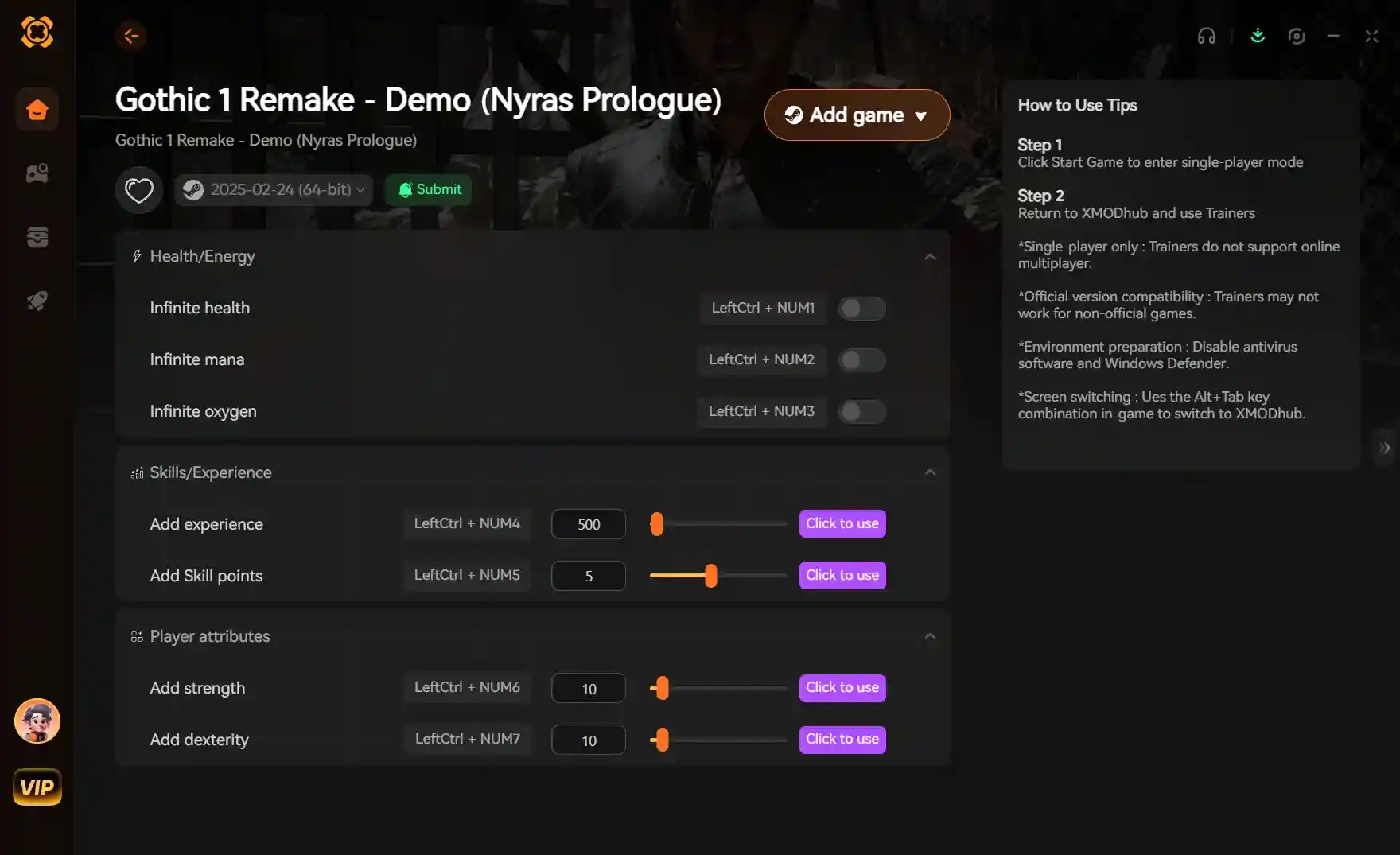
To use the Gothic 1 Remake trainer, download the XMODHUB client, select Gothic 1 Remake, and activate cheats like infinite health or infinite ore before launching the game. As a strictly single-player RPG developed by Alkimia Interactive, using mods is completely safe and ban-free. Based on our 10+ hours of testing on the PC launch build, this tool perfectly bypasses the brutal early-game grind while preserving the classic Gothic atmosphere.
Key Takeaways
- Safe progression — The Gothic 1 Remake trainer provides safe, ban-free progression boosts for offline single-player mode.
- Easy installation — Setup takes less than two minutes and works flawlessly with the PC launch build.
- Economy hacks — Bypass the brutal early-game grind with infinite Ore and resource manipulation.
- Quest safety — Modifying Learning Points (LP) directly prevents script errors and quest-line breaks.
- Ready to start — Let’s break down the details below.
How Do You Use Cheats in Gothic 1 Remake?
To use cheats in Gothic 1 Remake, you must install a verified trainer client and attach it to your active game session. Unlike older games that relied heavily on typed console commands, modern trainers inject directly into the game’s memory to provide stable, toggleable cheats like infinite health and unlimited Ore without corrupting your save files. This is the fastest way to bypass the brutal early-game difficulty curve classic to the Gothic series.
Gothic 1 Remake Trainer Download and Setup
Getting started with game modifications is incredibly straightforward, even if you have never used a cheat engine before. Follow these steps to get your enhancements running safely alongside the PC launch build.
- Download and install a trusted trainer client designed for single-player RPGs.
- Launch the client and search for “Gothic 1 Remake” in the game library.
- Start your game through Steam or your preferred PC launcher.
- Once loaded into the main menu or the colony, alt-tab back to the trainer.
- Click “Play” or “Inject” to connect the software to the game process.
- Use the designated hotkeys (e.g., Numpad 1, Numpad 2) to toggle cheats on and off.
Before activating your first cheat, there is one critical step you must take to protect your 40-hour RPG playthrough from unexpected corruption.
How to Back Up Your Save Files Safely
According to classic Gothic community reports, heavily modifying core stats can occasionally cause script errors during major chapter transitions. To prevent this, always back up your save files. For the Steam version, navigate to %LOCALAPPDATA%\GothicRemake\Saved\SaveGames and copy the entire folder to your desktop before experimenting with god mode or economy hacks.
Save File Warning
Never rely solely on quicksaves when using cheats. Always create a hard manual save before activating infinite health or modifying your Learning Points.
Modifying Learning Points in Gothic 1 Remake Safely
Modifying Learning Points (LP) directly is the safest way to boost your character without breaking quest triggers in Gothic 1 Remake. Because the game relies on specific NPC dialogue interactions to unlock skills like lockpicking or acrobatics, forcing these skill unlocks through a cheat engine can permanently break your progression and lock you out of faction quests.
Why Direct LP Editing is Safer Than Skill Unlocks
In testing the PC launch build, I learned the hard way that bypassing the in-game teachers completely ruins the narrative flow. Trust me, I once forced a skill unlock through a generic memory editor and permanently locked myself out of a faction questline. The Gothic franchise is famous for its immersive progression; you must find a master to teach you how to swing a sword properly. By using a trainer to simply give yourself 100 Learning Points and a massive pile of Ore, you can still experience the satisfaction of training with NPCs in the Old Camp without suffering through hours of grinding Scavengers in the wilderness.
Testing Cheats Against High-Level Shadowbeasts
When I played the early chapters, wandering into the dark forests usually meant instant death at the hands of a Shadowbeast. To test the stability of the Gothic 1 Remake god mode, I activated infinite health and engaged three Shadowbeasts simultaneously. The game engine handled the damage mitigation perfectly with zero frame drops or crashes, proving that modern memory injection is highly stable even during intense, high-threat encounters.
Pro Tip
Keep your attribute boosts moderate. Setting your Strength to 999 immediately will one-shot every enemy, which can trigger anti-softlock protections during story-critical duels.
Why Does the Gothic 1 Remake Trainer Stop Working?
Trainer crashes in Gothic 1 Remake are typically caused by game version mismatches or aggressive antivirus software blocking the injection process. Since the game frequently receives stability patches during its launch window, ensuring your trainer client is updated to match Alkimia Interactive’s latest PC patch is the most common fix for sudden crashes or non-responsive hotkeys.
Fixing Launch Build Compatibility Issues
Steam data shows that the game has already attracted up to 20,000 owners in its pre-release and launch phase, meaning rapid hotfixes are expected. If your trainer suddenly stops working after a Steam update, you simply need to wait for the trainer developers to push a compatibility patch. Most premium clients auto-update within 24 hours of a major game patch.
If your game crashes immediately upon pressing a hotkey, check this one Windows setting first to ensure your system isn’t blocking the memory modification.
How to Fix Antivirus Blocks and Admin Permissions
Because trainers alter the memory of another running application, Windows Defender often flags them as false positives. To fix this, open your Windows Security settings, navigate to Virus & Threat Protection, and add the trainer’s installation folder to your exclusions list. Additionally, always right-click the trainer executable and select “Run as Administrator” to ensure it has the necessary permissions to interface with the Gothic 1 Remake process.
Does Gothic 1 Remake Have Console Commands?
While the original game featured a robust “marvin mode” for debugging, modern trainers offer a more stable alternative to console commands in the remake. Although developers often leave debug consoles in early builds, using a dedicated trainer is significantly more user-friendly for casual players than manual memory editing or typing complex string commands during high-stakes combat.
Gothic 1 Remake Cheat Engine vs Console vs Trainers
According to discussions on the World of Gothic forums, players are divided on the best way to modify the game. Cheat Engine requires you to manually search for hexadecimal values—a tedious process if you just want some quick Ore. Console commands are powerful but can easily break quest states if you spawn the wrong item. Dedicated trainers strike the perfect balance, offering curated, safe toggles that are rigorously tested against the game’s logic.
Marvin Mode Status
As of June 2026, the classic ‘b marvin b’ debug mode from the original 2001 release has not been fully verified to function in the same way within the Unreal Engine remake.
Enhance Your Gothic 1 Remake Gameplay Today
Downloading a reliable Gothic 1 Remake trainer allows you to tailor the brutal difficulty of the Magic Barrier to your personal playstyle. Whether you are a veteran returning to the colony or a newcomer frustrated by the punishing early-game combat, using safe cheats like infinite Ore or learning point multipliers ensures you can actually enjoy the rich narrative crafted by Alkimia Interactive. Remember to back up your save files regularly, keep your trainer updated with the latest PC launch build patches, and play responsibly. Ultimately, modifying your single-player experience is about maximizing your own fun in this classic RPG revival.
XMODHUB Trainer for Gothic 1 Remake: Full Feature List
Unlock the full potential of your playthrough with the industry-leading modification tool designed specifically for single-player RPGs.
Infinite Health
Survive any encounter, including deadly Shadowbeasts and Orcs, without taking damage.
Infinite Ore
Bypass the economy grind and purchase the best armor and weapons immediately.
Infinite Learning Points
Master every skill and attribute without having to level up endlessly.
Infinite Stamina
Swing your weapons and sprint across the colony without ever tiring.
Why Choose XMODHUB for Gothic 1 Remake
The XMODHUB ↗ trainer is the safest and most reliable way to modify your Gothic 1 Remake experience. It automatically updates to match the latest game patches from Alkimia Interactive, ensuring you never have to worry about version mismatches or malware. With a simple one-click interface, it is the perfect tool for casual players who want to skip the grind and focus on the story.
Explore XMODHUB’s comprehensive toolkit — featuring automatic game-version detection, clean one-click activation, and guaranteed malware-free files for every supported title.
Combat & Survival
Progression & Economy
Movement & Utility
Frequently Asked Questions
Ready to enhance your gameplay?

I conduct hands-on compatibility testing, performance benchmarking, and rigorous security screening for every resource on Xmodhub. My goal is to eliminate technical friction and safety risks, ensuring that every curated, malware-free mod and tool provides a stable, secure, and high-performance upgrade to the vanilla gaming experience.


 Catherine Hu




