
 Catherine Hu

⚡ Quick Answer
To fix the PRAGMATA missing memories map crash, you must eliminate the RE Engine VRAM memory leak.
Open your pragmata_config.ini file, manually set Map_Volumetric=Off, and force Steam to launch the game using the -d3d11 parameter to stop the 3D map from crashing your desktop.
Introduction
You have spent the last thirty hours scouring the desolate ruins of the Cradle lunar station. You are sitting at 19 out of 20 memory fragments collected. You know that finding the final piece is absolutely mandatory to unlock the game’s ultimate conclusion.
You find a safe corner in Sector 4, press the designated hotkey to open Diana’s holographic memory map to check your missing coordinates, and disaster strikes. The game stutters violently, the holographic UI tears across your screen, and you are immediately met with a fatal D3D device crash. Your game closes to the desktop, and you lose all your unsaved progress.
There is nothing more agonizing for a hardcore completionist than having your progression hard-stopped by a technical engine failure. PRAGMATA is a visual masterpiece, but the way it handles high-resolution UI overlays is fundamentally flawed on PC.
You cannot complete the game if the very tool designed to help you find collectibles actively destroys your save file. This guide explains exactly why this specific map glitch happens and provides the technical fixes needed to stabilize the engine so you can finally track down those missing memories.
Why Your PRAGMATA Missing Memories Map Keeps Crashing
To permanently resolve this issue, you must understand why the engine is actively fighting your hardware. When you press the map button, the game does not just display a static image. It initializes a “picture-in-picture” render using DirectX 12 to generate the glowing blue holographic nodes that represent Diana’s memories.
This requires the engine to duplicate its rendering pipeline for a split second. If you are already running the game on high settings with Ray Tracing enabled, your GPU has zero headroom left to allocate memory for the map UI.
The resulting VRAM overflow causes the engine to panic, triggering a hard crash to prevent hardware overheating. You must manually strip away this unnecessary UI bloat so the engine can breathe.
If you want to know exactly what happens when you finally collect all 20 fragments without dealing with engine crashes, read our comprehensive guide on PRAGMATA True Ending Requirements: Steps You Cannot Miss to ensure your playthrough is flawless.
Fix: Disable Volumetric Map Renders in Config
The in-game settings menu does not give you the option to downgrade the map’s visual fidelity. We must manually edit the core configuration file to force the engine to use a flat, 2D render for the map instead of the crash-prone 3D hologram.
Troubleshooting Steps:
- Close the Game: Ensure PRAGMATA is completely closed. Open your Windows File Explorer.
- Locate Directory: Navigate to your Steam installation directory (usually
Steam\steamapps\common\Pragmata). - Open Config: Right-click the file named
pragmata_config.iniand open it with Notepad. - Find Setting: Scroll down to the
[UI_Settings]section. Find the line that readsMap_Volumetric=Onand change it toMap_Volumetric=Off. - Save & Play: Save the text file and close Notepad. The next time you open the map, it will load instantly without the VRAM-heavy holographic fog, preventing the crash.
Fix: Bypass DX12 Overhead for UI Stability
Even with volumetric fog disabled, the DirectX 12 renderer can still cause micro-stutters when transitioning in and out of the map screen. Forcing the game into DirectX 11 creates a much more stable environment for UI overlays.
Troubleshooting Steps:
- Open Library: Open your Steam Library.
- Access Properties: Right-click on PRAGMATA and select Properties.
- Find Launch Options: In the General tab, scroll to the Launch Options text box.
- Enter Command: Type
-d3d11exactly as written. - Apply & Play: Close the menu. Launching the game will now bypass the bloated DX12 pipeline, ensuring your map transitions are buttery smooth.
The Reality of Native Console Commands
When completionists are stuck at 19/20 memories and their map keeps crashing, their first instinct is to open a developer console. In older games, you could just pull up the command line and type reveal_map 1 or give_item memory_fragment to bypass the headache completely.
Capcom entirely strips the native command console from their retail PC releases. There are no built-in cheat codes or text boxes you can edit to instantly reveal the map locations.
Furthermore, attempting to use outdated hexadecimal memory editors to manually inject the missing collectibles into your save file will instantly trigger the engine’s anti-tamper system, causing a permanent save corruption.
The Ultimate Shortcut: Reveal All Map Locations with XMODhub
Let us be completely honest: hunting for tiny glowing orbs in a massive, labyrinthian space station is tedious. You bought PRAGMATA to experience a phenomenal sci-fi narrative and engage in high-octane combat, not to spend five hours staring at a broken map UI trying to find a single missing pixel.
If you are tired of troubleshooting engine crashes and running through empty corridors, the XMODhub PC Client is your ultimate time-saving utility.
Instead of fighting the game’s brutal exploration requirements or risking your save file with sketchy forum mods, XMODhub utilizes a secure, kernel-level memory injector that safely overrides the engine’s limitations without triggering anti-cheat crashes.
How to Master Your Map Instantly:

- Download XMODhub: Navigate to our official website and securely download the optimized PC desktop application.
- Auto-Detect Game Path: Launch the software. XMODhub will automatically scan your drives, safely locate your PRAGMATA installation, and seamlessly hook into the engine.
- Toggle trainers/cheats: Click Play to launch the game. Open the sleek in-game overlay to instantly activate Reveal All Map Markers, Infinite Lunar Credits, or God Mode.
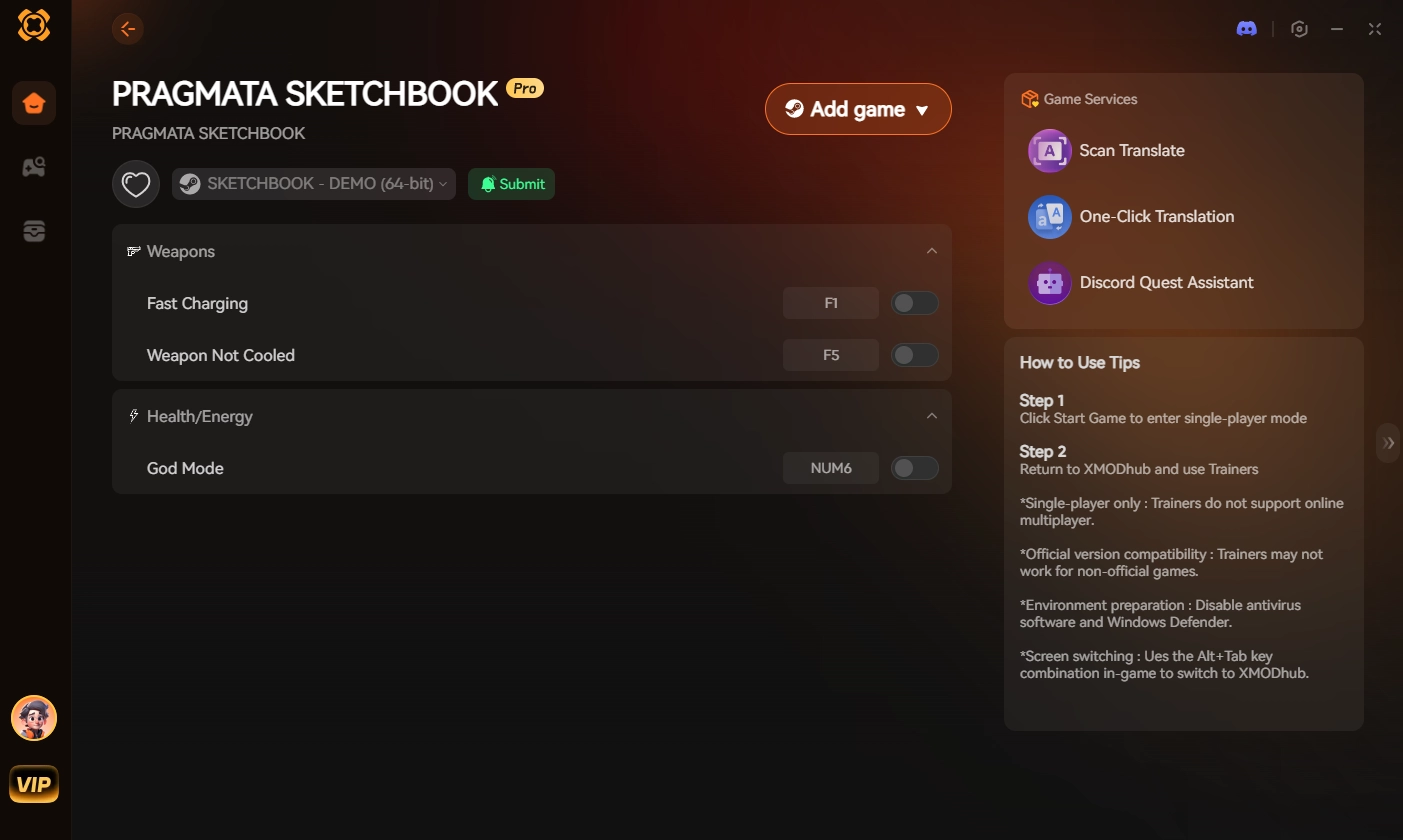
Stop letting artificial barriers and broken UI elements gatekeep the true ending. Give yourself the exact coordinates you need instantly and experience the game entirely on your own terms.
Frequently Asked Questions (FAQ)
Q: Do Diana’s missing memories spawn in a specific order?
A: No. The memory fragments are statically placed throughout the lunar colony from the beginning of the game. However, certain sectors (like the Sector 9 Subterranean Ruins) are locked behind story progression, meaning you cannot complete the map until Chapter 6.
Q: Can I return to Sector 1 to use the PRAGMATA missing memories map?
A: Yes, but only before you trigger the orbital elevator collapse at the end of Chapter 4. Once that specific story event occurs, Sector 1 is permanently locked out. If you missed a memory there, you must retrieve it in New Game Plus.
Q: Does clearing the Steam shader cache fix the map stutter?
A: Clearing the shader cache (Steam > Settings > Downloads > Clear Cache) helps stabilize general gameplay framerates, but it does not fix the specific VRAM overflow caused by the volumetric map. You must manually edit the pragmata_config.ini file to fix the UI crash.
Conclusion
Fixing the PRAGMATA missing memories map requires you to understand the technical limitations of the RE Engine before you can resume your collectible hunt. By manually turning off the volumetric UI renders in the configuration file and forcing the game to launch in DirectX 11, you eliminate the massive VRAM spikes that cause the game to crash.
However, gaming should never feel like an administrative chore. If troubleshooting broken menus and wandering aimlessly for collectibles is ruining your immersion, XMODhub is the definitive answer.
As the premier PC gaming enhancement platform, XMODhub provides the ultimate tools for single-player dominance. Whether you want to instantly reveal all map markers in PRAGMATA, grab infinite resources in Dead Space Remake, or unlock all materials in Monster Hunter Wilds, XMODhub ensures you play by your own rules.

I am a passionate gamer and writer at XMODhub, dedicated to bringing you the latest gaming news, tips, and insights.
Connect with me:
LinkedIn Profile ↗


 Nancy Miller



