
 Catherine Hu
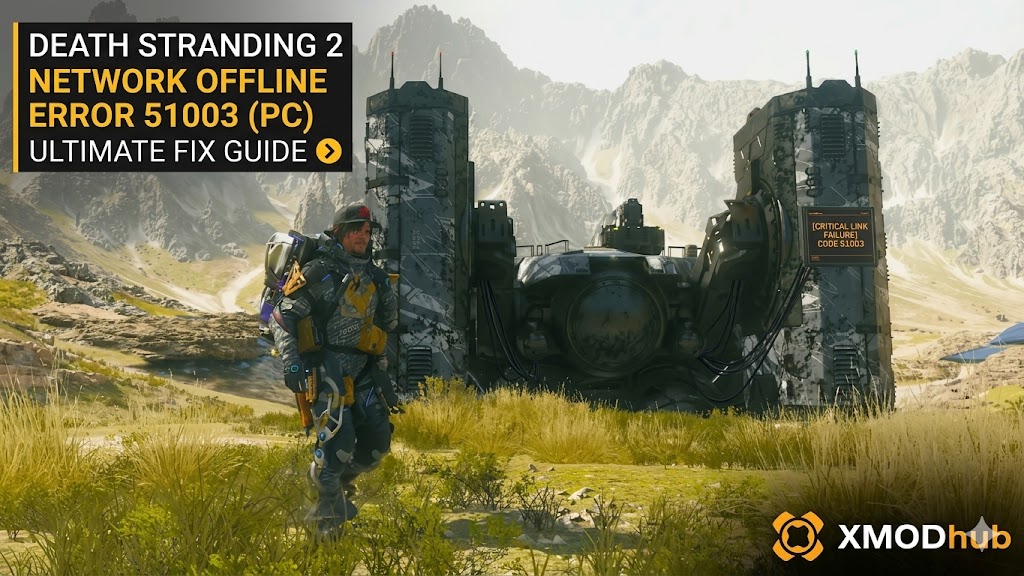 If you are trying to connect your game to the Chiral Network in DEATH STRANDING 2: ON THE BEACH and are suddenly slapped with Error Code 51003 (Network Offline), take a deep breath. You are not alone. This is a server-side handshake timeout issue that prevents your game from syncing with other players’ structures.
Because Hideo Kojima’s sequel relies heavily on the “Strand System”—where you use bridges, ladders, and roads built by the community to cross hazardous terrain—being forced offline makes Sam’s journey exponentially harder.
Editor’s Take: The Launch Day Meltdown
“I literally took a day off work for the Death Stranding 2 PC launch, only to get hit with Error 51003 right after the opening cutscene with the Magellan ship. I spent an hour messing with my router before realizing Kojima Productions’ servers were just melting under the player load. Do not reinstall your game. I’ve listed the immediate fixes below.”
“If the servers are truly dead and you are forced to play offline, check out my XMODhub workaround at the bottom so you don’t have to grind materials to build your own infrastructure from scratch.”
Quick Answer: How to Fix Error 51003 Fast
If you want to get back online and see other players’ signs and structures, try these four steps in order:
- Force the In-Game Login: Open your Cuff Links (Options Menu). Navigate to the System tab and select Log In. Sometimes manually forcing the connection bypasses the initial auto-connect timeout.
- Whitelist in Windows Defender: Search for “Firewall & network protection” in your Windows search bar. Click “Allow an app through firewall,” and ensure both the Private and Public boxes are checked for the Death Stranding 2 executable.
- Flush Your Local DNS: Open Command Prompt as an Administrator. Type
ipconfig /flushdnsand hit Enter. Restart the game to establish a clean route to the servers. - Check Official Server Status: If the steps above fail, the servers are globally down. Do not change any more PC settings; you just have to wait.
How to Check DS2 Server Status
Before you start tearing apart your home network, verify if the problem is on the developer’s end.
- Twitter (X): Check the official Kojima Productions account. They always post emergency maintenance updates there first.
- Steam Community Hub: Open the DEATH STRANDING 2 discussions page on Steam. If the servers are down, there will be 50 new threads complaining about “Error 51003” within minutes.
- DownDetector: Search for “Death Stranding” on DownDetector to see real-time outage reports from other players in your region.
Is Death Stranding 2 Always Online?
No. You do not need a constant internet connection to play Death Stranding 2. If Error 51003 persists, the game will seamlessly boot you into Offline Mode. You can still progress through the main Drawbridge storyline, deliver cargo, and unlock achievements.
However, playing offline presents a brutal reality: The world is completely empty.
- You will not see any player-built Ziplines to cross the mountains.
- There are no shared Safe Houses or Timefall Shelters to repair your gear.
- You must farm 100% of the Chiral Crystals, Special Alloys, and Ceramics to build the highway network completely by yourself.
The Offline Survival Tool: XMODhub PC Trainer
If the servers are down for the weekend and you decide to keep playing offline, do not waste 40 hours slowly ferrying metals back and forth through Tar pits just to build one piece of road. You are playing alone; you have the right to speed up the process.
To survive an offline playthrough without losing your mind, you need the XMODhub PC Trainer. Become a One-Man Infrastructure Army: XMODhub safely injects into your local game engine, allowing you to bypass limitations when the community servers are down.
- •Infinite Chiral Crystals & Materials: Instantly set your Ceramics, Metals, and Special Alloys to 99,999. Build and upgrade every Auto-Paver and bridge on the map without farming.
- •Zero Cargo Weight: Carry massive stacks of XL cargo containers on Sam’s back without losing your balance or draining your stamina.
- •Infinite Battery: Your exoskeletons and vehicles will never run out of power, completely removing the need to search for online generators.
How to Use XMODhub (4 Simple Steps)

- Download: Get the official, digitally signed XMODhub client from the website.
- Launch: Open the app (natively supports Steam and Epic Games installations).
- Activate: Click “Play” on the Death Stranding 2 module.
- Toggle: Use the in-game overlay to seamlessly enable Infinite Materials, Zero Cargo Weight, and Infinite Battery.
Frequently Asked Questions (FAQ)
Q: If I build structures offline with XMODhub, will they sync when the servers come back?
A: Yes. Any bridges, roads, or ziplines you construct while playing in Offline Mode will automatically upload and sync to the Chiral Network once your connection stabilizes, potentially earning you thousands of “Likes” from other players instantly.
Q: Can Error 51003 corrupt my Death Stranding 2 save file?
A: No. The error only disconnects you from the asynchronous multiplayer servers. Your local save data and cargo status remain completely safe.
Q: Do I need to restart the game to reconnect after the servers come back online?
A: Usually, no. You can open your Cuff Links and manually select “Log In” from the System menu to reconnect without closing the application.
Conclusion: Keep on Keeping On
Launch-week server crashes are frustrating, but Error 51003 doesn’t mean you have to stop playing Death Stranding 2. By checking your firewall and flushing your DNS, you can bypass local network hiccups quickly.
However, if Kojima Productions’ servers are truly down, don’t suffer through the agonizing offline grind. Build the world’s infrastructure yourself using XMODhub, and when the servers finally come back online, you will be a hero to thousands of other players.
Think Bigger: XMODhub supports 5,000+ titles including massive hits like Horizon Forbidden West and Ghost of Tsushima.

I am a passionate gamer and writer at XMODhub, dedicated to bringing you the latest gaming news, tips, and insights.
Connect with me:
LinkedIn Profile ↗


 Nancy Miller
Thanks for the clear breakdown of Error 51003— it’s frustrating when the game’s core mechanics rely so heavily on online connectivity, especially after such a promising launch. The server load issue really hits hard when you’re trying to build those community bridges. Your tip about checking server status first is a smart move, and I appreciate the reminder that this isn’t always a local issue.