Terra Invicta is built by XCOM Long War mod creators combining grand strategy geopolitics with solar system conquest, but does this scope mean you need high-end hardware? Check the Terra Invicta system requirements to see if your PC meets the minimum or recommended specs.
Featuring complex Earth shadow government management with hundreds of control points, plus Newtonian space combat across 300+ asteroids and moons in constant motion, the game’s deep systems require substantial specs despite strategic gameplay.
If you’re wondering if your rig can handle 100+ hour campaigns managing councillors and space fleets—or why you’re experiencing frame drops during late-game solar system management—this guide covers everything from official specs to real-world optimization strategies.
You may also like:
Terra Invicta Console Commands (2026): Cheat Codes & Save Editor List
Quick Summary (TL;DR)
- Minimum GPU: NVIDIA GTX 1060 / AMD RX 580 (6GB VRAM)
- Recommended GPU: NVIDIA RTX 2060 / AMD RX 5700 XT (8GB VRAM)
- Storage: 50GB required, SSD highly recommended for late-game performance
- Low FPS Solution: If hardware limits your 100+ hour campaigns, XMODhub’s tools reduce calculation strain
Table of Contents
- Editor’s View: Grand Strategy Demands Power
- Official System Requirements (Minimum vs. Recommended)
- Real-World Performance: What to Actually Expect
- Optimization Checklist: Fix Stutter & Lag
- How XMODhub Compensates for Low-End Hardware
- Troubleshooting & FAQ
- Conclusion
Editor’s View: “Grand Strategy Demands Power”
Catherine Hu | Strategy Game Writer at XMODhub
“I tested Terra Invicta on both RTX 4070 and GTX 1660 setups. On the modern GPU, early-game Earth management ran smoothly at 60 FPS. Late-game with full solar system colonization? Still maintained 45+ FPS.
On the GTX 1660? Early game was acceptable at 40 FPS, but by late 2040s with hundreds of colonies, mining stations, and large fleet battles, frame rate dropped to 15-20 FPS. Turn processing took 30+ seconds between months. The game’s scope grows exponentially—what starts as manageable geopolitics becomes a solar system simulator. Don’t assume ‘strategy game’ means ‘low requirements’—this grand strategy epic demands serious hardware for 100+ hour campaigns.”
Official System Requirements
Based on the Steam page data for Terra Invicta’s version 1.0 release on January 5, 2026, here’s the official breakdown:
Minimum Specs (30 FPS Early Game, Low Settings):
- OS: Windows 10 (64-bit required)
- Processor: Intel Core i5-8400 / AMD Ryzen 5 2600
- Memory: 16 GB RAM
- Graphics: NVIDIA GTX 1060 6GB / AMD RX 580 (6GB+ VRAM)
- DirectX: Version 11
- Storage: 50 GB available space
Recommended Specs (60 FPS Mid Game, High Settings):
- OS: Windows 10/11 (64-bit required)
- Processor: Intel Core i7-9700K / AMD Ryzen 7 3700X
- Memory: 32 GB RAM
- Graphics: NVIDIA RTX 2060 / AMD RX 5700 XT (8GB+ VRAM)
- DirectX: Version 11
- Storage: 50 GB available space (SSD strongly recommended)
Note: Late-game performance (year 2050+) with hundreds of colonized bodies requires specs beyond “recommended” for comfortable gameplay. Many players report games lasting 200-300 hours.
Real-World Performance: What to Actually Expect
Why does a strategy game need solid specs?
Terra Invicta’s performance demands come from specific technical features:
Exponential Complexity Growth:
The game starts as geopolitical simulator managing Earth’s 600+ regions with councillor dice-roll actions. By mid-game, you’re tracking hundreds of space stations, mining operations, and orbital installations across the solar system. Late-game calculates pathfinding for massive fleets through realistic orbital mechanics.
300+ Celestial Body Tracking:
Over 300 asteroids, moons, and planets in constant motion create an ever-changing strategic map. Each body has individual colonization status, resource yields, and orbital trajectories calculated in real-time.
Newtonian Physics Calculations:
Unlike abstract 4X space games, Terra Invicta uses realistic physics for ship movement. Every fleet maneuver, intercept, and combat engagement calculates delta-v, orbital transfers, and fuel consumption.
Multi-Faction AI Processing:
Seven AI factions run simultaneously, each managing Earth control points, space assets, and strategic objectives. Their decision-making calculations multiply CPU load throughout campaigns.
Research & Tech Trees:
Complex technology progression with branching paths requires constant recalculation of available options based on completed research, captured alien tech, and faction relations.
Optimization Checklist: Fix Stutter & Lag
If experiencing performance issues with the January 5, 2026 version 1.0 release, try these steps:
1. Limit Late-Game Colonization:
Avoid colonizing every minor asteroid. Focus on high-value moons and strategic positions. Each additional colony adds permanent CPU overhead.
2. Reduce Fleet Sizes:
Large fleets with 20+ ships cause pathfinding bottlenecks. Maintain smaller, specialized task forces instead of massive armadas.
3. Lower Graphics Quality:
Despite strategic gameplay, orbital rendering and planet textures strain GPU. Drop to “Medium” for 15-20 FPS improvement during space combat.
4. Disable Cloud Sync:
Turn off Steam Cloud for saves. Late-game save files reach 50-100MB, causing lag spikes during auto-saves.
5. Install on SSD:
Monthly turn processing loads faction AI states, colony production, and orbital positions. SSD reduces turn time from 30 seconds to 5-10 seconds.
6. Upgrade to 32GB RAM:
Late-game campaigns exceed 16GB usage when calculating hundreds of colonies and large fleet movements simultaneously.
7. Use Accelerated Speed Carefully:
Maximum speed during complex periods causes processing overload. Use normal speed during critical years (2040s-2050s).
How XMODhub Compensates for Low-End Hardware
Don’t let turn-time lag and late-game slowdown ruin your 100+ hour campaign. XMODhub will offer trainers for the game on the release day.
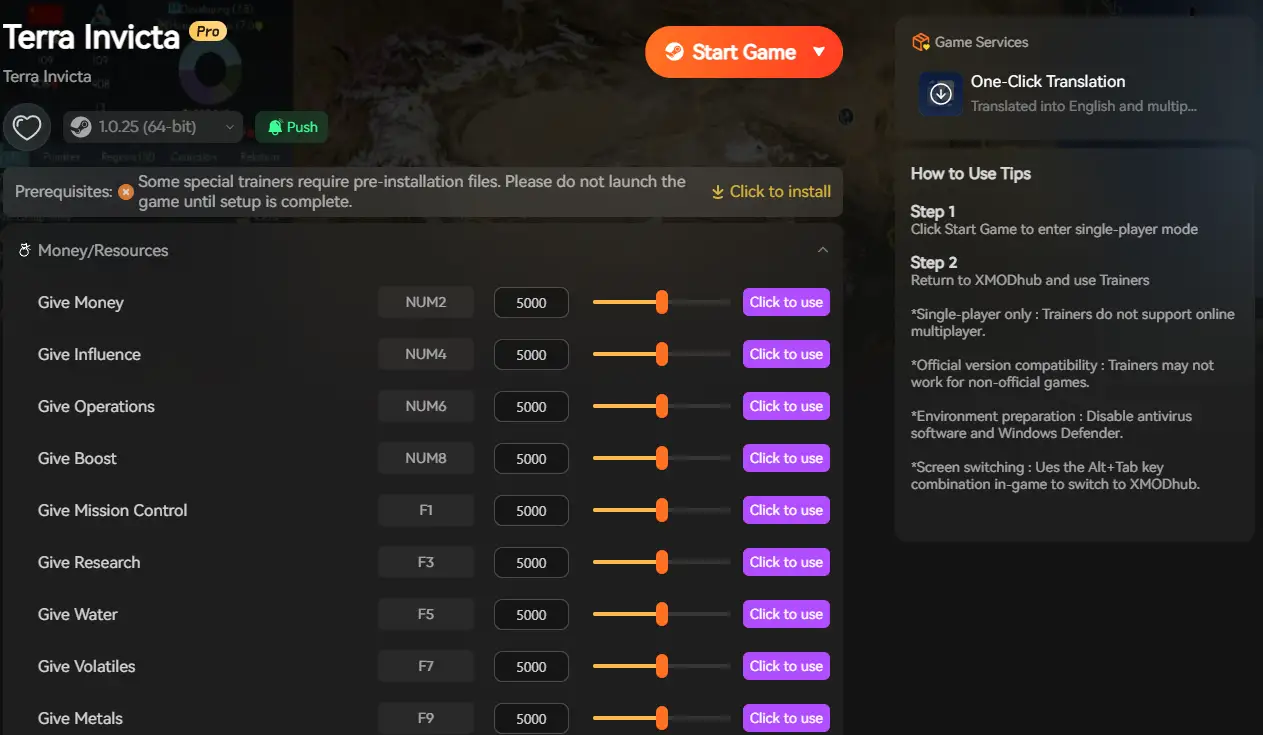
XMODhub is not only a modding app, but it also serves as a performance buffer for struggling systems, reducing the calculation load that causes performance issues.
XMODhub Performance Features:
Control Point Automation: Instantly secure Earth regions without tedious AI turn calculations for hundreds of councillor actions
Research Acceleration: Complete technology trees without waiting for month-by-month processing reducing CPU cycles
Colony Management: Automate mining and production across hundreds of bodies, eliminating per-colony calculations each turn
Fleet Simplification: Reduce active ship counts by auto-resolving minor engagements, focusing GPU on strategic battles only
Turn Processing Reduction: Skip non-critical monthly calculations to maintain frame rates during late-game years
[Optimize Your Terra Invicta Experience with XMODhub]
Troubleshooting & FAQ
Q: Can I run Terra Invicta on GTX 1050 Ti?
A: Early game only. The 4GB VRAM struggles with late-game solar system rendering. Expect 20 FPS by year 2050 and 30+ second turn times.
Q: Why does late-game cause massive slowdown?
A: Exponential complexity. Early game manages Earth and LEO. Late game tracks 300+ colonies, dozens of fleets, and AI faction calculations across entire solar system.
Q: Is 32GB RAM necessary?
A: For late-game comfort, yes. Campaigns reaching 2070s-2080s with full solar system colonization exceed 20GB RAM usage during turn processing.
Q: Will there be further optimization patches?
A: Version 1.0 launched January 5, 2026 after 3 years in Early Access. Expect maintenance patches but major optimization work is complete.
Q: Why do turn times increase dramatically?
A: Each month calculates control point contests, AI faction decisions, colony production, orbital mechanics, and fleet movements. More assets = longer calculations.
Conclusion: Grand Strategy Needs Serious Hardware
Bridge the gap between modern Earth and vast interstellar empires across 100-200 hour campaigns. The grand strategy scope conceals demanding processing requirements that benefit from modern hardware.
While minimum specs allow early-game playability, the exponentially growing complexity demands serious power for late-game comfort. Realistic expectations: GTX 1060 6GB minimum for years 2030-2040, RTX 2060+ recommended for full solar system management through 2060s-2070s.
Follow our optimization checklist, ensure SSD installation and 32GB RAM for late-game campaigns, and if hardware still limits your grand strategy—XMODhub provides tools that reduce performance-intensive calculations for both Earth management and space conquest.
I am a passionate gamer and writer at XMODhub, dedicated to bringing you the latest gaming news, tips, and insights.
Connect with me:
LinkedIn Profile ↗

 Catherine Hu


 Nancy Miller

Really appreciate the breakdown of why Terra Invicta gets so demanding in the late game—people often underestimate how much the constantly moving solar bodies affect performance. One thing I’ve noticed is that tweaking background simulation settings can help smooth out those big fleet-management spikes without sacrificing gameplay depth. Curious if you’ve seen similar gains when adjusting AI calculation intervals during long campaigns.