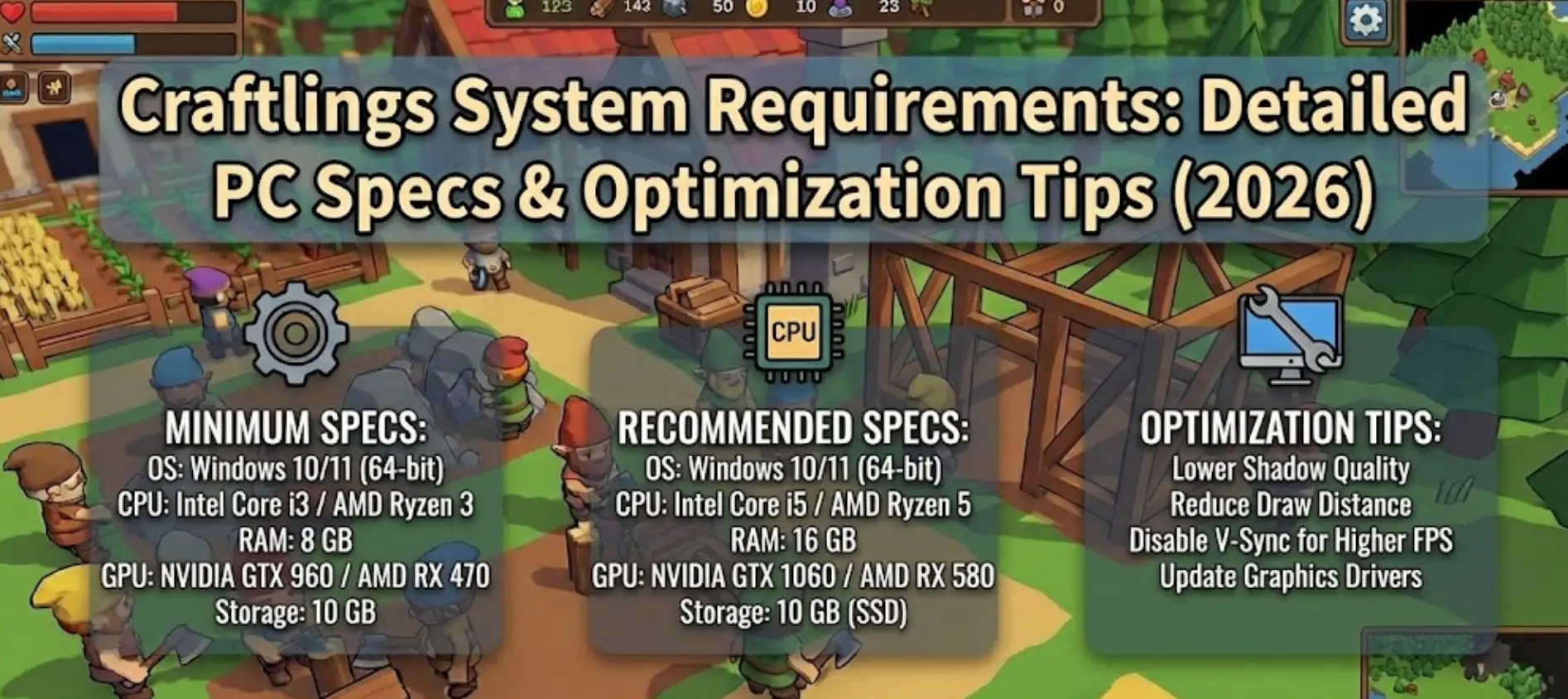
Craftlings is built on Unity with pixel art aesthetics, but does nostalgic visuals mean you can run it on any hardware? Not quite.
Featuring strategic settlement building with automated production chains, profession switching, and 12 handcrafted biomes, the game’s pathfinding AI and resource management systems require decent specs despite its retro appearance.
If you’re wondering if your rig can handle managing your Craftlings colony—or why you’re experiencing frame drops during busy production sequences—this guide covers everything from official specs to real-world optimization strategies.
Quick Summary (TL;DR)
- Minimum GPU: NVIDIA GeForce 8600 GT / AMD Radeon HD 6450 (512MB VRAM)
- Recommended GPU: Mid-range modern GPU for 60 FPS with multiple production chains
- Storage: 1GB required, SSD recommended for faster biome loading
- Low FPS Solution: If hardware limits your settlement building, XMODhub’s automation tools reduce micromanagement strain
Table of Contents
- Editor’s View: Pixel Art Doesn’t Mean Low Specs
- Official System Requirements (Minimum vs. Recommended)
- Real-World Performance: What to Actually Expect
- Optimization Checklist: Fix Stutter & Lag
- How XMODhub Compensates for Low-End Hardware
- Troubleshooting & FAQ
- Conclusion
Editor’s View: “Pixel Art Doesn’t Mean Low Specs”
Catherine Hu | Strategy Game Analyst and Game Writer at XMODhub
“I tested Craftlings on both a modern gaming laptop and an older office PC with integrated graphics. On dedicated hardware, the game ran smoothly at 60 FPS even with 20+ Craftlings active across multiple production chains.
On the office PC with Intel HD 4000? Frame rate dropped to 30 FPS when managing complex settlements with simultaneous lumber, stone, and food production. The pathfinding calculations for dozens of Craftlings navigating between buildings create unexpected CPU load. Don’t let the pixel art fool you—this game demands processing power for its AI systems, especially in later levels with advanced production chains.”
Official System Requirements
Based on the Steam page data for Craftlings’ January 15, 2026 release, here’s the official breakdown:
Minimum Specs (30 FPS, Low Settings):
- OS: Windows 10 (64-bit)
- Processor: Intel Core i3-530 (dual-core) / AMD Athlon II X2 270 (dual-core)
- Memory: 2 GB RAM
- Graphics: NVIDIA GeForce 8600 GT (512 MB) / AMD Radeon HD 6450 (512 MB)
- DirectX: Version 10
- Storage: 1 GB available space
Recommended Specs (60 FPS, High Settings):
- OS: Windows 10 (64-bit)
- Processor: Intel Core i5-4460 (quad-core) / AMD Ryzen 3 1200 (quad-core)
- Memory: 4 GB RAM
- Graphics: NVIDIA GeForce GTX 750 Ti (2 GB) / AMD Radeon R7 260X (2 GB)
- DirectX: Version 10
- Storage: 1 GB available space (SSD recommended)
Note: The 12 handcrafted levels with distinct biomes require asset streaming between zones, making SSD installation beneficial for seamless transitions.
Real-World Performance: What to Actually Expect
Why does a pixel art strategy game need decent specs?
Craftlings’ performance demands come from specific technical features:
Pathfinding AI Systems:
Managing 20+ Craftlings simultaneously across your settlement requires constant pathfinding calculations. When multiple Craftlings navigate.
Production Chain Complexity:
Automated production chains with lumber mills, quarries, farms, and workshops create cascading resource flows. The game tracks dozens of items moving.
Biome Asset Streaming:
Each of the 12 levels features unique vegetation, buildings, and terrain. Transitioning between these distinct environments requires loading new assets.
Profession Switching Overhead:
Swiftly switching Craftlings between lumberjack, stone mason, miner, and warrior roles triggers recalculation of settlement efficiency metrics and AI behavior states.
Building Construction Physics:
Construction animations and resource delivery to building sites use physics calculations that add up when managing multiple simultaneous projects.
Optimization Checklist: Fix Stutter & Lag
If experiencing performance issues with the January 15, 2026 launch, try these steps:
1. Reduce Craftling Population Cap:
Limit the number of active Craftlings in settings to reduce pathfinding overhead. Focus on efficient task assignment rather than brute-force population.
2. Lower Visual Effects:
Reduce particle effects for resource gathering and construction animations. This provides 10-15 FPS boost without impacting gameplay clarity.
3. Adjust Terrain Detail:
Lower vegetation density in forest biomes. Dense trees and undergrowth strain older GPUs during camera movement.
4. Enable Performance Mode:
Check game settings for “Performance Mode” which simplifies background animations and reduces non-essential visual elements.
5. Install on SSD:
Biome transitions between the 12 unique levels benefit greatly from SSD speeds, eliminating 2-5 second loading pauses.
6. Close Background Applications:
The game’s AI systems and production chain calculations require consistent CPU access. Close Discord, browsers, and streaming software.
7. Update Graphics Drivers:
Ensure latest GPU drivers are installed. Older drivers can cause compatibility issues with Unity-based games.
How XMODhub Compensates for Low-End Hardware
Don’t let frame drops during complex settlement management ruin your strategic planning.
XMODhub is not only a modding app, but it also serves as a performance buffer for struggling systems, alleviating the micromanagement load that often causes performance issues.
XMOD will provide full trainer support upon the game’s official release, ensuring compatibility and stability from day one.
XMODhub Performance Features:
Resource Automation: Eliminate constant resource gathering trips with 10x multipliers, reducing active Craftling count and pathfinding overhead.
Instant Construction: Complete building projects immediately without waiting for resource delivery animations that strain low-end GPUs.
Population Management: Maintain optimal settlement function with fewer active Craftlings, lowering CPU load from AI calculations.
Production Chain Bypass: Access refined goods directly without running complex multi-building production chains that tax system resources.
Profession Lock: Prevent unnecessary profession switching that triggers AI recalculation spikes, stabilizing frame rate.
[Optimize Your Craftlings Experience with XMODhub]
Troubleshooting & FAQ
Q: Can I run Craftlings on integrated graphics?
A: Intel HD 4000 or newer can run the game at low settings and 30 FPS. However, settlements with 15+ active Craftlings may cause slowdowns.
Q: Will there be optimization patches post-launch?
A: Developer ARIANO Games GmbH worked solo for four years on this project. Expect gradual optimization updates based on community feedback after the January 15, 2026 launch.
Q: Does the game support lower resolutions?
A: Yes. Running at 720p provides significant performance boost on older hardware while maintaining pixel art clarity.
Q: Why do biome transitions cause stuttering?
A: Each of the 12 levels loads unique assets for vegetation, buildings, and terrain. Without SSD, these transitions cause 2-5 second freezes during level loading.
Conclusion: Strategic Planning Needs Stable Performance
Guide your Craftlings to prosperity across 12 unique biomes. The nostalgic pixel art style conceals sophisticated AI and production systems that benefit from modern hardware.
While minimum specs are accessible, the game’s strategic depth shines at 60 FPS with responsive controls and smooth Craftling management. Realistic expectations: dual-core CPU minimum for playable frame rates, quad-core recommended for comfortable late-game settlements.
Follow our optimization checklist, ensure SSD installation for seamless biome transitions, and if hardware still limits your settlement building—XMODhub provides automation tools that reduce performance-intensive micromanagement while preserving strategic decision-making.
Build your thriving colony without hardware holding you back.
I am a passionate gamer and writer at XMODhub, dedicated to bringing you the latest gaming news, tips, and insights.
Connect with me:
LinkedIn Profile ↗

 Catherine Hu


 Nancy Miller
Great tips on optimizing for low FPS. The SSD suggestion makes a big difference in loading times, and using automation to streamline production chains really helps in managing large colonies without micromanaging every detail.