Mastering My Winter Car can be absolutely brutal. One moment you are tightening a bolt on your project car, and the next, you are freezing to death because you forgot to buy sausages or get a ride home.
Whether you are stuck walking miles in the snow, broke with zero Markkas to buy parts, or simply want to experiment in a “Creative Mode” style without the survival stress, using My Winter Car console commands is the most popular requested feature to bypass the grind.
However, let’s be real: accessing the developer debug menu in this game is not straightforward. The developer has locked things down tight.
The Better Alternative: XMODhub Trainer (No Typing)
FAQ
Conclusion
Editor’s Note: Can You Cheat in My Winter Car?
“My Winter Car runs on the Unity Engine. In the current build, the developer has hidden the console key to prevent players from bypassing the hardcore survival mechanics.
Unlike its predecessor (My Summer Car), you can’t just install a simple ‘MSCloader’ console and expect it to work perfectly every update. Messing with config files often leads to game crashes. At XMODhub, we recommend using an external memory trainer to inject cheats like ‘Infinite Money’ safely.”
— Catherine Hu, Senior Modding Specialist and Game Wrtier at XMODhub
How to Enable the Console in My Winter Car
If you are determined to peek behind the curtain, accessing the debug menu usually requires a bit of work. Here are the standard methods to try:
Method A (The Standard Try): Press the Tilde key (~), F1, or Backquote during gameplay. (Note: In the retail version, this usually does nothing).
Method B (Steam Launch Options):
Right-click My Winter Car in Steam > Properties.
In Launch Options, type: -console or -dev.
Launch the game and try the hotkeys again.
Method C (Modding): You typically need to install a third-party mod loader (like BepInEx) specifically patched for My Winter Car to force a console window to appear.
(If fiddling with mod loaders sounds like a headache, skip to the XMODhub Solution below for a 1-click fix.)
Essential Console Commands List
If you manage to force the command line open via a mod, here are the most useful cheats to save your run:
Player & Survival Cheats
god or god_mode 1 – Grants invincibility. No more dying from cold, hunger, or thirst.
add_money [amount] – Instantly adds Markkas to your wallet. (e.g., add_money 50000).
noclip – Allows you to fly through walls. Essential if your car flips over and glitches into the ground.
World & System Commands
set_time [value] – Change the time of day (useful to skip the dark, freezing nights).
teleport [x] [y] [z] – Teleports player to coordinates.
show_fps – Displays your current frame rate.
Console Commands vs. Save Editor (MWCeditor)
Veterans of the prequel (My Summer Car) are likely looking for a Save Editor tool (similar to the famous MSCeditor) to modify their defaultES2File.txt.
While save editors are great for fixing complex wiring issues offline, relying on them for simple cheats is slow and annoying compared to Console Commands or a Trainer.
Feature
Save Editor (MWCeditor)
Console / XMODhub Trainer
Workflow
Close game -> Edit File -> Reload Game
Real-time (While Playing)
Instant Money
Slow (Must restart game)
Instant (Press Button)
Teleportation
Guess XYZ coordinates blindly
Visual Teleport / Noclip
Risk
High (Can corrupt save structure)
Low (Injects into memory)
Verdict: Use a Save Editor to fix a broken save file, but use XMODhub if you want to spawn money or teleport instantly without closing your game.
My Winter Car Item IDs List
To use the give [ID] or spawn [ID] command, you need the specific internal codes. Because the game is constantly being updated, these IDs change often:
Resources:
ID_Food_Sausage
ID_Drink_Beer
Car Parts:
ID_Part_Piston
ID_Tool_Wrench_10mm
(Tired of guessing IDs or getting “Item Not Found” errors? The XMODhub Trainer has a visual item menu, so you don’t need to memorize codes.)
How to Fix “Stuck” Cars & Boost FPS
In physics-based games like My Winter Car, getting your vehicle wedged in a ditch or experiencing lag is common. Here are the specific commands players search for:
1. The “Unstuck” Command (Teleport)
If your car is stuck, typing coordinates manually via console (e.g., teleport 120 5 -100) is a nightmare because you don’t know the map coordinates.
The Better Way: Use the XMODhub “Noclip” (Fly Mode). This allows you to detach the camera, fly out of the ditch, and pull your car out with physics, or simply teleport your car to the garage with one click.
2. FPS Boost Commands
Optimization is rough in Early Access. While there isn’t a magic “fix lag” command, you can try these console inputs to disable heavy rendering features:
(Note: If the console is locked, XMODhub allows you to toggle these performance tweaks via a simple UI overlay.)
The Problem: Why Console Commands Are Risky
Using a developer console in a game as fragile as My Winter Car comes with costs:
Save Corruption: This is the big one. Spawning quest items (like car inspection papers) before the game logic expects them can permanently brick your save file.
Achievement Lock: Typing cheats often flags your profile, disabling Steam Achievements for that run.
Inconvenience: Having to type set_hunger 0 every 10 minutes disrupts the immersion.
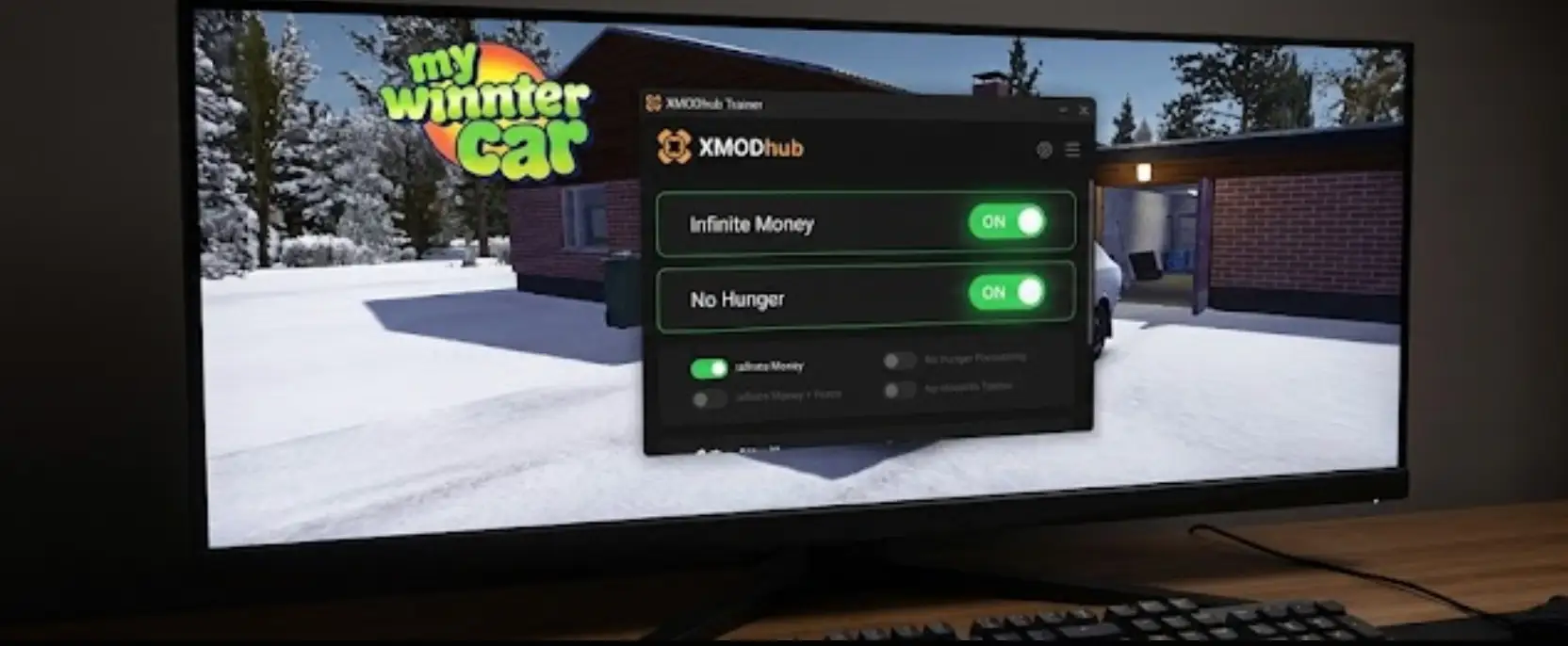
The Better Alternative: XMODhub Trainer (No Typing)
Stop memorizing codes and risking your save file.
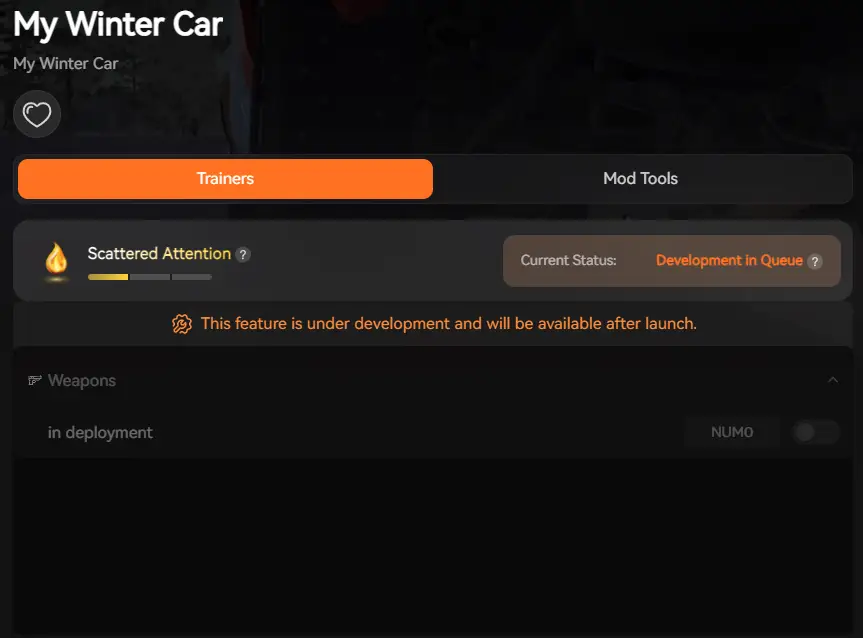
XMOD will provide full trainer support upon the game’s official release, ensuring compatibility and stability from day one.
XMODhub acts as a visual overlay that gives you control without the headache.
Q: Can I use console commands in My Winter Car Multiplayer?
A: No. My Winter Car is currently a single-player experience. XMODhub is designed for single-player use to enhance your personal gameplay.
Q: What is the cheat for infinite Money (Markkas)?
A: You can try typing add_money if you have a console mod, but the easiest way is to use the XMODhub Trainer and press a single hotkey to fill your wallet.
Q: Why doesn’t the Tilde (~) key work?
A: The developer disabled it by default. You need a Trainer to access debug features without modifying game files.
Conclusion: Cheat Smarter
While classic console commands are nostalgic, they are clunky and risky in modern simulation games like My Winter Car. You shouldn’t have to lose 20 hours of progress just because you got stuck in a ditch.
XMODhub offers a safer, visual, and achievement-friendly way to customize your experience. Build your dream car, skip the grind, and survive the winter on your own terms.
Supports Similar Games
My Winter Car is just the beginning.
XMODhub supports more than 5,000+ games, including similar titles like:
I am a passionate gamer and writer at XMODhub, dedicated to bringing you the latest gaming news, tips, and insights.
Connect with me:
LinkedIn Profile ↗
How to Survive the Minotaur Curse Puzzles in Resonance: A Plague Tale Legacy
You are trapped in the labyrinth, the walls are shifting, and the oppressive darkness of the ancient island is closing in. If you are searching for how to survive the Minotaur Curse puzzles…
Best SurroundedByBoys Mods Tool (2026): Safe Downloads & No-Crash Guide
Quick Answer: What is the best and safest SurroundedByBoys mods tool? To modify your gameplay safely without corrupting your save files, you need to use the right SurroundedByBoys mods tools: XMODhub: The absolute…
One thought on “My Winter Car Console Commands (2026): Cheat Codes & Item IDs List”
The way My Winter Car forces you to manage every little detail really ramps up the pressure, especially when you’re stuck freezing or out of money. It’s nice to have console commands and cheats as a safety net, but I can totally see how they might ruin the experience for those who like a challenge.

 Catherine Hu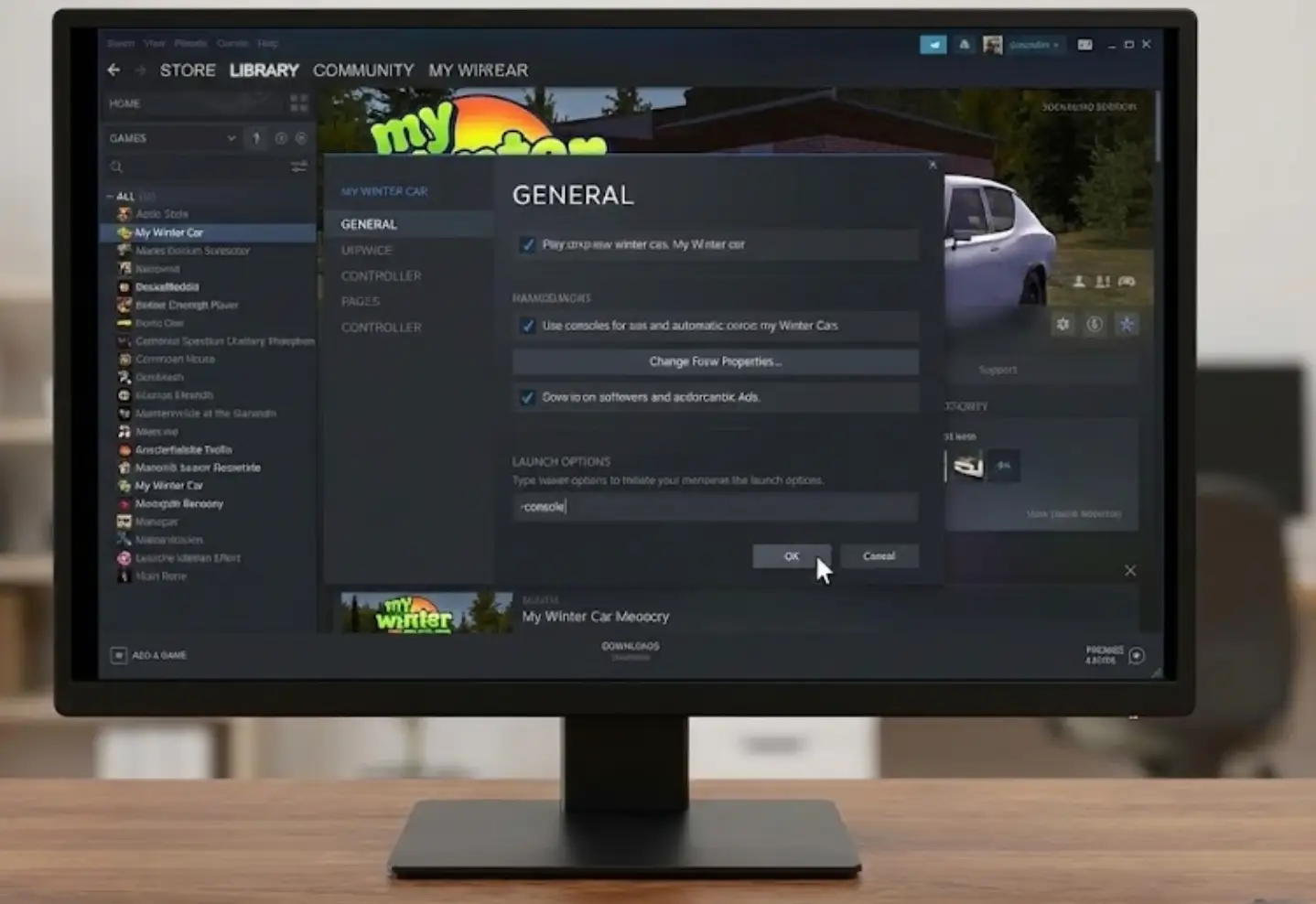




 Nancy Miller
The way My Winter Car forces you to manage every little detail really ramps up the pressure, especially when you’re stuck freezing or out of money. It’s nice to have console commands and cheats as a safety net, but I can totally see how they might ruin the experience for those who like a challenge.