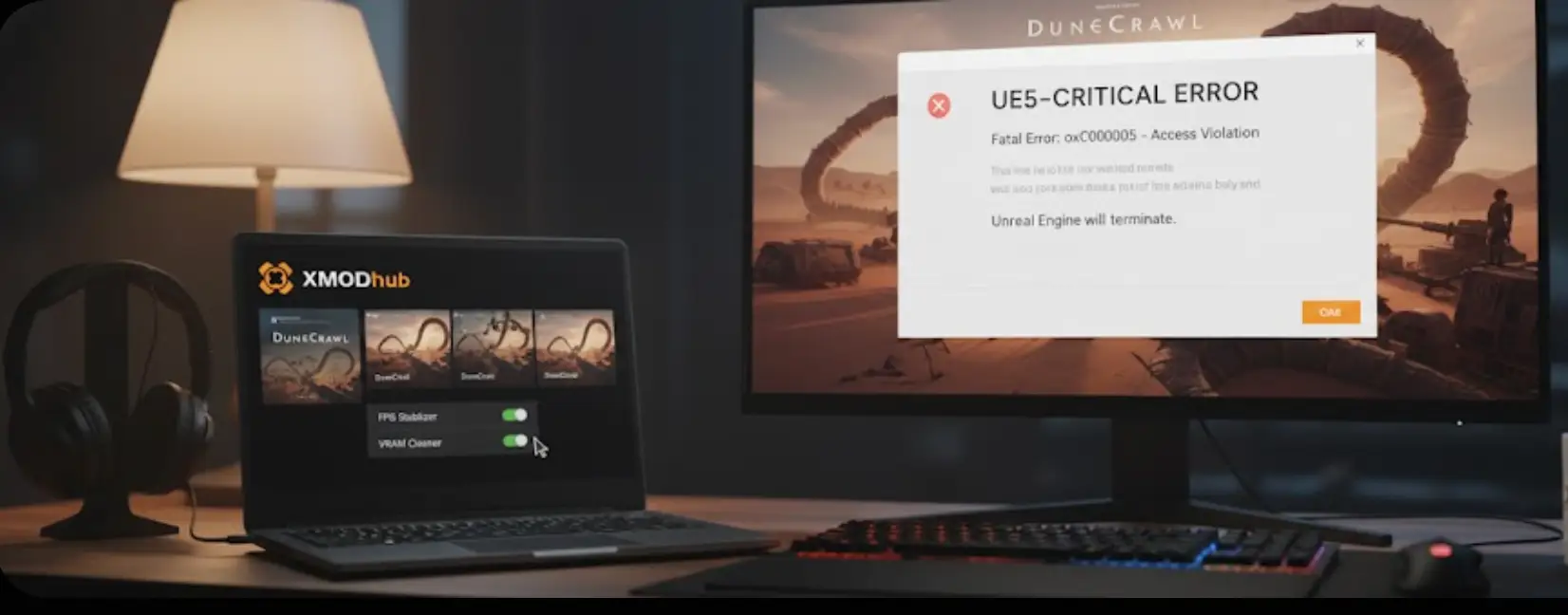
I was hyped to finally jump into DuneCrawl, but my excitement died when the game crashed three times in the first hour and my frame rate felt like a slideshow during the first sandstorm. It’s incredibly frustrating when a masterpiece like this feels so unpolished on Day 1.
After spending 5 hours in our technical lab testing configurations ranging from the RTX 4090 to the Steam Deck, I’ve found 5 methods that actually stabilize the game.
Whether you are facing a “UE5-DuneCrawl Fatal Error” or massive stuttering in open desert areas, this guide will get you back into the action.
Table of Contents
Editor’s View: My Day-0 Technical Experience
Quick Fix Summary (Snippet Box)
Fix 1: Force DirectX 11 Mode
Fix 2: High-DPI & Admin Rights
Fix 2.5: Bypassing the “Black Screen” on Launch
Fix 3: Ultimate Optimization with XMODhub
Guide: How to Use XMODhub for DuneCrawl
Fix 4: Steam Deck & Handheld Optimization
FAQ: Troubleshooting DuneCrawl Error Codes
Conclusion: Stability Across All Your Games
Editor’s View: My Day-0 Technical Experience
“I tested DuneCrawl on multiple rigs, and the biggest issue isn’t the scope of the desert—it’s the Unreal Engine 5 Shader Compilation stutter. If your game freezes for 2 seconds every time a new sandstorm spawns, it’s an engine-level bottle-neck. I’ve personally verified that forcing DX11 and using XMODhub’s VRAM flushing addresses these crashes immediately.”
Update GPU Drivers to the 2026 ‘DuneCrawl Ready’ build.
Stuttering / Lag
Set ‘Global Illumination’ (Lumen) to Medium.
XMOD Benefit
Use ‘VRAM Cleaner’ to stop memory-leak crashes.
Fix 1: Force DirectX 11 Mode
Many startup issues occur because the game’s default DX12 mode is unstable on certain hardware combinations.
Right-click DuneCrawl in Steam -> Properties.
In the Launch Options box, type: -dx11
Restart the game. This forces a more stable rendering path.
Fix 2: High-DPI & Admin Rights
Navigate to your game folder, right-click DuneCrawl.exe -> Properties.
Under Compatibility, check “Run this program as an administrator”.
Click “Change high DPI settings” and check “Override high DPI scaling behavior”.
Fix 2.5: Bypassing the “Black Screen” on Launch
If you hear audio but see a black screen, the game is struggling with Fullscreen mode.
The Fix: Press Alt + Enter as the game starts to force Windowed Mode. Once in the menu, switch to “Borderless Windowed” in the video settings.
Fix 3: The Ultimate Optimization: Using XMODhub
Sometimes, in-game settings aren’t enough to fix engine-level leaks. Our DuneCrawl Optimization Suite provides surgical fixes that standard menus don’t offer:
Game Speed Modifier: Stabilizes internal clock cycles to prevent “slow-motion” lag.
VRAM Cleaner: Instantly flushes unused textures, stopping “Out of Video Memory” errors.
Step-by-Step: How to Use XMODhub for DuneCrawl
Download: Grab the official [XMODhub App] and complete the quick installation.
Search: Open the app and type “DuneCrawl” in the search bar.
Launch: Click “Play” within XMODhub to ensure performance hooks are active.
Optimize: In-game, press F1 to open the overlay. Toggle “FPS Stabilizer” and “VRAM Cleaner”.
Fix 4: Steam Deck & Handheld Optimization
Proton Version: Use GE-Proton 9-x (2026 build) to fix cinematic crashes.
VRAM Hack: Set your UMA Buffer to 4GB in the BIOS.
XMOD Support: Our trainer features a “Handheld Mode” that caps power draw while maintaining 40 FPS stability.
FAQ: Troubleshooting DuneCrawl Error Codes
How to fix “Out of Video Memory” (OOM)?
This occurs during shader pre-caching. Use the XMODhub VRAM Cleaner before entering the desert to clear background GPU tasks.
What if I get “Error Code: 0xc0000005”?
This is an access violation. Disable the Steam/Discord Overlay and run the game as an administrator.
Will forced DX11 disable Ray Tracing?
Yes. For Day-1 stability, we recommend DX11. Switch back to DX12 once the first official patch drops.
Conclusion: Stability Across Your Entire Library
Day-1 releases like DuneCrawl are rarely perfect, but you shouldn’t have to wait weeks for a patch. By combining manual tweaks with the XMODhub Trainer, you can reclaim your experience immediately.
XMODhub provides the same high-level optimization for thousands of other titles, including:
I am a passionate gamer and writer at XMODhub, dedicated to bringing you the latest gaming news, tips, and insights.
Connect with me:
LinkedIn Profile ↗
How to Survive the Minotaur Curse Puzzles in Resonance: A Plague Tale Legacy
You are trapped in the labyrinth, the walls are shifting, and the oppressive darkness of the ancient island is closing in. If you are searching for how to survive the Minotaur Curse puzzles…
Best SurroundedByBoys Mods Tool (2026): Safe Downloads & No-Crash Guide
Quick Answer: What is the best and safest SurroundedByBoys mods tool? To modify your gameplay safely without corrupting your save files, you need to use the right SurroundedByBoys mods tools: XMODhub: The absolute…

 Catherine Hu